Ghostty, the high-performance GPU-accelerated terminal emulator created by HashiCorp co-founder Mitchell Hashimoto, has officially released version 1.4. The project, which has rapidly grown to claim millions of daily users across various platforms, combines hardware-accelerated rendering with a native look and feel tailored to each supported operating system. On Linux environments, the application utilizes GTK, while on macOS, it relies on Swift. Its underlying technology, specifically the C-based virtual terminal emulator library known as libghostty-vt, has already gained significant traction, being adopted by numerous other terminal emulators in the open-source ecosystem.
The newly released version 1.4 marks a massive milestone for the project, driven by contributions from over 170 developers who collectively pushed more than 2,800 commits into the repository. While the release touches multiple operating systems with platform-specific adjustments, the updates coming to Linux users are particularly extensive, ranging from rendering improvements and Wayland protocol integrations to critical security enhancements and memory optimizations.
What’s New in Ghostty 1.4
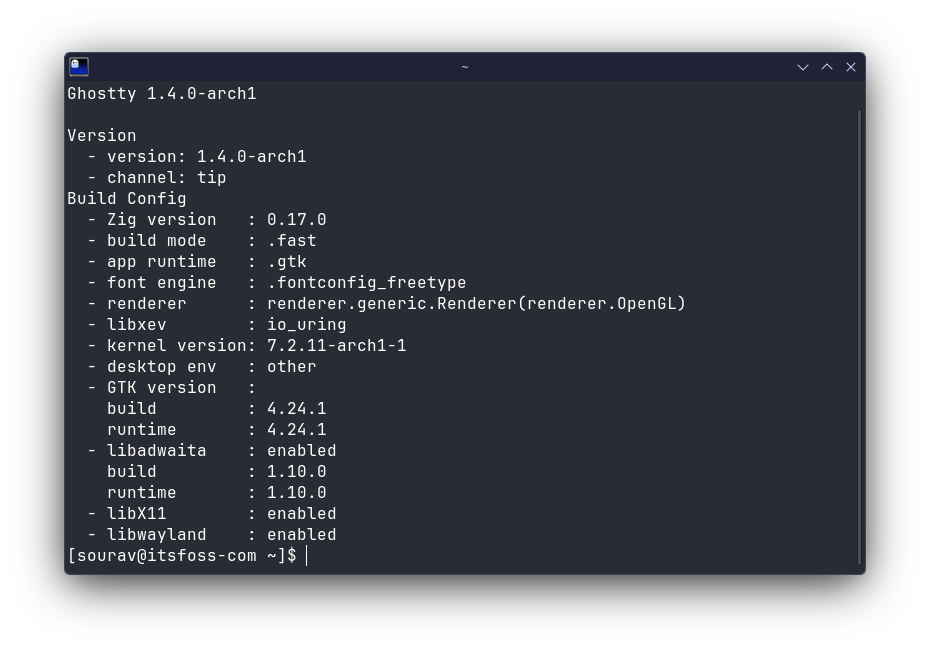
Deploying Ghostty 1.4 on Linux does come with certain system requirement prerequisites that users must keep in mind. For instance, distributions like Ubuntu 24.04 LTS cannot run native builds out of the box because Ghostty 1.4 strictly requires GTK 4.18 and libadwaita 1.7. If an older system loads older versions of these libraries, the application will exit immediately upon startup. For users running these distributions, developers suggest opting for an older build or upgrading their environment to maintain compatibility.
For systems meeting the modern library requirements, the GTK application brings several notable visual and functional enhancements. Text rendering has been significantly sharpened when using fractional scaling settings, such as 125% or 150%, addressing previous issues where text could appear blurry due to upstream graphical changes. Additionally, the rebuilt, triple-buffered renderer is expected to drastically cut down on visual tearing during intensive scrolling and fast output scenarios.
Window management has also seen improvements, particularly regarding the handling of split panes. Ghostty 1.4 introduces drag-and-drop support for split windows on Linux—a feature that was previously brought to macOS in version 1.3. With this addition, users can drag a split pane and drop it onto any other pane, even if it resides in a completely different tab or window. Crucially, the running processes and the working directory move right along with the pane, ensuring an uninterrupted workflow.
Wayland users will notice refined behavior regarding global keybindings. The application now leverages the vicinae-hotkey-v1 protocol on compatible compositors such as Hyprland 0.56 and newer, while routing through the standard desktop portal on other compositors. This adjustment is designed to smooth out hotkey responsiveness and reliability across a wide variety of Wayland environments. Furthermore, background blur support has been extended to the Niri window manager, and a newly introduced +toggle-quick-terminal command provides a seamless fallback for window managers that lack the capability to register global shortcuts natively.

Memory management and efficiency have also taken a major leap forward in this release. The behavior of the clipboard value associated with copy-on-select has been updated, prompting users who relied on the previous behavior to transition to the both value. More impressively, off-screen scrollback data is now automatically compressed while the terminal sits idle. The project estimates that this silent optimization yields memory savings ranging between 70% and 90%. Because this compression frees up significant system RAM, the default scrollback limit has been safely increased to 50MB, a substantial jump from the previous 10MB default.
Additional Changes and Platform Support
Beyond the core GTK and Linux-specific improvements, Ghostty 1.4 introduces broad cross-platform enhancements and vital security patches. The application now implements the full Kitty graphics protocol, a feature that the project notes has not been fully duplicated by any terminal emulator outside of Kitty itself. Another handy addition is the new ghostty +ssh command, which acts as a direct drop-in replacement for the standard ssh command by automatically installing Ghostty’s terminfo files on the remote host before establishing the connection.
Security has also been a focal point for the 1.4 development cycle. A total of ten security issues were addressed in this release. Four of these vulnerabilities were exclusive to macOS, while the remaining fixes tackled critical issues on other platforms. Among the resolved vulnerabilities were a paste protection gap and a flaw involving a specially named directory that could trick zsh integration into executing escape sequences, including malicious ones capable of silently hijacking the user’s system clipboard.
Platform support continues to evolve across the ecosystem. Mac users receive immediate support for macOS 27, while legacy support for macOS 13 has been maintained for the time being before being officially deprecated in a future release. Meanwhile, on the Windows front, the project has made the strategic decision to officially drop direct GUI support from its active roadmap. Instead, Windows developers and downstream projects are encouraged to build upon libghostty and libghostty-vt, both of which remain fully supported and compiled for Windows environments.
Official binaries for Ghostty are distributed primarily for macOS. On the Linux side of the ecosystem, distribution maintainers handle the packaging process. Major Linux distributions including Arch Linux, NixOS, Alpine Linux, Gentoo, openSUSE, and the upcoming Ubuntu 26.04 provide native packages through their respective repositories. While community-maintained DEB, AppImage, and Snap builds are widely available across the web, the project officially recommends building the application directly from source when official distribution packages are unavailable. Users wishing to compile the software manually can do so using the source tarball and the standard zig build command, with comprehensive instructions outlined in the official Ghostty build documentation.