The landscape of web development continues to evolve as AI coding assistants transform how applications are conceptualized and built. Among the latest workflows gaining traction is the deployment of projects generated through Codex directly to production environments such as Hostinger. As developers increasingly rely on AI to scaffold everything from simple static portfolios to complex applications requiring backend logic, the need for streamlined, reliable deployment pipelines has never been more critical.
Deploying a website or web application built with Codex involves a systematic review of the generated project, local testing to catch potential errors, and publication on a hosting infrastructure capable of supporting the project’s specific framework and features. The requirements for hosting vary considerably depending on the architecture of the AI-generated application. While a basic portfolio or static landing page requires only the final compiled files to be served, an application handling user authentication, secure sessions, or database operations necessitates robust hosting environments capable of executing server-side runtimes like Node.js.

To bridge the gap between AI development environments and live web servers, developers can leverage integration tools such as the Hostinger Connector, alongside traditional deployment pathways like GitHub integration or manual ZIP file uploads. This flexibility allows both novice programmers and seasoned developers to move their AI-assisted projects from a local workspace to a live public URL efficiently.
Preparing and Reviewing Codex-Generated Projects
Before any deployment takes place, careful preparation of the project files and testing tools is essential. Developers working with Codex often begin by establishing a clear understanding of the generated code structure. This phase prevents common pitfalls, such as uploading incorrect directories or missing critical configuration files required for the application to function correctly in a production environment.

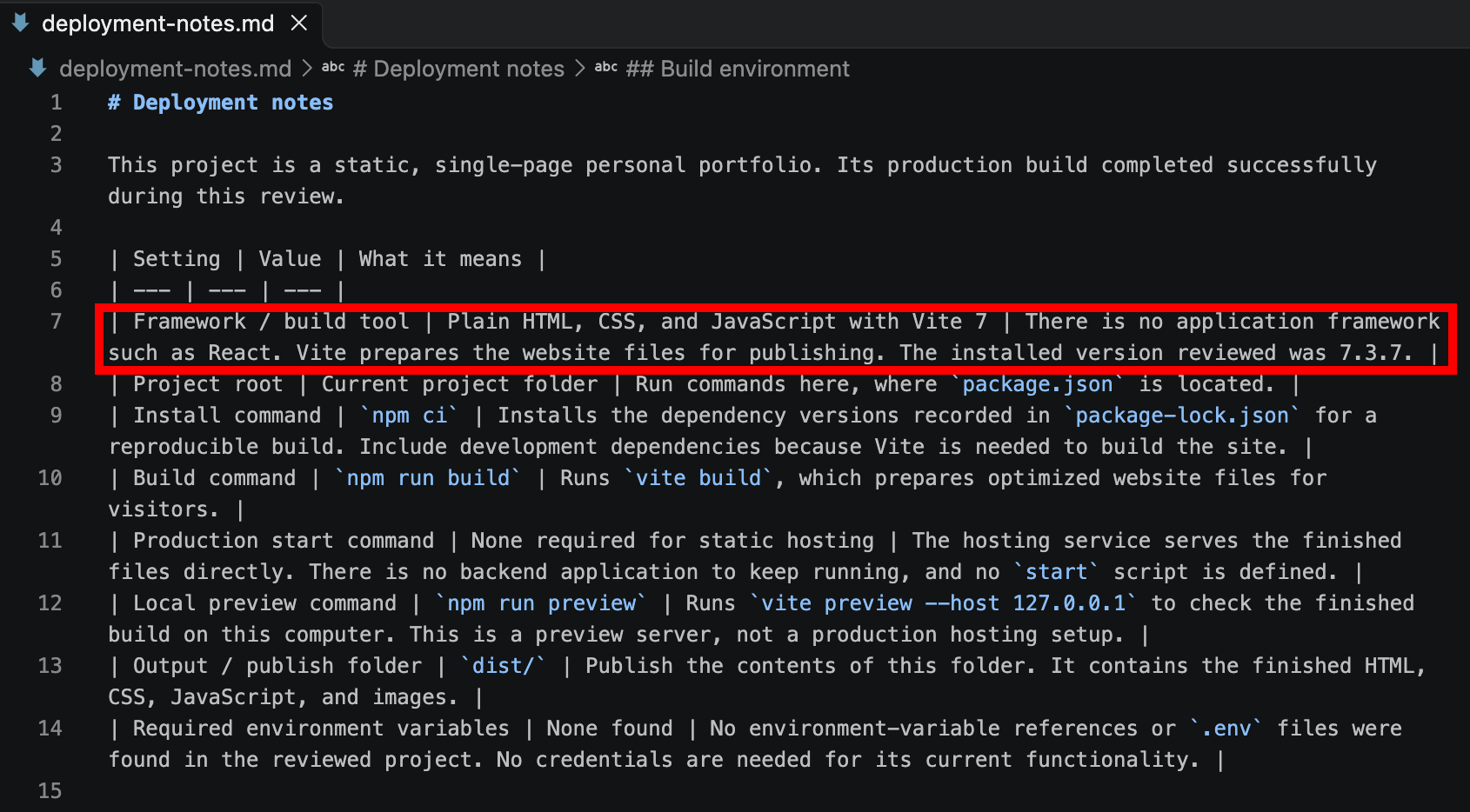
The review process typically begins within a local code editor, such as VS Code, where developers prompt Codex to analyze the repository and identify key operational parameters. These parameters include the framework used, the build command, the start command, the designated output folder, and any necessary environment variables. Requesting a dedicated deployment summary file, often saved as markdown notes within the project folder, provides a clear reference guide throughout the publishing process. This documentation helps developers ensure that build instructions are accurately followed and that no sensitive information, such as API keys or passwords, is mishandled.
Framework Verification and Local Testing
Once the project layout is understood, verifying the framework and testing the website locally are critical steps in the deployment lifecycle. Running the application on a local machine allows developers to catch broken links, layout issues, or syntax errors before pushing code to a live server.
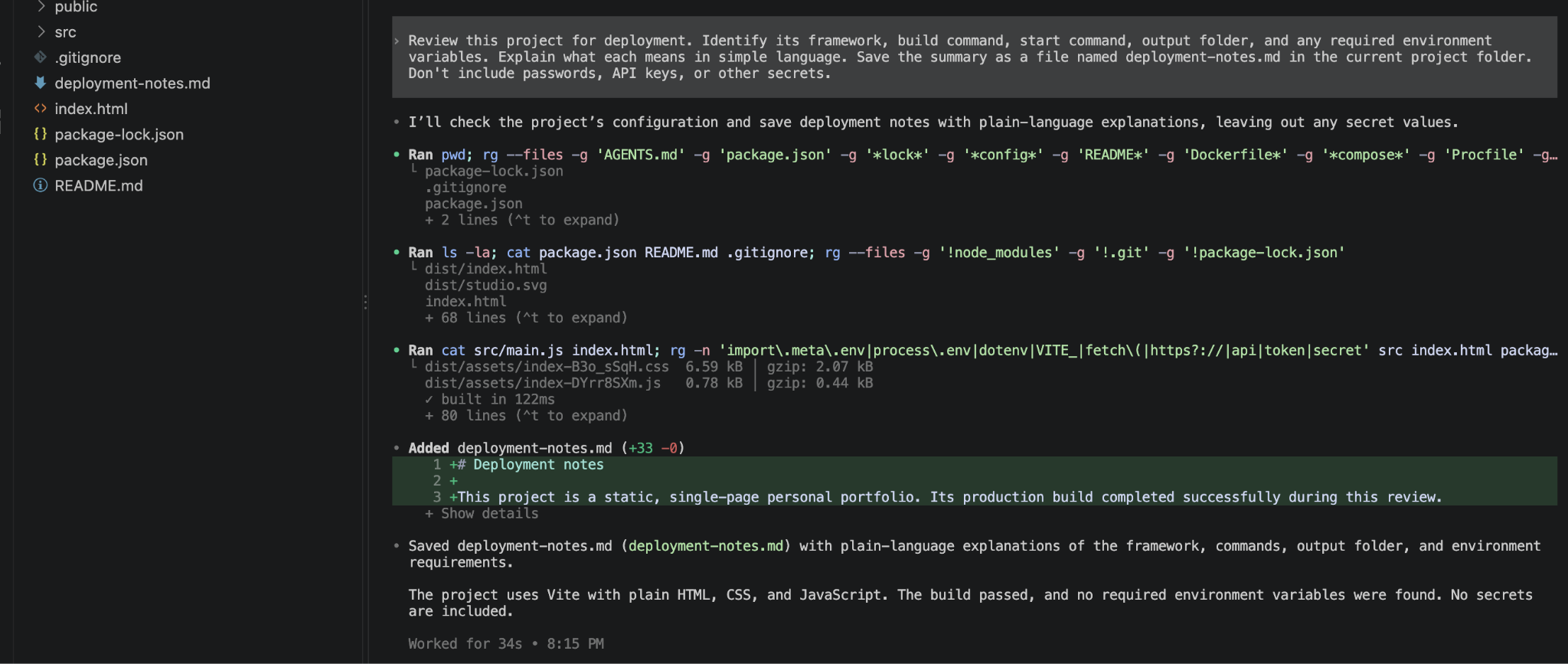
AI-generated projects frequently utilize modern build tools and frameworks, such as Vite combined with vanilla HTML, CSS, and JavaScript. By executing local build commands within the terminal, developers generate the finalized production assets, which are typically routed to a specific build directory. If errors arise during this local compilation phase, developers can relay the error logs back to Codex, requesting automated troubleshooting and code corrections before attempting another build.
Selecting the Appropriate Hosting Architecture
Choosing the correct hosting method depends largely on where the project originates and how future updates will be managed. For projects hosted on infrastructure that supports both static assets and dynamic Node.js backends, several distinct publishing methods are available.
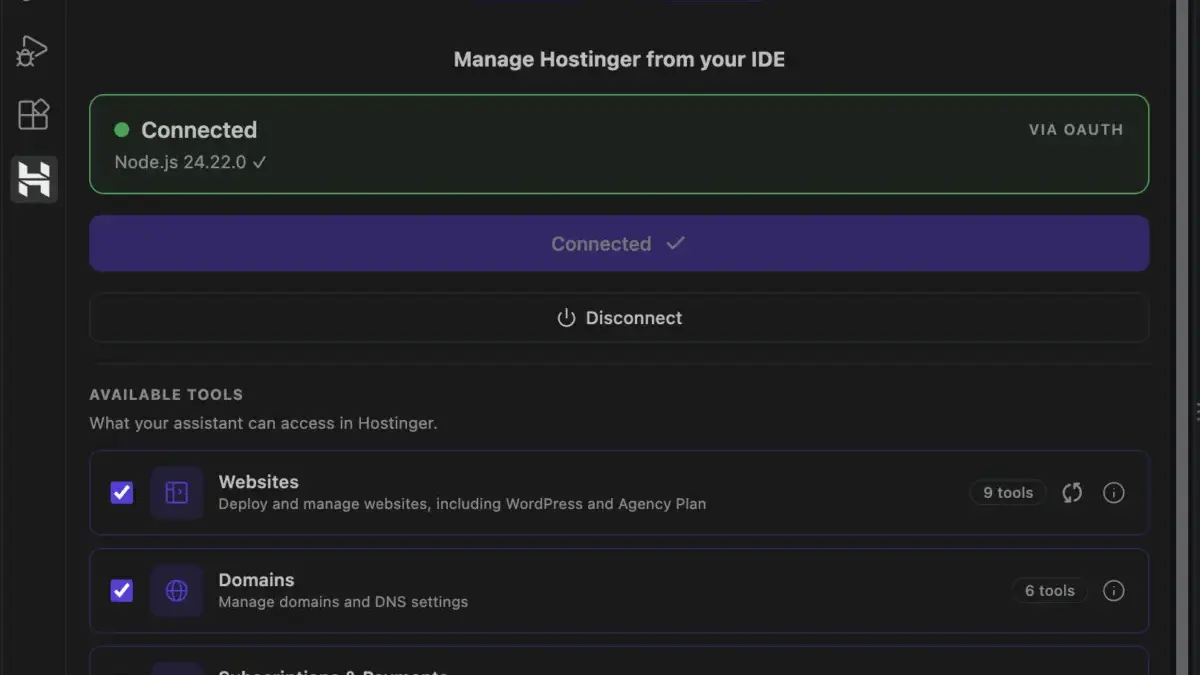
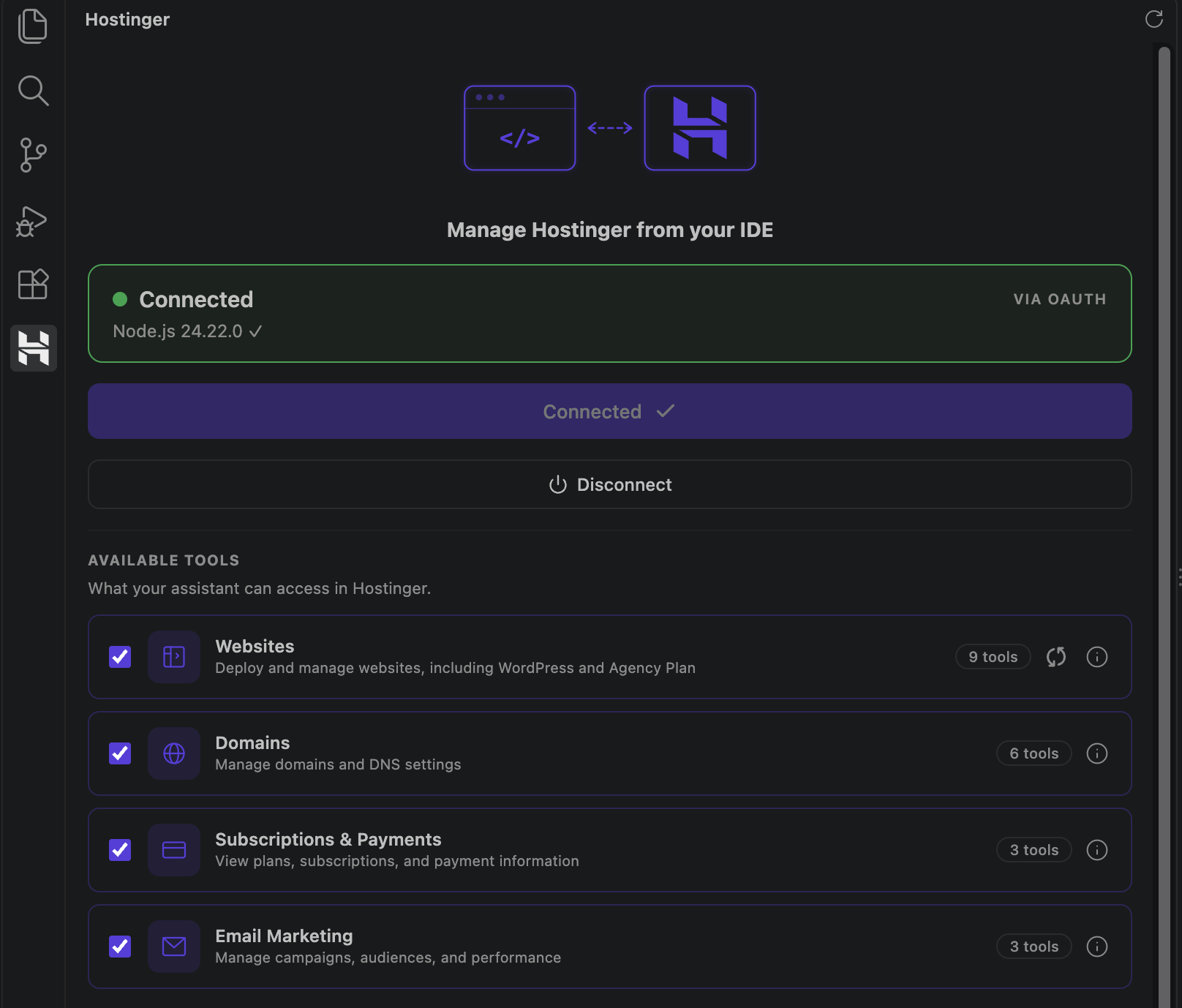
Direct integration tools, such as the Hostinger Connector, allow developers to deploy applications straight from their coding environment without needing to navigate away to a separate dashboard. This method streamlines the workflow for developers who prefer an integrated coding and deployment experience.
Alternatively, connecting a project repository via GitHub offers a streamlined approach for developers who plan to update their websites regularly. In a GitHub-connected workflow, pushing code updates to a designated branch triggers automated builds and redeployments on the hosting server. For those who prefer a manual approach without linked accounts, traditional archive uploads via ZIP files remain a viable option, requiring a fresh upload whenever updates are made. Beyond Hostinger, other cloud platforms like Vercel and Netlify also support Codex-built projects, offering alternatives for developers already utilizing those ecosystems.

Managing Environment Variables and Configuration
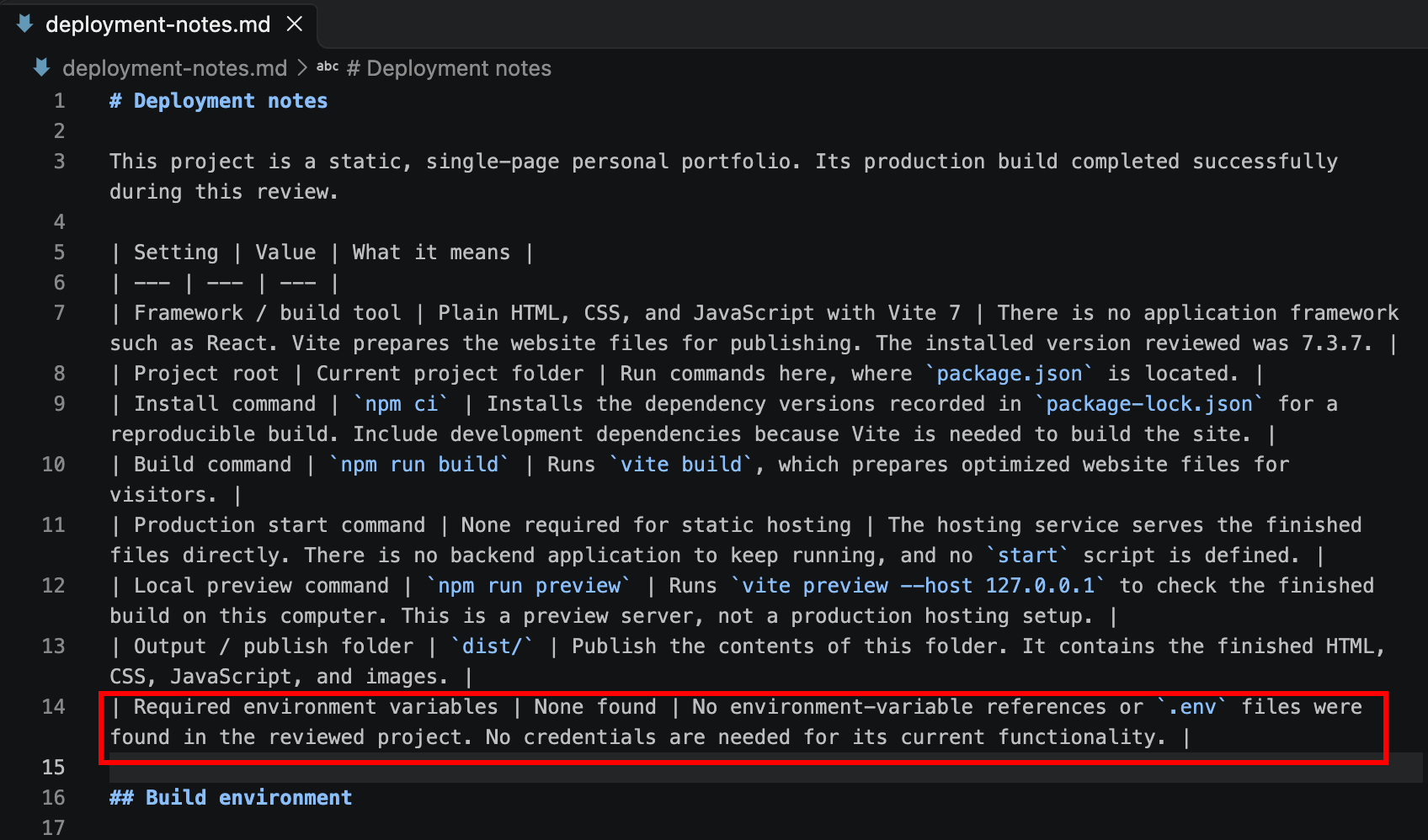
A frequent challenge in web deployment involves the proper handling of environment variables. These are configuration settings stored externally from the core application code, including database connection strings, secure endpoints, and third-party API credentials. Missing or misconfigured environment variables are a primary cause of feature failures, such as broken login systems or failing database queries, once an application goes live.
Developers must verify whether their Codex-generated projects rely on specific environment variables by inspecting their project documentation. Once identified, these variables must be securely configured within the hosting dashboard before the application is published. Ensuring that production environments match the required configuration parameters prevents runtime errors and secures sensitive data.
Executing the Deployment and Connecting Domains
When deploying directly through integrated development tools, developers often utilize temporary domains to verify that the live application functions correctly before binding a permanent custom domain name. This practice allows for rigorous testing of the live environment without impacting an active public website.
Once the deployment is confirmed and the homepage loads successfully, the next phase involves connecting a permanent domain through the hosting dashboard. Domain propagation can take up to twenty-four hours to fully resolve across global Domain Name Systems. If a custom domain is not immediately available, developers can continue utilizing the temporary staging URL and link their domain at a later stage.
Post-deployment testing is an indispensable final step. Even when an application runs flawlessly on a local machine, environment-specific discrepancies can introduce runtime errors. Checking browser console logs, verifying interactive elements like forms and buttons, and ensuring that all assets load correctly over secure connections help guarantee a polished user experience. When issues do arise post-launch, developers can inspect error logs, consult build reports, and utilize Codex to diagnose and patch unexpected bugs before redeploying the corrected code.