

Microsoft has officially transitioned Windows Subsystem for Linux (WSL) containers out of their public preview phase and into general availability. The milestone arrival of WSL Containers (WSLC), detailed across a recent two-part series of technical developer blogs, represents a significant evolution in how developers build, test, and run Linux workloads directly on Windows operating systems. By bridging the gap between native Windows workflows and Linux environments, the update introduces robust command-line tooling, enterprise-grade management capabilities, and a completely overhauled networking architecture.
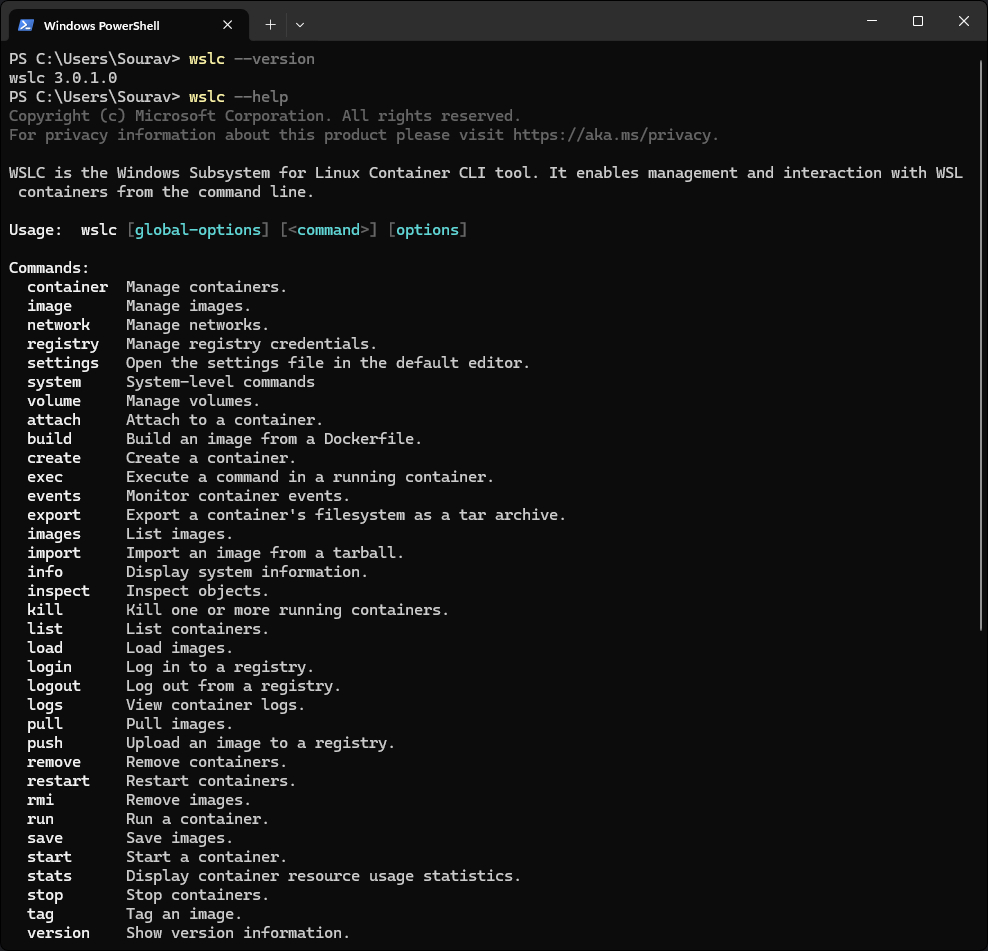
At the heart of this release is wslc.exe, a dedicated command-line interface tailored specifically for managing Linux container workflows on Windows. Recognizing that many engineers and administrators have their own preferred nomenclature and muscle memory, Microsoft has also shipped the tool with a built-in alias, container.exe, offering an identical syntax for those who prefer it. Alongside the command-line utility, Microsoft has introduced a brand-new Windows API. This interface grants native Windows applications a direct, programmatic way to spin up, monitor, and manage containers straight from their own source code.
To give developers and administrators deeper operational visibility, the release introduces several new parameters and flags. Among them is the wslc events command, which provides real-time tracking of container activity. Additionally, new --mount and --stop-timeout flags have been added to standard create and run operations, giving users greater control over persistent storage volumes and container lifecycle management.

Networking within the new environment is handled through a completely revamped model designated as "Consommé." Under this system, container traffic originates within the virtual machine as standard Ethernet frames. Once generated, these frames are intercepted and processed by a specialized Windows process running directly under the calling user’s account. This background process assumes responsibility for vital network tasks, including DNS resolution, routing, and port mapping. As a result, container traffic is able to navigate corporate virtual private networks (VPNs) and local firewalls seamlessly, behaving just like any other standard Windows process rather than remaining trapped inside an isolated virtual network silo.
Enterprise environments and IT administrators have also received targeted attention in this release, particularly regarding device management and security compliance. Microsoft Intune now features two new configuration settings specifically built for WSL containers. The first policy grants administrators the ability to completely enable or disable access to the WSLC feature across an entire fleet of managed corporate devices. The second policy introduces a container registry allow list, allowing security teams to restrict image pulls strictly to a predefined set of approved, trusted sources. Furthermore, the WSL plugin for Microsoft Defender for Endpoint has been significantly expanded. It is now capable of deep telemetry collection, pulling critical process, file, and network events from inside WSLC environments and mapping them back to the host Windows security monitoring stack.
What is WSLC?
To fully understand the significance of WSL Containers, it is helpful to look back at the foundation provided by the Windows Subsystem for Linux, commonly known as WSL. WSL allows developers to run native GNU/Linux environments—including command-line tools, utilities, and various Linux distributions—directly on top of Windows without the traditional overhead of dual-booting or configuring a separate physical machine.

Since the introduction of WSL 2, the architecture has relied on a real Linux kernel running inside a managed, lightweight utility virtual machine. While this transformed developer workflows by bringing genuine Linux tooling into the Windows desktop experience, managing containers within that environment often required secondary tools or complex bridge configurations.
WSLC extends the core WSL architecture by adding a dedicated, native layer for creating and managing Linux containers directly within that same environment. Rather than forcing developers to jump through external virtualization hoops, containerized workflows become an organic, integrated part of the existing WSL setup.
A key architectural distinction of WSLC is how it isolates container operations from the core WSL service. Instead of routing everything through the main system service, container operations are funneled through a dedicated child process named wslcsession.exe, which executes under the active user’s account. This design choice ensures that each individual session remains isolated and that container operations run in a less privileged state than the core WSL infrastructure, bolstering overall system stability and security.
For developers who are already writing code inside WSL, this architecture means that containerized applications can be tested and executed locally in the exact same environment without requiring separate orchestration layers for basic tasks. Meanwhile, the exposure of the new Windows API ensures that native Windows software can interact with these Linux containers programmatically, blurring the operational lines between the two operating systems.
Get It Now
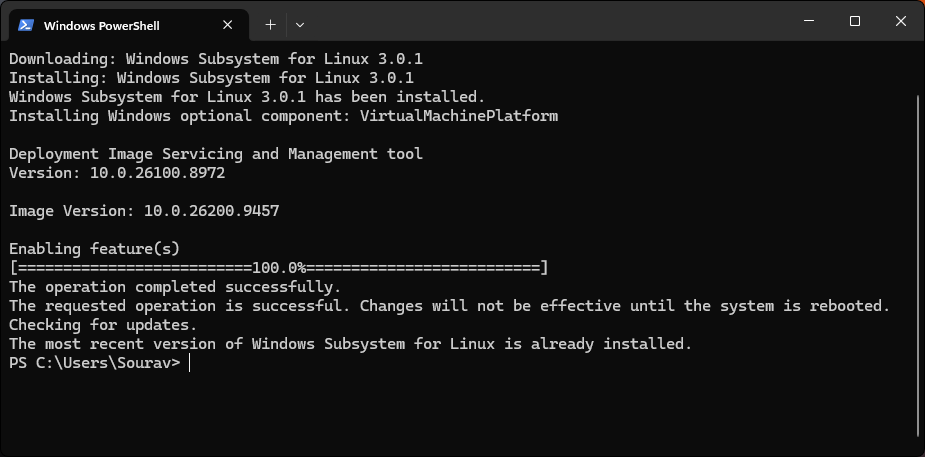
Developers and administrators eager to explore the new capabilities can acquire the update immediately. Running the simple command wsl --update within a terminal pulls down the latest WSL release—designated as version 3.0.1—which bundles the container functionality directly into the package. Once the update process completes, the wslc utility is fully installed and ready for use.
The new command suite provides comprehensive control over the container lifecycle and network topologies. Users can restart running instances using wslc container restart, or transfer files seamlessly to and from a container as a tar archive using wslc container cp. System health and environment states can be audited at any time through wslc system info.
Networking tasks are similarly streamlined. Administrators and developers can join containers to networks or detach them using wslc network connect and wslc network disconnect. Additionally, the wslc network create command allows for the creation of custom networks with full support for specialized driver options, accommodating complex local development and testing scenarios.
Those seeking a deeper dive into the low-level mechanics of the platform can review Microsoft’s official architecture deep dive publications, while the complete project changelog and corresponding source materials remain publicly accessible via the official WSL GitHub repository’s release page for version 3.0.1.
Leave a Reply