
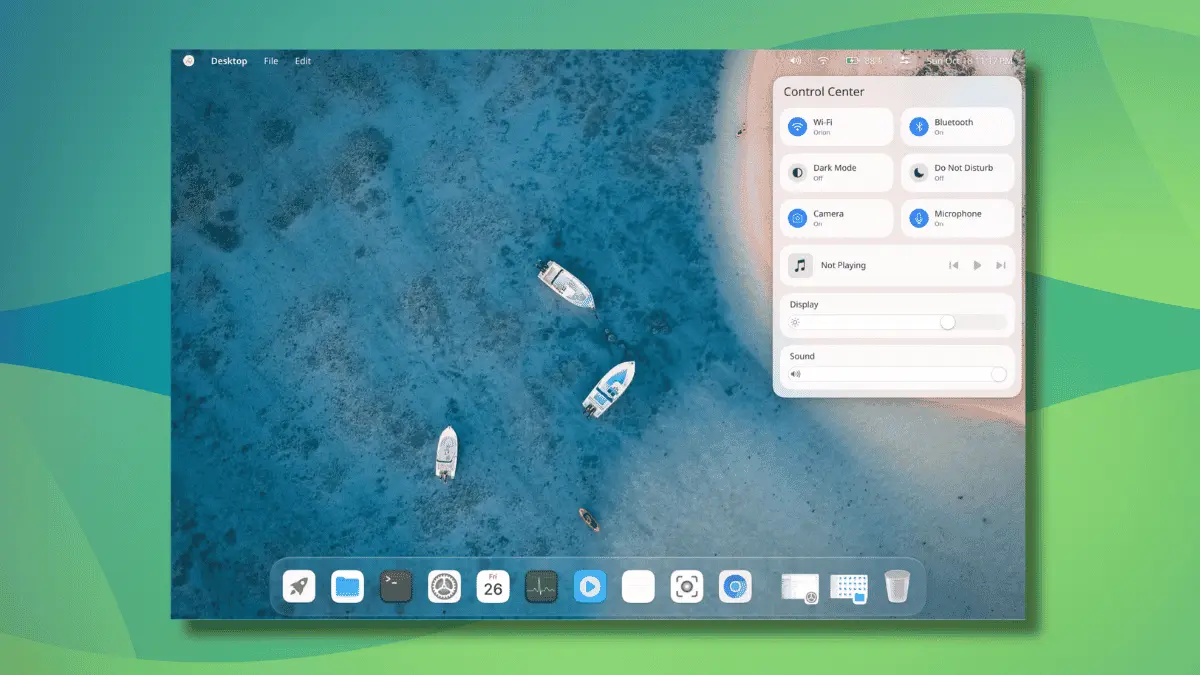
The Linux desktop landscape is witnessing a fascinating intersection of artificial intelligence and open-source software development. CutefishOS, a Linux distribution that captured the attention of the open-source community several years ago, is making a notable comeback. The project’s creator and lead developer, Reion Wong, has announced that the Cutefish Desktop has been completely rewritten from scratch. What makes this revival particularly striking is the development methodology: every single line of code was generated using Anthropic’s advanced Fable 5.1 and Opus 5.5 AI models.
Wong, who manages the project and its communications through official social channels, recently shared a first look at the reimagined environment. Accompanied by a demonstration video and a comprehensive set of screenshots, the announcement details a workflow that relies heavily on prompting AI agents and evaluating their generated output. This approach places CutefishOS squarely into the emerging trend of "vibe-coded" Linux environments, where developers act primarily as directors guiding generative models rather than writing traditional boilerplate code by hand.
Is It Really Built from Scratch?
When developers announce a total rewrite, skepticism naturally follows within the open-source community. However, the CutefishOS project maintains that the latest iteration is fully independent and built entirely from the ground up. According to official project statements shared alongside the demonstration, the overhaul extends deep into the system architecture, featuring a custom Wayland compositor, a dedicated graphics library, and an entirely new suite of system applications.
The developer emphasizes that performance is a primary beneficiary of this clean-slate approach, noting that system applications launch almost instantaneously. When community members questioned whether the desktop environment relies on established toolkits like GTK or Qt, Wong clarified that the architecture is independent of both, further supporting the claim of a bespoke foundation.

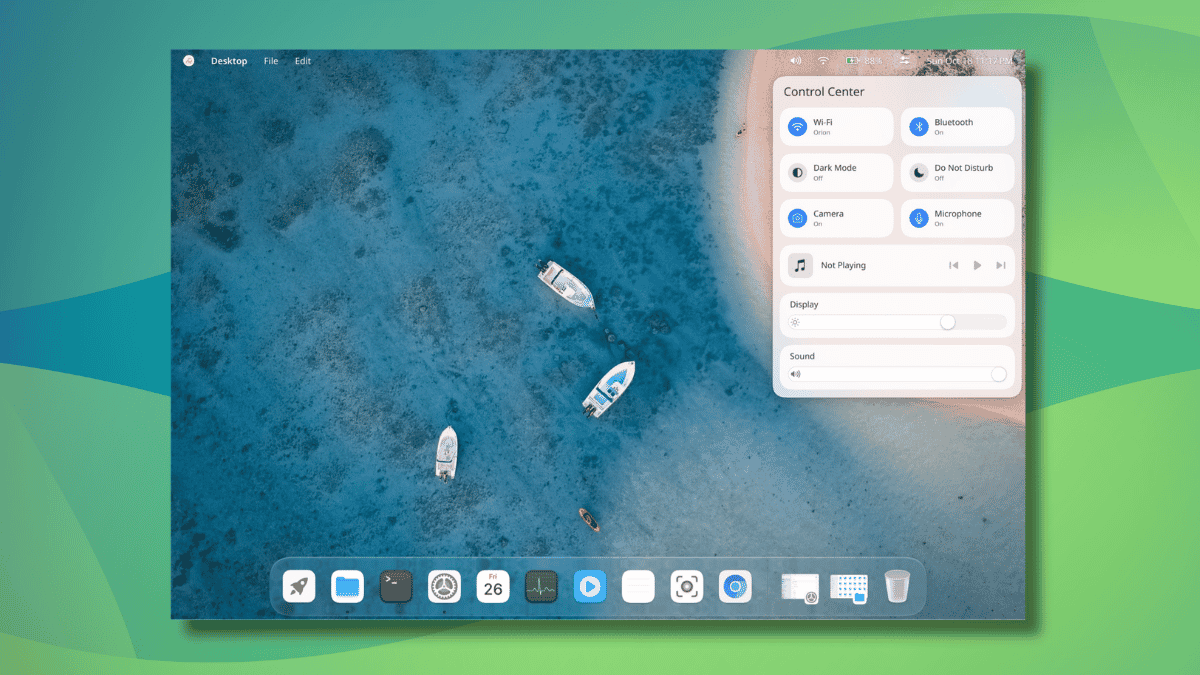
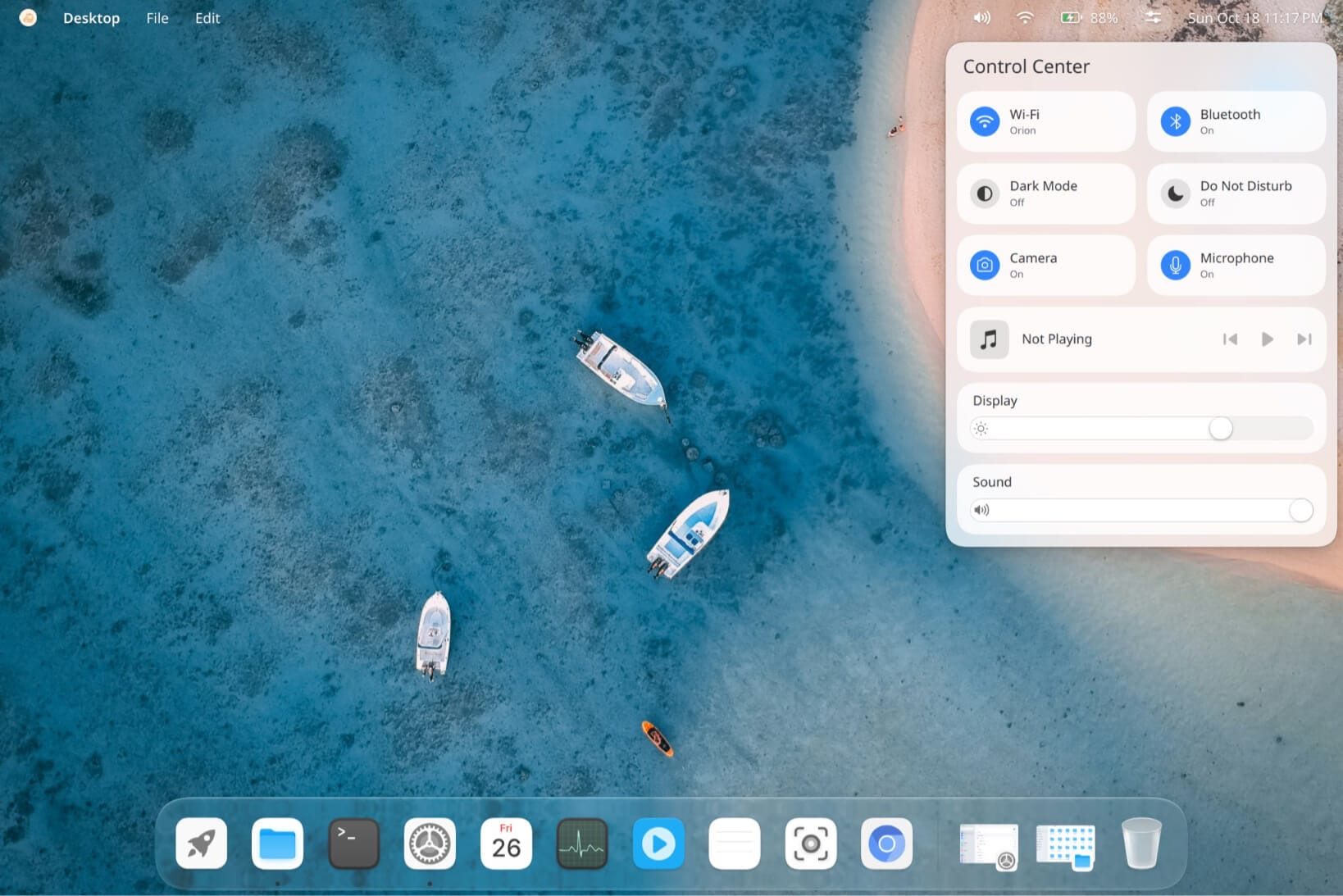
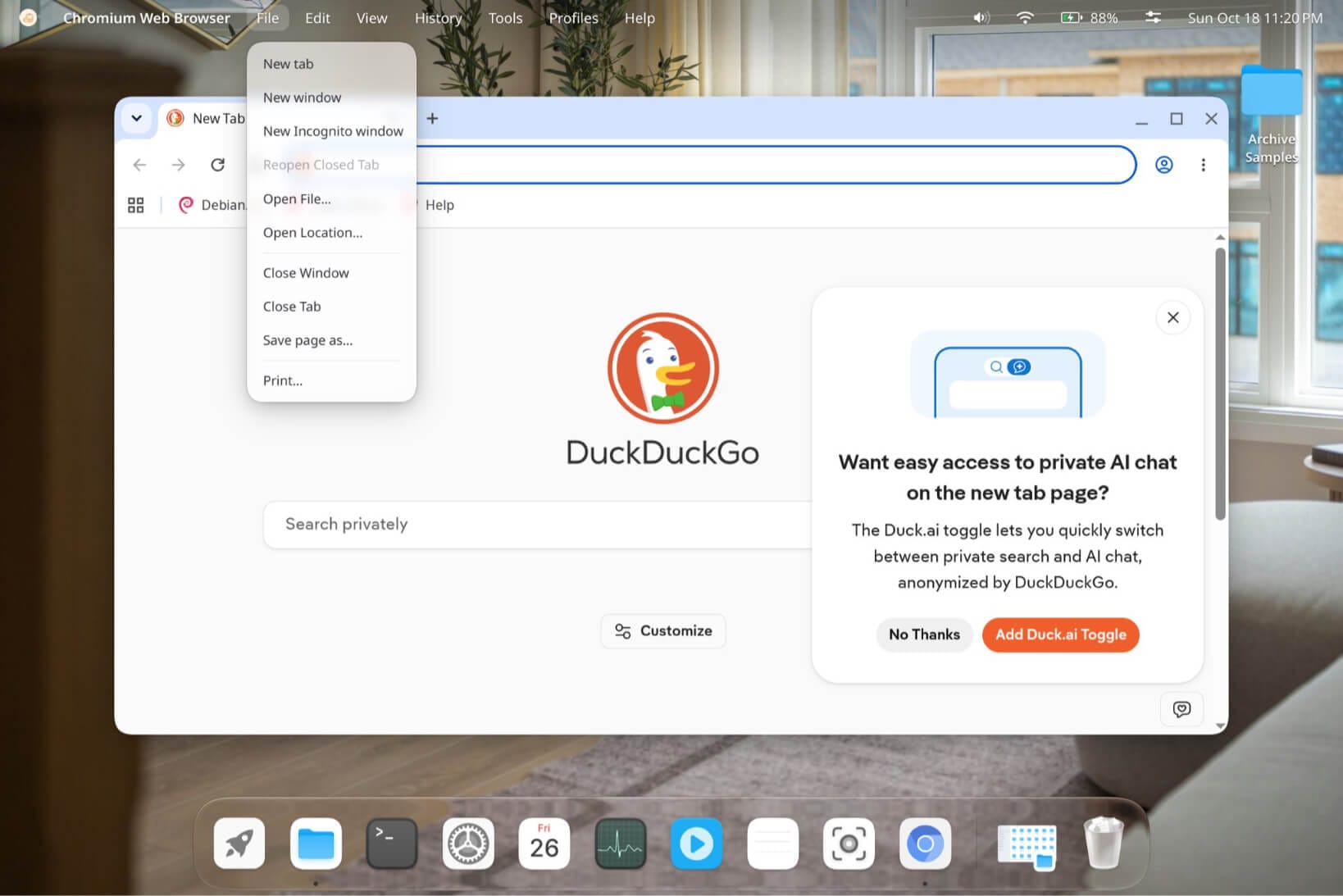
Visually and functionally, the interface retains its signature macOS-inspired aesthetic, which first drew users to the distribution when it debuted as a beta release. The layout incorporates a refined top status bar housing a Control Center panel, a Notification Center, and standard status widgets. The Control Center provides quick toggles for Wi-Fi, Bluetooth, dark mode, Do Not Disturb, camera controls, and microphone settings, alongside media playback controls and fluid sliders for display brightness and audio volume.
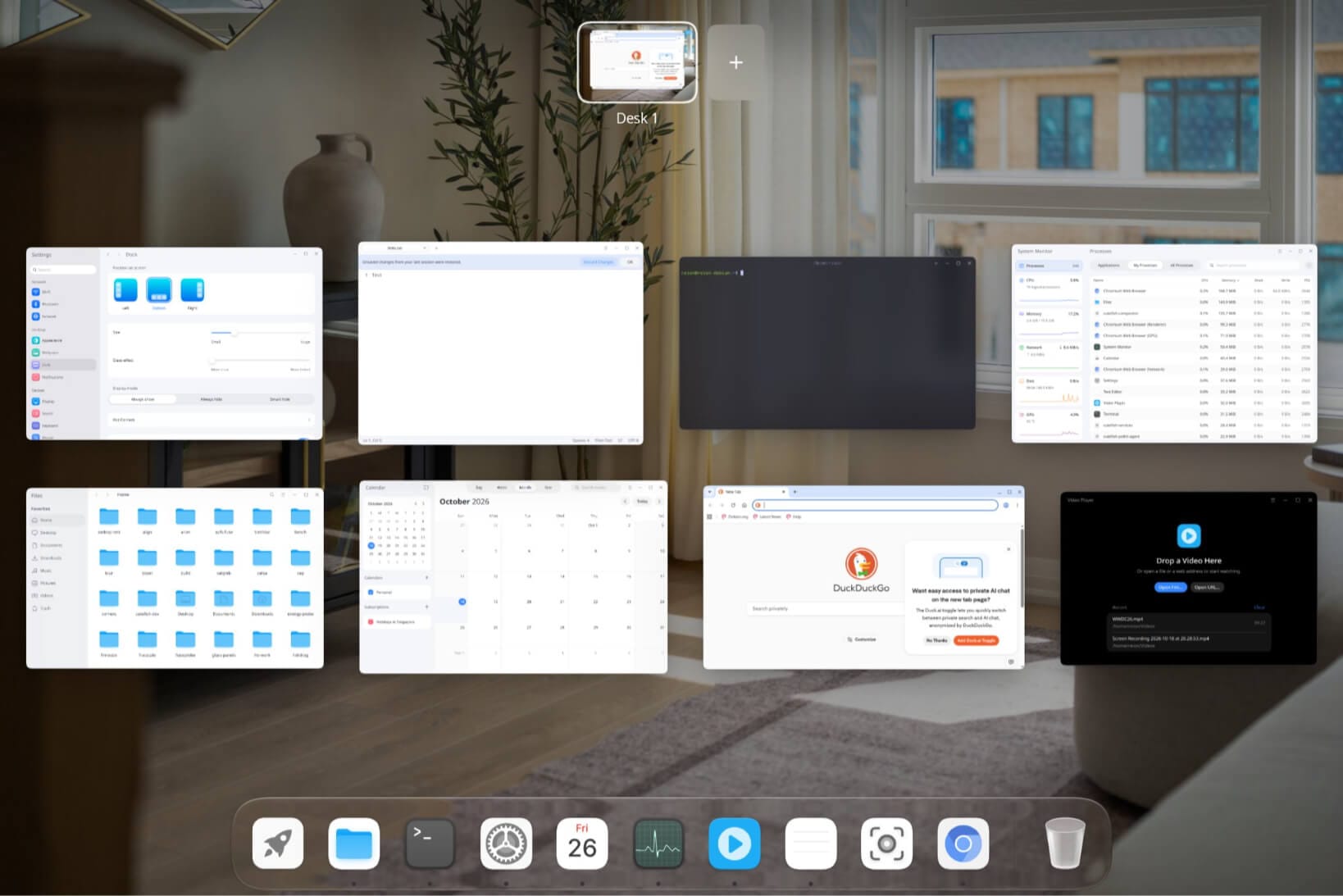
Navigation is further enhanced by a configurable Dock that users can position at the bottom, left, or right of the screen. The Dock includes customization options for scaling its size, adjusting glass-effect transparency, and selecting behavior modes such as always show, always hide, or smart hide. Borrowing conceptual strengths from environments like GNOME, the Cutefish Desktop also features an Overview mode. This interface spreads open windows across an organized grid, allowing users to create and manage additional workspaces—referred to by the project as "Desks"—via a control button located at the top of the screen.
Bundled Applications and Ecosystem
The rebuilt environment is accompanied by a robust collection of native system applications designed specifically to match the aesthetic and performance goals of the new desktop. The bundled software suite includes a functional file manager, a terminal emulator, a calendar application, a system monitor, a text editor, a video player, a dedicated screenshot utility, and an image viewer.
Beyond these native tools, the application launcher integrates smoothly with standard third-party software, displaying commonly used Linux applications such as Chromium, Firefox, KeePassXC, Ghostty, and LibreOffice running natively within the environment.
Despite the impressive showcase, prospective users eager to test the new desktop will need to exercise patience. The project has not yet provided a concrete release date or official installation ISOs. When an enthusiastic community member inquired about getting hands-on time with the software shortly after the preview, the project indicated that testing would require further development time before a public release becomes feasible.
Furthermore, examining the public code repositories on the project’s GitHub page reveals that a dedicated repository for the new desktop has not yet been published. Those following the development closely are advised to monitor Reion Wong’s personal and project repositories, where the core implementation work has traditionally taken place.
A Look Back at CutefishOS
The return of CutefishOS follows a turbulent history that mirrors the challenges often faced by independent open-source initiatives. The distribution first emerged in 2021 as a promising beta release built upon Debian 11, centered around the CutefishDE desktop environment. At the time, it stood out for its polished user experience, featuring a global application menu integrated into the status bar and a cohesive collection of custom applications designed to offer a streamlined, elegant workflow.
Momentum stalled abruptly in 2022 when the project’s official website went offline and repository activity dropped to near zero. The apparent abandonment prompted members of the Linux community to take action; notably, a Reddit user initiated plans to organize a community fork to keep the desktop alive. However, those plans were ultimately shelved after activity resumed on the project’s official GitHub channels, accompanied by announcements of an incoming website refresh.

The decision to leverage frontier AI models like Fable 5.1 and Opus 5.5 marks a radical departure from traditional open-source development models, signaling a new chapter for CutefishOS. While vibe-coded desktops such as Starling and now Cutefish demonstrate the rapid prototyping capabilities of modern generative models, they also invite ongoing discussions regarding long-term code maintainability, community contributions, and sustainability in the open-source ecosystem. As development continues behind the scenes, the Linux community remains watchful to see how this AI-assisted desktop matures into a daily driver.

Leave a Reply