Linux Mint, the popular Ubuntu-based distribution renowned for its approachable desktop environment and bespoke XApp ecosystem, is gearing up for a significant evolutionary leap. Catering to both absolute beginners and seasoned power users alike, the project has long maintained a familiar cadence of new releases roughly every six months. For nearly two decades, individual releases followed an alphabetical naming convention utilizing traditional girls’ names, stretching from Ada back in 2006 to Zena in version 22.3. However, that traditional rhythm has now shifted as the core development team transitions toward a longer, more sustainable development cycle featuring one major release per year, entirely eliminating intermediary point releases.

Alongside this structural cadence, version numbering and nomenclature conventions are evolving as well. The version number will now directly point to the anticipated year ahead, taking users sequentially from version 27 to 28, 29, and beyond, while traditional boys’ names take over the alphabetical naming scheme. Linux Mint 27 "Adrien" stands as the very first major milestone under this revamped release strategy. Slated for a Christmas Eve arrival, the upcoming distribution builds directly upon the robust foundation of Ubuntu 26.04 LTS, ensuring users benefit from a rock-solid, long-term operational base backed by a comprehensive five-year support period.
As the developer previews reveal, this upcoming release introduces major architectural advancements, modernized system administration utilities, and a suite of polished core applications designed to unify the desktop experience.

Wayland Becomes a Stable Reality
Among the most anticipated developments in Linux Mint 27 is the transition of Cinnamon’s Wayland session from experimental status to full, production-ready support. Both X11 and Wayland will be fully supported in the upcoming Cinnamon desktop environment, with the native Wayland session reaching a level of maturity that places it nearly on par with X11. This crucial milestone brings the flagship Linux Mint experience firmly in line with other mainstream distributions such as Fedora and Ubuntu.
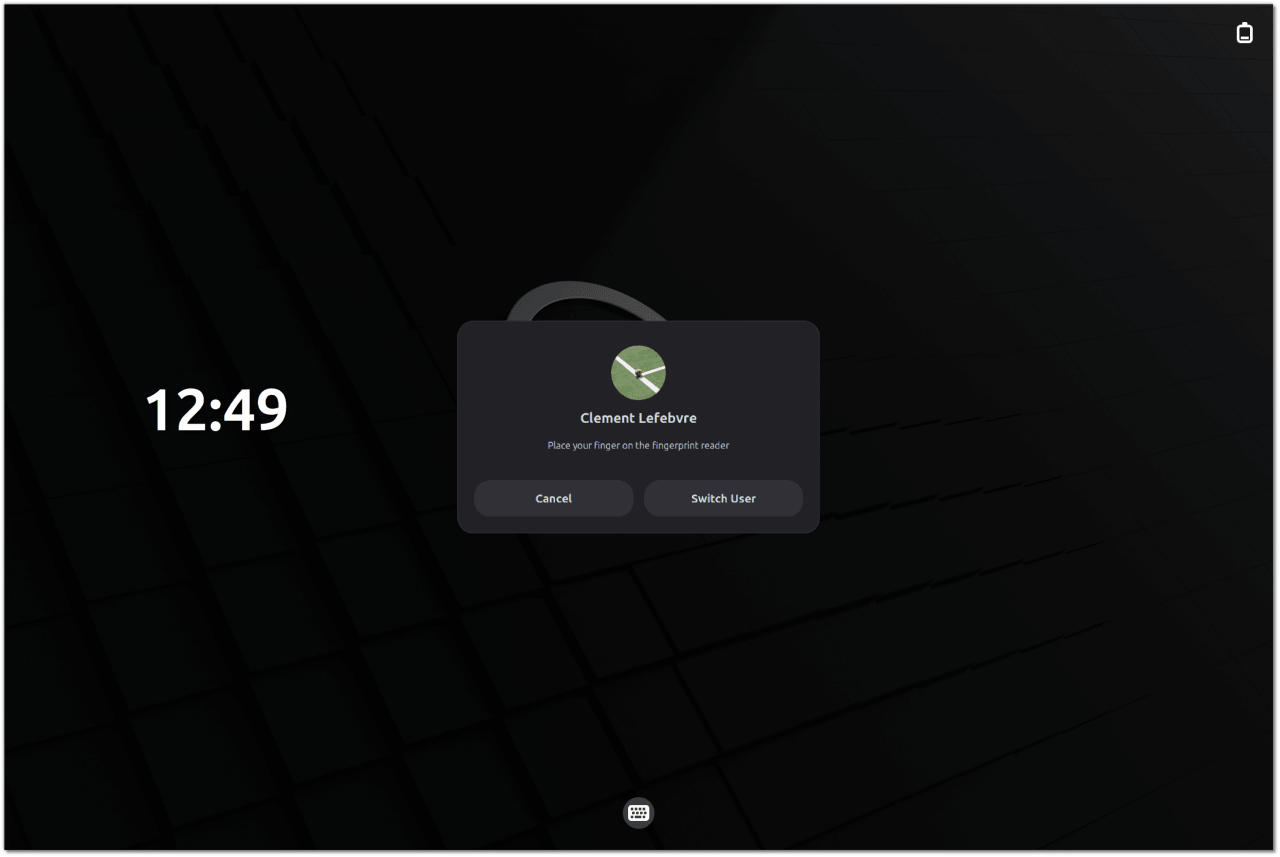
A massive portion of the underlying engineering effort has focused on smoothing out everyday desktop interactions. Windows and application menus now map properly to the display server, aggressive focus-stealing behaviors are actively prevented, and persistent stability issues across Cinnamon, the Muffin window manager, the session manager, and Xwayland have been thoroughly addressed. Furthermore, multi-monitor configurations and KVM switch setups receive robust out-of-the-box compatibility.
Graphics performance and visual fidelity have likewise received significant attention. Hardware acceleration is fully supported, including modern GBM over EGL implementations tailored for NVIDIA proprietary graphics cards. Additionally, comprehensive HiDPI scaling now extends seamlessly to mouse cursors and resource-intensive Chromium-based applications, including development environments and communication tools like Visual Studio Code and Slack.
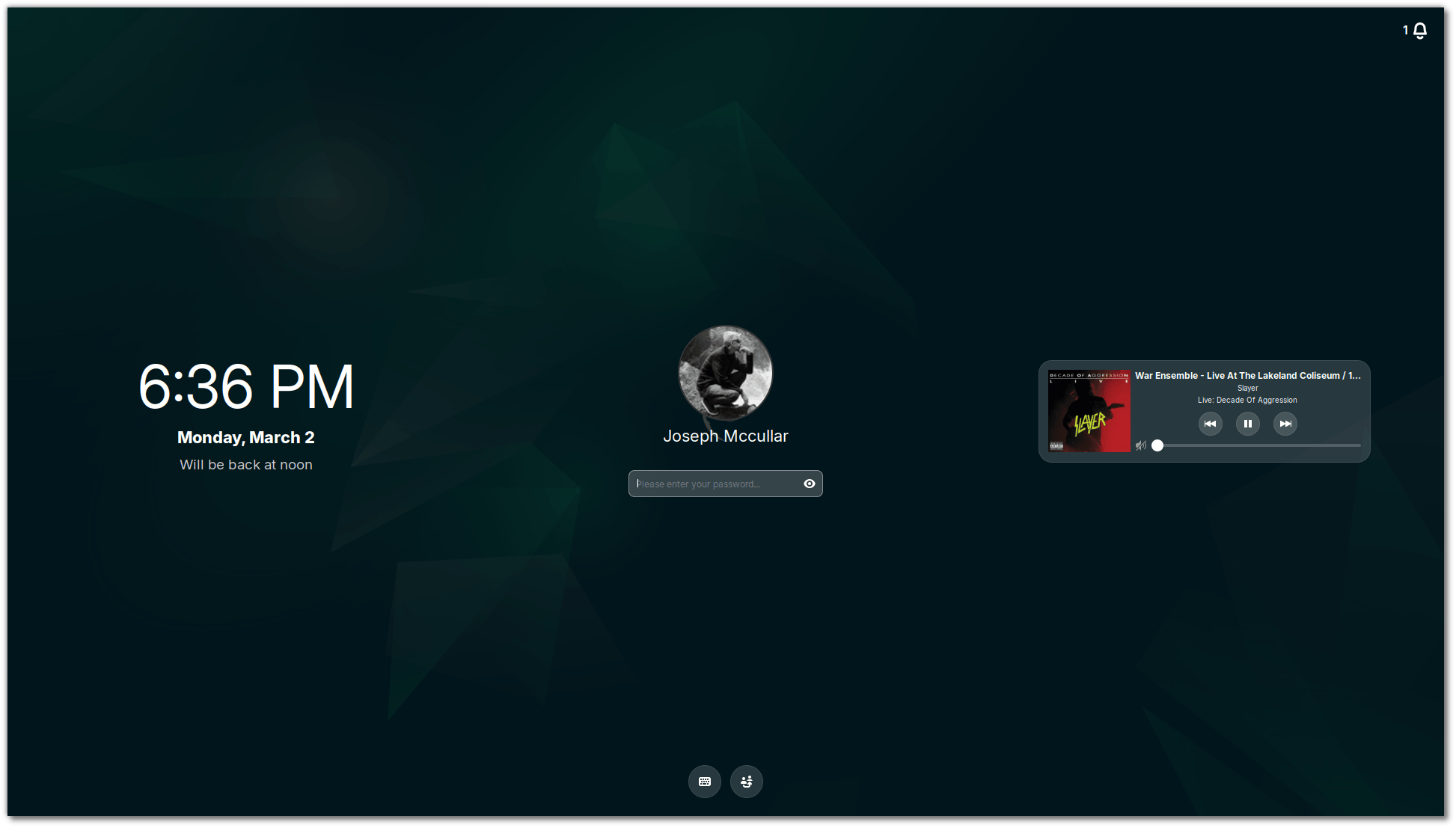
The final architectural hurdle blocking full Wayland adoption was the system screensaver. Linux Mint 27 resolves this by introducing a modern screensaver rendered directly by the compositor and managed natively by Cinnamon, replacing the legacy standalone screensaver process. This unified solution operates identically across both Wayland and X11 sessions, though the older implementation will be retained temporarily as a fallback option for a single release cycle before being permanently retired.
Comprehensive Desktop Upgrades and Refinements
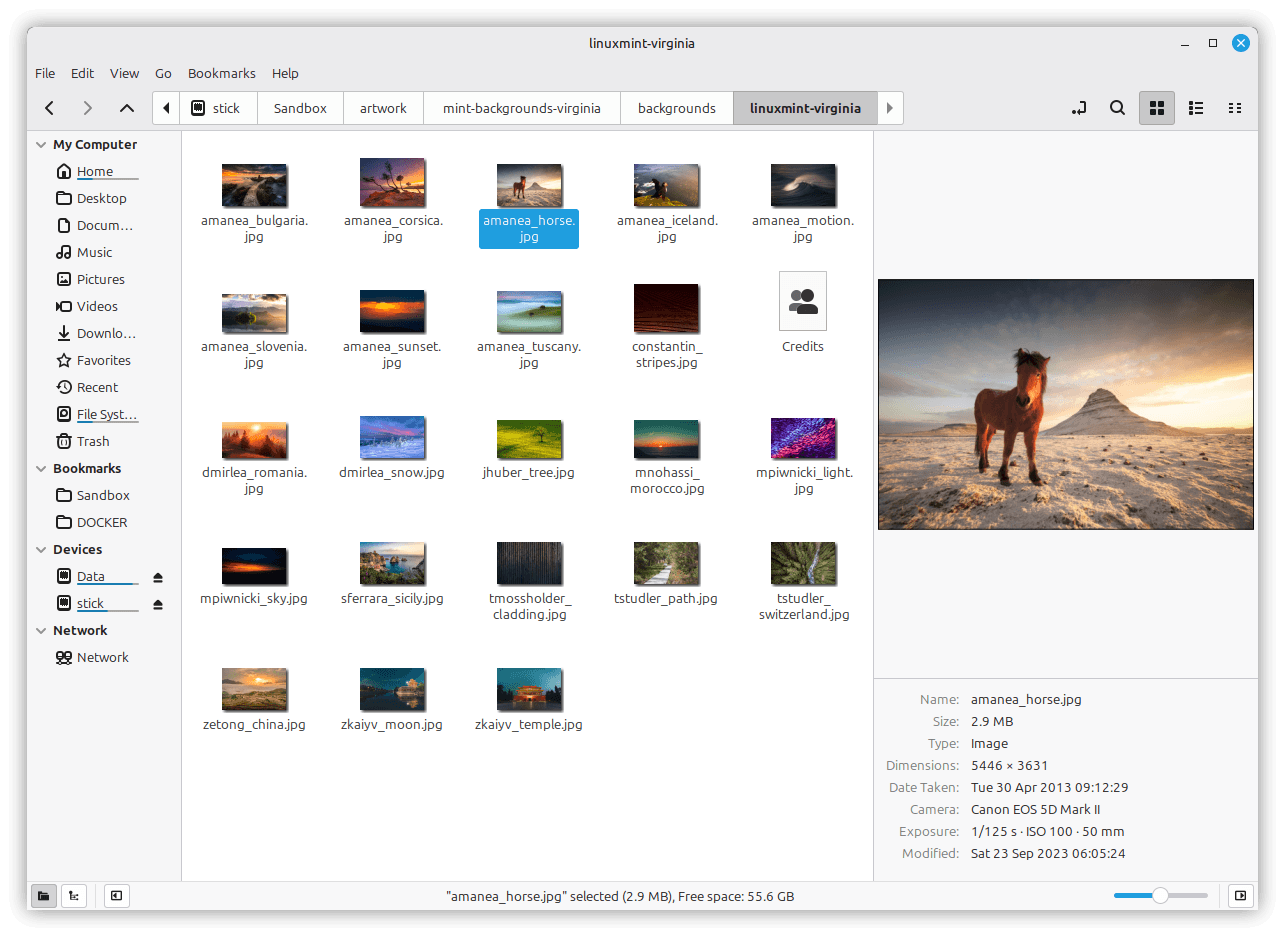
Beyond the display server transition, the default file manager, Nemo, receives notable workflow enhancements. Users can now summon a dedicated preview pane using a simple keyboard shortcut or via the application status bar. This preview panel is capable of natively handling various audio files, images, and videos while displaying detailed metadata, such as camera models and original capture dates. Additionally, Nemo introduces an overhauled interactive search feature. Instead of simply jumping to the first matching file and forcing users to manually navigate the remainder of the directory, typing within a folder now instantly triggers a dynamic, filtered view that systematically narrows the file list in real time.
For everyday capture tasks, Cinnamon finally gains a dedicated native screenshot utility. The new tool provides granular control, enabling users to capture individual windows with or without custom drop shadows, record multiple monitors simultaneously, or isolate a single display. Users can easily crop captures directly within the tool prior to saving or copying them to the clipboard, with intelligent handling for both client-side and server-side window decorations.
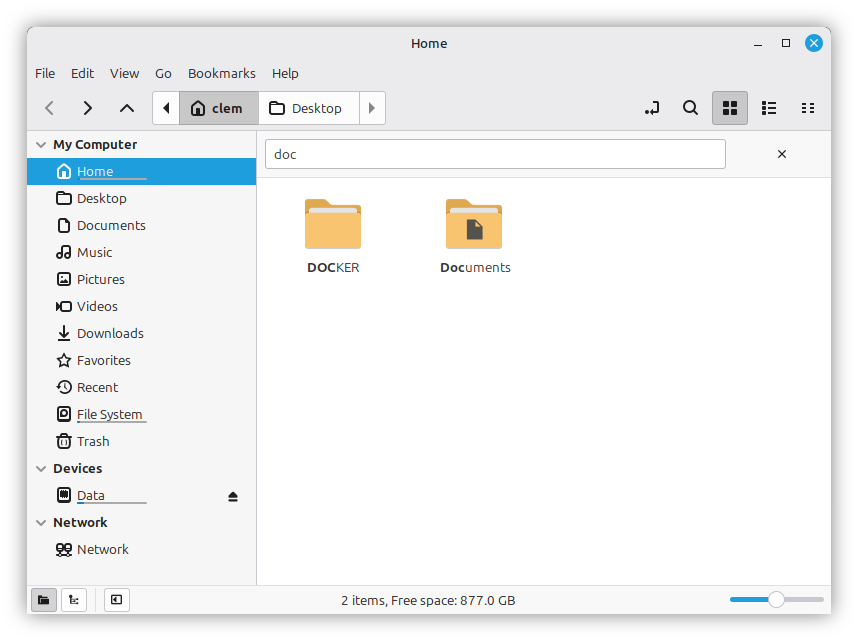
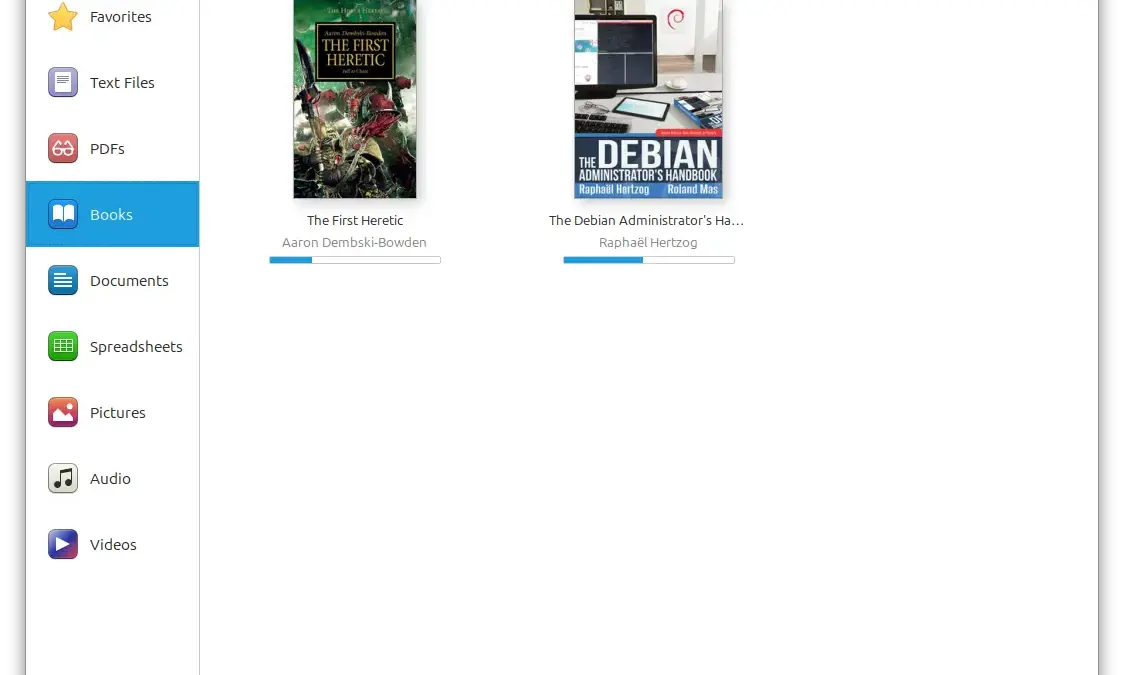
The ecosystem’s document management application, Thingy, which presents itself simply as the "Library" on the desktop, has also undergone a complete visual and functional redesign. Rather than grouping recent documents strictly by the specific application used to open them, the updated interface now categorizes files logically by document type. A dedicated sidebar houses customizable predefined groups that users can easily show, hide, or reorder according to personal preference. Users can also configure custom groups based on specific file extensions, restrict them to designated directories, selectively remove individual items, or completely clear the entire history of recent documents in a single action.
Unified System Management and Installer Migration
Under the hood, Linux Mint 27 adopts the modern live installer already utilized by Linux Mint Debian Edition, officially replacing the aging Ubiquity installer. This unified installation tool seamlessly manages OEM installations, legacy BIOS alongside modern EFI systems, Secure Boot configurations, and advanced storage setups utilizing LVM and encrypted LUKS volumes.
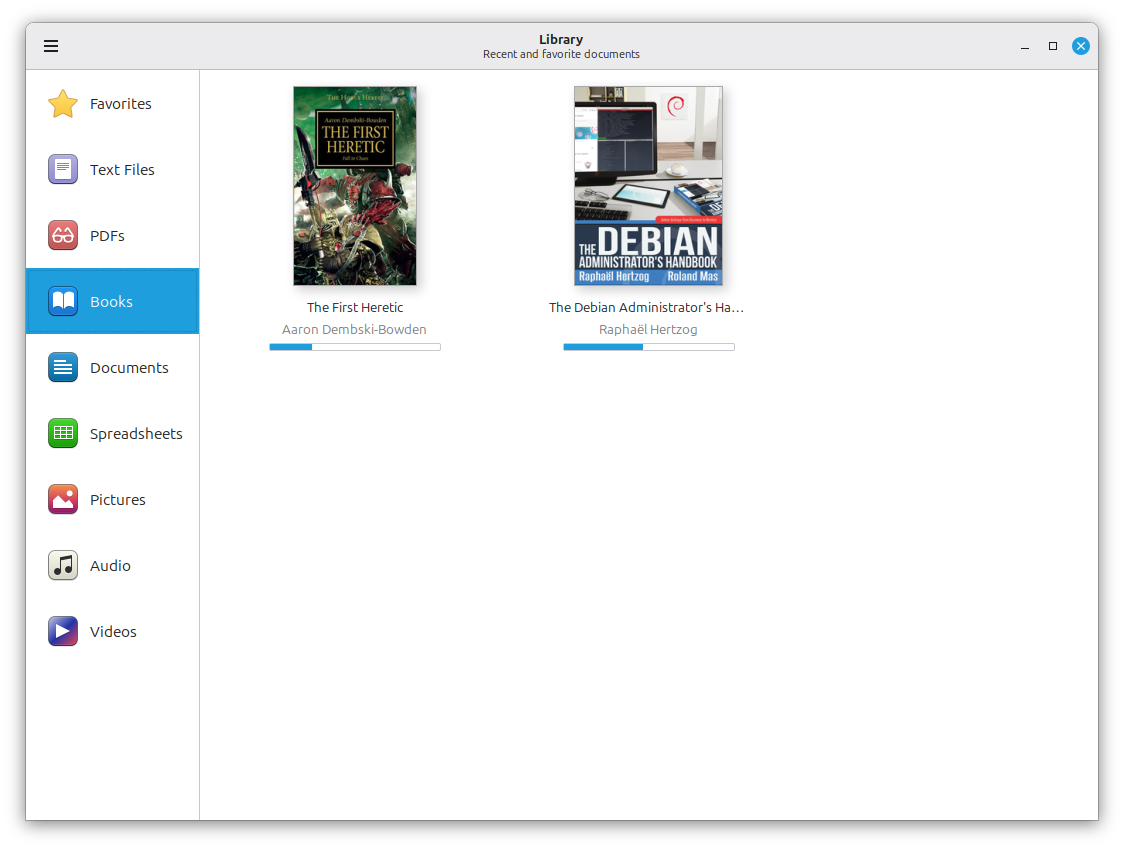
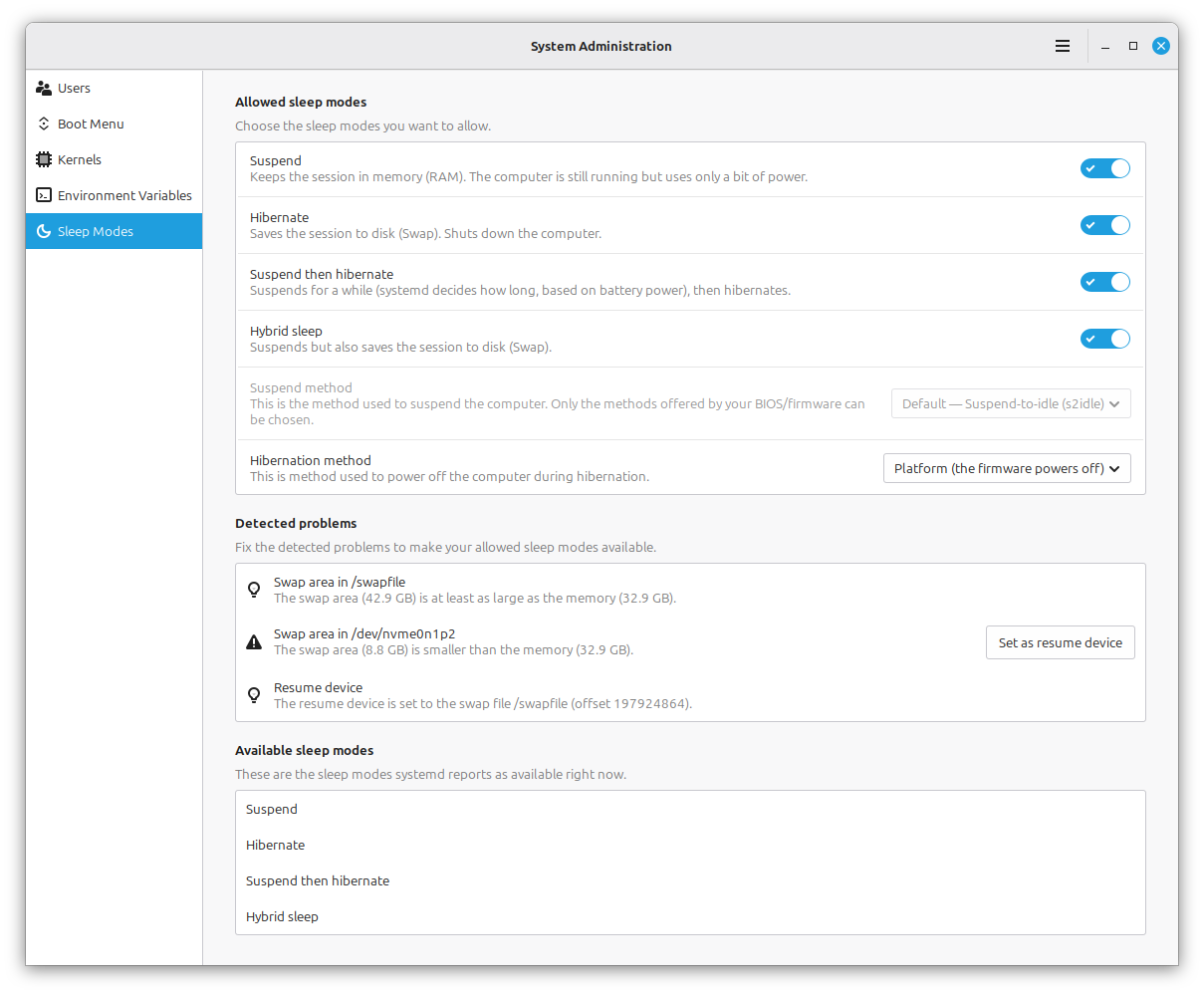
Perhaps most notably for long-time enthusiasts, traditional system hibernation makes a triumphant return to Linux Mint after being largely abandoned by upstream Ubuntu. Hibernation is reintroduced via a newly designed "Sleep Modes" configuration page housed within the System Administration tool, which simplifies the setup process. This administration page also introduces two additional power management alternatives. Hybrid Sleep suspends the machine to system memory while simultaneously writing the active session state directly to persistent disk storage, while Suspend-then-Hibernate initiates a standard low-power suspension state before automatically triggering full hibernation if battery levels drop to a critical threshold.
Kernel management has likewise been migrated out of the traditional Update Manager and consolidated into the System Administration tool for both standard Mint and LMDE distributions. The new management framework revolves around distinct kernel series rather than isolated package versions. Users can track specific series, define precisely how many older kernels to retain, and schedule weekly automated cleanups or execute manual maintenance routines at will. A dedicated history log provides a clear audit trail of past kernel operations, while custom, OEM, and real-time kernel series can be explicitly designated for tracking to prevent accidental removal during routine maintenance cycles.
User account management has similarly found a new home within the system administration utility. The centralized panel handles user creation, account details, home directory encryption during initial setup, integrated webcam capture for user avatars with built-in mirroring options, and comprehensive support for high-resolution HiDPI profile images.

A Modern Suite of Core Applications
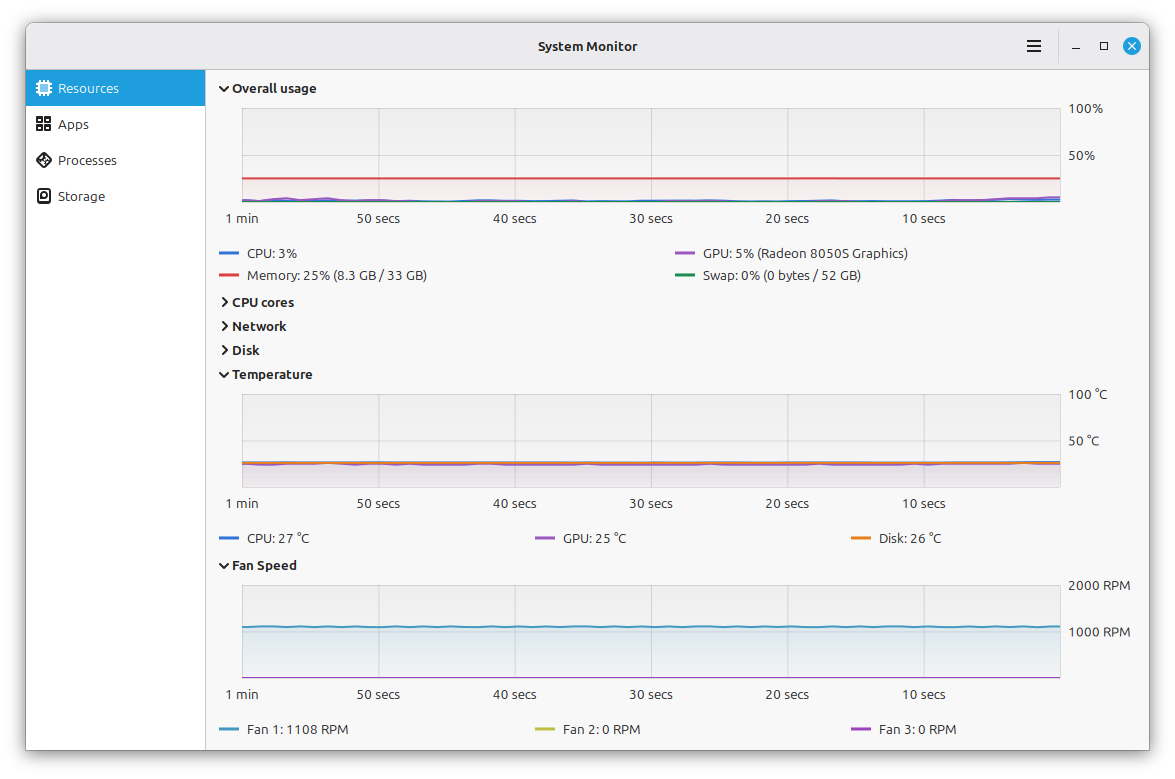
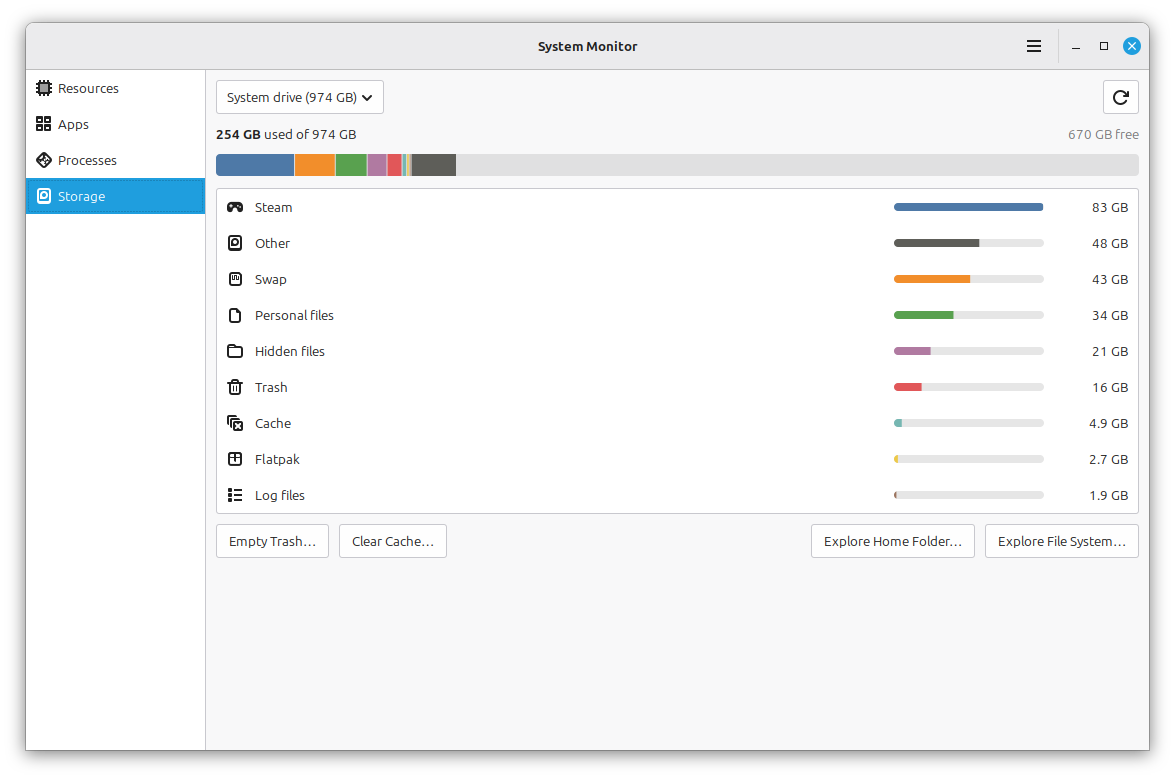
Linux Mint 27 introduces several brand-new XApp utilities designed to modernize the software ecosystem. Superlight debuts as the distribution’s comprehensive system monitor, featuring dynamic graphs that track real-time CPU utilization, memory and swap consumption, GPU performance, network traffic throughput, disk input/output activity, system temperatures, and fan speeds, alongside a dedicated battery status and charge history page. It is paired with a flexible process list and storage usage breakdown that grants quick access to maintenance tasks like clearing caches or emptying the system trash.
Velocitty replaces previous terminal offerings as the default command-line interface. It introduces a modern tab management system reminiscent of contemporary terminal emulators, complete with customizable color palettes, reorderable and detachable tabs, path shortening, and intelligent tab color-coding to easily distinguish root sessions, remote SSH connections, and active background processes.
Book enthusiasts will welcome Xepub, a dedicated electronic publication reader designed for the desktop environment. The application supports full chapter navigation, in-document searching, bookmarking, zoom adjustments, custom font selection, and automatic bookmark retention to remember reading positions. Selecting any word instantly summons a lookup menu capable of querying built-in dictionaries, Wikipedia, or web-based translation engines.
The Calendar and Clocks applications, born from the Clockenstein project, bring robust time management to the desktop. The calendar seamlessly integrates with local calendars, Google Calendar, and CalDAV servers such as Nextcloud, enabling event creation and synchronization error monitoring. Reminders are managed via a dedicated background daemon and notification agent that operate independently of the main application interface, ensuring alerts remain fully functional and synchronized with the Cinnamon panel clock applet.
Finally, archive management is streamlined through Unfold, a portable archive utility that leverages robust backend tools like 7zip and RAR utilities to view, create, and extract compressed files, including those secured with passwords and encryption.
As the development cycle nears its culmination, Linux Mint 27 "Adrien" stands poised to deliver a major modernization effort for its loyal user base. While the official release is scheduled to arrive around Christmas Eve in three distinct desktop editions, early adopters with the technical expertise can already explore the incoming packages directly from the official source repositories.