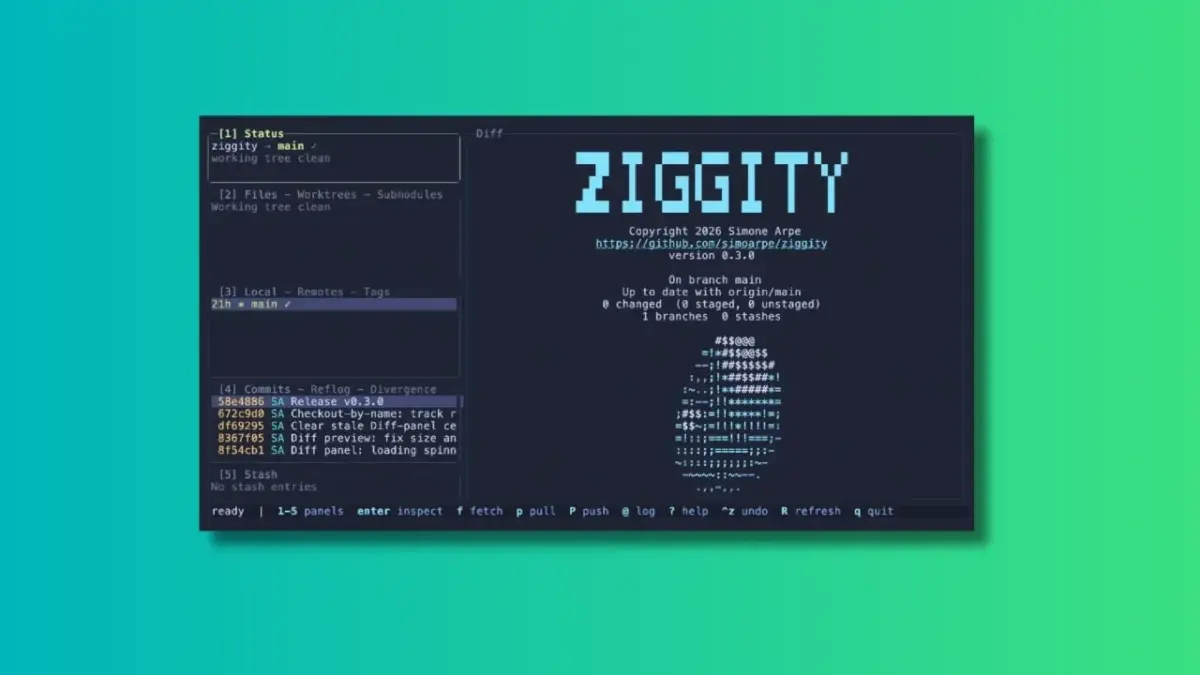
In an era where automated tools and artificial intelligence increasingly handle development tasks without human oversight, a segment of the developer community continues to value deep, manual control over their version control systems. For terminal-centric developers looking for complete visibility into their repositories without sacrificing performance, a new terminal user interface (TUI) client called Ziggity has entered the ecosystem. Designed as a lightweight alternative to established tools like lazygit, Ziggity aims to streamline complex Git workflows while maintaining a remarkably small footprint on system resources.
The landscape of Git clients, spanning both graphical user interfaces and terminal-based tools, has grown crowded over the years. Developers constantly seek solutions that reduce friction during routine repository management. Ziggity positions itself as a fresh option in this space, emphasizing speed, minimal resource consumption, and a design philosophy that keeps background operations entirely out of the user’s way.
What Makes Ziggity Special?
Ziggity distinguishes itself through several deliberate architectural and design choices. Rather than relying on heavy bundled libraries, the project is engineered for maximum efficiency right from initialization.
Ziggity Is Small and Quick to Launch
One of Ziggity’s primary selling points is its lightweight design. The application compiles into a single static binary, achieving a small footprint through disciplined engineering rather than post-hoc optimization. The project relies entirely on the Git installation already present on the host system, deliberately avoiding the inclusion of libraries like libgit2. This approach keeps the binary size down to a mere couple of megabytes.
Benchmarks run on macOS against alternative tools like lazygit indicate that Ziggity achieves process startup times measured in single-digit milliseconds, compared to tens of milliseconds for its competitor. Furthermore, the application maintains a noticeably smaller resident memory footprint once initialized. While exact performance metrics vary depending on hardware specifications, repository sizes, and concurrent system workloads, the lightweight foundation delivers an immediate responsiveness that developers notice upon invocation.
Git Operations Don’t Get in Your Way
Speed at launch is only part of the equation; maintaining a responsive interface during active work is equally critical. Ziggity addresses potential bottlenecks by executing potentially slow, network-dependent operations—such as fetching, pulling, and pushing—asynchronously away from the main user interface.
This architectural choice allows developers to continue browsing repositories, examining diffs, or reviewing commit logs while background tasks execute quietly. A subtle spinner in the status panel provides the only visual indication of ongoing activity, concluding with a concise one-line summary upon completion. Interruptive dialog boxes appear only if an operation actually fails.
This philosophy extends to more complex, multi-step workflows, including merges, rebases, autosquash sessions, bisect operations, and patch applications. Instead of dropping the user back into a raw terminal prompt and requiring a keystroke to return to the application—a common friction point in traditional Git clients—Ziggity preserves its interface throughout the entire procedure.
Authentication is handled natively within the application framework. When an HTTPS push requires credentials, Ziggity presents an in-app prompt, masks the input token as it is typed, and retries the operation seamlessly. Saved keychains are automatically leveraged for subsequent interactions, eliminating the need to drop out to external credential helpers.
First-Class Mouse Support
While terminal applications are traditionally associated with keyboard-only workflows, Ziggity accommodates developers who prefer mouse interaction. Users can click directly on any interface panel to establish focus, select specific rows, and utilize the scroll wheel across lists, diffs, dialog boxes, and commit graphs. Within the staging view, clicking a specific line allows developers to stage precisely that line with a single keystroke.
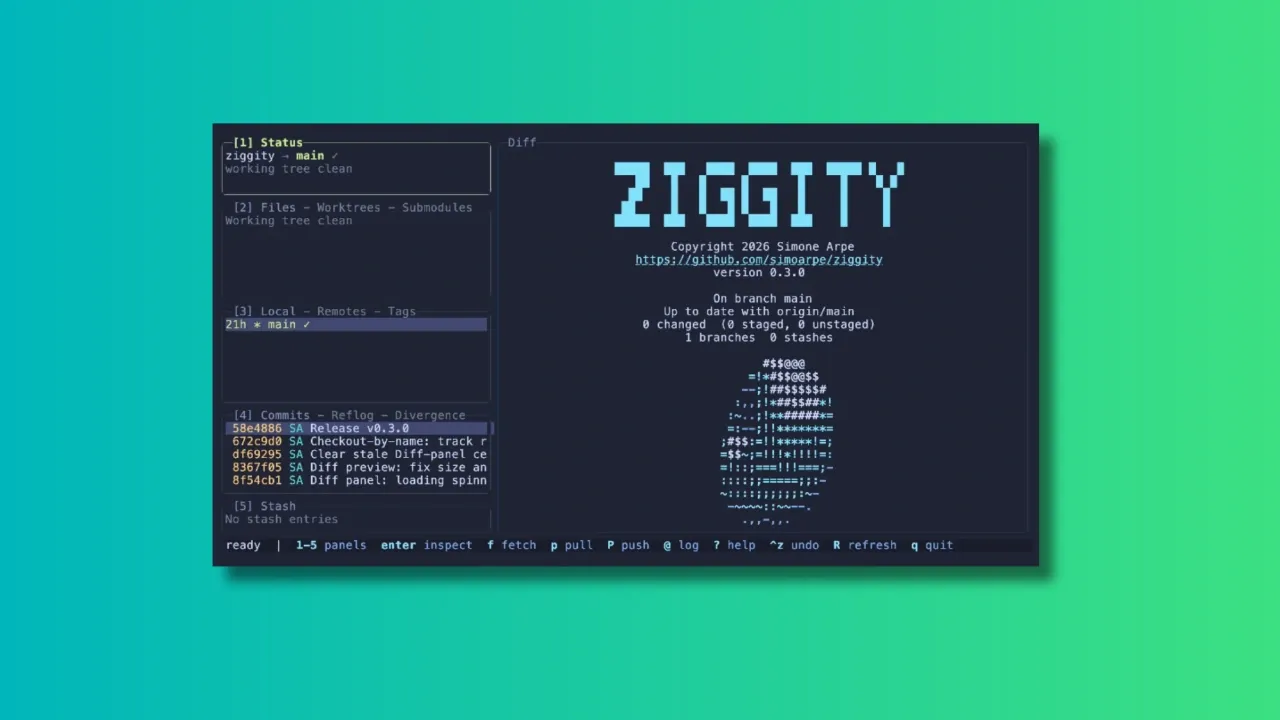
The client also provides robust text selection capabilities. Dragging the mouse cursor over a diff, commit message, or any other panel copies the selected text directly to the system clipboard, automatically stripping out color codes while preserving indentation. This functionality functions reliably even over remote SSH connections, leveraging the OSC 52 clipboard mechanism rather than relying on terminal-local facilities.
A Better Way to Look at Git Diffs
Code reviews and diff analyses consume a significant portion of a developer’s time, making readability paramount. Ziggity supports rapid comparison between arbitrary branches and commits through simple keystrokes.
The diff engine incorporates word-level highlighting. Instead of coloring entire modified lines in red or green, Ziggity isolates and highlights the exact words that changed within a given line, ensuring that minor edits within lengthy text passages are not obscured. For documentation and Markdown files containing extended lines, users can toggle soft wrapping on demand to eliminate horizontal scrolling, with word-level highlighting remaining fully functional across wrapped rows.
History Navigation That Understands What You Want
The commit graph in Ziggity is a direct rendering of git log --graph, utilizing native Git color schemes without freezing the application interface. By default, the view highlights the current branch and its upstream counterpart to provide instant visibility into incoming changes, complemented by shortcuts to expand the scope to all branches or jump immediately back to HEAD.
A dedicated divergence view clearly separates outgoing commits from incoming ones relative to the upstream branch. To prevent accidental data loss, history-editing capabilities are intentionally disabled within this view, ensuring users cannot inadvertently rewrite unpulled commits. Additionally, commit hashes are color-coded based on their push status, making unpushed local commits instantly identifiable as safe for rewriting.
A More Flexible Way to Stage Changes
Staging modifications is a foundational part of daily version control, and Ziggity offers refined controls to manage this process. Developers can work directly within the staging view, utilizing mouse selections to stage individual lines rather than entire files. This fine-grained control proves invaluable when a single file contains multiple distinct changes that should be separated into independent commits.
Checking out branches is similarly streamlined. Typing any reference string into the checkout prompt provides live suggestions. Selecting a remote branch automatically configures local tracking, placing the user on a proper local branch rather than leaving them in a detached HEAD state. Local branches switch normally, while tags and commits correctly default to detached states where appropriate.
Commit message creation is supported by an integrated editor designed to encourage adherence to standard commit message conventions, complete with configurable length limits and support for prepare-commit-msg hooks, including those that dynamically derive ticket numbers from branch names. Furthermore, the client supports optional AI-assisted commit message generation derived from staged changes. Rather than binding users to a proprietary service, Ziggity communicates through a configurable external command, allowing developers to integrate whatever AI model or subscription they already utilize.
Installing Ziggity
Ziggity is distributed through package managers such as Homebrew, enabling straightforward installation on compatible systems using standard repository formulas. Additionally, prebuilt binaries for multiple system architectures are available directly through the project’s official GitHub release channels, allowing users to place the executable within their system PATH for immediate terminal execution.