Remember Wubi from the 2000s? For people who were afraid of going into BIOS and booting from external media like CDs, DVDs, or USB flash drives, Wubi provided an elegantly simple way to install Ubuntu Linux straight from a running Windows environment.
That classic concept has now made a modern comeback in the form of Libertix. While the core philosophy remains identical—allowing users to install Linux in a dual-boot configuration from inside Windows without navigating intimidating firmware settings—the underlying technology has been completely re-engineered for modern systems. Developed by Ekimia, a French company known for selling preinstalled Linux computers, Libertix offers a streamlined approach to bridging the gap between Microsoft Windows and the open-source operating system ecosystem.
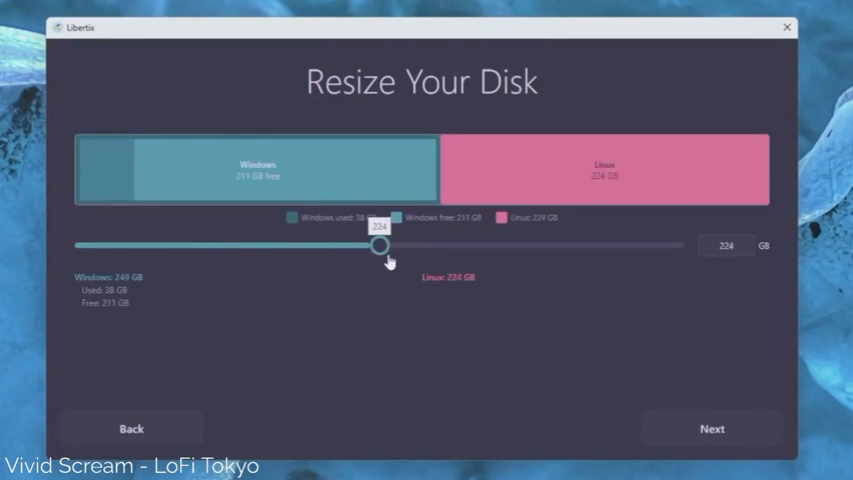
Libertix functions as a Windows application distributed via a standard executable file. Once downloaded, users run the tool to analyze their computer’s configuration. If the system passes a series of rigorous compatibility checks, the application enables users to resize their existing hard disk space to accommodate either Linux Mint or Zorin OS, the two primary distributions supported at the current stage of development.
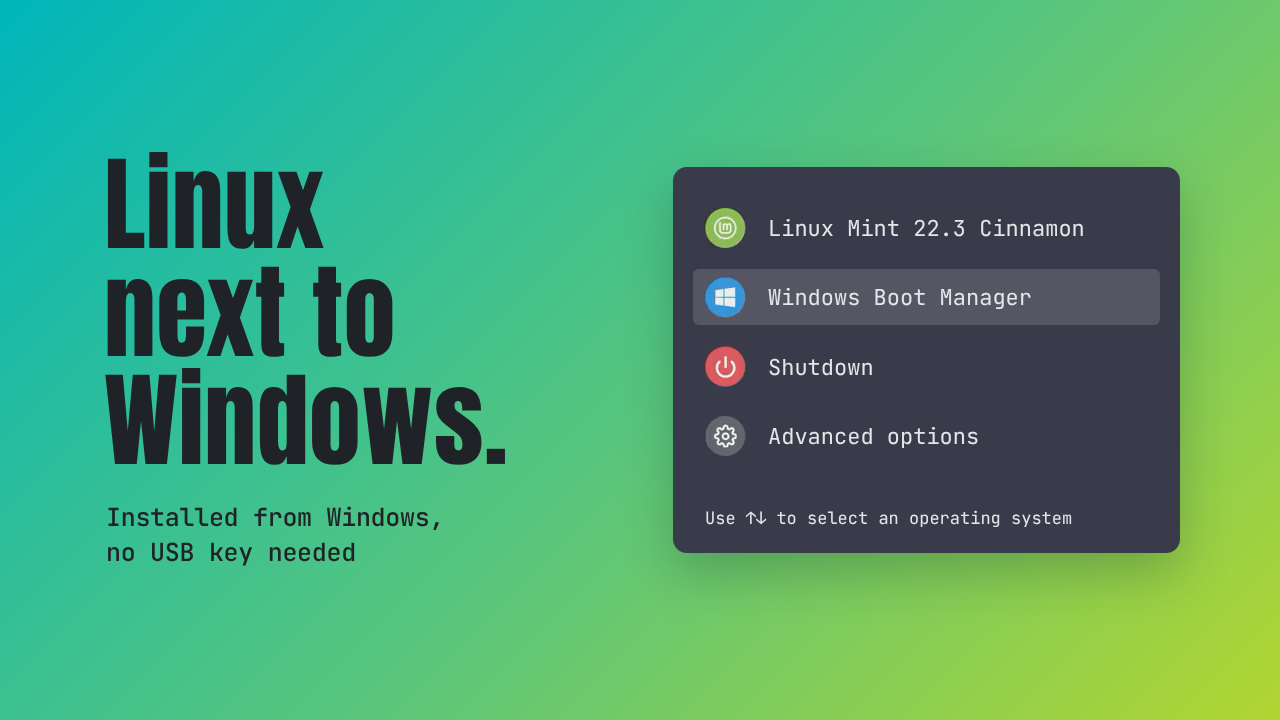
One of the most notable features of this open-source utility is its ability to configure a dual-boot menu for both legacy BIOS/MBR machines and modern UEFI/GPT systems entirely from within Windows. By handling the heavy lifting in the background, Libertix eliminates the traditional requirement of creating a live USB drive, a hurdle that has historically intimidated many prospective Linux newcomers.
The project is spearheaded by Ekimia, which launched a €3,000 crowdfunding campaign in June 2026. The objective of the campaign was to fund a full-time contributor over the summer months to accelerate development on the project, ensuring its architecture remains stable and reliable. Because partitioning system drives always carries inherent risks, the developers have focused heavily on safety and compatibility checks before any permanent modifications are made to a user’s hardware.
Before touching a single partition, Libertix runs an automated compatibility assessment. The software examines the system’s firmware type, checking whether the machine utilizes traditional BIOS or modern UEFI. It evaluates the current disk layout, verifies the status of Microsoft’s BitLocker encryption feature, and calculates the exact amount of free space that can safely be reclaimed from the existing Windows partition. If any parameter falls outside safe operational limits, the installation process halts immediately to prevent data loss.

Once the system clears these diagnostic checks, Libertix prompts the user to shrink the Windows partition to make room for the incoming Linux installation. Following this step, the utility automatically downloads the ISO file for the chosen Linux distribution. To ensure system integrity, a cryptographic checksum is meticulously verified before the download process is finalized and approved for staging.
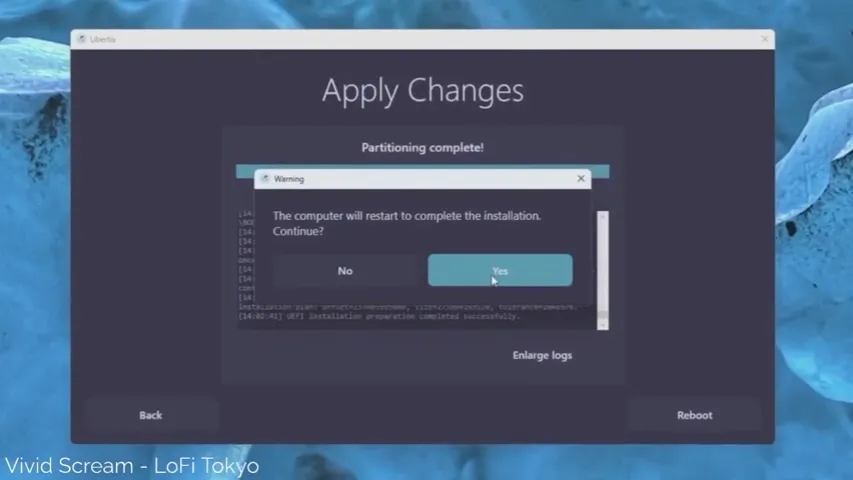
The software then stages the necessary installation files directly onto the disk and commands the computer to boot into a temporary live environment for a single session. On modern UEFI systems, this seamless transition is achieved through the BootNext firmware variable. On older BIOS architectures, the application relies on GRUB4DOS alongside a temporary Windows boot entry to achieve the same result.
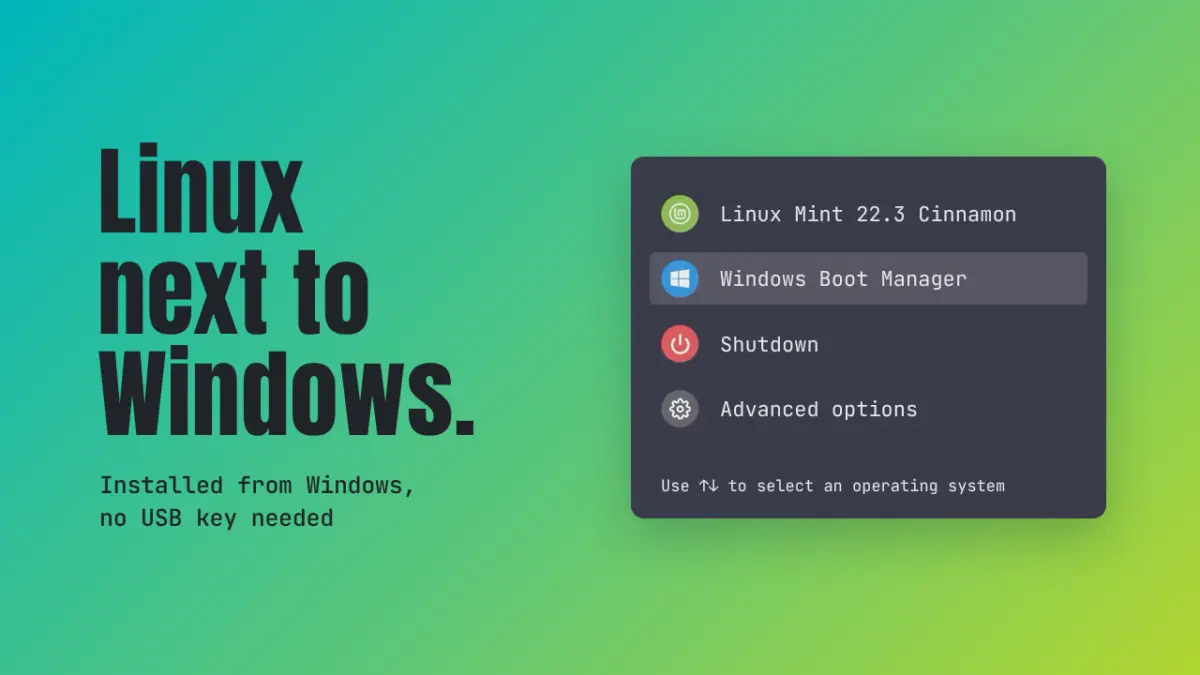
Upon restarting the computer, the Libertix live system performs a secondary verification of the installation plan and system hardware. It then automatically creates an ext4 filesystem partition and proceeds with the installation of the chosen Linux distribution. The final setup rewards the user with a customized, professionally styled GRUB boot menu featuring clear entries for Linux, Windows, system shutdown options, and advanced configuration settings.
Integration between the two operating systems has also been thoughtfully addressed. Users who choose to enable file sharing will find their Windows directories readily accessible within the Linux environment. Conversely, Linux files remain accessible from Windows, though restricted to a read-only mode designed specifically to prevent accidental filesystem corruption and data loss.
To safeguard against unforeseen interruptions, Libertix incorporates a built-in recovery mechanism. The software tracks every completed stage of the installation process in real time. Should an error occur or if a user decides to cancel the procedure midway, the utility reverses only the steps that have already been executed, successfully restoring the original Windows boot configuration.
Despite these robust safety features, developers emphasize that Libertix remains in an early stage of development. Because the software directly interacts with low-level disk partitioning, experts strongly recommend that users back up all important data onto an external storage device before attempting any experiments with the tool.
The introduction of Libertix arrives at a time when accessibility remains one of the primary hurdles for mainstream Linux adoption. For many beginners, acquiring a blank USB drive, configuring a flashing utility like Ventoy or Rufus, adjusting secure boot settings, and navigating BIOS menus can feel overwhelming. By bypassing these steps and initiating the process from a familiar desktop interface, tools like Libertix lower the barrier to entry significantly.
While the project currently limits its official support to Linux Mint and Zorin OS, the open-source community is already looking toward the future. Observers and enthusiasts hope that successful adoption will pave the way for broader distribution support in subsequent releases, further simplifying the dual-boot experience for users transitioning away from proprietary operating systems.
For developers, system administrators, and curious users interested in reviewing the underlying architecture, technical documentation, and source code, the project is publicly hosted on GitHub via the official Ekimia team repository.