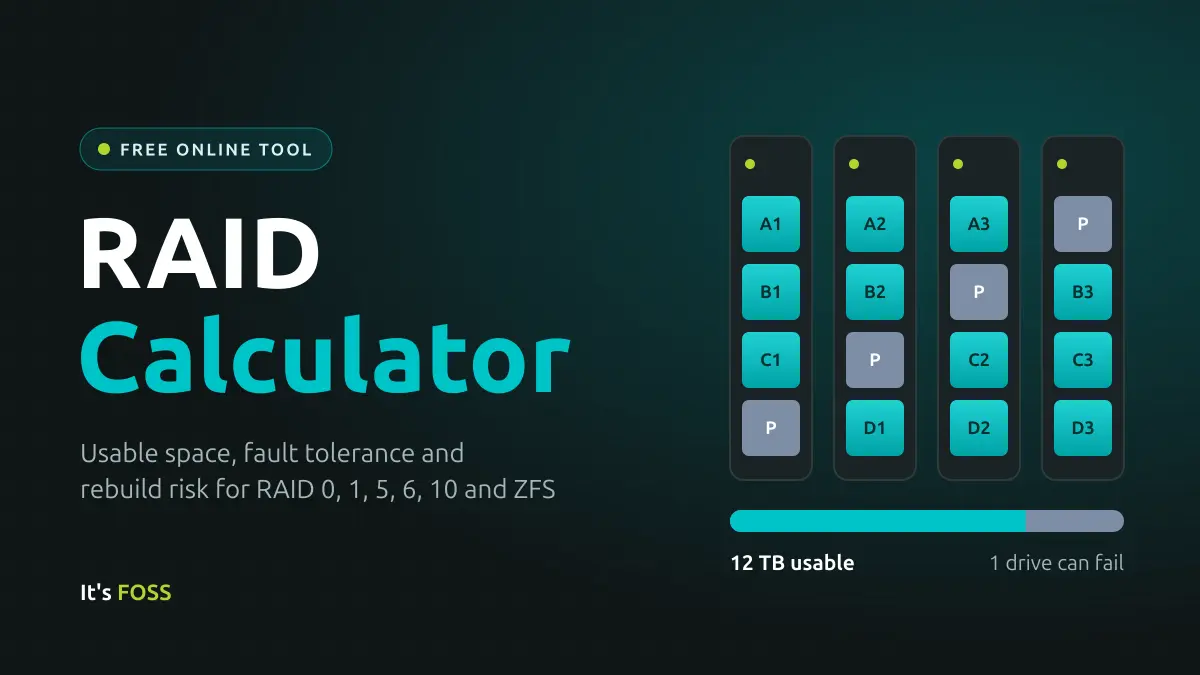
Managing digital storage arrays has always been a balancing act between maximizing usable space, ensuring fault tolerance, and understanding the hidden risks of data recovery. As hard drive capacities scale upward into massive multi-terabyte tiers, system administrators and home lab enthusiasts alike face increasingly complex decisions regarding data layout. To navigate these choices, specialized storage calculators have emerged as essential utilities, helping users simulate configurations across traditional RAID levels and advanced filesystems like ZFS before committing physical hardware.
The mechanics behind these tools go far beyond simple arithmetic, factoring in variables such as drive counts, parity overhead, unrecoverable read errors, and estimated power consumption. Understanding how these elements interact is critical for anyone deploying network-attached storage (NAS) systems from major manufacturers like Synology, QNAP, and UGREEN, or building enterprise environments on platforms like TrueNAS.
How Usable Capacity is Calculated Across Layouts
At the core of any storage calculator is the mathematical relationship between the number of drives deployed—represented as $N$—and the size of the smallest drive in the array, denoted as $S$. Because storage controllers and filesystems must accommodate redundancy to protect against hardware failures, usable capacity is rarely equal to the raw sum of all installed drives.
In a striping configuration known as RAID 0, data is split into chunks and written across several drives simultaneously. This yields maximum performance because every drive works in parallel, and usable capacity equals $N$ multiplied by $S$. However, RAID 0 offers zero fault tolerance; nothing is stored twice, meaning the failure of a single drive results in catastrophic data loss across the entire array.
For users prioritizing safety over performance, mirroring configurations such as RAID 1 write identical data to two or more drives. While simple and secure, the usable capacity is restricted to the size of a single drive, with fault tolerance scaling up to $N$ minus one. Parity-based layouts strike a middle ground. RAID 5 and its ZFS equivalent, RAIDZ1, utilize single parity spread across all drives, requiring a minimum of three drives to yield a usable capacity of $N$ minus one multiplied by $S$, while surviving a single drive failure.
When scaling to larger arrays, double-parity options like RAID 6 and RAIDZ2 demand at least four drives and reserve two drives’ worth of space for parity, allowing the system to survive two concurrent failures. For ultimate protection, ZFS RAIDZ3 introduces triple parity across a minimum of five drives. Meanwhile, striped mirrors, commonly referred to as RAID 10, pair drives into mirrors and stripe data across those pairs. This delivers the high performance of striping alongside the rapid recovery times of mirrors, yielding a usable capacity of $N$ divided by two multiplied by $S$. While RAID 10 can technically survive multiple drive failures, it guarantees safety only if failed drives originate from separate mirror pairs; if both drives in the same pair fail, the entire array is lost.
Assessing Rebuild Risk and Unrecoverable Read Errors
Calculating usable space provides only half the picture; system administrators must also account for the hazards of rebuilding an array after a hardware failure. When a drive drops out and is replaced, the storage controller or filesystem must read every surviving drive in full to reconstruct the lost data. Advanced calculators estimate the risk of catastrophic failure during this vulnerability window by multiplying the total data read during a rebuild by the drive class’s unrecoverable read error (URE) rating.
Consider an array comprising four 8 terabyte drives configured in RAID 5. A rebuild operation requires reading the three surviving drives in full, translating to approximately 24 terabytes, or roughly $1.9 times 10^14$ bits. Standard consumer hard drives are typically rated with a URE specification of one error per $10^14$ bits read, indicating an estimated statistical probability of encountering at least one unreadable sector during the rebuild process of roughly 85 percent. Upgrading to network-attached storage class drives, which feature improved specifications rated at $10^15$ bits, drops that risk down to approximately 17 percent.
Because physical drives frequently outperform their nominal specifications on spec sheets, these calculations represent worst-case scenarios. Nevertheless, this statistical reality underpins the industry-standard recommendation to deploy RAID 6 or RAIDZ2 for large modern hard drives. Incorporating a secondary parity drive ensures that encountering a single bad sector during the high-stress rebuild window does not compromise the entire array.
Compatibility Across Hardware and Filesystems
Storage calculators are engineered to apply universally across standard Linux software RAID implementations, which form the underlying architecture for popular multi-bay NAS enclosures produced by manufacturers such as QNAP, UGREEN, and Synology. Consequently, standard configurations including RAID 1, RAID 5, RAID 6, and RAID 10 yield identical usable capacity figures regardless of the hardware brand housing the drives.
For enterprise and enthusiast platforms utilizing TrueNAS, calculations must account for ZFS-specific mirror and RAIDZ layouts. Unlike traditional hardware RAID cards or Linux mdadm software layers, which operate strictly on raw data blocks without awareness of file integrity, ZFS functions as an integrated filesystem and volume manager. ZFS generates cryptographic checksums for every individual block of data written to the pool. This capability allows the system to instantly detect silent data corruption and automatically repair damaged blocks using redundant copies. Furthermore, ZFS optimizes rebuild operations by scanning only the space actively occupied by data rather than the entire physical disk, ensuring that a read error typically impacts a single file rather than destroying the entire storage pool.
Despite these advanced error-correction capabilities, ZFS imposes specific hardware demands, including a requirement for ample system memory, and historically offered less flexibility when expanding storage pools. While traditional setups allowed for straightforward expansion, growing a ZFS pool by adding a single drive to an existing RAIDZ configuration was a limitation until the introduction of OpenZFS 2.3.
Understanding Performance Overhead and Power Consumption
While storage calculators provide precise metrics regarding capacity and redundancy, they deliberately exclude input-output performance benchmarks. Real-world input-output speeds depend heavily on the underlying hardware controller, drive speeds, caching mechanisms, and specific application workloads. Furthermore, the figures generated by capacity tools reflect raw space before filesystem formatting and overhead are applied. ZFS, for example, typically reserves a small percentage of pool capacity as operational reserve space to maintain write performance, and operating systems report storage capacities in binary-based binary units like tebibytes rather than decimal terabytes, resulting in slightly lower visible free space than raw calculations suggest.
Beyond capacity, modern deployment planning often incorporates estimations of electrical power draw. By multiplying standard average active power metrics for spinning or active hard drives across the total number of installed drives, calculators project continuous energy consumption. Factoring in continuous 24-hour daily operation allows administrators to project annual kilowatt-hour usage, though these figures generally account solely for the storage drives themselves. Additional system components including central processing units, motherboards, cooling fans, and power supply unit conversion losses contribute further to overall energy draws, while advanced power-management features like spindown idle states can reduce power consumption in practice.
Addressing Common Deployment Questions
When configuring multi-drive arrays, administrators frequently evaluate whether to implement RAID 5 or RAID 6. While RAID 5 conserves drive capacity by dedicating a single drive’s worth of space to parity, the intensive read requirements of rebuilding large modern drives scaling upwards of 8 terabytes make RAID 6 the safer standard choice. The addition of a second parity block ensures fault tolerance against secondary failures or unread sectors during recovery windows, offsetting the cost of a single extra drive.
Similarly, administrators weighing ZFS RAIDZ against ZFS mirror configurations must balance capacity efficiency against operational performance. RAIDZ variants maximize usable capacity from a given set of physical drives, making them ideal for home and enterprise NAS builds prioritizing deep storage pools. Conversely, mirror configurations deliver superior random input-output performance, faster resilvering times during drive replacements, and straightforward pool expansion pathways by allowing administrators to add discrete mirror pairs incrementally.
A foundational principle reiterated across storage administration guidelines is that RAID configurations do not constitute a backup. While hardware redundancy protects system availability against unexpected physical drive failures, it provides zero protection against accidental file deletions, ransomware infections, software corruption, controller malfunctions, theft, or catastrophic physical damage, all of which compromise every drive in an array simultaneously. Maintaining data integrity requires adherence to comprehensive backup protocols, such as retaining multiple copies of critical files across disparate media types with offsite redundancy, ensuring that system availability provided by RAID is backed by true data recoverability.