
The convenience of online PDF tools has made them a staple for millions of internet users. With a few clicks, individuals and professionals alike can open a browser, upload a sensitive contract, academic paper, or financial document, execute edits, and download the freshly modified file without installing any specialized software. However, this frictionless user experience masks a growing cybersecurity concern regarding data privacy and third-party file handling.
When users upload confidential documents to arbitrary online web portals, they are effectively transferring ownership of that data to an external server. While some platforms maintain strict privacy standards, others operate with questionable security practices, and a subset function as malicious actors. The Federal Bureau of Investigation (FBI) has previously issued formal warnings regarding fraudulent online file converters designed explicitly to harvest sensitive personal details, corporate credentials, banking information, passwords, and proprietary email addresses.
These hidden risks render traditional online PDF processors exceptionally dangerous when handling classified corporate documents, legal agreements, or personal records that should never leave a closed, secure organizational environment. To combat these rising threats, a growing movement of open-source developers is turning toward client-side processing, leveraging modern browser capabilities to keep sensitive data local.
Enter BentoPDF, an open-source, privacy-first PDF toolkit designed to process sensitive documents entirely within the user’s web browser. By executing heavy computational tasks locally rather than transmitting files to a remote server, BentoPDF aims to eliminate the inherent risks associated with conventional cloud-based PDF utilities.

BentoPDF: For Your Privacy and Document Needs
Created by independent developer Alam, BentoPDF originated as a humble internal utility used for routine file management tasks like merging and splitting PDF documents. Recognizing a broader market demand for secure, client-side document processing, the lead developer shared the project with the wider web development community via Reddit. Within weeks, the entire codebase was published openly on GitHub, drawing attention from privacy advocates and Linux enthusiasts.
The technical foundation of BentoPDF relies heavily on WebAssembly, a technology that enables high-performance, resource-intensive applications to run natively within modern web browsers at near-native speeds. For instance, the platform’s optical character recognition capabilities are powered by Tesseract.js, a specialized JavaScript port of the robust Tesseract OCR engine. Because these engines operate locally, execution occurs directly on the user’s local machine, ensuring that no file contents ever leave the device’s local memory footprint.
Furthermore, the platform enforces a strict privacy posture: users are not required to register for an account, and the interface is entirely free from invasive web tracking mechanisms.
The project operates under a dual-licensing model. The core source code is distributed under the GNU Affero General Public License (AGPL-3.0), ensuring that it remains free for public use, modification, and community contribution. Simultaneously, a commercial license is available for organizations seeking to integrate the technology into closed-source commercial workflows, priced as a one-time purchase. In addition to the primary PDF utility, the creator maintains two complementary open-source initiatives: Hyper Compress, a specialized compression engine, and Kura, a tool dedicated to converting PDFs into long-term archival standards such as PDF/A and PDF/UA.
Evaluating the Platform in Everyday Use
When tested across modern Chromium-based web browsers, the toolkit demonstrates a robust suite of features designed to handle diverse document workflows without compromising user anonymity or data sovereignty.
Editing PDFs
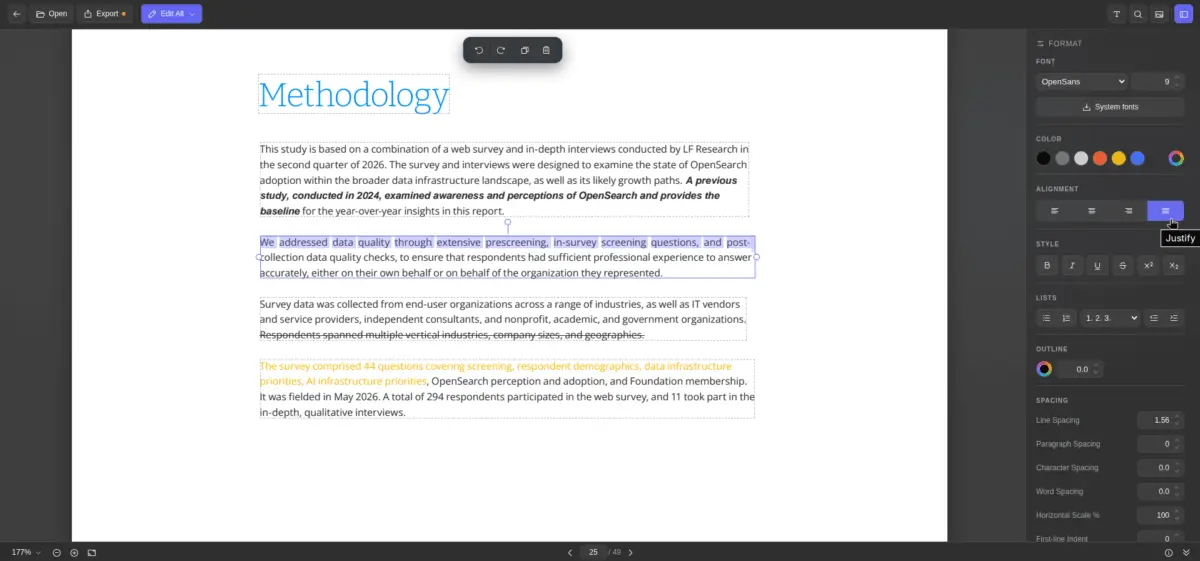
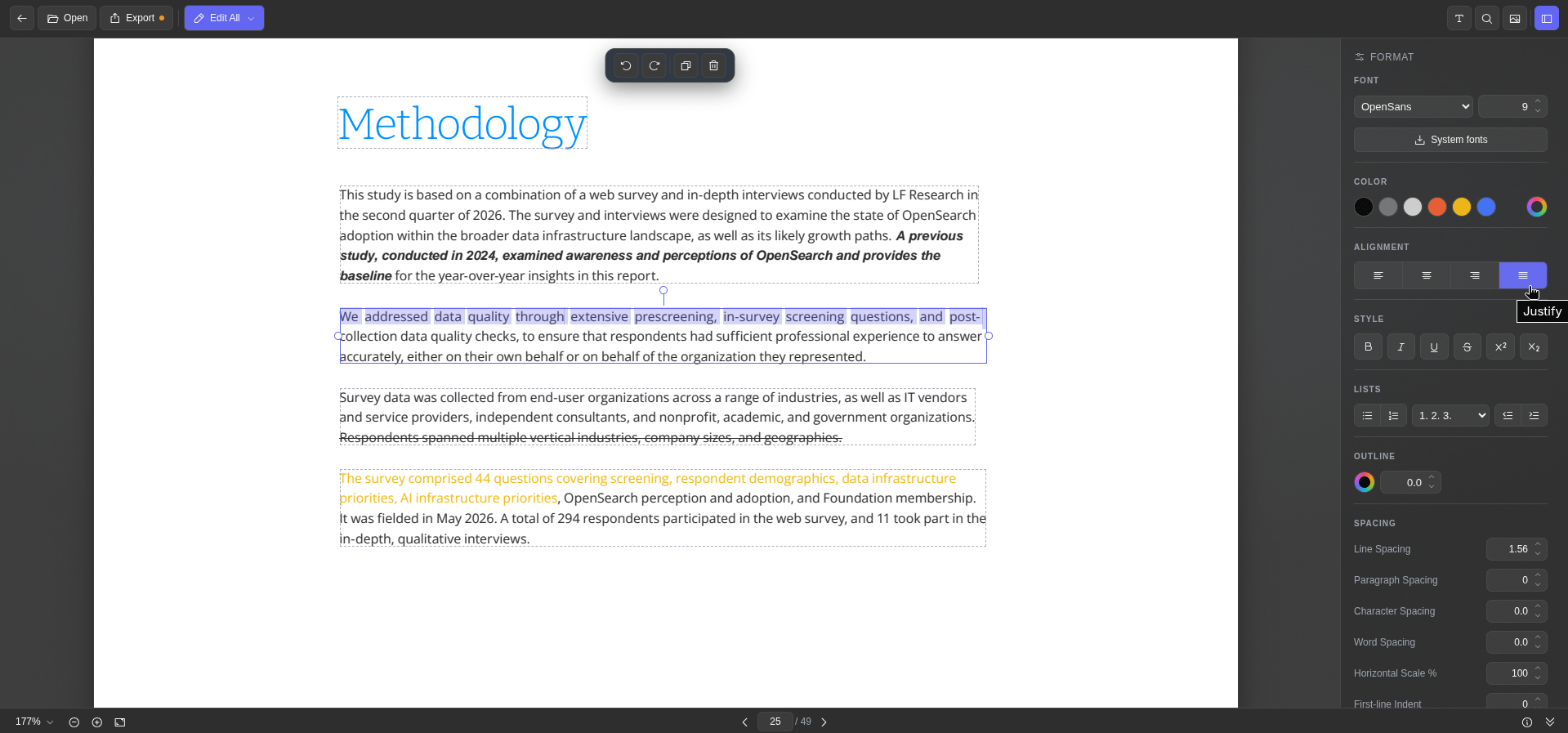
The text editing module presents document text in distinct blocks outlined by subtle dashed borders. Selecting a specific text block activates a comprehensive formatting sidebar equipped with standard typographic controls. Users can seamlessly adjust font families, point sizes, text colors, alignment parameters, and character spacing, alongside standard inline formatting toggles for bold, italic, underline, and strikethrough effects.
An especially notable feature is the integration of local system fonts. By engaging the system fonts control, the web application can query and fetch typography installed locally on the host operating system—such as a Linux workstation—allowing for consistent document rendering. Additionally, a dedicated metadata inspector provides immediate visibility into underlying document properties. Once modifications are complete, exporting the finalized document is accomplished with a single interface click.
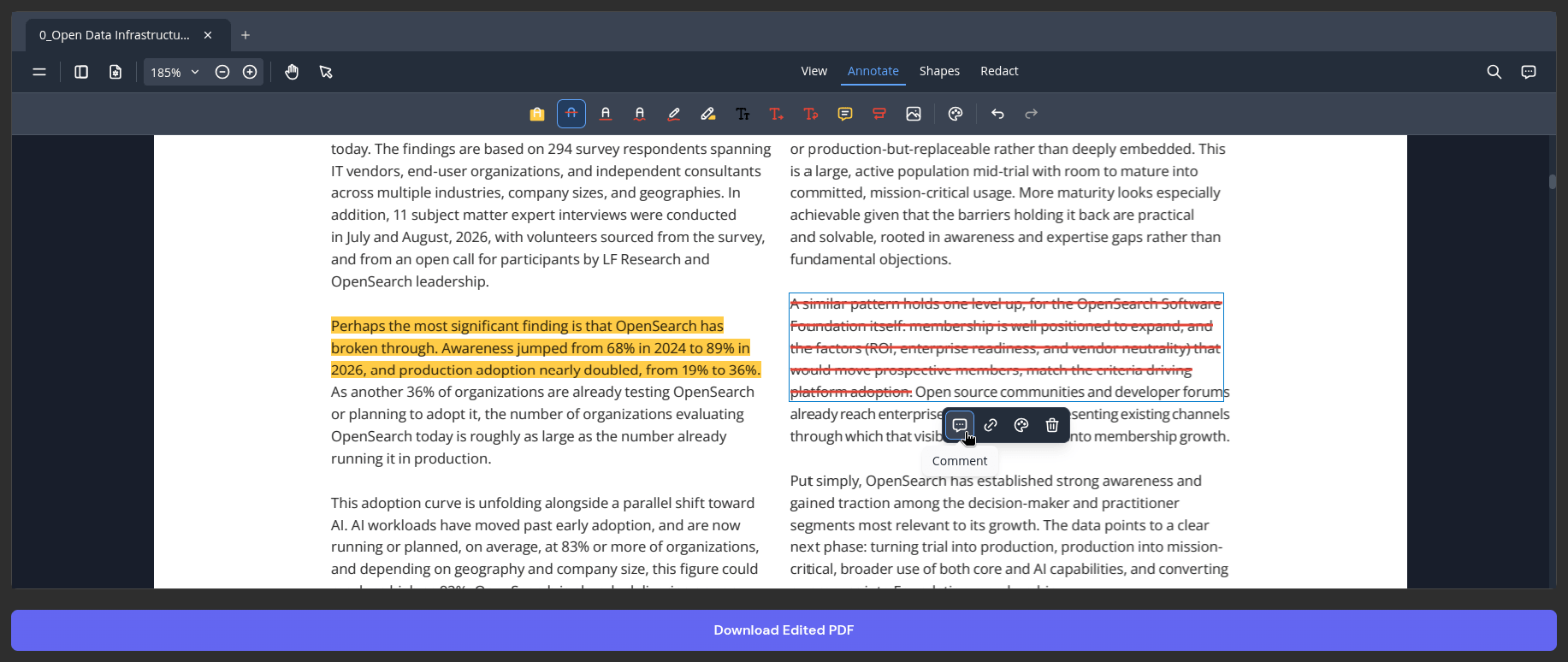
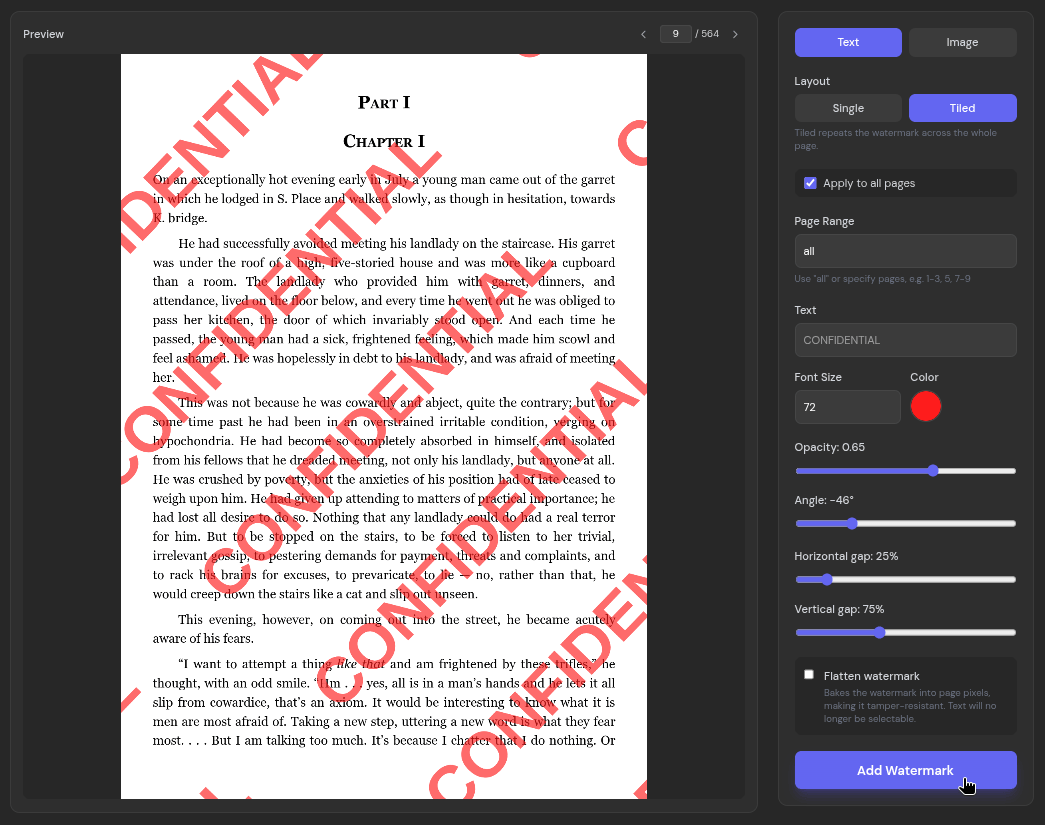
Beyond direct text manipulation, the primary PDF editor doubles as a versatile annotation suite. It incorporates tools for highlighting text, applying strikethrough effects, freehand ink drawing, text box insertions, and contextual comments. Common desktop keyboard shortcuts—including standard commands for copying, pasting, undoing, and redoing actions—function seamlessly within the browser environment. Furthermore, the platform features a robust watermarking utility that enables users to protect sensitive files by embedding customizable text or image watermarks across single or tiled layouts with granular visibility controls.
Easy OCRs
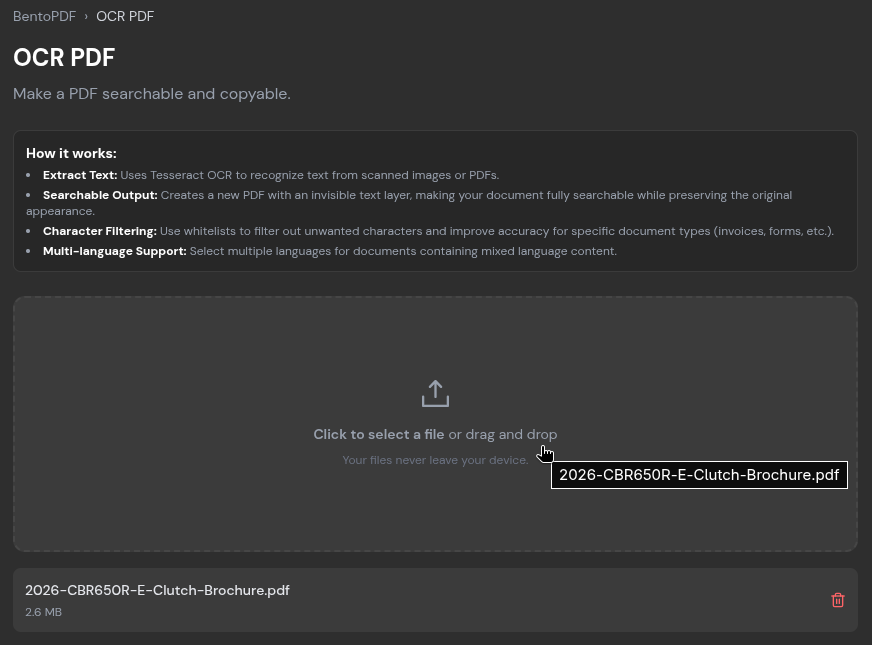
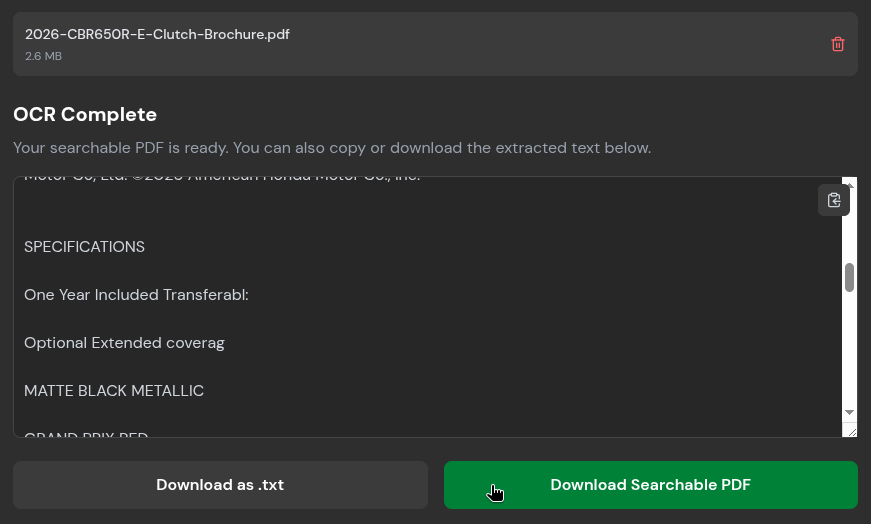
Scanned reports, historical archives, and image-heavy documents often consist merely of flat page graphics, rendering traditional text searching and extraction impossible. BentoPDF addresses this limitation through a dedicated Optical Character Recognition tool.
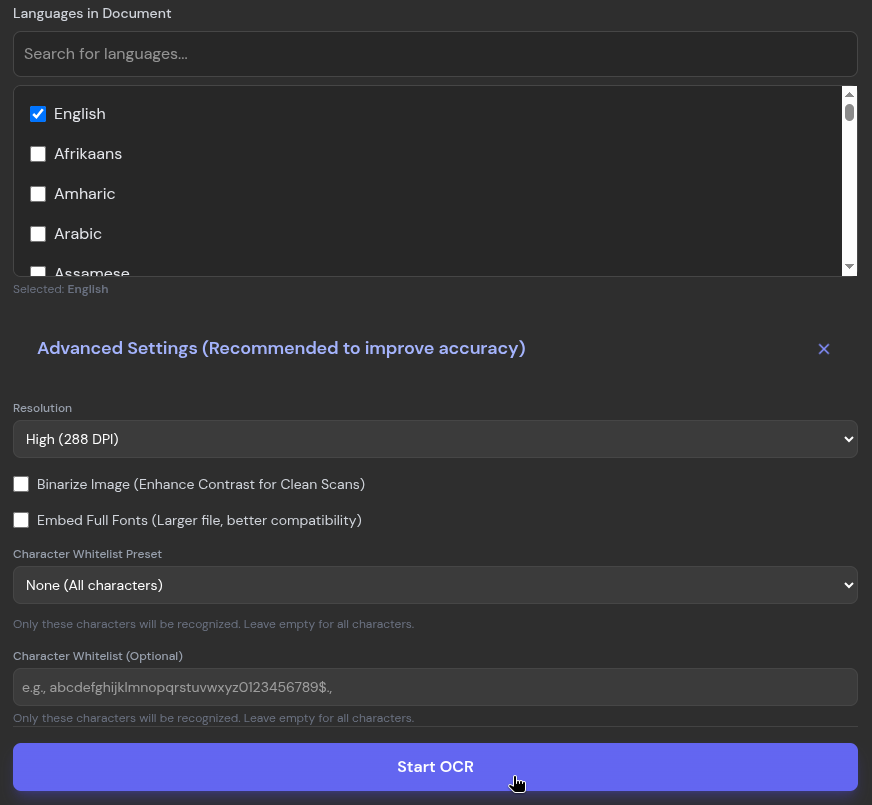
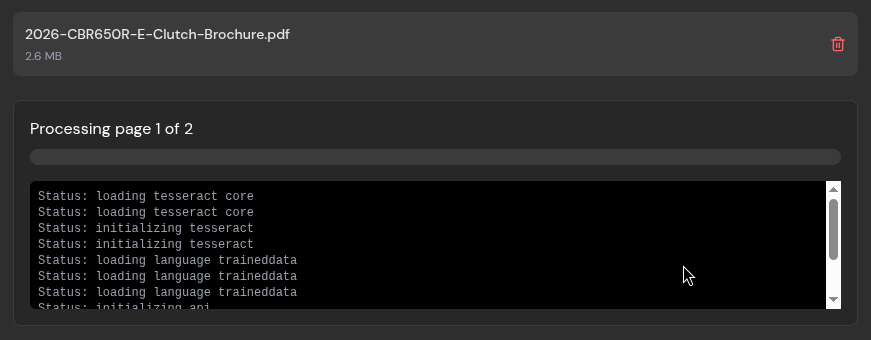
Users upload the target document, specify the primary languages present within the text, and initiate the local conversion process. During testing with complex multi-page brochures, the engine successfully converted graphical layouts into machine-readable text. While exceptionally small, low-resolution text blocks occasionally presented challenges, the resulting output maintained high accuracy. Processed text can be copied directly to the system clipboard, exported as a plain text file, or saved as a fully searchable PDF.
File Conversions
The platform supports an extensive array of bidirectional file format conversions. The PDF-to-JPG module transforms individual document pages into image files, allowing users to fine-tune output quality via an interactive slider set to a default 90 percent threshold. Conversely, the image-to-PDF utility accepts a diverse spectrum of source graphic formats, including PNG, BMP, HEIC, and PSD. Additional conversion pathways accommodate alternate data structures, ranging from spreadsheets and presentation formats to structured markup languages like Markdown and JSON.
Quick Compressions
Sharing documents via popular email providers often presents frustrating hurdles due to strict attachment size limits imposed by major webmail services. To mitigate this constraint, BentoPDF incorporates an advanced compression engine featuring multiple algorithmic profiles. Users can choose between a balanced condense algorithm and a specialized photon mode optimized for image-heavy files, alongside adjustable compression intensity levels ranging from light to extreme.
During performance evaluations involving a large, multi-page document exceeding one hundred megabytes, the extreme compression setting significantly reduced the file footprint by more than seventy percent. While aggressive compression of massive documents requires noticeable processing time, the resulting files retained acceptable visual clarity for text and primary graphics, proving invaluable for efficient digital distribution.
Expanding Horizons for Secure Document Handling
The breadth of functionalities provided by open-source browser utilities extends far beyond basic editing and conversion. By shifting computational workloads directly to the client side, projects like BentoPDF demonstrate that robust document management does not necessitate compromising personal or corporate data security.
Developers and privacy advocates interested in auditing the underlying architecture, reviewing the comprehensive list of integrated tools, or contributing to the codebase can access the complete project repository and technical documentation directly through its public GitHub profile.


Leave a Reply