
Publishing online content has long required navigating complex website setups, static site generators, and tedious build processes. For writers, educators, and developers who prefer the simplicity of writing in Markdown, getting text onto the web often means dealing with hosting configurations, content management systems, or learning platforms that do not natively handle constraint-free text formatting very well. A lightweight open-source tool called Docsify-This aims to solve this friction by offering a streamlined way to publish, share, and reuse Markdown content instantly.
Built on top of the popular Docsify.js framework, Docsify-This allows users to take any publicly available Markdown file and turn it into a responsive, standalone web page within seconds. The project removes the need for traditional website deployment pipelines, opening up new workflows for publishing documents across diverse digital environments without locking users into proprietary platforms.
What is Docsify-This?
At its core, Docsify-This is designed to bridge the gap between simple text files stored in version control repositories and fully rendered web pages. By pointing the tool to a public Markdown file hosted on platforms like GitHub or Codeberg, creators can generate a clean, responsive web page complete with a shareable URL. For larger projects, multiple Markdown files can be linked together to form a simple, cohesive website structure.

Designers and content creators are not locked into a single default look. The visual appearance of the rendered pages can be altered dynamically using a point-and-click Web Page Builder interface or through specific URL parameters. Furthermore, the project provides a set of specialized Markdown CSS classes that enable users to style elements directly within their text documents. When files are stored in Git repositories such as Codeberg or GitHub, the platform can even automatically append an "Edit this Page" link, fostering collaborative authoring environments where multiple contributors can easily suggest updates or corrections.
Because Docsify-This is fully open source, organizations and individuals have the freedom to host their own instances under custom domains. This eliminates the risk of platform lock-in, ensuring that users maintain absolute control over their publishing infrastructure and data.
Use the Docsify-This Web Page Builder
Getting started with the platform requires no specialized software or complex command-line toolchains. Users can access the public service via the main Docsify-This website or deploy a local instance on their own infrastructure. The Web Page Builder interface offers a straightforward entry point: creators simply paste the URL of a public Markdown file hosted on a repository like GitHub or Codeberg and click a button to publish it as a standalone web page.
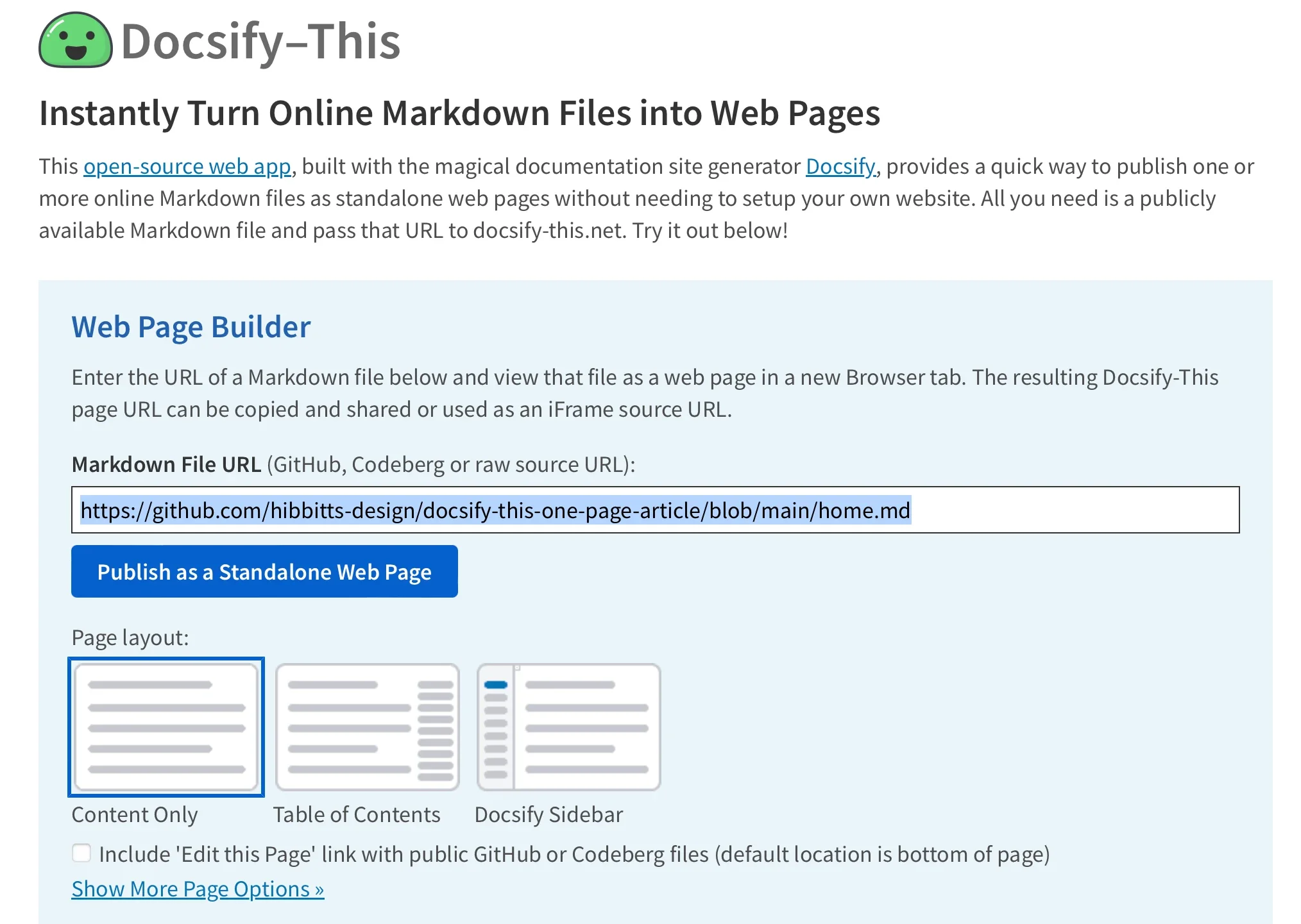
While the graphical Web Page Builder interface is optimized for popular Git hosts, the underlying engine supports other Git repositories through flexible URL parameters. Once processed, the Markdown file is instantly transformed into a web page with a unique URL that can be copied, shared, and embedded across the internet. This capability makes Docsify-This particularly useful for organizations looking to distribute documentation, announcements, or course materials without provisioning dedicated web servers for every document.
Render Other Files in the Same Repository
Managing multi-page content structures is handled seamlessly through repository organization and URL manipulation. Once a base repository is established, creators can render alternative Markdown files stored within that same repository by directly editing the URL parameters. Specifically, modifying the homepage parameter allows a single base path to serve an entire library of distinct documents on demand. This approach enables writers to maintain their content as a collection of modular files in version control while presenting them to readers as individual, targeted web pages.
Modify the Web Page’s Appearance
Customizing how content looks to the end user does not require modifying stylesheets on a remote server. Docsify-This allows creators to adjust the visual presentation of any displayed Markdown file directly through URL parameters. Common CSS attributes such as font family, font size, link color, and line height can be passed directly in the web address, granting immediate control over typography and layout constraints.
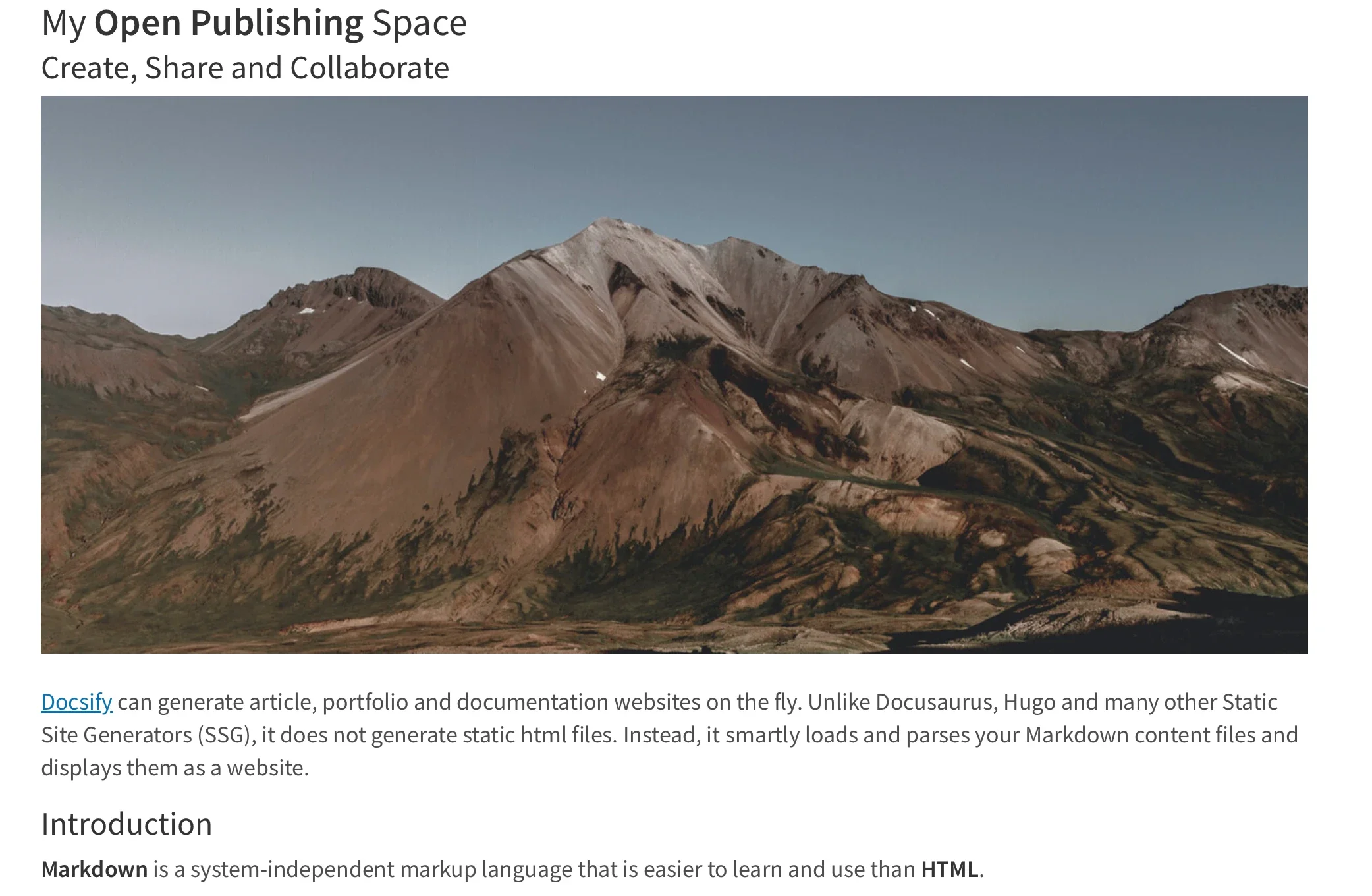
In addition to global layout parameters, content authors can leverage specialized Markdown CSS classes to style individual elements within the text. For example, adding a specific class attribute to a standard link transforms it from plain text into an interactive button element. Creators are also not limited to the pre-packaged styles provided by the project; they can define custom CSS rules directly within their Markdown files using standard style tags. This flexibility allows for the creation of unique visual components, such as custom-styled buttons, callout boxes, and branded layout elements, all without leaving the Markdown authoring environment.
Include HTML Snippets and Embed Content
While Markdown is prized for its minimalist syntax and readability, complex document layouts often demand more structural control. Docsify-This supports standard HTML snippets, allowing authors to incorporate layout elements such as multi-column containers directly into their documents. This makes it possible to design rich, responsive content layouts using familiar markup structures while retaining the benefits of writing primary text in lightweight Markdown.
For broader distribution, Docsify-This web pages are engineered to be embedded seamlessly into external platforms using standard iFrames. Because the destination platform—such as a corporate intranet, a content management system, or an educational portal—might have its own distinct styling constraints, administrators can use URL parameters to harmonize the embedded content’s appearance with the host site. Adjusting fonts, sizes, and layout parameters ensures that the embedded material looks native to the platform hosting it.

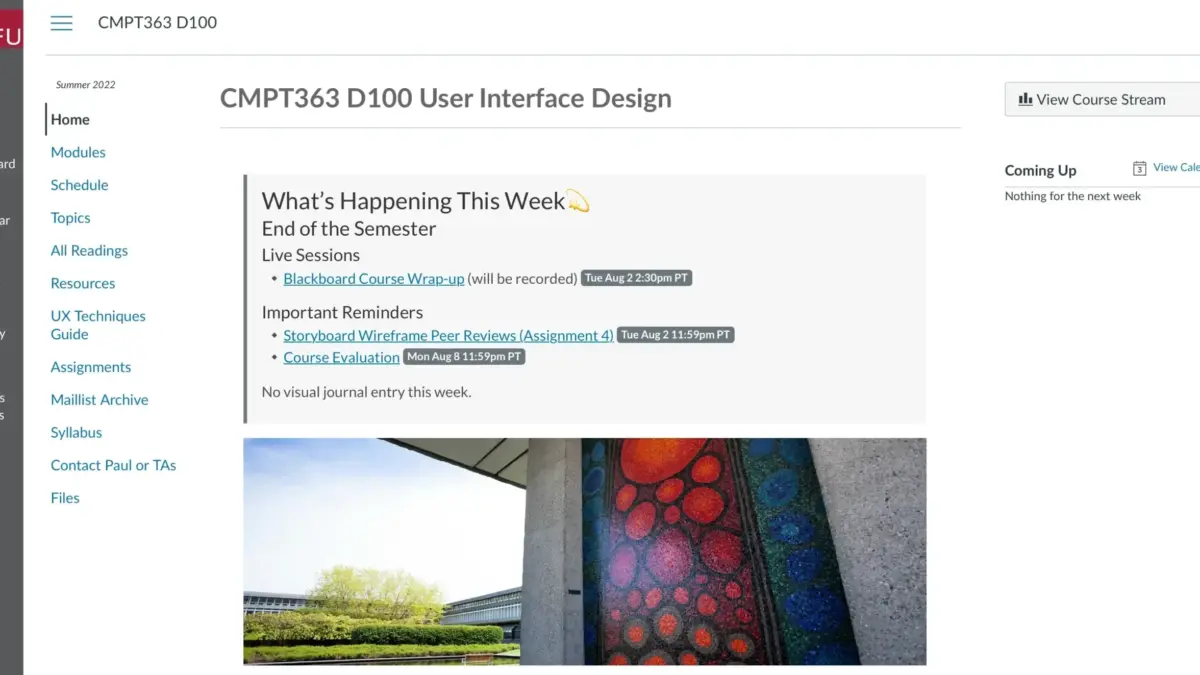
In various learning management systems and digital workspaces, administrators can also link external web pages directly into navigation menus or course modules. Tools such as the Canvas LMS Redirect Tool or platforms running Moodle can load Docsify-This web pages smoothly, allowing educators to maintain their course readings and resource guides in version-controlled Markdown repositories while delivering them directly inside the official institutional portal.
Integrate Docsify-This and Git
The publishing workflow enabled by Docsify-This relies heavily on the principles of version control and collaborative authoring. By storing Markdown files in Git repositories on platforms like Codeberg or GitHub, authors gain access to complete revision histories, branch management, and contribution tracking.
For users who prefer graphical interfaces over command-line Git operations, a variety of open-source tools provide seamless integration with code hosting services. Applications like GitHub Desktop, Git-Cola, and SparkleShare offer visual environments for staging, committing, and pushing changes. Additionally, modern text editors and integrated development environments feature robust Git capabilities, enabling writers to draft, edit, and publish content within a unified workspace.

The intersection of Markdown authoring, version-controlled storage, and instant web rendering represents a significant shift in how digital content can be managed. By removing the traditional barriers associated with website deployment and platform migration, Docsify-This provides a flexible, open-source publishing alternative for individuals and institutions alike.



Leave a Reply