
The office suite landscape is shifting once again as ONLYOFFICE rolls out its major Docs 10.0 update, bringing a sweeping array of structural changes, editor upgrades, and advanced artificial intelligence capabilities. Designed to meet the evolving demands of modern collaborative environments, the new release introduces modular applications, performance enhancements across spreadsheets and documents, and a flexible approach to artificial intelligence that separates native suite functionality from optional, user-driven AI deployments.
The introduction of ONLYOFFICE Docs 10.0 addresses a delicate balance within the open-source and self-hosted software communities. While AI tools are rapidly transforming productivity applications, deployment preferences vary wildly among users, enterprises, and independent administrators. By responding directly to user feedback, ONLYOFFICE has chosen not to bake AI capabilities directly into the core open-source versions by default. Instead, the company has structured the suite to ensure that AI features can be integrated separately, offering maximum flexibility for those who wish to maintain lean or strictly localized environments without mandatory cloud dependencies.
At the core of the ONLYOFFICE ecosystem are several distinct product offerings tailored to different use cases. Docs serves as the foundational editor suite that organizations can self-host or integrate directly into third-party platforms. Meanwhile, Desktop Editors bring the full suite experience to Linux, Windows, and macOS desktops, and DocSpace facilitates structured, room-based collaboration. Rounding out the ecosystem is the Workspace bundle, which combines a comprehensive suite of web and mobile applications for iOS and Android devices.
ONLYOFFICE Docs 10.0: What’s New?
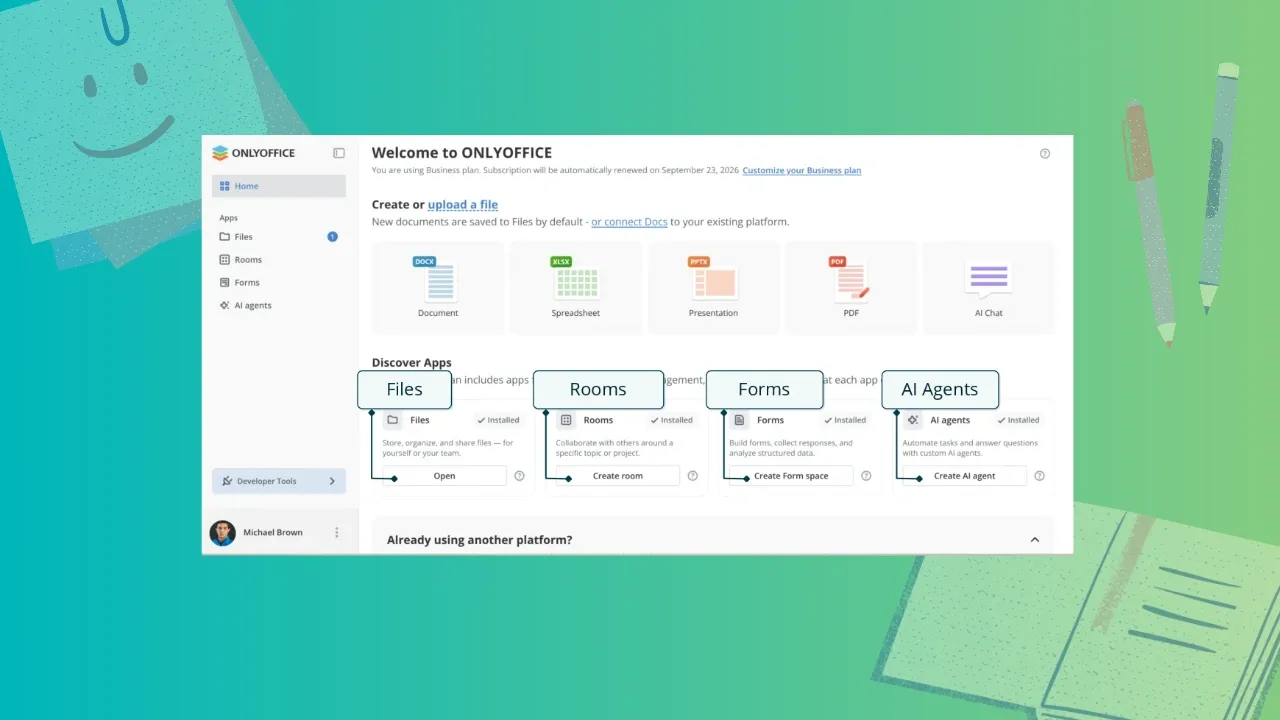
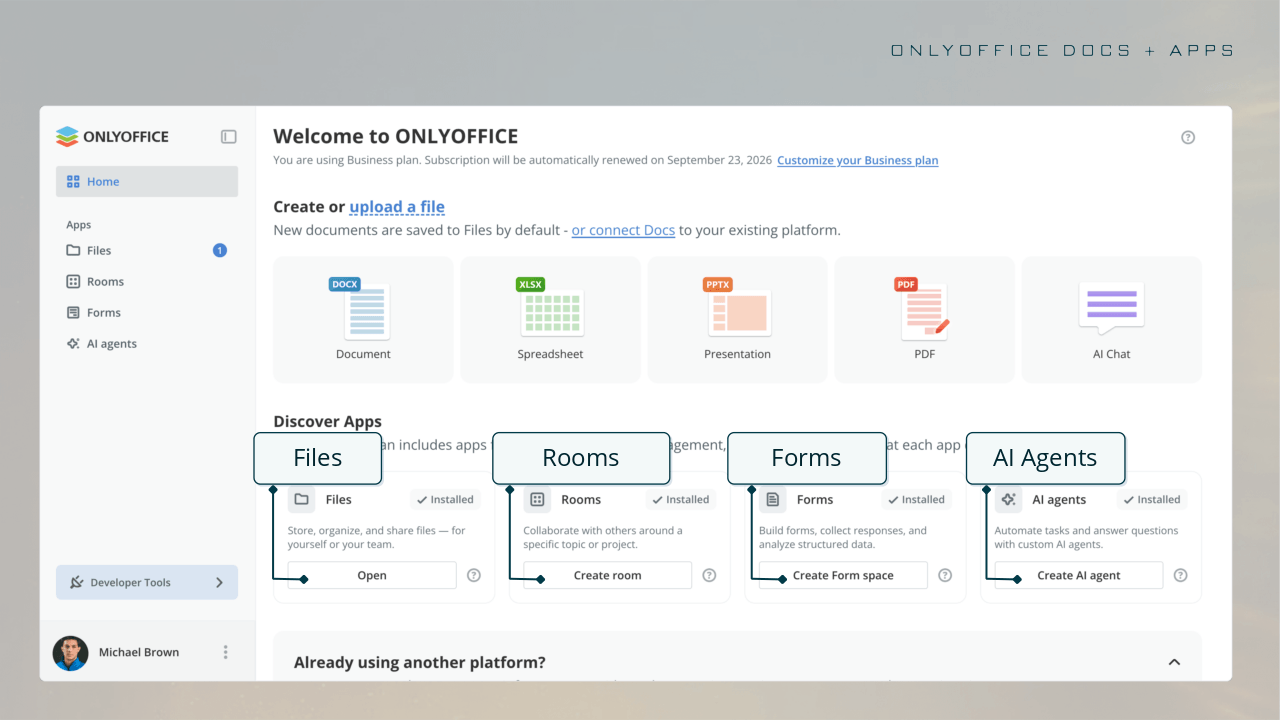
One of the most immediate visual and functional changes in ONLYOFFICE Docs 10.0 is the introduction of a redesigned home screen featuring a dedicated Discover Apps category. This section lists four pre-installed free applications: Files, Rooms, Forms, and AI agents. Each of these functions as an optional modular application that users can leverage precisely when the workflow demands it, keeping the primary interface clean and uncluttered.

The Files application handles core storage, organization, and file-sharing tasks, while Rooms is tailored for collaborative group work. The Forms module provides tools for building structured forms and analyzing responses, and the newly highlighted AI agents application allows users to deploy automated agents capable of executing tasks, answering complex queries, and interacting with specialized data sets. Notably, this AI agent framework supports Model Context Protocol (MCP) servers, opening up advanced use cases centered around extended reasoning, targeted searches, and personalized knowledge base integrations.
Enhancements Across the Individual Editors
Beyond the modular home screen and overarching architecture, the individual editors within the suite have received extensive updates aimed at improving precision, speed, and daily usability.
The PDF Editor sees significant improvements, particularly within its Redact tab. A new option to remove hidden information allows users to strip away sensitive metadata before sharing files with external parties. The Comment tab now incorporates a signature option, while the Edit Text function benefits from automated table recognition to streamline document modification.
In the Document Editor, advanced paragraph settings now include a Keep with next feature. This crucial addition prevents headings from being awkwardly separated from their following content, ensuring clean layout formatting across tables and block elements. Furthermore, inline objects such as graphical formulas exhibit much more reliable behavior in right-to-left documents, and line-based cropping efficiently trims content that runs past established line heights. Horizontal lines, a feature first introduced in earlier versions, have also been granted their own dedicated settings window to give users finer control over document styling.
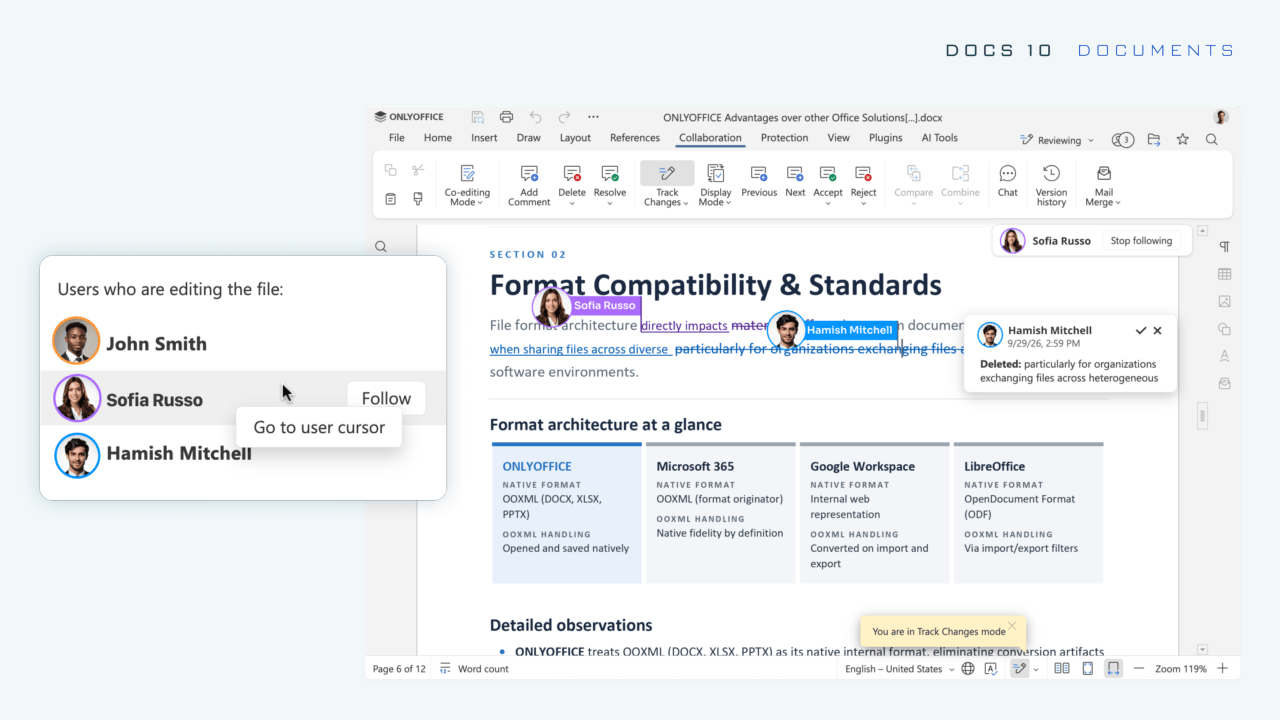
For collaborative editing sessions, Docs 10.0 introduces a new Follow/Stop option within the active user list. By clicking on a collaborator’s name, a user’s mouse cursor instantly tracks the movement of that specific person, making it easier to follow collaborative reviews and real-time edits. Clicking the stop function instantly ends the tracking view.
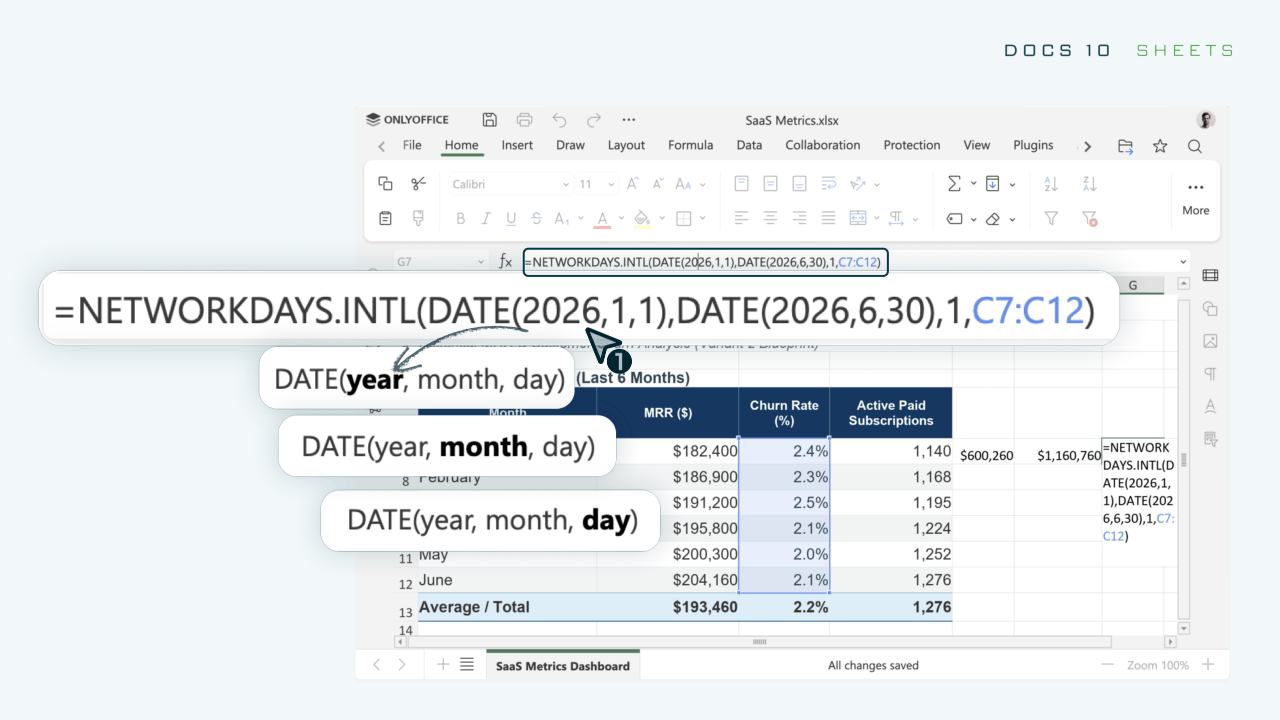
The Spreadsheet Editor has undergone notable performance optimizations, particularly for large workbooks. By storing styles and data separately and processing fewer cells concurrently, the application delivers faster load times and smoother navigation. Copy and cut actions now trigger a dynamic outline over selected cells for immediate visual confirmation, and sheet backgrounds are strictly preserved when files are saved and subsequently reopened. Additionally, function constant hints appear dynamically as formulas are typed, reducing errors and speeding up data entry.
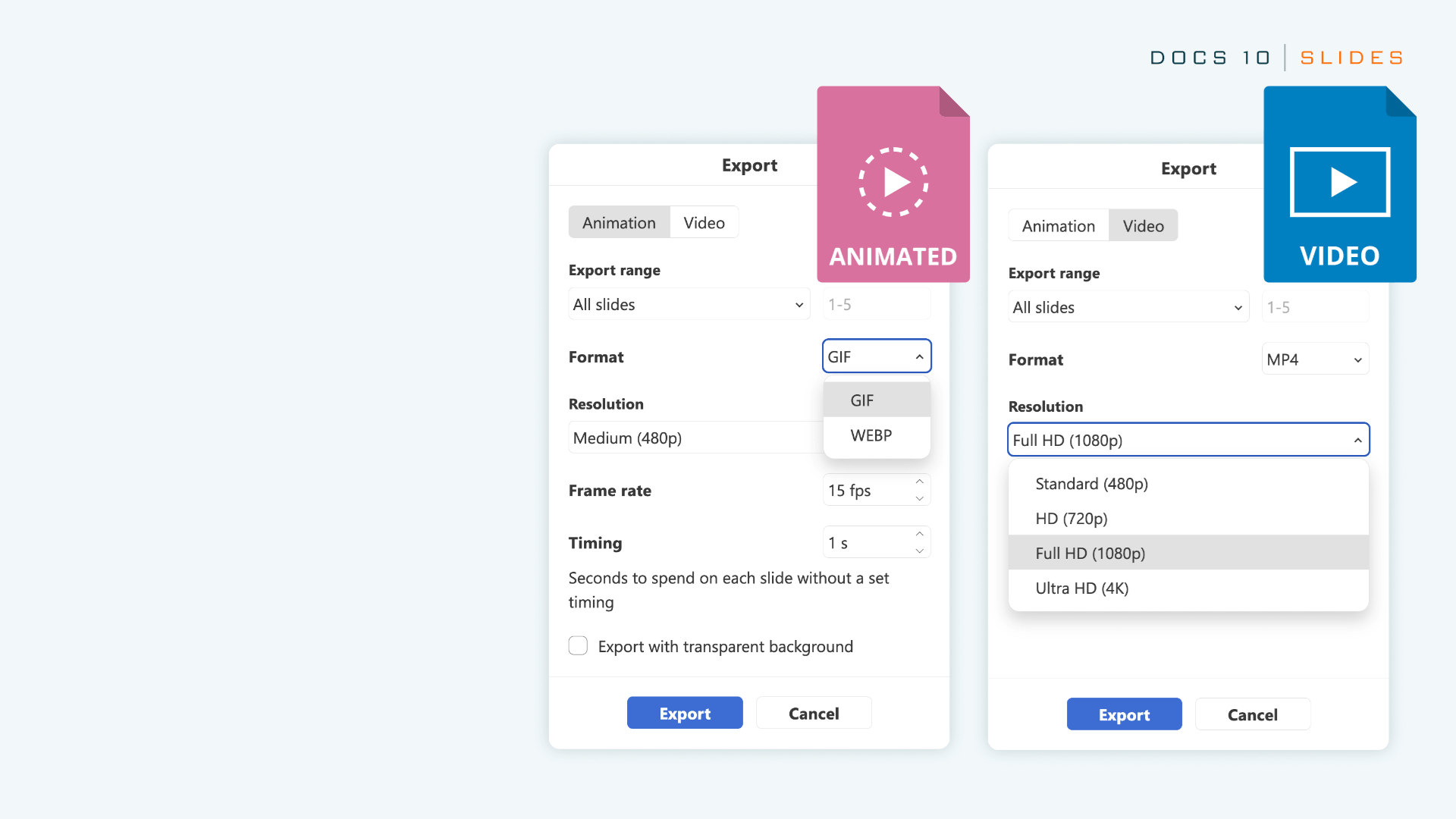
The Presentation Editor brings major improvements to output and viewing options. Presentations can now be directly exported as GIF files or video formats. The View tab has been expanded to include a wide range of new layouts, such as Outline View, Reading View, Notes Page, Notes Master, and Handout Master. Print settings have similarly been broadened, allowing notes, handouts, and outlines to be printed directly from the File tab.
The AI Integration Strategy
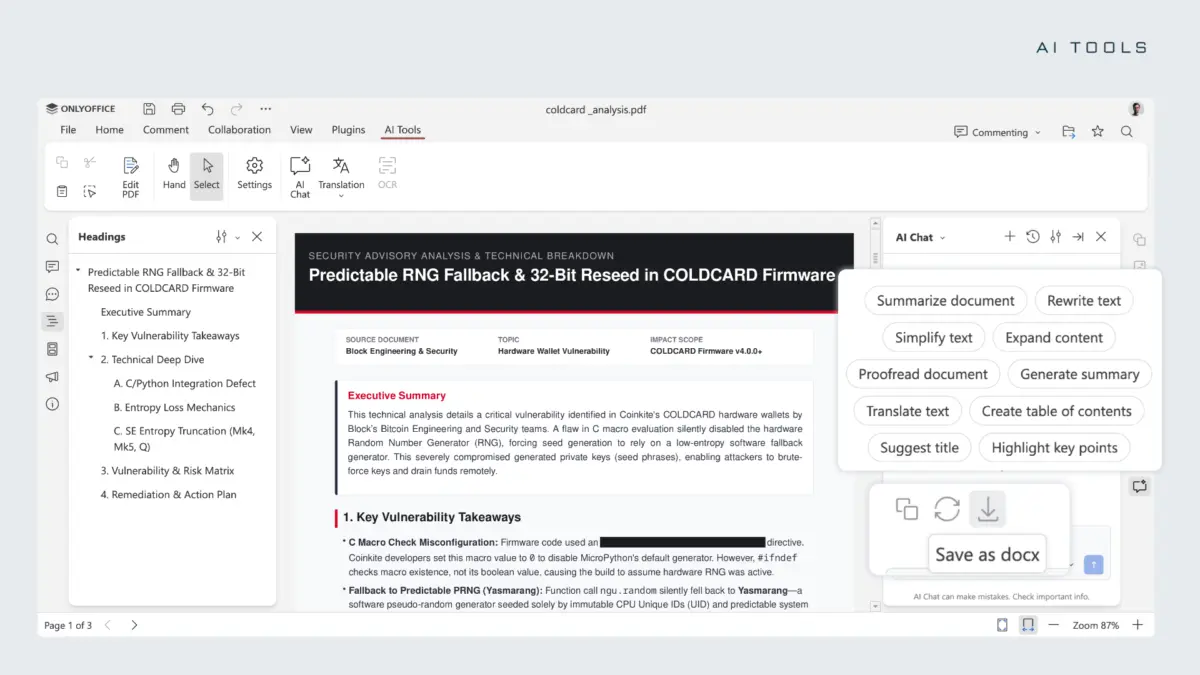
The AI capabilities in ONLYOFFICE Docs 10.0 are structured around a dedicated AI Tools tab present in every editor. This tab launches an integrated AI chat interface complete with preloaded common actions and custom user prompts.
Within text documents, the AI can summarize, rewrite, translate, and proofread content, while also generating tables of contents, suggested titles, and targeted formatting on demand. Presentations benefit from AI-generated outlines, slide titles, speaker notes, and visual layout ideas. In the PDF editor, the assistant can summarize documents in a single click, answer contextual questions, draft associated emails, and assist with redacting confidential information. Spreadsheet users can leverage the AI to clean up messy data, write and explain complex formulas, spot underlying trends, and construct accurate forecasts and Pivot Tables.
For rapid, one-off tasks such as tone adjustments, tools like Quick AI actions and persistent AI assistants remain active in the background while editing continues, though these specific tools are currently exclusive to the Document Editor.
Users opting for cloud-based deployments can access the managed ONLYOFFICE AI service by topping up a digital wallet, leaving model configuration and server maintenance to the platform. Conversely, self-hosted administrators retain complete autonomy, with the freedom to connect popular cloud-based AI services or run local models entirely offline using frameworks such as Ollama.
Download and Availability
The cloud-enabled version of ONLYOFFICE Docs 10.0 is available immediately through DocSpace, where a free account provides direct access to test the updated editors. For those utilizing self-hosted solutions, the update is rolling out gradually across official distribution channels. Individual users operating on Linux and other desktop environments can access the latest improvements by downloading the updated Desktop Editors package, while complete release notes and detailed technical changelogs remain accessible via the official ONLYOFFICE repositories and project blog.


Leave a Reply