October 23, 2026
By Bruno S.
Selling products on Instagram requires shifting away from outdated in-app features and embracing a streamlined approach centered around professional accounts, direct product links, and external online store checkouts. According to recent data from the third quarter of 2026, at least 17.3% of Hostinger Ecommerce carts containing products were opened directly in Instagram’s in-app browser, underscoring the platform’s vital role as a major funnel into online storefronts.
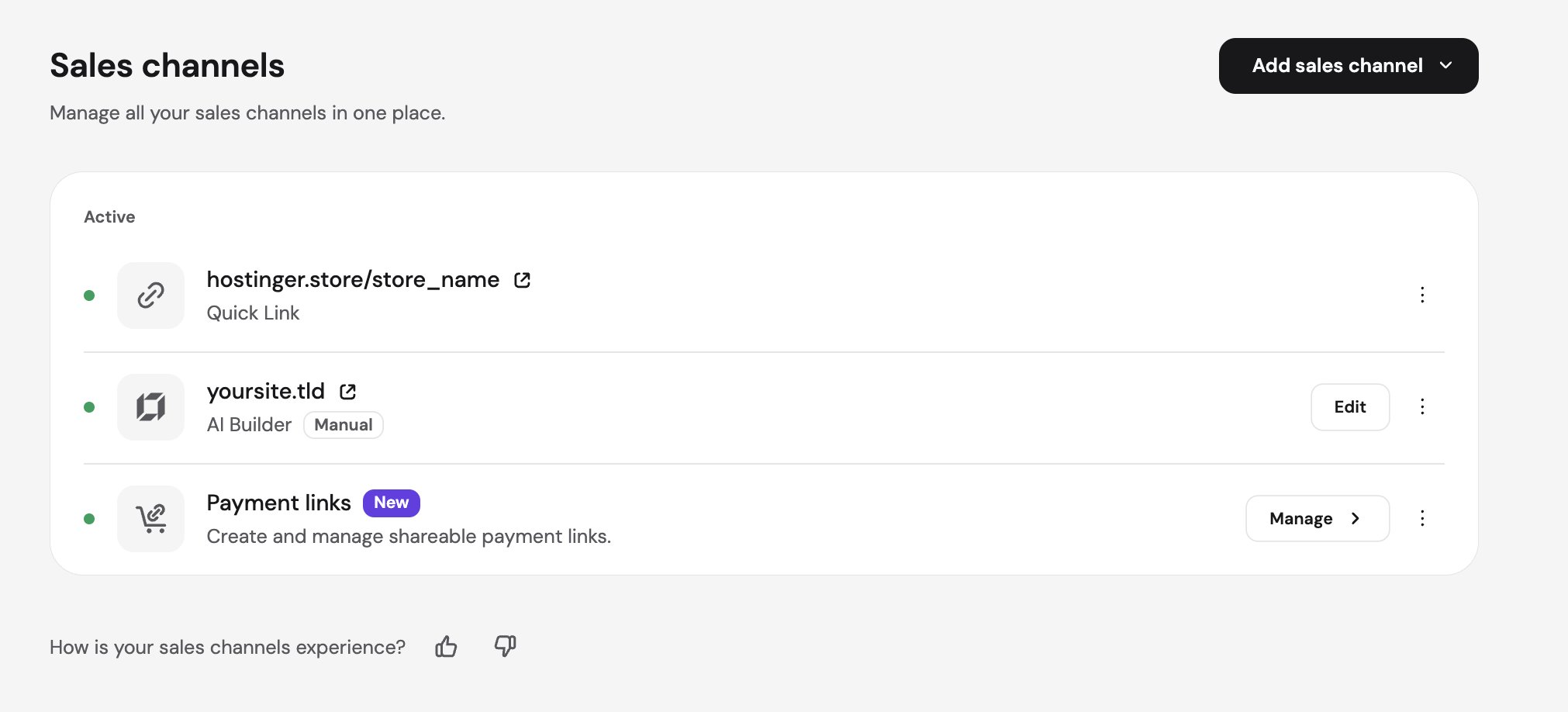
While Meta no longer handles payments, orders, returns, or disputes directly within Instagram Shops, the platform remains an essential gateway for modern merchants. Sellers can direct shoppers from their bio, Stories, and direct messages straight to product pages, while utilizing posts, Reels, and targeted advertisements to promote their inventory. Once Meta approves an account for shopping, merchants can also incorporate clickable product tags into posts and Reels, though basic links work from day one. Regardless of the route chosen, buyers complete transactions through the merchant’s online store or via dedicated payment links, meaning customers never actually leave the Instagram application thanks to its seamless in-app browser.
Operating a shop on Instagram carries no direct fee from Meta. Instead, business expenditures consist of online store subscription plans, active advertising campaigns, and standard payment processing fees charged by financial intermediaries like Stripe or PayPal. To maximize conversion rates, merchants are advised to rely on clear product photography, authentic customer posts, and automated quick replies that promptly answer buyer inquiries and guide them toward a successful checkout.
The transformation of Instagram into a referral-and-discovery engine rather than a closed marketplace reflects broader industry shifts. The platform removed the dedicated Shop tab from its main navigation bar in February 2023 and officially ended Live Shopping shortly thereafter. As of September 2025, every shop across Facebook and Instagram mandates website checkout. This evolution means older guides outlining native in-app purchasing features are largely obsolete, and current strategies must prioritize driving traffic to robust, independent ecommerce systems.
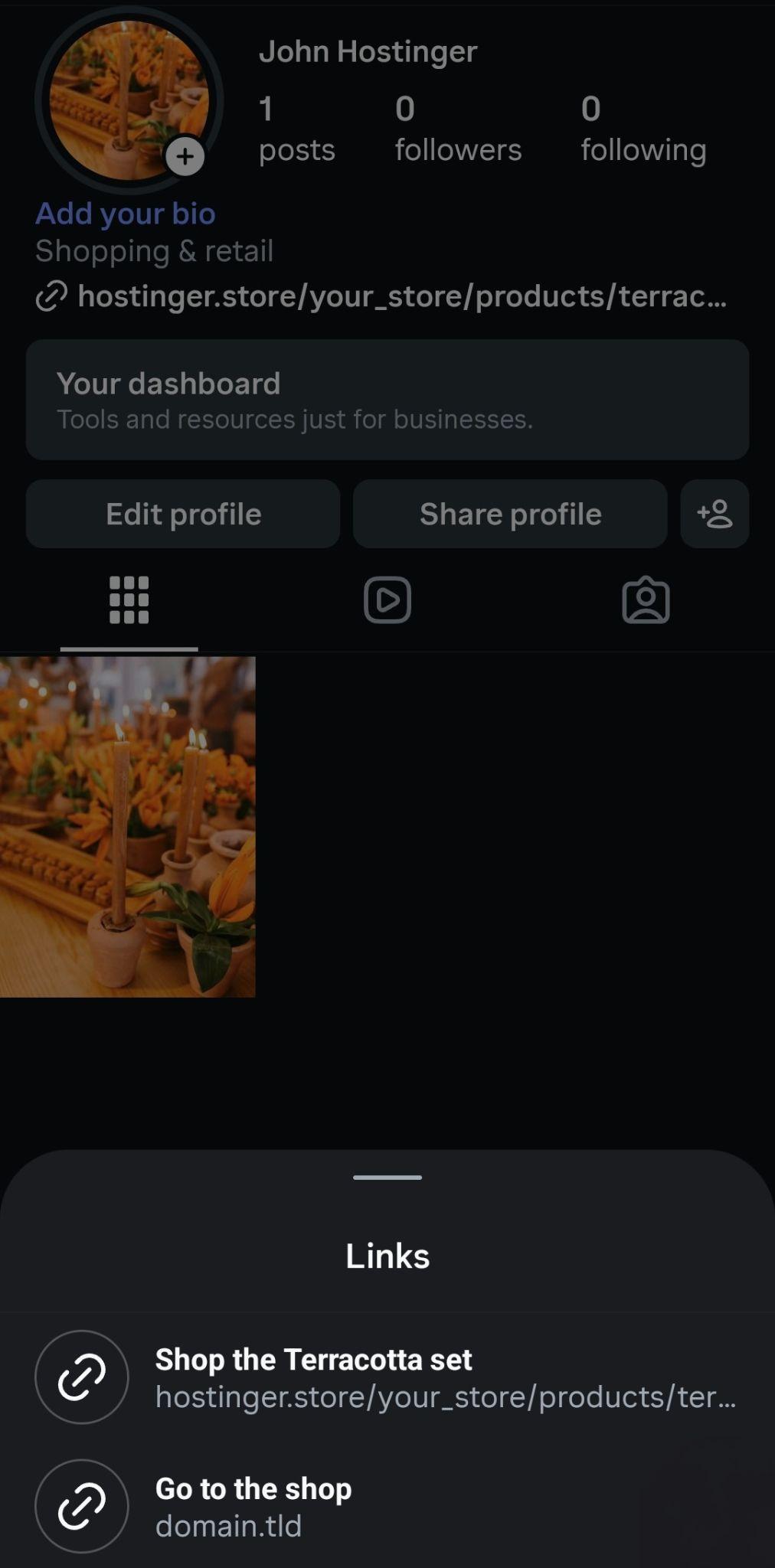
Transitioning to an Instagram professional account serves as the foundational step for any business or creator looking to leverage commercial tools. This free account tier unlocks essential advertising capabilities, advanced messaging options, and access to shopping features that remain permanently locked on standard personal accounts. During the transition process, creators must be mindful that professional profiles are public by default, making it prudent to archive or delete any private content beforehand.
Setting up a professional presence involves selecting the appropriate account classification. Businesses selling proprietary goods must choose a business account to satisfy Meta’s shop setup requirements, whereas creators, public figures, and influencers should opt for the creator designation. Sellers operating exclusively on Instagram have the flexibility to bypass connecting a Facebook business Page during setup, though certain third-party ecommerce integrations still require one.
Once the professional account is active, building an Instagram shop involves establishing a Meta Commerce Manager account, linking the Instagram business asset to a business portfolio, and completing the designated setup tasks. Meta enforces strict commerce eligibility requirements across multiple areas, meaning accounts with sparse posting histories or low follower counts risk rejection due to an unestablished public presence. Merchants are therefore encouraged to maintain an active posting schedule during the review period while populating their product catalogs.
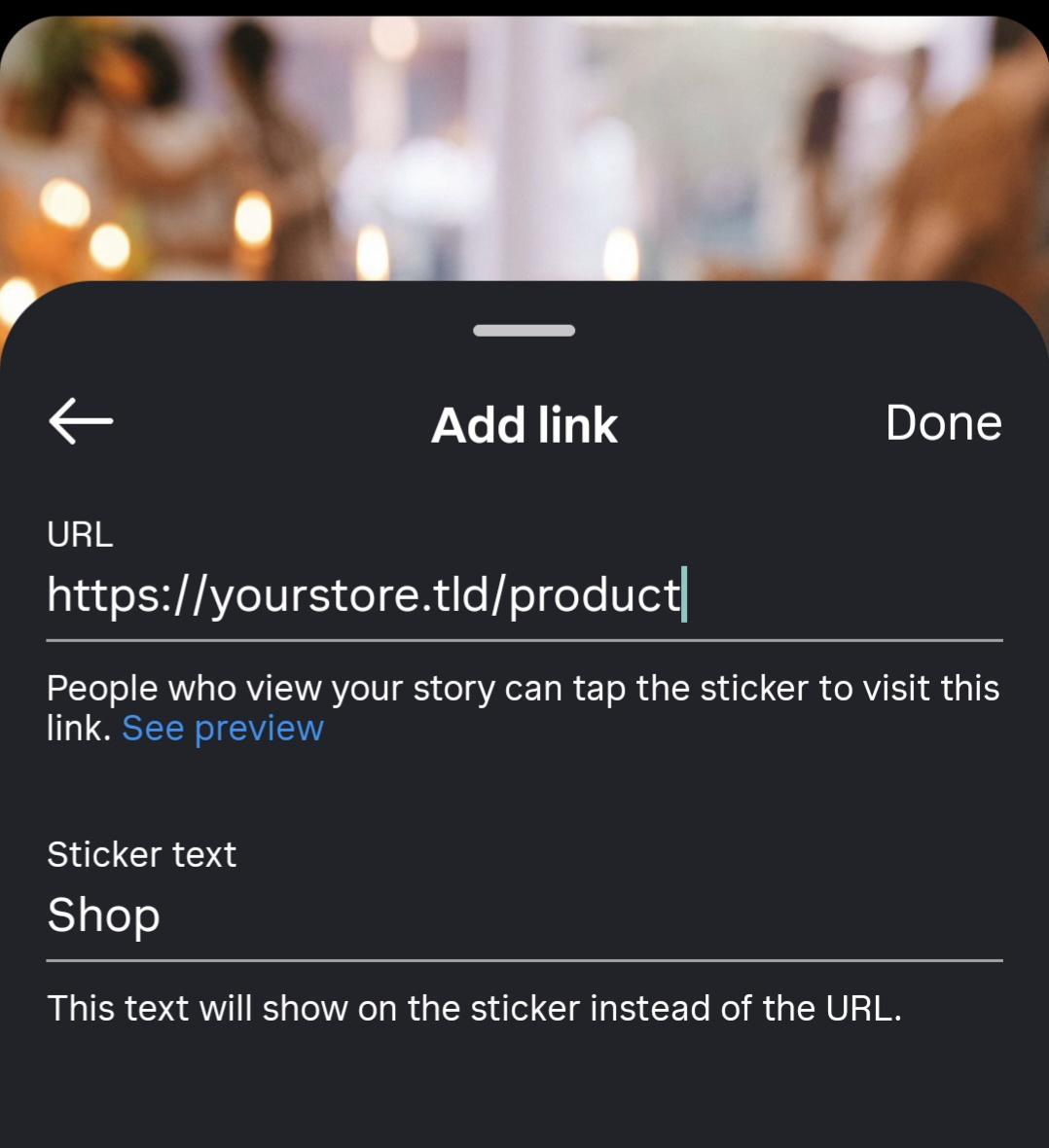
Product catalogs form the backbone of Instagram tagging capabilities. Merchants can populate their catalogs using manual entry for small inventories, data feeds for larger collections, or direct platform synchronization with ecommerce engines like Hostinger Ecommerce. Core catalog details—such as unique product codes, descriptive titles, pricing, and direct website links—must be rigorously maintained. Because digital products and subscriptions are restricted under Meta’s commerce policies, sellers offering intangible goods rely entirely on bio links, Stories, and direct messages.
Maintaining inventory accuracy is critical. When products are managed through an integrated ecosystem like Hostinger Ecommerce, stock levels automatically synchronize across storefronts, quick links, and connected sales channels. For platforms lacking native Meta integration, manual updates in Commerce Manager are necessary whenever prices change or items sell out to prevent outdated product tags from alienating prospective buyers.
Optimizing the Instagram profile is equally crucial for converting casual scrollers into paying customers. Profile photos, business names, category selections, and contact buttons must clearly communicate what is being sold and how to acquire it. The primary bio link should be strategically directed toward a specific featured product or active promotional collection rather than a generic homepage, ensuring interested shoppers encounter zero friction.
Content creation must focus on answering consumer questions before they arise, highlighting scale, materials, real-world usage, and comparative advantages through a mix of Reels, carousels, single photos, Stories, and Live sessions. Captions should function as micro-product descriptions, clearly stating the primary benefit and ending with an actionable directive. Furthermore, incorporating precise alt-text descriptions ensures accessibility for visually impaired shoppers utilizing screen readers.
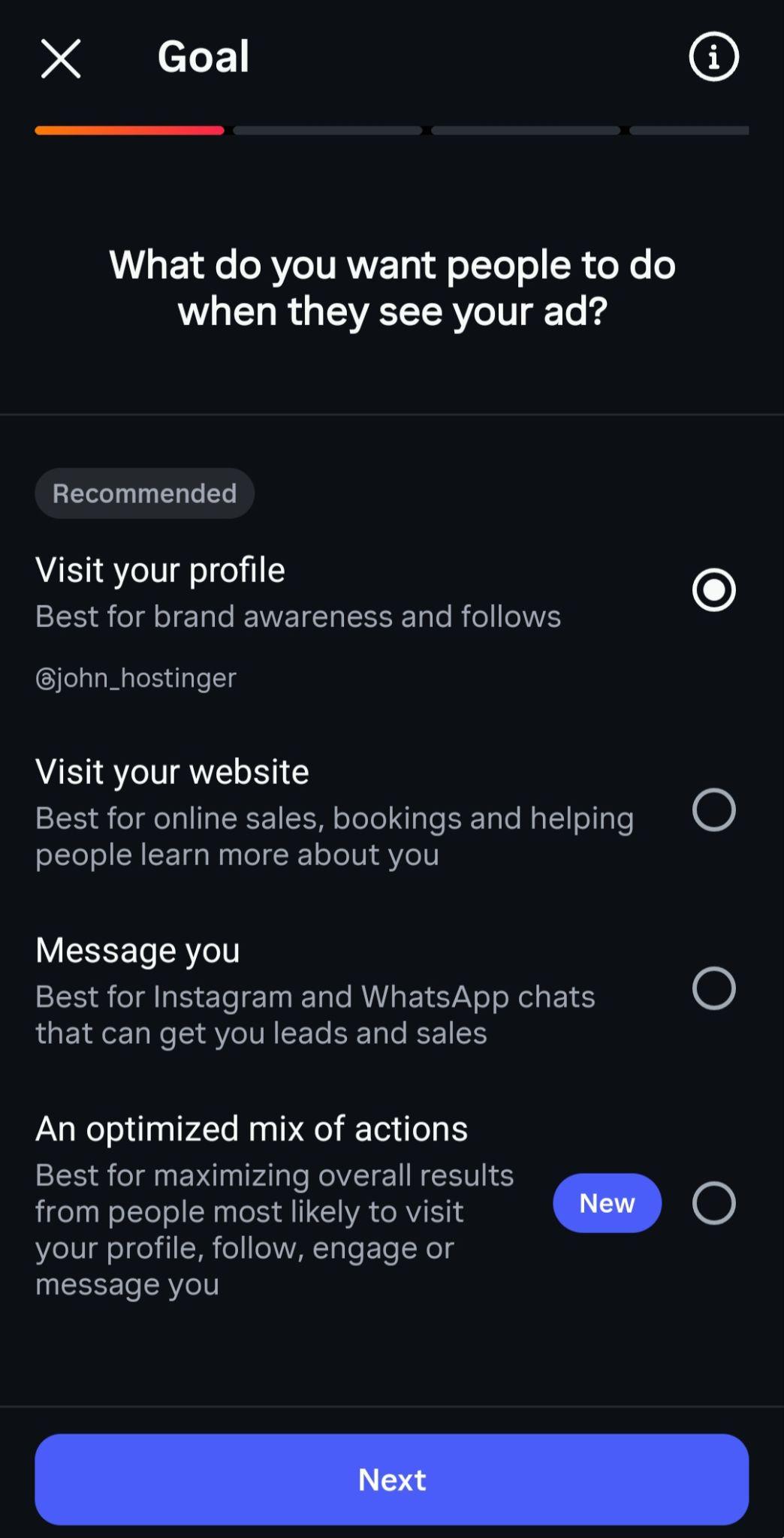
Promotional efforts can be significantly amplified through strategic advertising. Reels provide unmatched organic reach to non-followers via the dedicated discovery tab, while Stories offer a direct pathway to product pages through interactive link stickers. For merchants opting to boost existing posts, careful attention must be paid to campaign settings. Selecting the "Visit your website" goal instead of the default profile visit option ensures ad spend directly drives traffic to product landing pages rather than passive profile views.
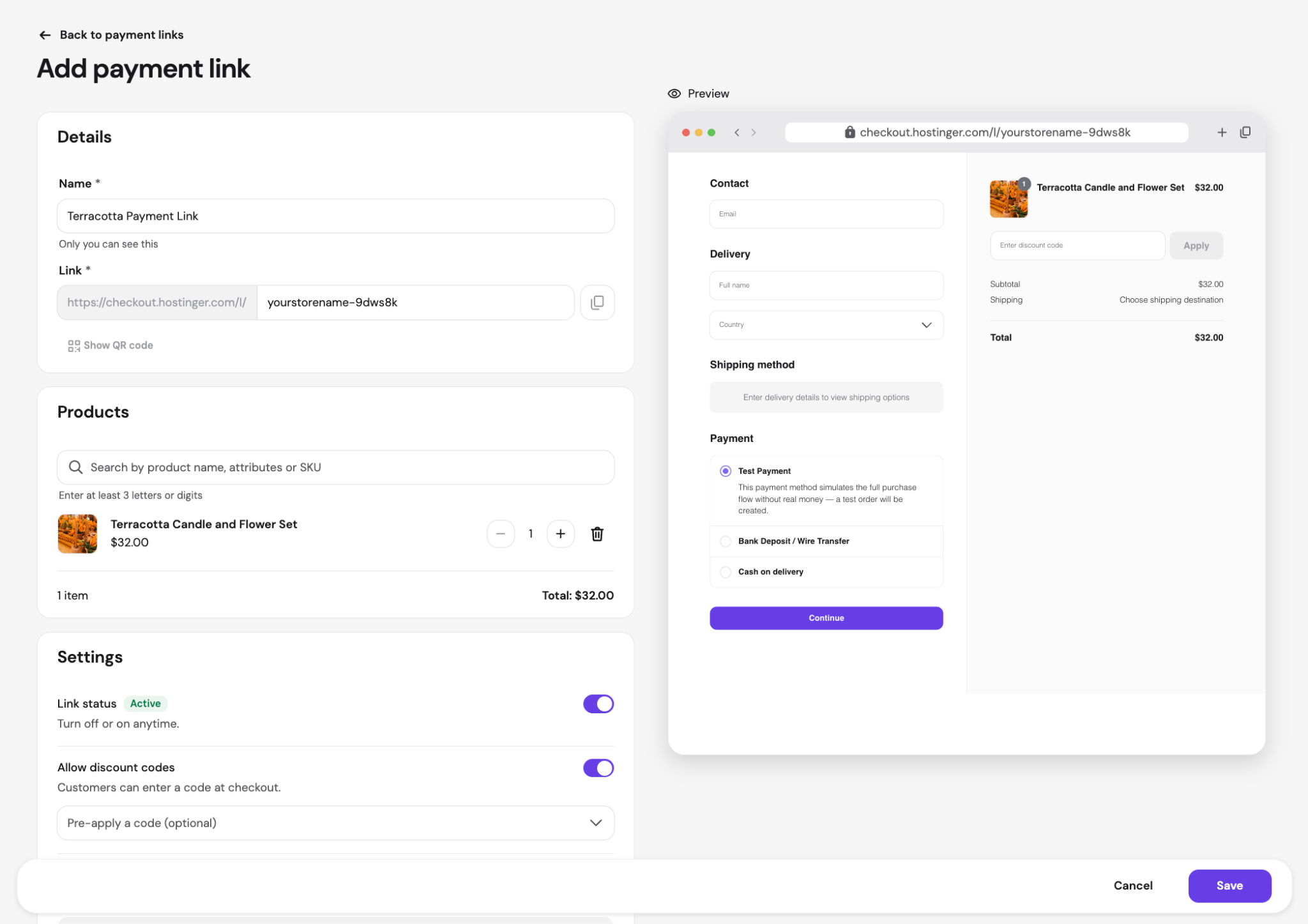
Direct message engagement represents another vital sales channel. Because many consumers initiate conversations regarding sizing, shipping, or returns before making a purchase decision, prompt responses are paramount. Utilizing saved quick replies for frequently asked questions streamlines customer service, while transparently sharing pricing and direct checkout links within chats ensures transactions are accurately recorded alongside comprehensive delivery details.
Performance tracking rounds out a successful Instagram selling strategy. By closely monitoring link clicks, store visits, orders, and total revenue—utilizing tools like Instagram Insights alongside external analytics platforms equipped with UTM parameters—merchants can continuously refine their content approach. Addressing friction points, such as high view counts failing to convert into link clicks or numerous link taps resulting in abandoned checkouts, allows businesses to steadily optimize their digital sales funnel and maximize profitability on social media.