For years, content creators, educators, and developers have relied on Markdown as a clean, lightweight alternative to heavy HTML editors and complex content management systems. However, leveraging Markdown for online publishing has traditionally required setting up dedicated websites, configuring build pipelines, or managing static site generators. A new open-source project called Docsify-This aims to eliminate that friction entirely, allowing users to publish, share, and reuse Markdown content without any upfront website infrastructure.
Built on top of the popular open-source tool Docsify.js, Docsify-This offers a streamlined way to transform plain-text documentation into responsive, standalone web pages on the fly. By bypassing traditional build processes, the project provides a flexible solution for embedding constraint-free Markdown or HTML into a wide variety of digital platforms, ranging from enterprise content management systems to complex learning management systems.
What is Docsify-This?
At its core, Docsify-This serves as a dynamic bridge between raw Markdown repositories and polished web presentations. Users can instantly convert any publicly available Markdown file into a responsive standalone web page by supplying its URL. Furthermore, multiple Markdown files can be linked together to construct straightforward, cohesive websites without needing server-side configurations.
For designers and content administrators looking to match specific brand guidelines or platform aesthetics, Docsify-This provides robust customization options. The visual appearance of displayed pages can be altered dynamically using a point-and-click Web Page Builder interface or through straightforward URL parameters. Alternatively, content creators can utilize a dedicated set of provided Markdown CSS classes directly within their source files to style individual elements.

Collaboration is another key pillar of the open-source project. For Markdown files stored in popular Git hosting services like Codeberg or GitHub, Docsify-This can automatically generate an "Edit this Page" link for every rendered document. This feature empowers communities, teams, and academic classes to engage in collaborative authoring and real-time document improvement. Because the software is fully open source, organizations and individuals can also host their own independent instances of Docsify-This under custom domains, eliminating the risk of vendor lock-in or third-party platform dependencies.
Using the Docsify-This Web Page Builder
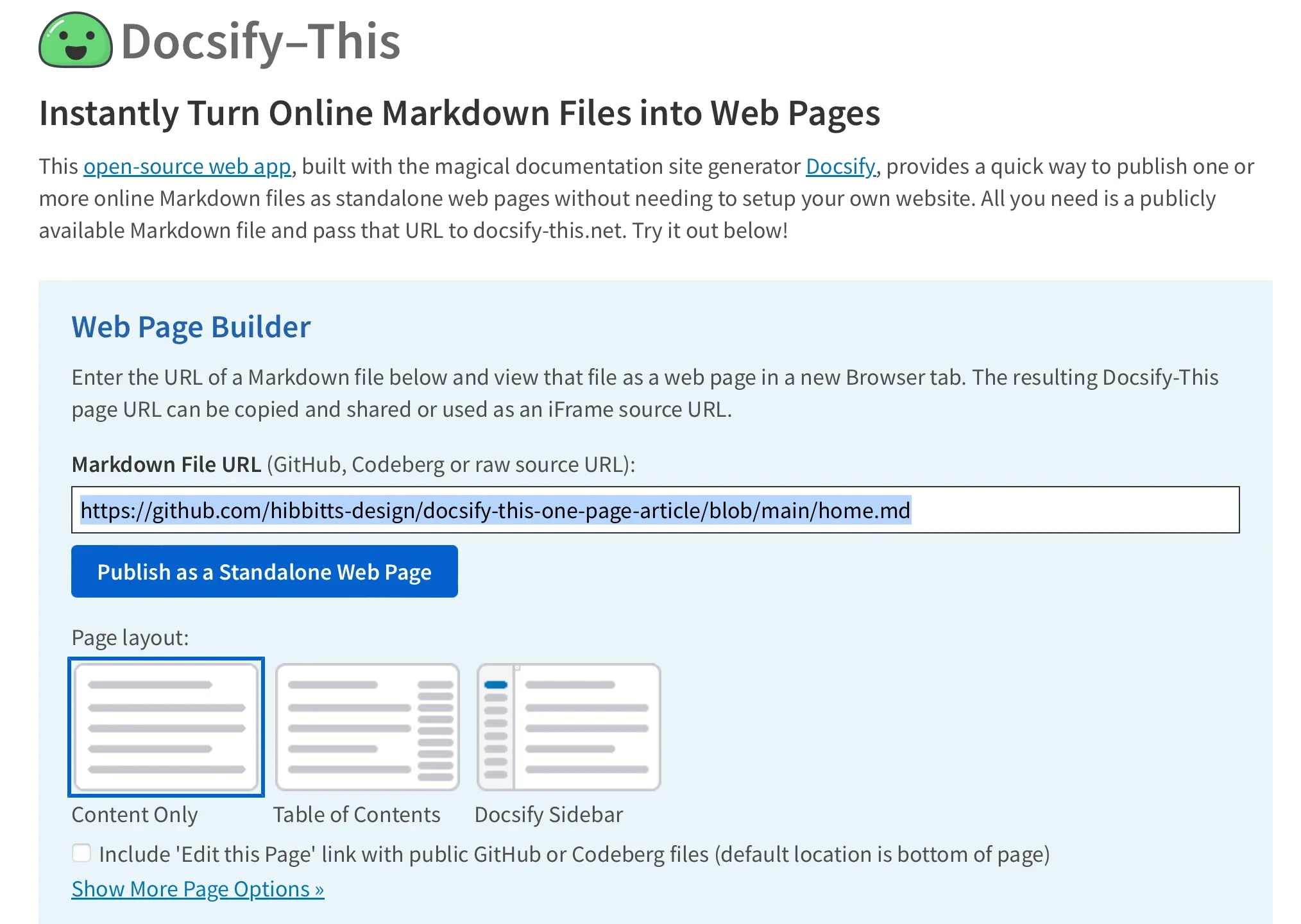
To get started with the platform without writing custom code or handling server deployments, users can access the public Docsify-This website or spin up a local instance of the application. The primary interface features a dedicated Web Page Builder section designed for rapid publishing.
By entering the raw URL of a Markdown file hosted in a public repository on GitHub or Codeberg—with other Git hosts accessible via advanced URL parameters—users can generate a published page with a single click. Hitting the "Publish as Standalone Web Page" button processes the raw text file and instantly returns a responsive web address that can be copied, shared, and embedded across the internet.
The utility of these rendered pages extends far beyond simple link-sharing. Because the output is fully responsive and cleanly formatted, Docsify-This pages are exceptionally well-suited for embedding inside third-party applications where traditional web publishing tools fall short.
Rendering Other Files in the Same Repository
Content structures often require more than a single document. Docsify-This accommodates multi-page documentation and complex repositories by allowing users to switch between different Markdown files housed within the same storage location.
By directly editing the URL parameters associated with a published Docsify-This instance—specifically modifying the homepage parameter—administrators can dynamically point the rendering engine to alternate files within the established base repository. This capability enables authors to maintain a single centralized code repository for a project while presenting different chapters, sections, or resources through distinct, shareable web addresses.
Modifying the Web Page’s Appearance
Maintaining visual consistency across disparate platforms is a common challenge in digital publishing. Docsify-This addresses this challenge by giving authors deep control over page styling through standard URL parameters. Common Cascading Style Sheet attributes such as font-family, font-size, link-color, and line-height can be appended directly to the sharing link to modify how the underlying Markdown is displayed.
Beyond global styling adjustments, creators can leverage specialized Markdown CSS classes supported natively by Docsify-This. For instance, appending a specific class identifier to a standard Markdown link transforms a basic text hyperlink into a polished, interactive button image.
For advanced users seeking complete creative freedom, Docsify-This supports custom CSS definitions embedded directly within the displayed Markdown files. Authors can write custom style blocks to define unique colors, borders, padding, and typography rules for specific page elements, ensuring that rendered documentation aligns perfectly with institutional branding or personal design preferences.
Including HTML Snippets and Advanced Layouts
While Markdown is celebrated for its minimalist syntax and readability, complex web documents often require sophisticated layout elements. True to standard Markdown specifications, Docsify-This fully supports the inclusion of raw HTML snippets within source files.
This capability allows authors to introduce advanced layout structures—such as multi-column containers, grid systems, and custom division wrappers—directly into their documents. By combining the simplicity of Markdown writing with the structural flexibility of HTML, creators can build rich, dynamic content presentations without sacrificing the convenience of plain-text file management.
Embedding Docsify-This as an iFrame
One of the most powerful features of Docsify-This is its seamless integration capabilities. Rendered web pages can be embedded into nearly any digital platform using a standard HTML iFrame element.

Content administrators can fine-tune the appearance of embedded content by combining iFrame attributes with Docsify-This URL parameters. This ensures that content embedded within a learning management system, intranet, or external portal inherits the visual tone of the destination platform, hiding extraneous interface elements and matching local typography standards for a native user experience.
Integrating with Learning Management Systems and External URLs
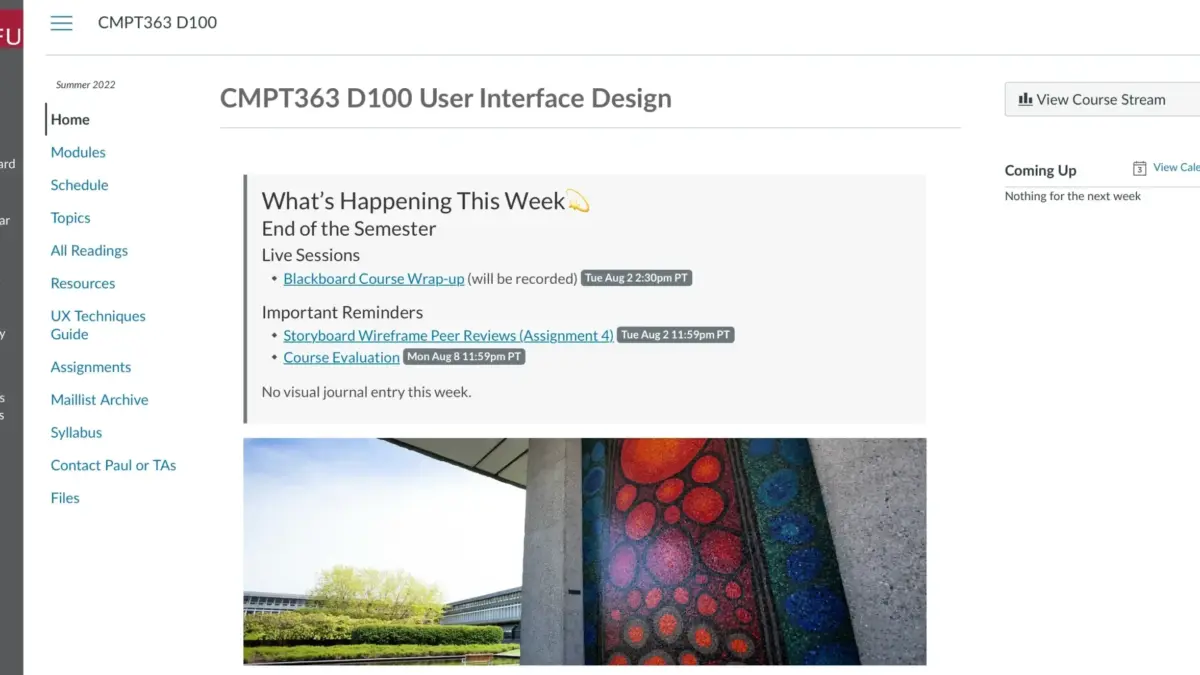
In many modern educational and corporate environments, learning management systems play a central role in daily workflows. Platforms such as the open-source Moodle system and the proprietary Canvas LMS offer flexible tools for integrating external web resources directly into course navigation menus and resource libraries.
Using administrative features like the Redirect Tool in Canvas or equivalent external tool integrations in Moodle, educators can link directly to Docsify-This web pages. By configuring the target URL with customized parameters—such as adjusted font families, hidden credits, and direct links to source repositories—instructors can deliver dynamically updated course materials directly inside their learning environments while students retain the ability to view and edit source files via integrated version control links.
Integrating Docsify-This and Version Control with Git
To fully unlock the collaborative and version-controlled benefits of modern software development workflows, Docsify-This encourages users to house their Markdown files in Git repositories hosted on platforms like GitHub or Codeberg.

A rich ecosystem of open-source tools exists to make Git management accessible to non-developers and technical writers alike. Graphical user interfaces such as GitHub Desktop, Git-Cola, and SparkleShare allow users to track changes, commit updates, and push revisions without relying on the command line. Additionally, popular modern text editors like Visual Studio Code and Pulsar Edit feature deep, built-in Git integration, enabling authors to write, edit, and version-control their documentation within a single unified application.
By combining the writing efficiency of Markdown, the version-control power of Git, and the frictionless publishing capabilities of Docsify-This, content creators across industries have access to a robust, open-source publishing pipeline that bypasses the traditional complexities of web development.