
In an era where convenience often trumps digital security, online document tools have become a staple for casual users and professionals alike. Whether it is merging reports, splitting pages, or converting file formats, the internet offers a myriad of free, web-based utilities that promise to get the job done in seconds. Users simply open a browser, upload their files, execute the desired task, and download the freshly edited document without ever installing a dedicated software package on their local machine.
However, this widespread convenience comes with a significant underlying security compromise. When individuals upload documents to a third-party website, they are effectively surrendering control of their data to an external service. The handling practices of these operators are frequently opaque, leaving users completely in the dark regarding how their sensitive information is processed, stored, or potentially shared. While some platforms merely maintain questionable privacy policies, others operate with outright malicious intent, presenting substantial risks to personal and corporate confidentiality.
Law enforcement agencies have repeatedly sounded the alarm over these vulnerabilities. The Federal Bureau of Investigation, for instance, has previously issued formal warnings cautioning the public against fraudulent online file converters. These deceptive platforms are frequently engineered to covertly scrape uploaded files for personally identifiable details, banking credentials, email addresses, and account passwords. Such threats render browser-based file conversion particularly hazardous when dealing with confidential corporate agreements, proprietary research, or internal administrative paperwork that should never leave an organization’s secure network perimeter.
Addressing these pervasive security concerns, an independent developer from India known as Alam has introduced BentoPDF, an open-source, privacy-first alternative designed to shift the entire document processing workflow directly into the user’s web browser. Rather than uploading files to a remote server where they risk exposure or unauthorized retention, BentoPDF executes its operations locally on the user’s hardware. This architecture effectively neutralizes the primary vectors of data interception and unauthorized server-side logging that plague traditional online utilities.

BentoPDF: For Your Privacy-Conscious PDF Needs
The origins of BentoPDF trace back to a practical internal script utilized for everyday document management tasks such as merging and splitting portable document formats. Recognizing a broader industry demand for secure, client-side document processing, the creator decided to share the project with the wider developer community via Reddit. Within weeks, the foundational code was published on GitHub, sparking interest among privacy advocates and technology enthusiasts looking for transparent alternatives to proprietary cloud services.
The technical backbone of BentoPDF relies heavily on WebAssembly, a powerful binary instruction format that enables high-performance applications to run seamlessly inside modern web browsers at near-native speeds. For complex tasks like Optical Character Recognition, the platform integrates Tesseract.js, a specialized port of the renowned Tesseract OCR engine. Because these heavy computational tasks are executed entirely within the browser sandbox using the user’s local processing power, files remain entirely isolated on the host machine throughout the entire lifecycle of the task.
Furthermore, the project enforces a strict privacy commitment by omitting user account registration requirements and third-party web tracking scripts. From a licensing perspective, BentoPDF adopts a dual-model approach. The source code is made publicly available under the GNU Affero General Public License version 3.0, allowing individuals to freely use, audit, and fork the project for personal use. Simultaneously, a commercial license is offered for organizations seeking to integrate the technology into closed-source commercial environments for a one-time fee of seventy-nine dollars.
Beyond the core utility, the developer maintains two companion open-source initiatives: Hyper Compress, a specialized document compression engine, and Kura, a conversion tool designed to map files into archival standards such as PDF/A and PDF/UA. Testing the primary PDF editor suite within a modern Chromium-based browser environment reveals a comprehensive toolkit tailored for everyday administrative and professional workflows.
Editing PDFs and Managing Document Security
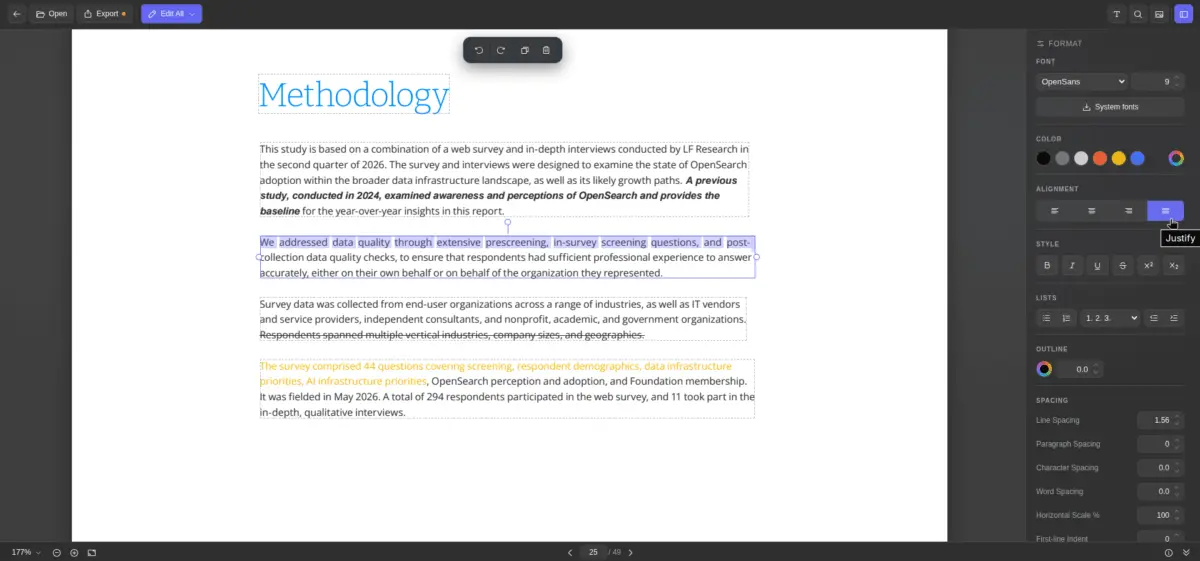
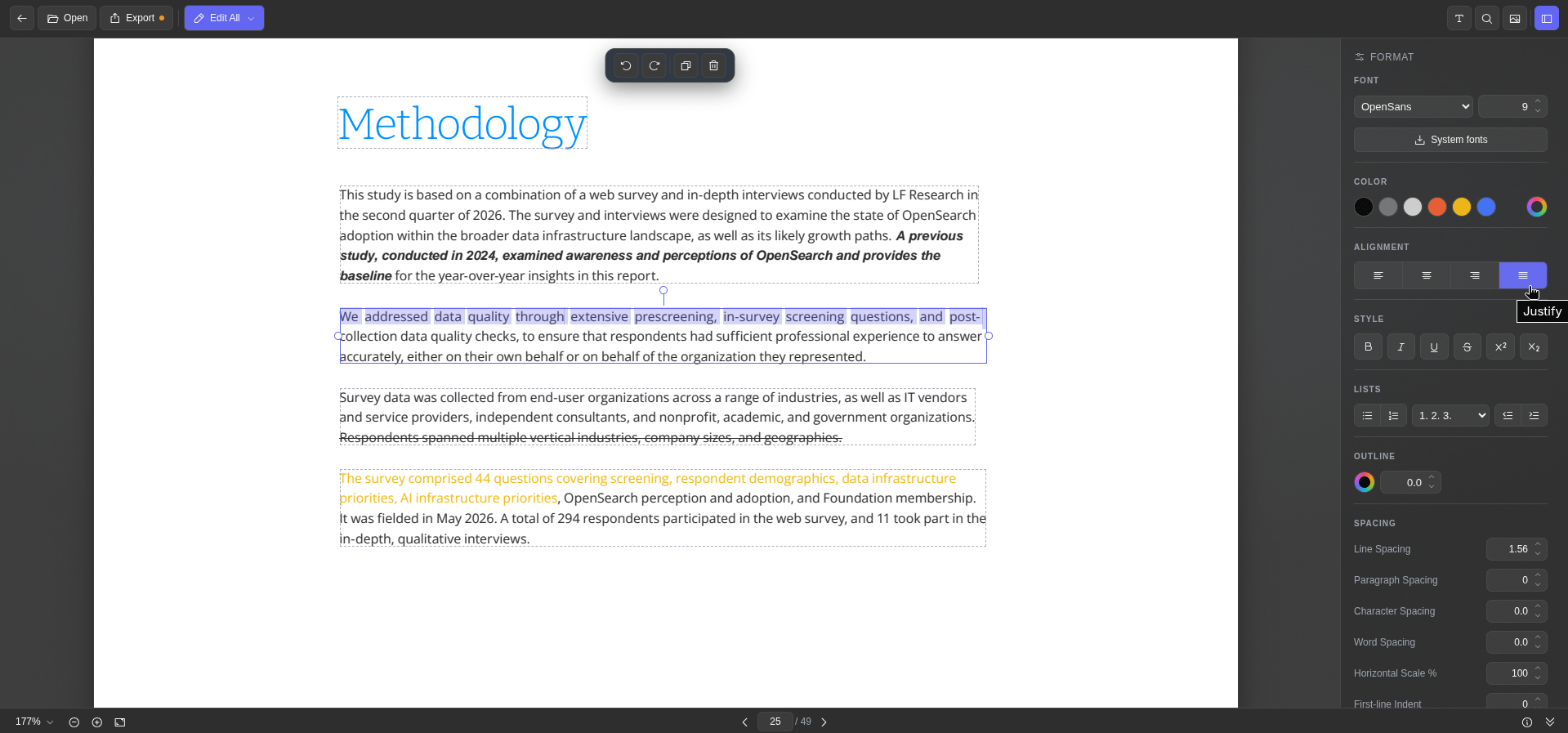
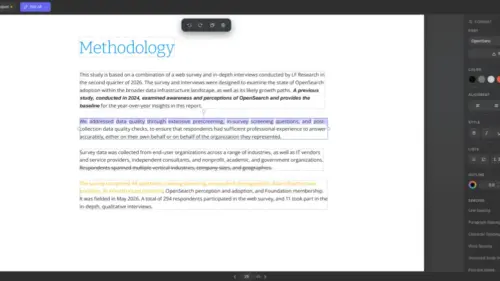
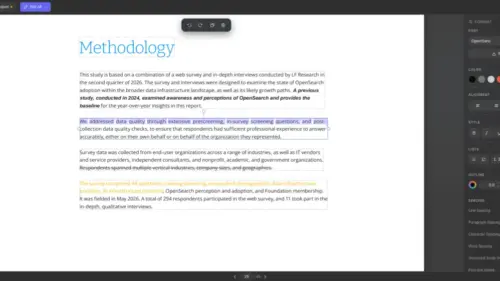
The text editing functionality within BentoPDF presents users with clearly demarcated blocks enclosed by dashed outlines. Selecting any specific block immediately summons a dedicated formatting sidebar equipped with standard typographic controls. Users can seamlessly modify font families, adjust point sizes, alter text colors, change alignment, and fine-tune character spacing, alongside applying standard structural styling such as bold, italic, underline, and strikethrough effects.
An especially practical feature is the system font integration capability, which allows the web application to query and fetch locally installed fonts from the host operating system, ensuring consistent typography during edits. Additionally, an integrated metadata inspector at the bottom of the interface provides an immediate overview of underlying document properties. Once modifications are complete, exporting the finalized file requires only a single click.
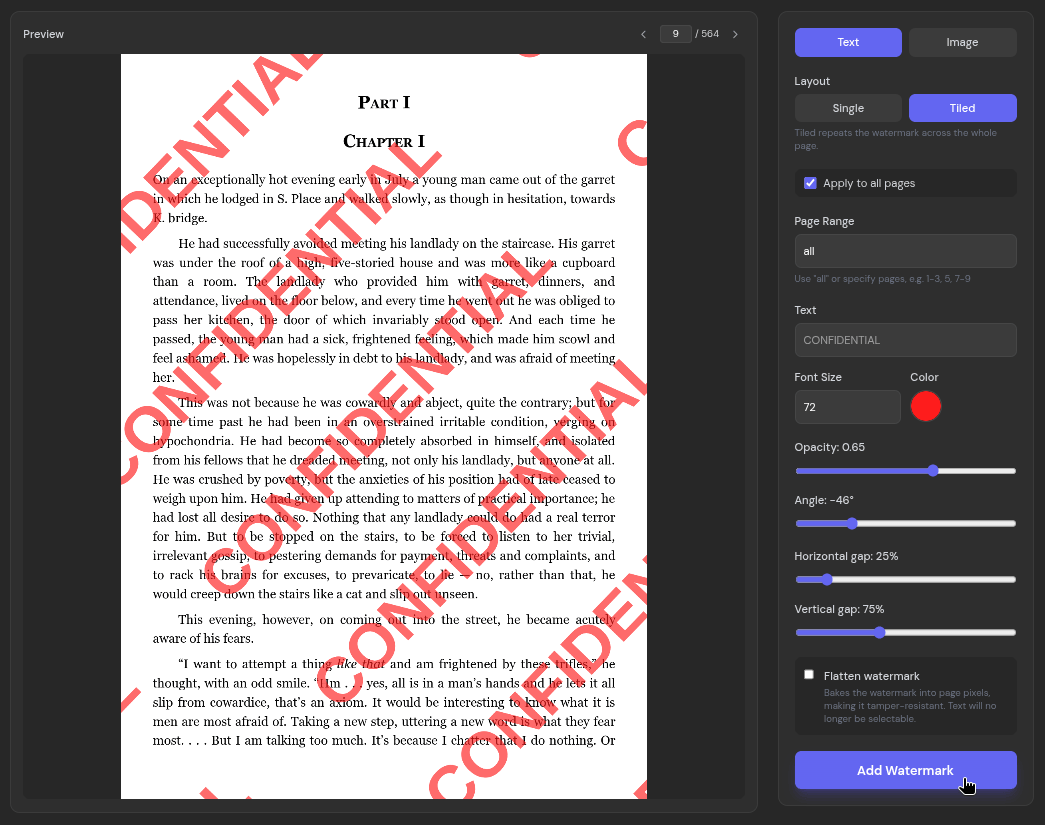
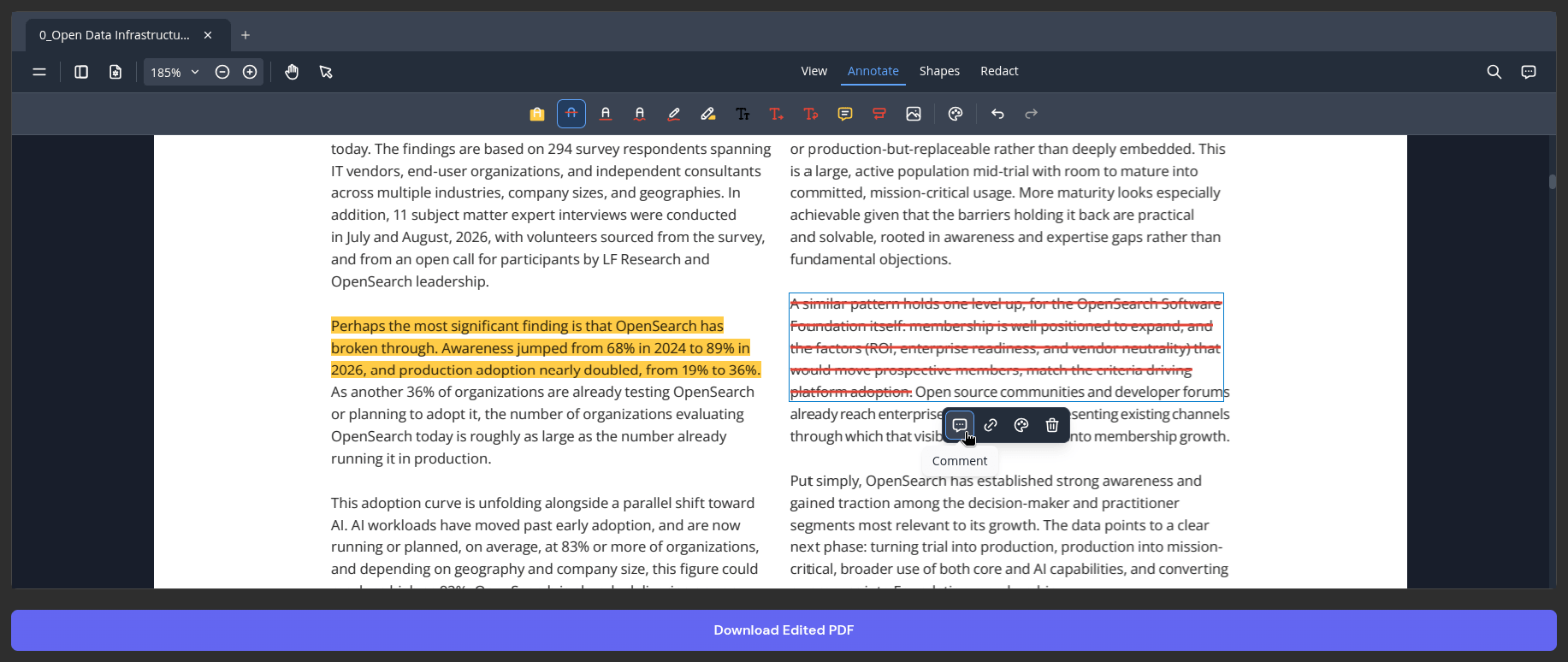
Beyond direct text manipulation, the broader document editor serves as a robust annotation environment. It includes specialized tools for highlighting text passages, applying strikethroughs, drawing freehand ink annotations, inserting new text boxes, and leaving contextual comments. Common desktop keyboard shortcuts, including commands for copying, pasting, undoing, and redoing actions, function smoothly within the browser interface, preserving a familiar user experience.
Document security and branding are further supported by a watermark utility capable of embedding custom text or image overlays. This function offers granular control over layout configurations, allowing users to switch between single-placement or tiled arrangements while adjusting page ranges, opacity levels, and visibility parameters to protect sensitive drafts effectively.
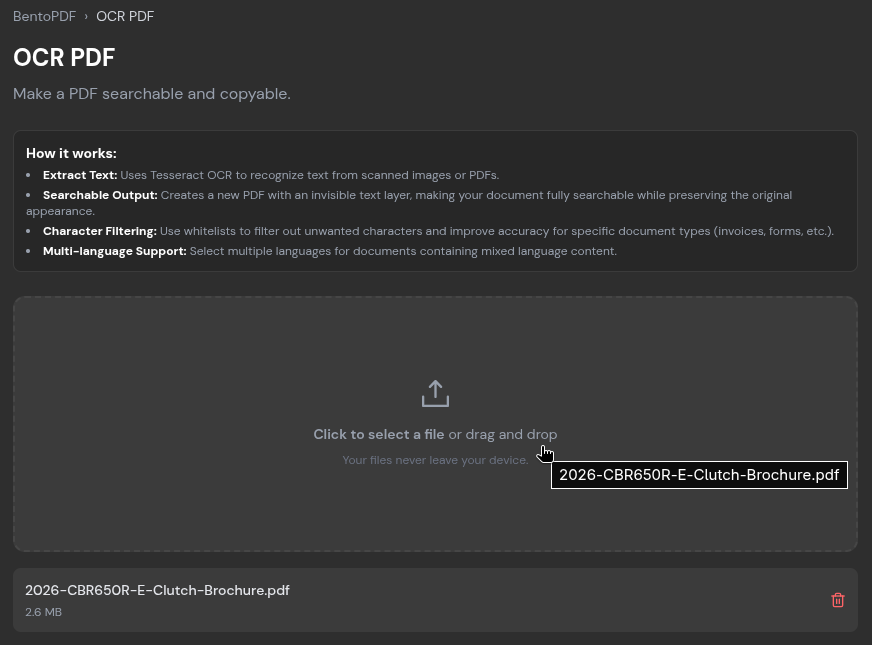
Easy OCRs and Local File Conversions
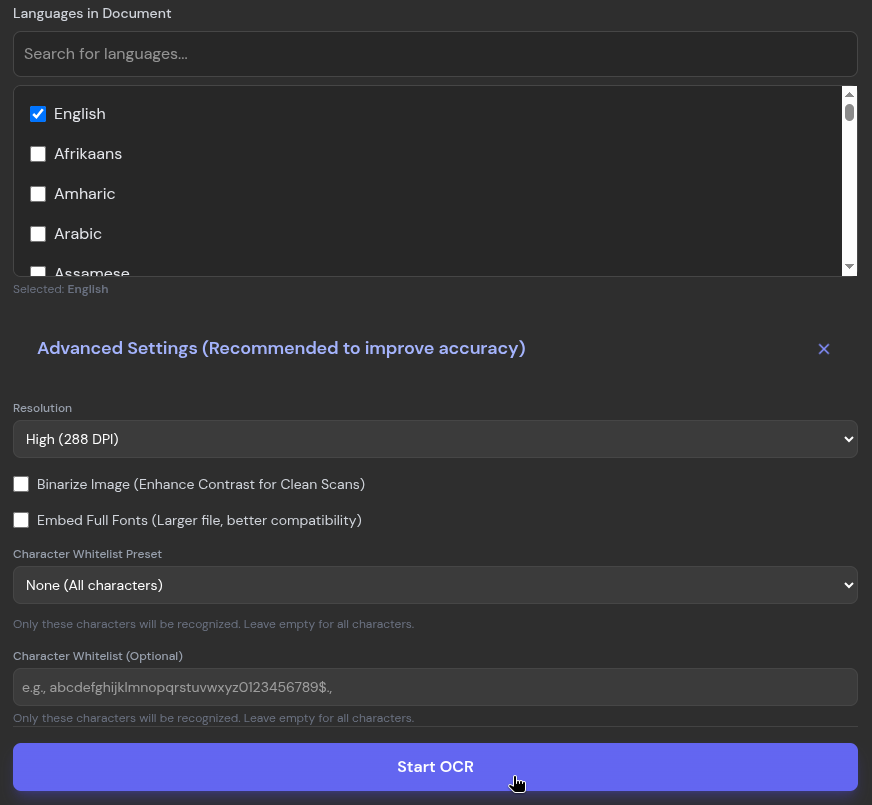
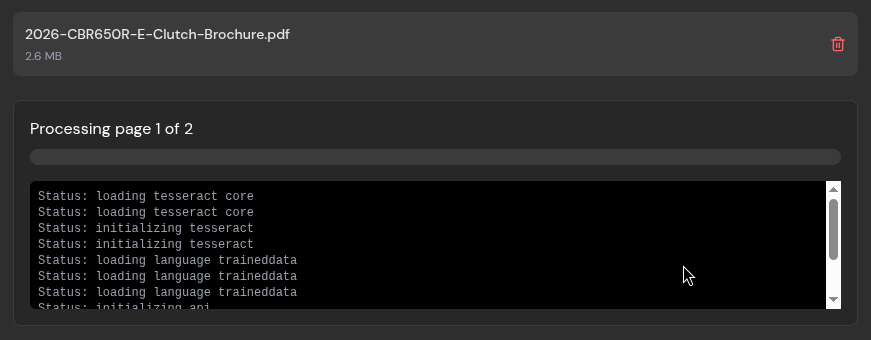
Document workflows frequently encounter scanned reports or image-heavy files that lack underlying text layers, rendering traditional search and extraction functions useless. BentoPDF addresses this limitation through a built-in optical character recognition tool. Users simply upload the target file, specify the primary languages present within the document, and initiate the recognition process.
Testing the OCR engine on multi-page promotional brochures demonstrates generally accurate text extraction, though exceptionally small or lossy typography can occasionally introduce minor recognition errors. Once processing concludes, users retain the flexibility to copy the extracted text directly to the system clipboard, export it as a plain text document, or save it as a fully searchable PDF.
File format conversion represents another core pillar of the platform’s utility. The PDF-to-image converter transforms individual pages into high-resolution JPEGs, offering an adjustable quality slider that defaults to ninety percent fidelity. Conversely, the image-to-PDF utility ingests a wide variety of graphic formats, spanning PNG, BMP, HEIC, and PSD files. The broader conversion suite extends far beyond basic images, supporting complex formats including ODP, CSV, EPUB, JSON, WebP, and Markdown.
Quick Compressions and Broader Availability
When preparing documents for digital transmission, managing file size is critical due to the strict attachment caps enforced by major email providers such as Gmail, Proton Mail, Outlook, and Yahoo Mail, which typically limit inbound and outbound transfers to roughly twenty to twenty-five megabytes. To mitigate this constraint, BentoPDF incorporates a dedicated compression utility featuring two distinct algorithms: a standard condensation method and a specialized profile tailored for graphics-heavy files, accompanied by four adjustable compression levels ranging from light to extreme settings.
Subjecting a substantial multi-page administrative report to the most aggressive compression setting demonstrates the engine’s capability. Although the intensive processing phase requires a noticeable duration, the system can drastically reduce oversized documents, achieving reductions exceeding seventy percent. While significant compression inevitably introduces minor visual artifacts when closely inspecting embedded graphics at high magnification, the surrounding textual elements remain entirely legible, successfully bringing large files closer to standard email transmission thresholds.
BentoPDF extends its utility through an extensive directory housing over one hundred distinct document tools accessible directly from its primary interface. Developers and privacy advocates interested in auditing the underlying architecture or exploring the complete technology stack can access the public repository hosted on GitHub, where comprehensive documentation regarding its client-side execution model is readily available.

Leave a Reply