
The convenience of online PDF editors has made them a staple for everyday digital tasks. Users can effortlessly open a web browser, upload a document, make necessary modifications, and download the finished product without installing specialized software. However, this convenience comes with a hidden security cost. Entrusting third-party websites with sensitive documents exposes users to severe privacy risks, as the handling and storage practices of these external servers are rarely transparent or guaranteed.
Federal law enforcement agencies have repeatedly highlighted these dangers. The Federal Bureau of Investigation has previously issued warnings regarding fraudulent online file converters designed to harvest sensitive information, scrape confidential details, banking data, personal email addresses, and passwords, while actively spreading malware. When dealing with proprietary business records, legal contracts, or personal financial statements, sending such confidential material outside a secure local environment introduces unnecessary vulnerabilities.
In response to these growing cybersecurity and privacy concerns, developer Alam has introduced BentoPDF, an open-source, privacy-first alternative. Designed to process documents entirely within the user’s web browser, BentoPDF eliminates the need to upload files to an external server, effectively sidestepping the data privacy risks traditionally associated with web-based PDF utilities.
BentoPDF: For Your PDF Needs
BentoPDF originated as a simple internal utility used for merging and splitting PDF documents. Following its initial development by the India-based creator, the project was shared with the web development community via Reddit before its source code was made publicly available on GitHub.

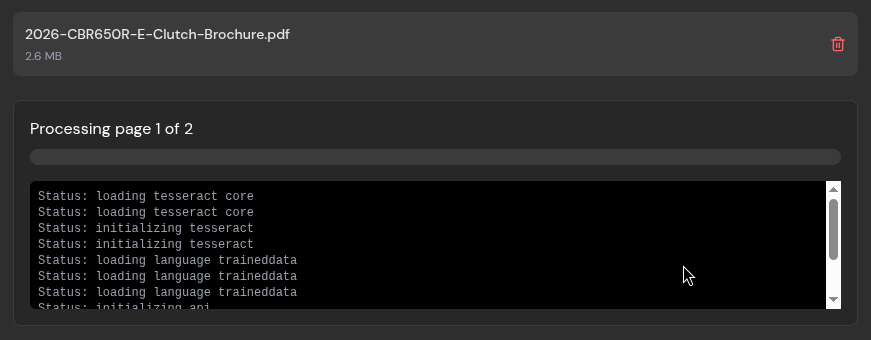
The underlying architecture of BentoPDF relies on WebAssembly, a technology that enables resource-intensive applications to execute directly within modern web browsers. For instance, its optical character recognition capabilities are powered by Tesseract.js, a JavaScript port of the well-established Tesseract OCR engine. Because these computations take place locally on the user’s machine, documents remain on the local device throughout the entire workflow.
Furthermore, the platform operates without requiring user accounts or subscriptions, and it incorporates no web-tracking mechanisms. The project utilizes a dual-licensing model. The core code is distributed under the AGPL-3.0 license, ensuring it remains free for public use and open for community forks, while a separate commercial license is available as a one-time purchase for closed-source corporate deployments. In addition to the primary PDF toolkit, the developer maintains two related open-source projects: Hyper Compress, a specialized PDF compression engine, and Kura, a utility designed to convert PDFs into archival standards such as PDF/A and PDF/UA.
Evaluating the platform in daily use reveals a robust suite of tools tailored for document editing, conversion, and compression.
Editing PDFs
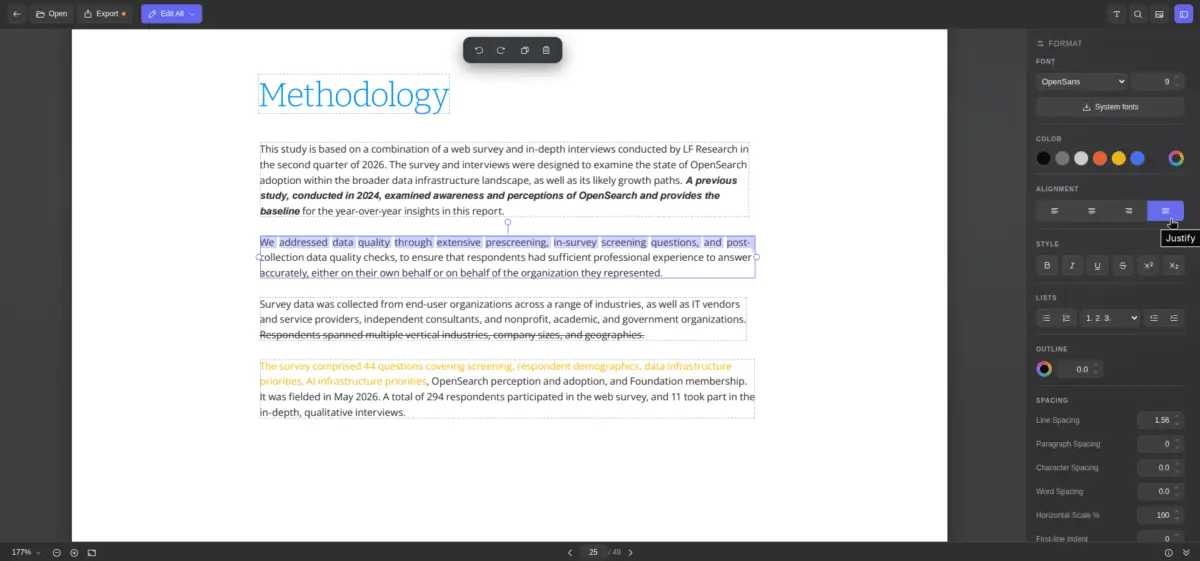
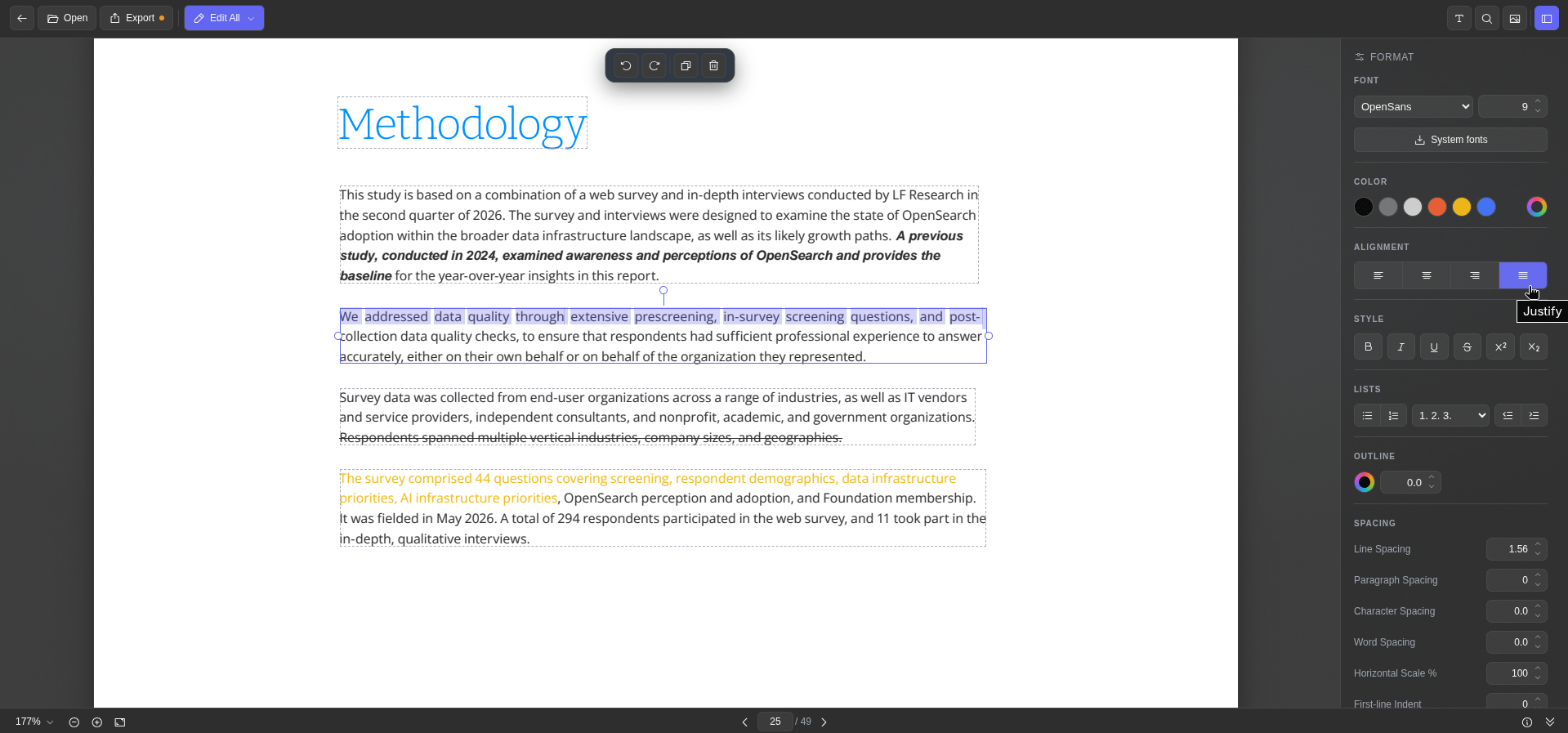
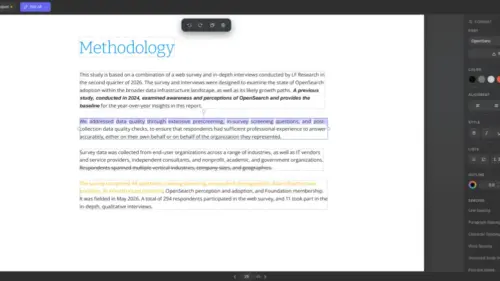
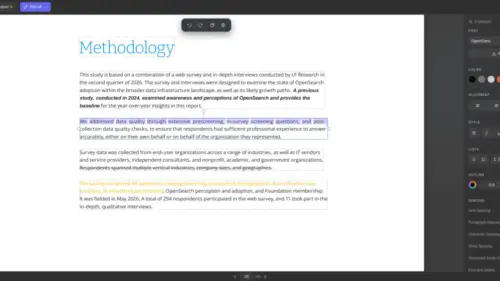
When utilizing BentoPDF for text modifications, the Edit PDF Text tool parses the document and displays individual text blocks within dashed outlines. Selecting a specific block invokes a formatting sidebar equipped with comprehensive editing controls. Users can adjust fonts, sizes, colors, alignment, and character spacing, as well as apply standard text styling such as bold, italic, underline, and strikethrough.
A particularly useful feature is the system font integration, which allows the tool to query and utilize fonts installed directly on a local Linux operating system. Additionally, an integrated metadata viewer provides a quick overview of document properties before export. Once modifications are complete, files can be saved instantly with a single click.
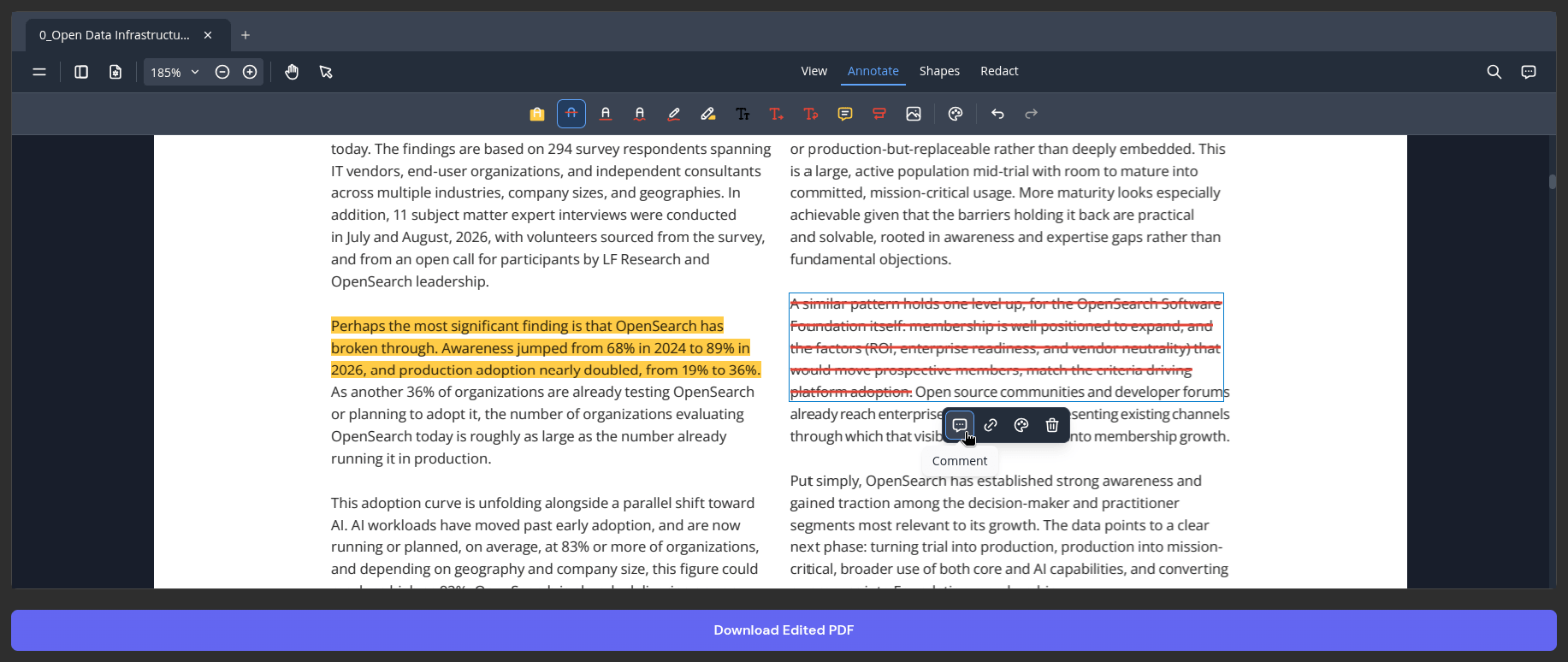
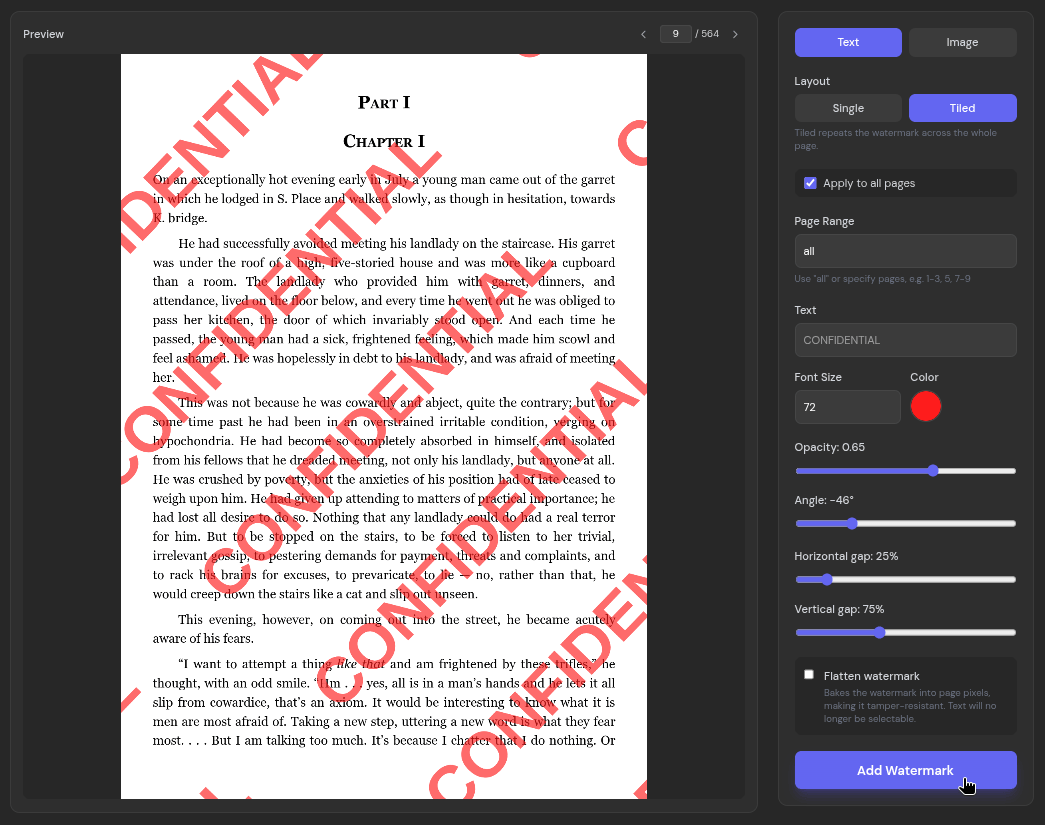
For annotation and document marking, the general PDF Editor provides tools for highlighting, applying strikethrough effects, freehand digital inking, text insertion, and adding comments. Users can also incorporate custom watermarks to protect intellectual property or designate files as sensitive. The watermark utility offers flexible configuration options, supporting both text and image formats, single or tiled layouts, and granular controls over page placement, opacity, and visibility. Standard desktop keyboard shortcuts, including commands for copying, pasting, undoing, and redoing actions, function seamlessly within the browser interface.
Easy OCRs
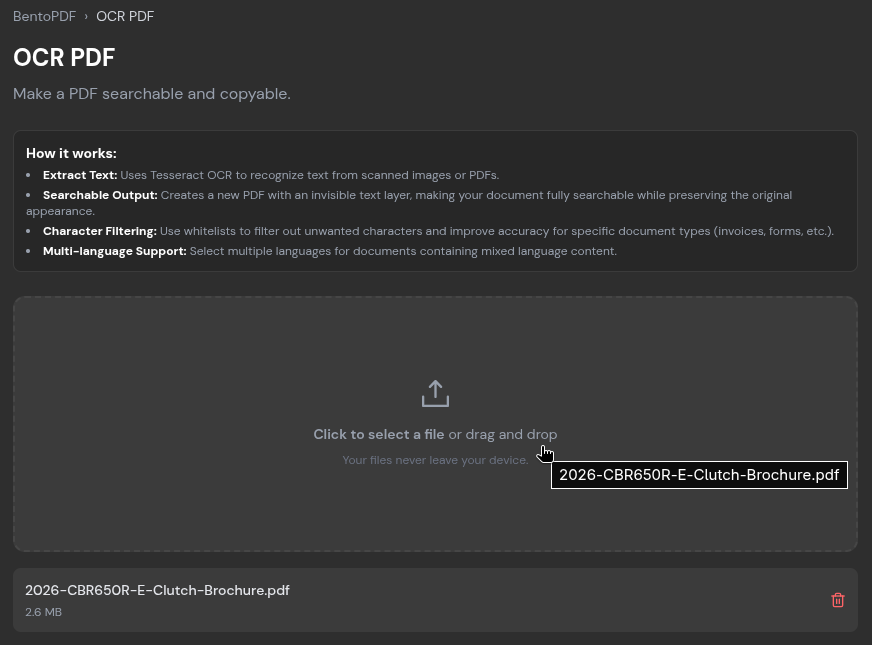
Scanned reports, archival documents, and image-based PDF files frequently present a significant accessibility barrier because they lack selectable or searchable text. To resolve this limitation, BentoPDF incorporates an optical character recognition tool.
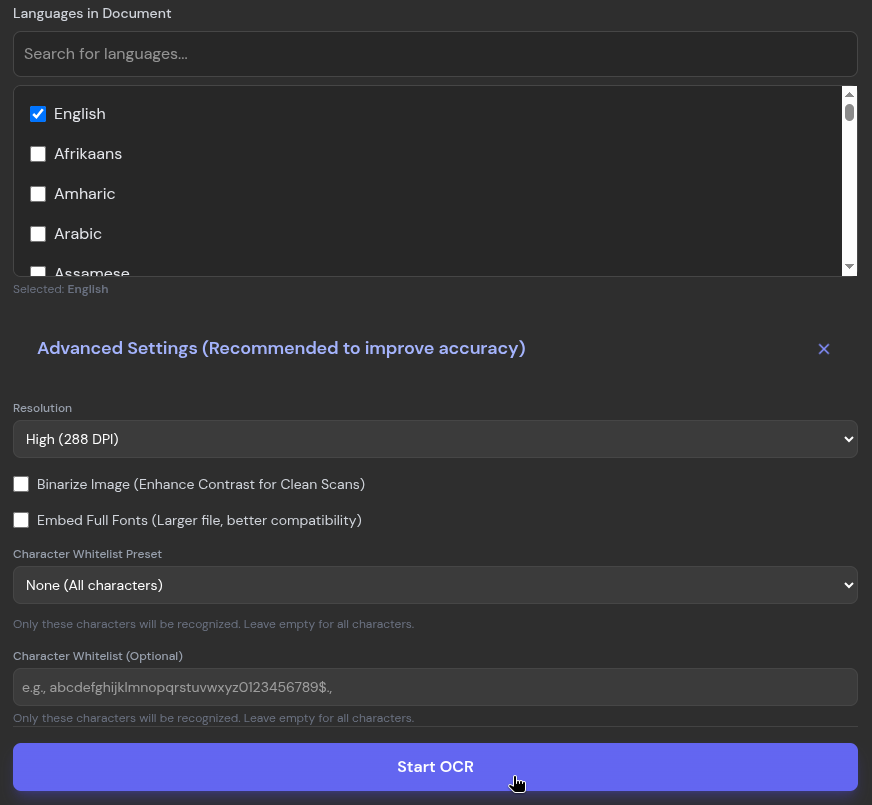
The OCR PDF feature allows users to upload an image-based file, designate the primary languages contained within the document, and initiate processing. During practical testing with multi-page brochures, the local processing engine successfully transformed scanned graphics into machine-readable text with high accuracy, encountering difficulties only with extremely small, lossy typography at the margins. Processed output can be copied directly to the clipboard, exported as a plain text file, or saved as a fully searchable PDF.
File Conversions
Document interoperability is addressed through a wide array of conversion utilities. The PDF to JPG tool transforms individual pages of a document into image files, allowing users to adjust output quality via a dedicated slider before conversion. Conversely, the Images to PDF utility aggregates multiple image formats—including PNG, BMP, HEIC, and PSD—into a single document container.
Beyond basic image conversions, the platform supports a broad spectrum of file formats, accommodating conversions involving ODP, CSV, EPUB, JSON, WebP, and Markdown, among others.
Quick Compressions
Managing file sizes is critical when transmitting documents via electronic mail, as major email providers typically enforce strict attachment limits ranging between 20 and 25 megabytes. To address this challenge, BentoPDF features a compression utility offering two distinct algorithms: a standard Condense method and a Photon algorithm specifically optimized for image-dense documents. Users can further fine-tune the output by selecting from four compression tiers, ranging from light optimization to extreme reduction.
Testing the extreme compression setting on a large, multi-page document demonstrated significant file size reductions while maintaining readability across text and standard graphics, with visual degradation noticeable only under high magnification.
Beyond these core features, the BentoPDF platform hosts a comprehensive collection of more than one hundred specialized document utilities accessible directly through its web interface. The complete source code, along with detailed documentation regarding the underlying technology stack, remains publicly available via the project’s official GitHub repository for developers and security-conscious organizations interested in reviewing or self-hosting the toolkit.

Leave a Reply