
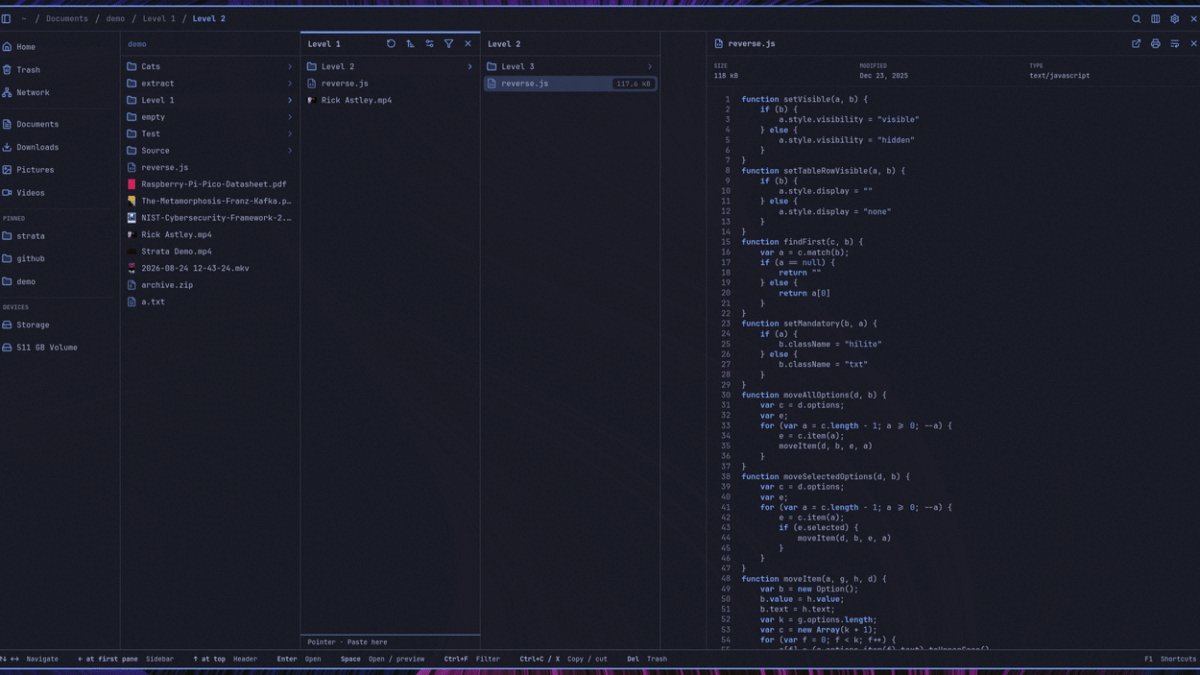
File managers are among the most fundamental tools in any operating system ecosystem. On Linux, desktop environments typically ship with their own native solutions, such as Nautilus on GNOME, Dolphin on KDE Plasma, and Nemo on Cinnamon. These applications serve as the primary interface for browsing directories, moving and renaming files, previewing contents, and organizing cluttered drives. Thanks to the inherent modularity and openness of the Linux platform, users are never locked into a single default option; they can effortlessly install multiple file managers and switch between them depending on their specific workflow preferences.
A fresh contender has now entered this space. Designed specifically for Omarchy and, by extension, Arch Linux, a new file manager named Strata has made its official debut. While it is primarily tailored for these environments, other glibc-based Linux distributions may also be capable of running the software, provided they satisfy its underlying library requirements. Released under the permissive MIT license, Strata is written in Rust and utilizes the GTK4 toolkit for its graphical user interface.
Lead developer Pierre announced the first stable release of the project, marking a major milestone for a tool that has experienced rapid development. According to project metrics shared at launch, Strata amassed over 30 contributors, logged more than 700 commits, and built a codebase consisting of approximately 300,000 lines of Rust in just 45 days. This rapid ascent highlights the intense collaborative effort behind the project and the growing appetite within the Linux community for modern, high-performance utilities written in memory-safe languages.
Strata is Here
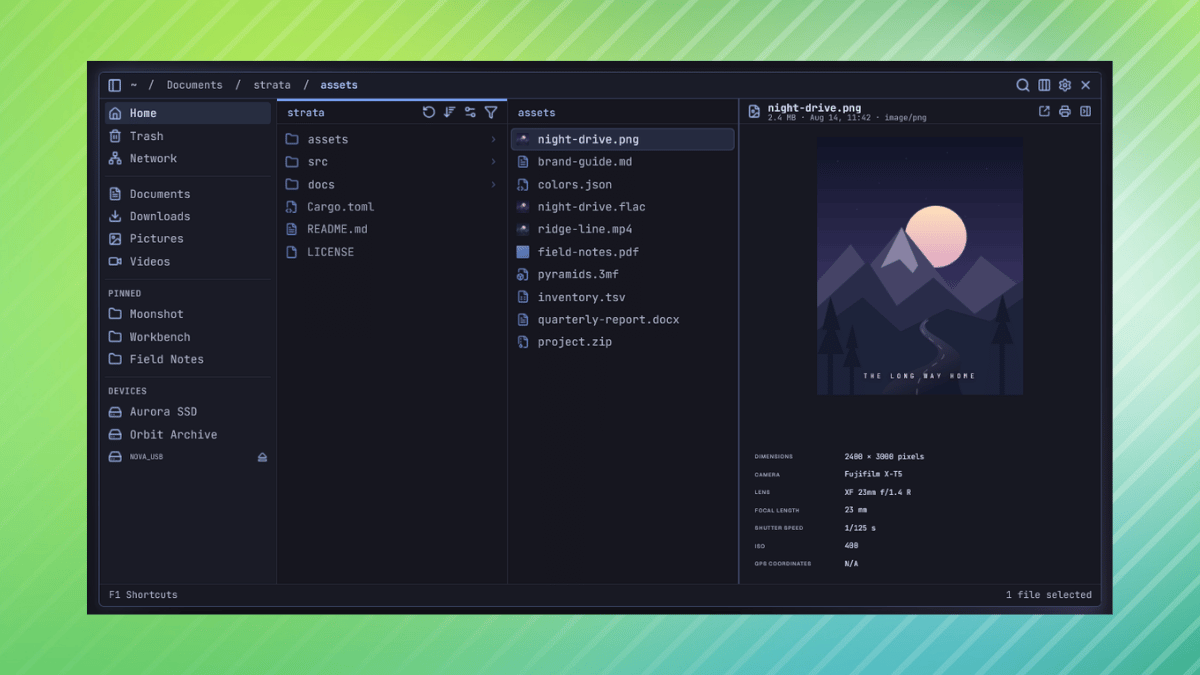
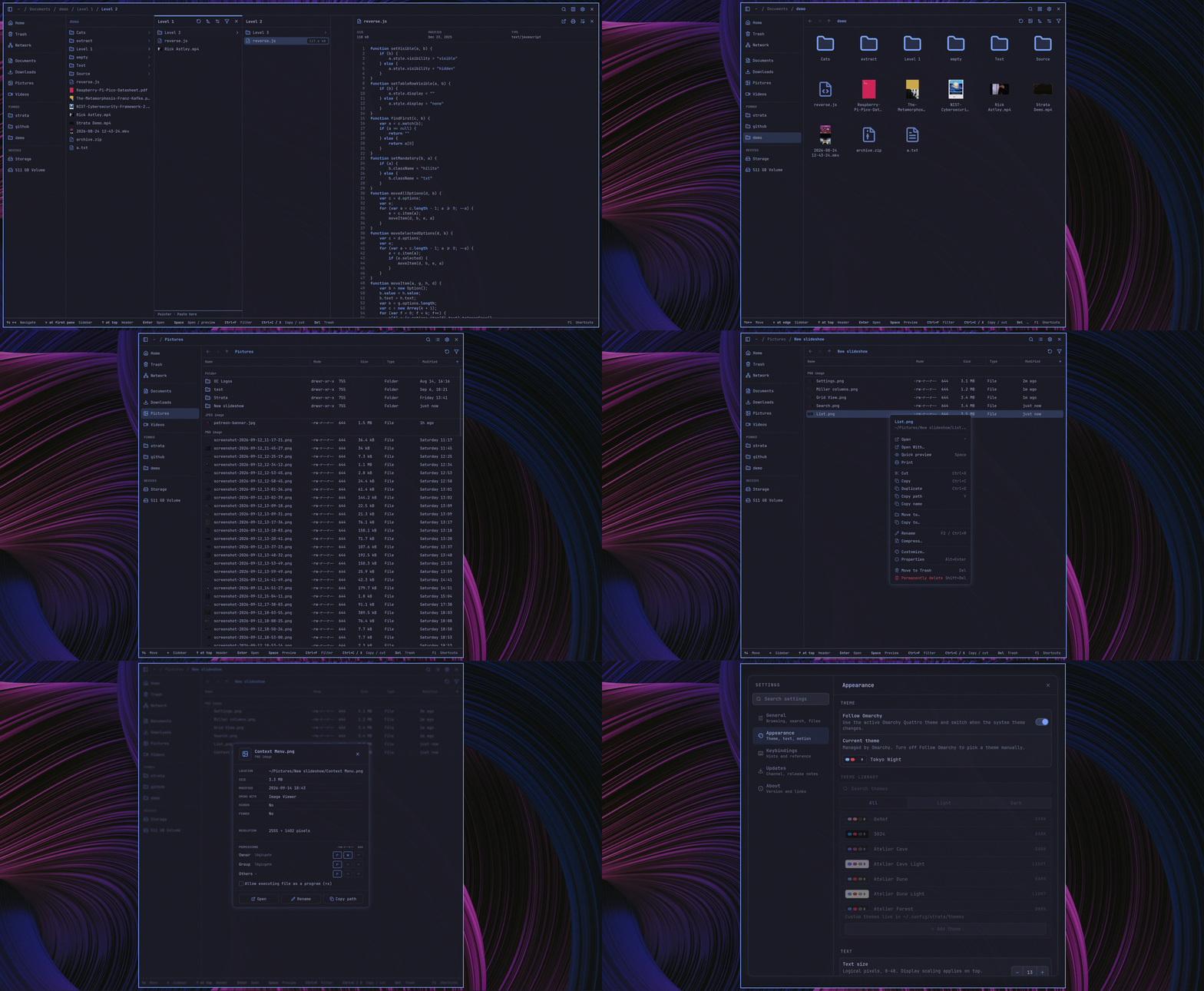
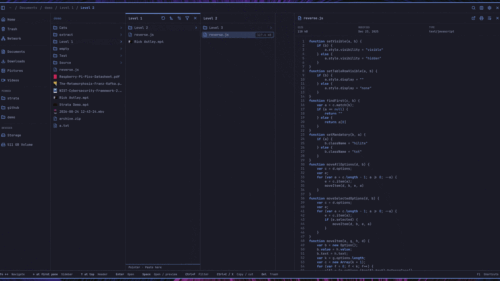
Strata introduces several distinct design choices aimed at power users and efficiency enthusiasts. One of its standout visual features is its ability to display folders side by side. When a user opens a folder, its contents appear in a new pane to the right while the parent directories remain visible, adopting a column-oriented browsing model reminiscent of macOS Finder. In addition to this column view, traditional icon and list views are readily available to accommodate different user preferences.
As a keyboard-first application, Strata allows users to navigate their file systems entirely without touching the mouse. It supports standard arrow key navigation alongside traditional vi-style keybindings, utilizing the h, j, k, and l keys for movement. For rapid searching, pressing Ctrl+K triggers a fuzzy search interface that spans the user’s Home folder and all mounted local drives. This search utility quickly matches file names and paths, though it currently does not index or search the internal text contents of files.
To help users manage large or cluttered directories, the version 1.0 release introduces configuration options within the settings menu to exclude specific paths. Users can configure the application to skip common heavy directories, such as node_modules, or filter out any other single directory that they prefer to keep out of sight.

Tabs represent another major workflow enhancement in Strata. Users can open any folder in a new tab, organize and switch between tabs using dedicated keyboard shortcuts, and rely on the application to automatically restore previously open tabs after a system restart or application relaunch. Furthermore, Strata introduces persistent view settings by storing sort orders and icon sizes on a per-folder basis. For instance, one directory can be configured to display large icons sorted by modification date, while another folder maintains an alphabetical layout with small icons, ensuring that each directory opens in its preferred state every subsequent time it is accessed.
For quick inspection of files, pressing the spacebar toggles an integrated preview panel. This panel supports a diverse array of media and document types, including standard images, camera RAW files, PDFs, source code files, audio formats, and video clips.
Customization is also a core focus of the application. Strata includes a wide variety of built-in themes, complemented by an in-app editor that allows users to design and save custom aesthetics as TOML files. To enhance visual clarity, code files and configuration files are rendered with language-specific icons derived from the Catppuccin palette, which can adapt dynamically to brand colors or the active theme’s accent color.
Install It
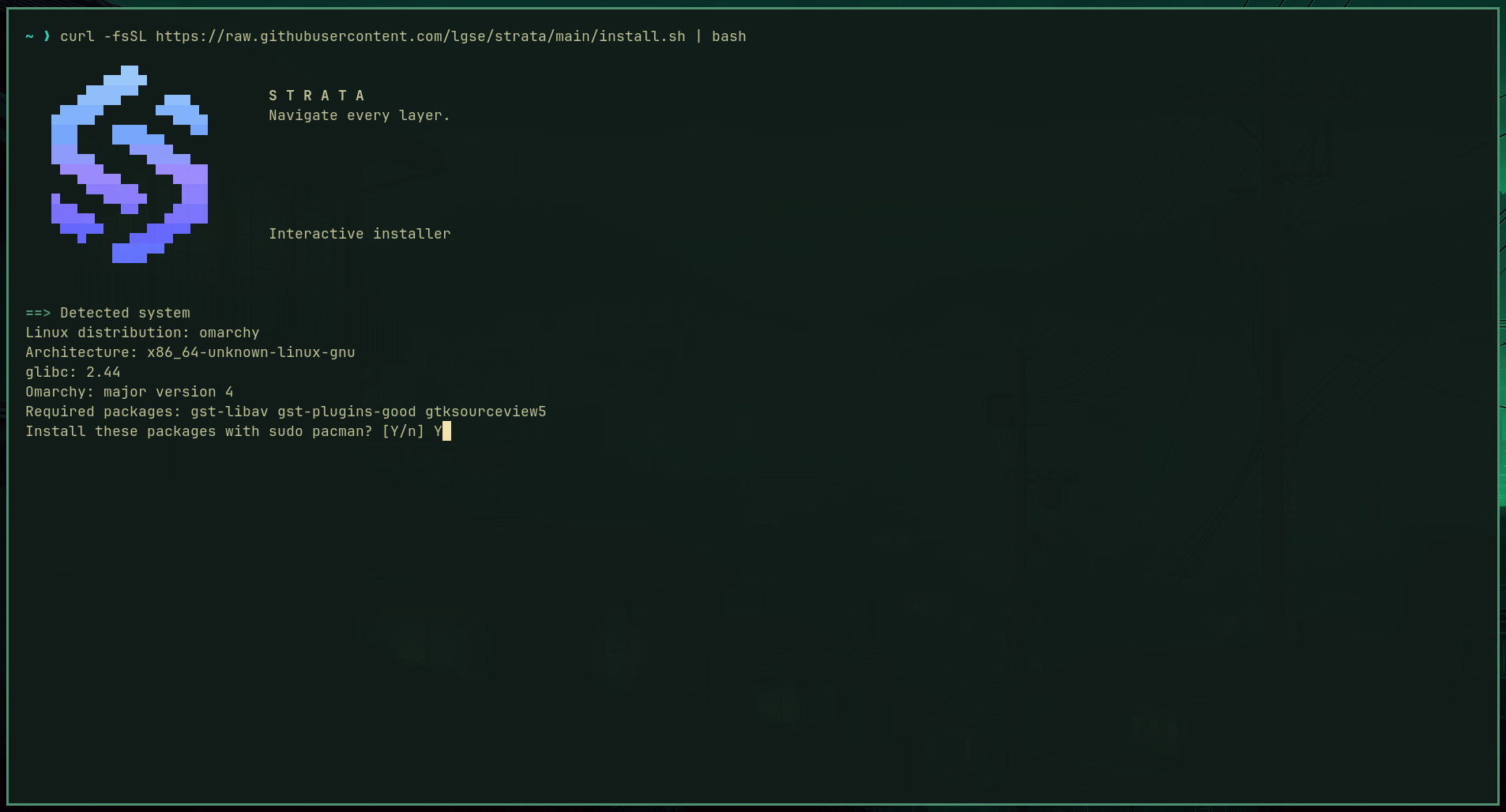
For users running compatible environments, getting started with Strata is streamlined through an interactive installer designed for Omarchy and Arch Linux. The installation script can be executed directly from the terminal via a single cURL command, fetching the setup routine from the project’s official repository.
During execution, the installer automatically detects the host system’s CPU architecture, the specific version of glibc, and whether the machine is running Omarchy version 3, version 4, or standard Arch Linux. It then deploys the latest stable release locally for the current user within the ~/.local/bin directory.
The installation script also offers several optional configurations, allowing users to integrate desktop entries, assign Strata as the default folder handler, enable SMB network share support, and incorporate Omarchy-specific keybindings. Advanced users within the Omarchy ecosystem can even feed the platform’s onboard AI agent a specific prompt to automate the installation process entirely.
Individuals who wish to evaluate the software before committing to a full installation can make use of an interactive browser-based demo hosted on the official Strata website, which allows prospective users to test the interface directly. Alternatively, developers and enthusiasts who prefer a traditional approach can build the application directly from source using the public Git repository.

Leave a Reply