
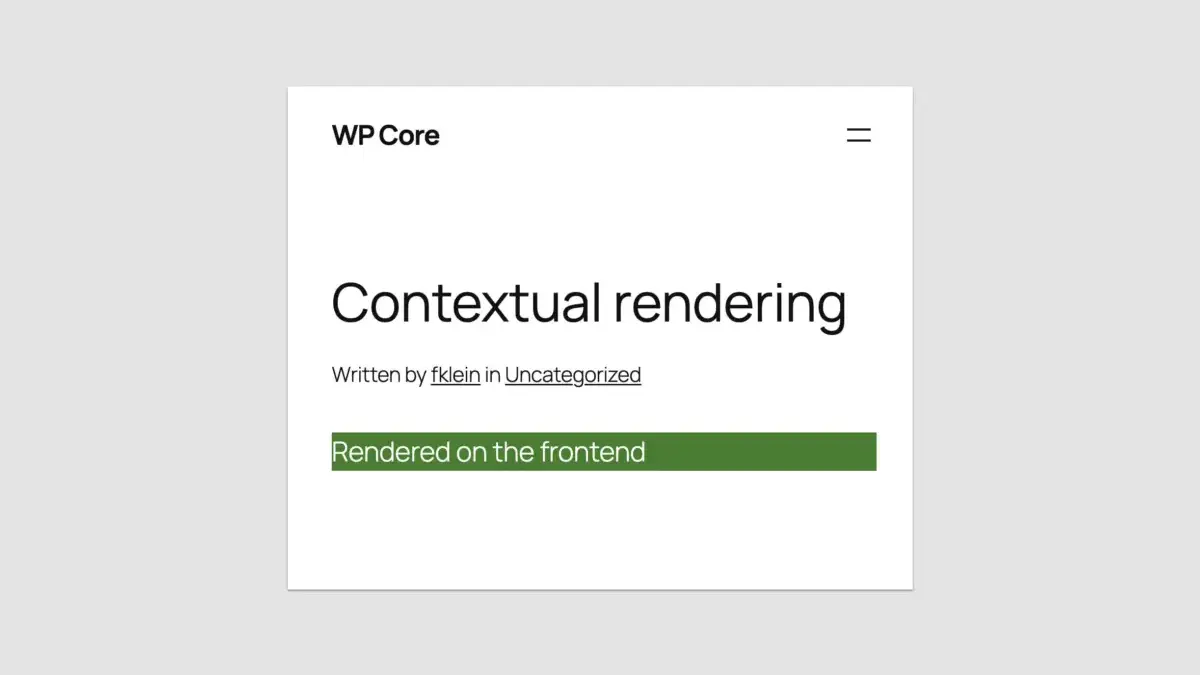
Seven and a half years after the Gutenberg block architecture first arrived in WordPress Core, developers finally have a native way to build custom blocks using only PHP. Released with WordPress 7.0, the new feature eliminates the long-standing requirement to learn React, configure a complex build pipeline, or manage external NPM packages just to create a basic custom block.
For years, building a traditional WordPress block required developers to register it twice—once in PHP and once in JavaScript. This dual requirement created a steep learning curve for classic developers accustomed to server-side programming, acting as a major barrier to adopting modern block-based themes. Now, WordPress 7.0 introduces a radically simplified approach that allows block creation using purely server-side code, though the long-awaited feature comes with distinct architectural trade-offs that developers must carefully weigh.
A Radically Simplified Block-Building Experience
The core mechanism behind this new capability relies on a simple yet powerful addition to the standard block registration function: an 'autoRegister' => true flag within the supports array. When this parameter is activated, WordPress automatically generates the necessary client-side JavaScript required for the block, handling both client-side registration and the editor preview seamlessly.

In traditional development, creating a block meant not only writing the registration logic but also building out corresponding interface controls in the editor using JavaScript frameworks. With the PHP-only approach, developers can define block attributes directly within the PHP registration array. WordPress then automatically maps basic data types—such as strings, numbers, and booleans—into standard user interface elements inside the block’s settings sidebar, including text inputs, number fields, checkboxes, and basic dropdowns.
For seasoned WordPress developers, the experience feels reminiscent of classic theme development, where server-side logic handled nearly every aspect of site presentation. However, the convenience of avoiding JavaScript tooling comes with notable limitations rooted in the underlying architecture of the platform.
Understanding the Limitations of PHP-Only Blocks
Because PHP-only registered blocks bypass the client-side JavaScript data store that powers the modern editor, they operate differently than native JavaScript blocks. When an editor interacts with a PHP-registered block, the system requests a new PHP render via a REST API endpoint rather than updating a live client-side application state.

This structural difference introduces several critical constraints for developers. Most notably, PHP blocks cannot support interactive controls directly within the block preview area. Developers are strictly limited to auto-generated controls in the sidebar, and even those features lack support for advanced interfaces like media uploads or multiline text editors. Furthermore, because the editor markup is fetched asynchronously and replaced upon every re-render, attaching custom JavaScript behavior or event listeners directly to the block preview’s Document Object Model (DOM) is unreliable and often impossible.
Another significant hurdle involves data synchronization. Because PHP blocks query the database directly during rendering rather than reading from the editor’s live client-side data store, they cannot access real-time changes made by the user. If a block displays dynamic post data such as a title, excerpt, or featured image, those elements will reflect stale database values until the post is explicitly saved and the editor is reloaded.
Additionally, PHP-only blocks lack native access to the current post context when rendering inside the block editor preview. Because REST API requests are stateless and do not rely on traditional global variables like those found in The Loop, template tags that depend on global post states may fail or return unexpected results unless developers implement custom workarounds to capture and pass post IDs during the initialization phase.

Attribute types and editing interfaces are similarly restricted. While basic inputs function smoothly, advanced controls like keyed dropdown arrays are not fully supported, forcing developers to store slugs instead of stable database IDs in certain scenarios, which can lead to broken references if underlying content identifiers change.
The Killer Use Case: Migrating Legacy PHP Code
Despite these technical constraints, industry observers point to a singular, highly practical use case where the limitations of PHP-only registration largely cease to matter: migrating legacy PHP code into modern block themes.
For years, many theme authors and developers have remained tied to classic themes not by choice, but because the cost and complexity of rewriting extensive custom PHP features into JavaScript block components was simply too high. Features built around shortcodes, custom widgets, template parts, and legacy header systems required specialized JavaScript knowledge and complex build setups.

The introduction of PHP-only block registration removes these obstacles entirely. By wrapping existing PHP code in a server-side rendered block type, developers can port legacy components directly into block-based environments using the programming skills they already possess.
While the resulting blocks may not feature advanced inline editing or responsive preview perfection inside the admin screen, those imperfections often matter very little in practice. As long as the block renders accurately on the front end of the website, the primary goal of modernizing the theme architecture is achieved in hours rather than days.
Practical Strategies and Adaptations
Developers experimenting with PHP-registered blocks have already established several best practices to navigate the feature’s current limitations. When distinct rendering logic is required for the admin environment versus the public-facing site, developers can utilize functions like wp_is_rest_endpoint() alongside query checks to detect block editor preview requests and adjust output accordingly.

To address the challenge of missing post context in the editor, developers have utilized local-role attributes populated via URL parameters during the initial page load, providing a temporary workaround until WordPress Core introduces native support for passing post identifiers to PHP-rendered endpoints.
For complex components that cannot render accurately inside the editor preview—such as embedded newsletter forms or dynamic third-party scripts—implementing a static placeholder offers a balanced compromise, mirroring strategies already employed by WordPress Core for blocks like Post Content.
Stylesheet management remains efficient through standard WordPress block enqueuing protocols. By registering stylesheets and passing handles during block registration, developers ensure that CSS assets load only when the specific block is present on a page. Additional styling can be controlled through wrapper attributes, allowing for targeted CSS application without conflicting with core platform styles.

Compatibility is also moving forward. With WordPress advancing toward mandatory iframed post editors—a standard fully enforced by upcoming minor releases—ensuring that custom blocks adhere to modern Block API standards helps maintain visual consistency between the editing interface and the front end.
A Strategic Shift for WordPress Core
The arrival of PHP-only block registration in WordPress 7.0 marks a broader philosophical acknowledgment from WordPress Core maintainers regarding developer experience. While JavaScript remains essential for building rich, highly interactive native blocks, reducing unnecessary boilerplate and removing forced build pipelines for straightforward server-side components opens the door for thousands of classic developers.
By lowering the barrier to entry for block theme adoption, the new feature provides a practical bridge for sites holding onto legacy PHP architectures. Developers can now transition older codebases into the modern block ecosystem efficiently, unlocking the performance and maintenance benefits of block-based themes without being forced to rewrite every custom component from scratch.


Leave a Reply