
Mozilla has officially rolled out its latest major browser update, bringing a modernized and refined visual identity to millions of users worldwide. Designated as Firefox 157, the new release introduces the much-anticipated "Nova" redesign, aligning the open-source browser with contemporary web aesthetics that emphasize a clean, minimal, and polished user experience.

The journey toward this visual overhaul has been unfolding over the better part of a year. The redesign first came to light in March when internal design files accidentally leaked online, revealing mockups that looked radically different from any previous iteration of Firefox. Those early internal concepts featured a floating island layout where the tab bar, toolbar, and address bar were consolidated at the top with a distinct gap separating them from the webpage below. The web content itself was envisioned to sit inside a rounded container lifted away from the absolute edges of the browser window.

While those initial radical concepts did not make it into the final production release, they set the stage for a comprehensive transition that Mozilla spent months refining through technical blog posts and iterative development. Six months after those initial leaks shocked the community, Firefox 157 delivers a more restrained yet thoroughly modern interpretation of the Nova design philosophy. The resulting interface features noticeably rounder tabs, menus, and address bars, complemented by a subtle gradient on the active tab that introduces a warm and cohesive touch to the overall layout.
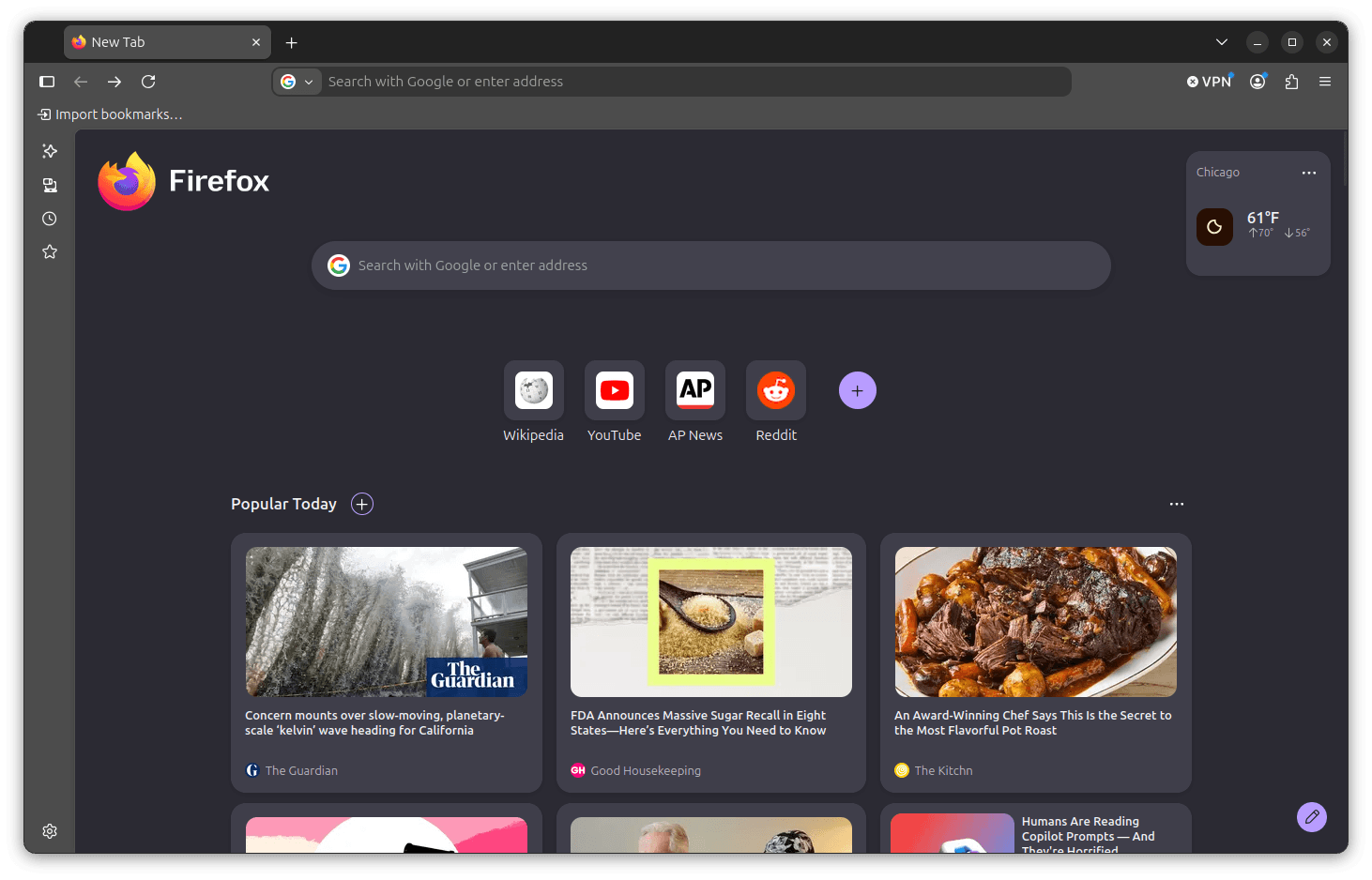
The visual refresh becomes immediately apparent upon opening a new browser tab or loading a website. The interface adopts a slimmer footprint, which in turn grants web content more screen real estate. Furthermore, the toolbar features significantly fewer dividing lines between its individual elements, creating a streamlined look that compares favorably with contemporary pill-shaped design trends seen across competing browsers like Chrome and Vivaldi.
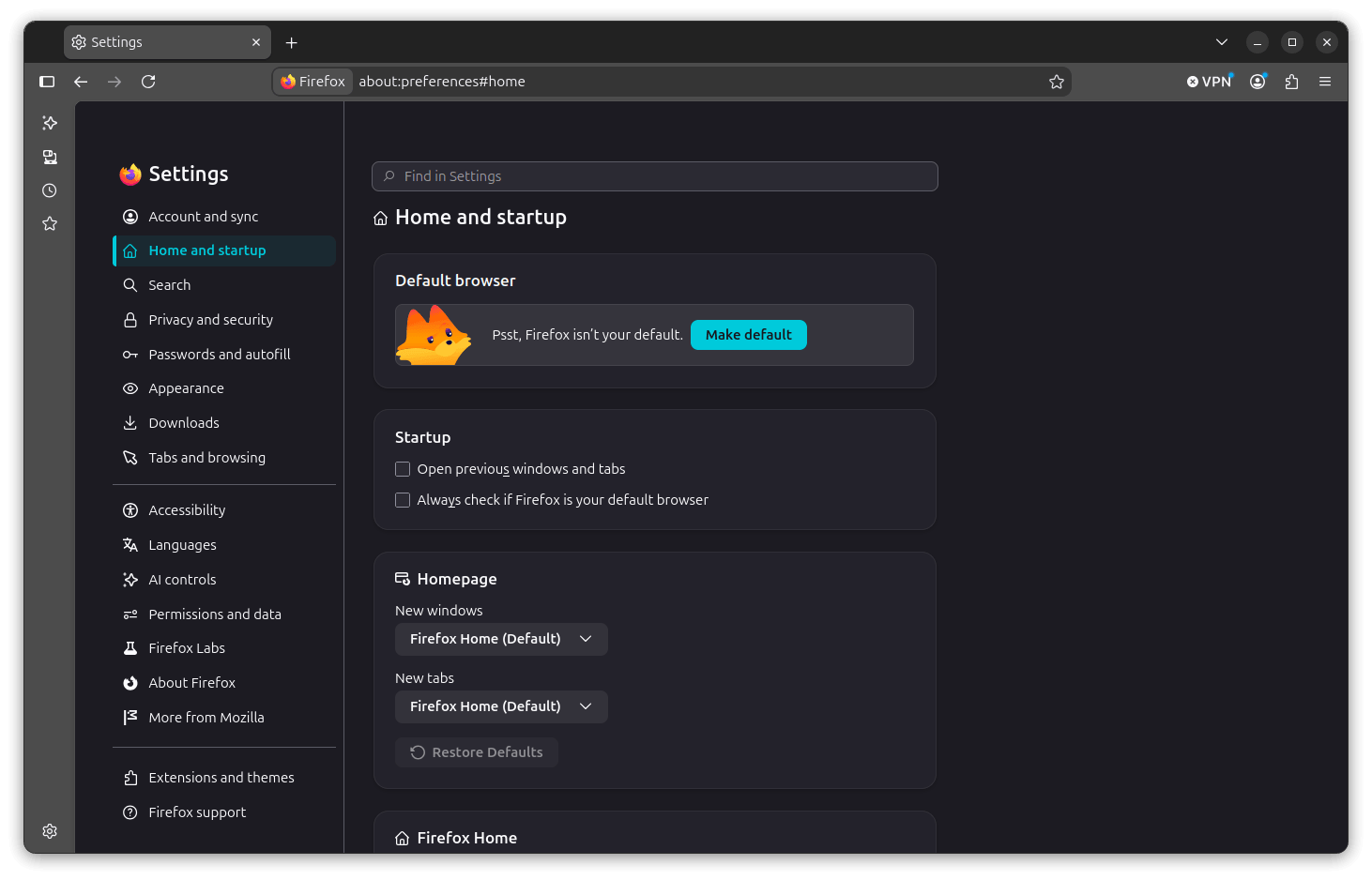
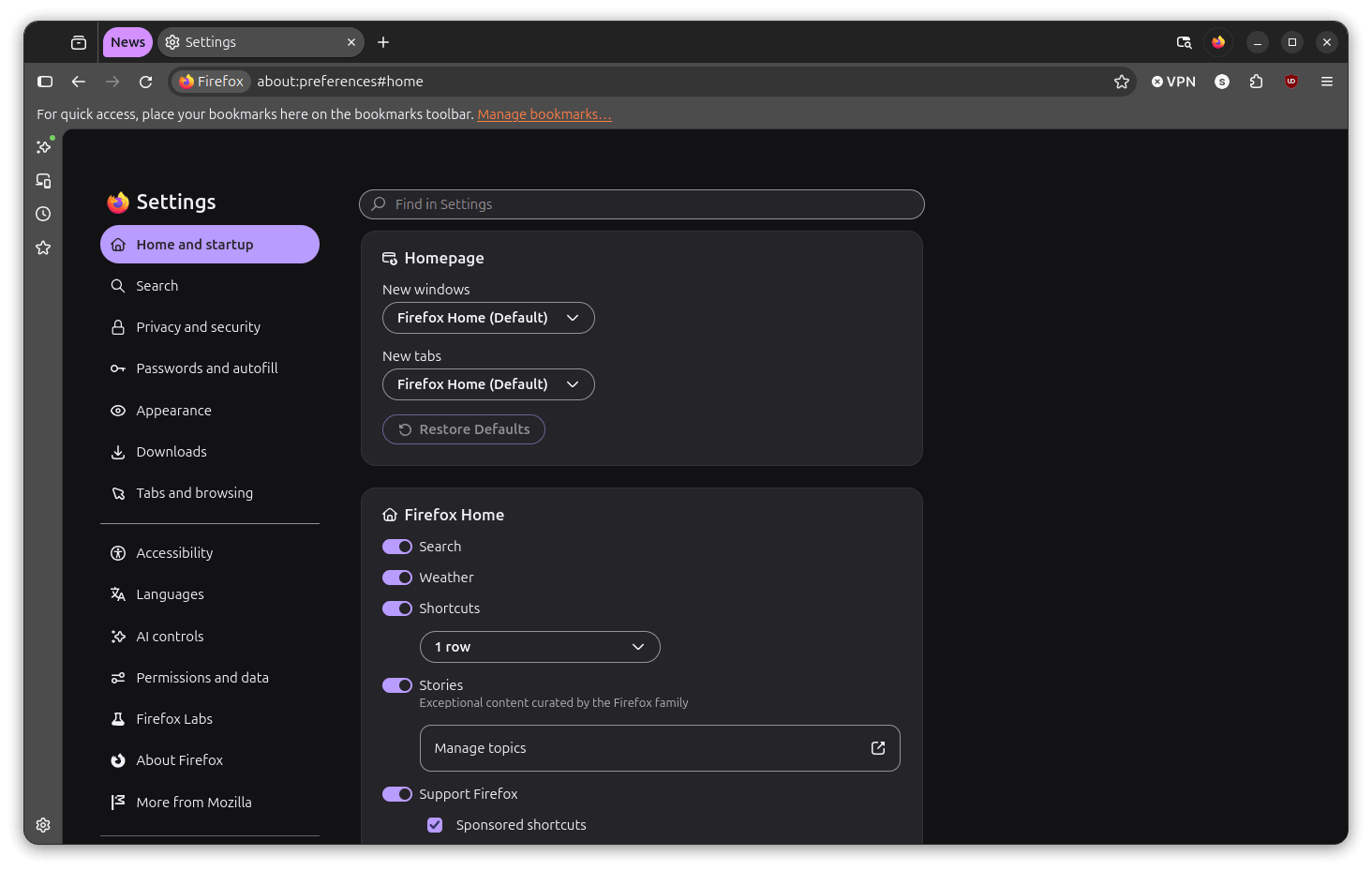
Beyond the general aesthetic updates, the settings menu has also undergone a substantial visual overhaul. In previous versions, the settings sidebar was presented as a relatively compact list accompanied by straightforward content panels. In Firefox 157, those individual panels are now housed within rounded cards, offering distinct sections that provide each settings area with improved visual breathing room and enhanced readability.

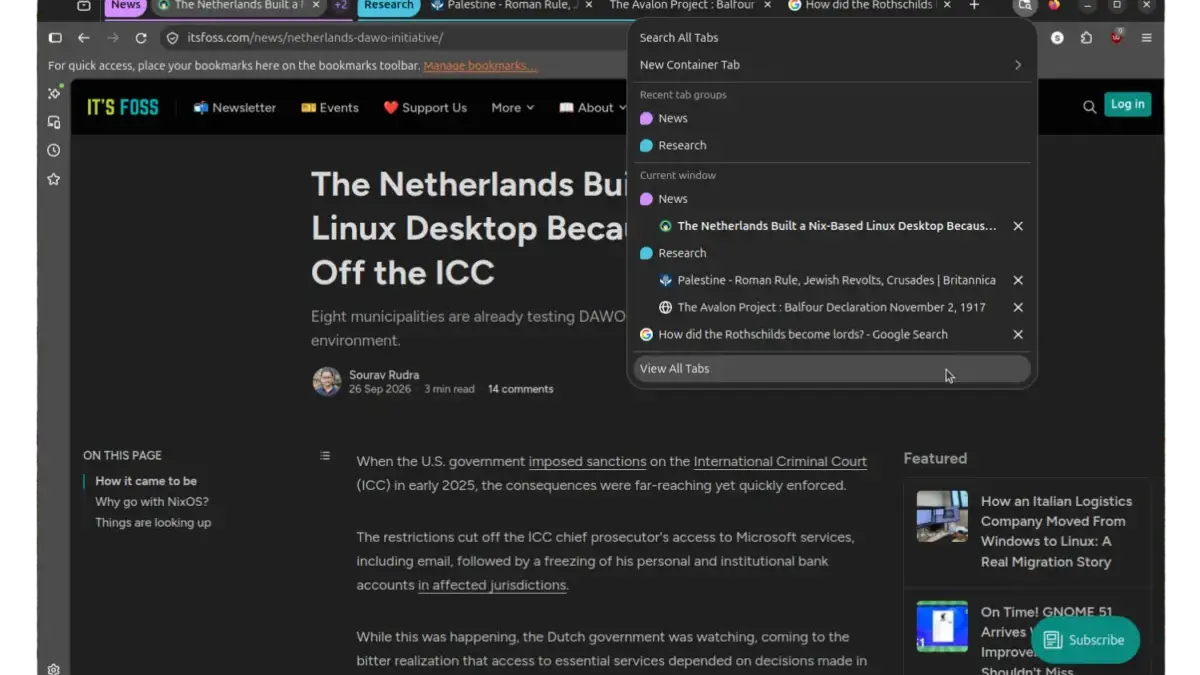
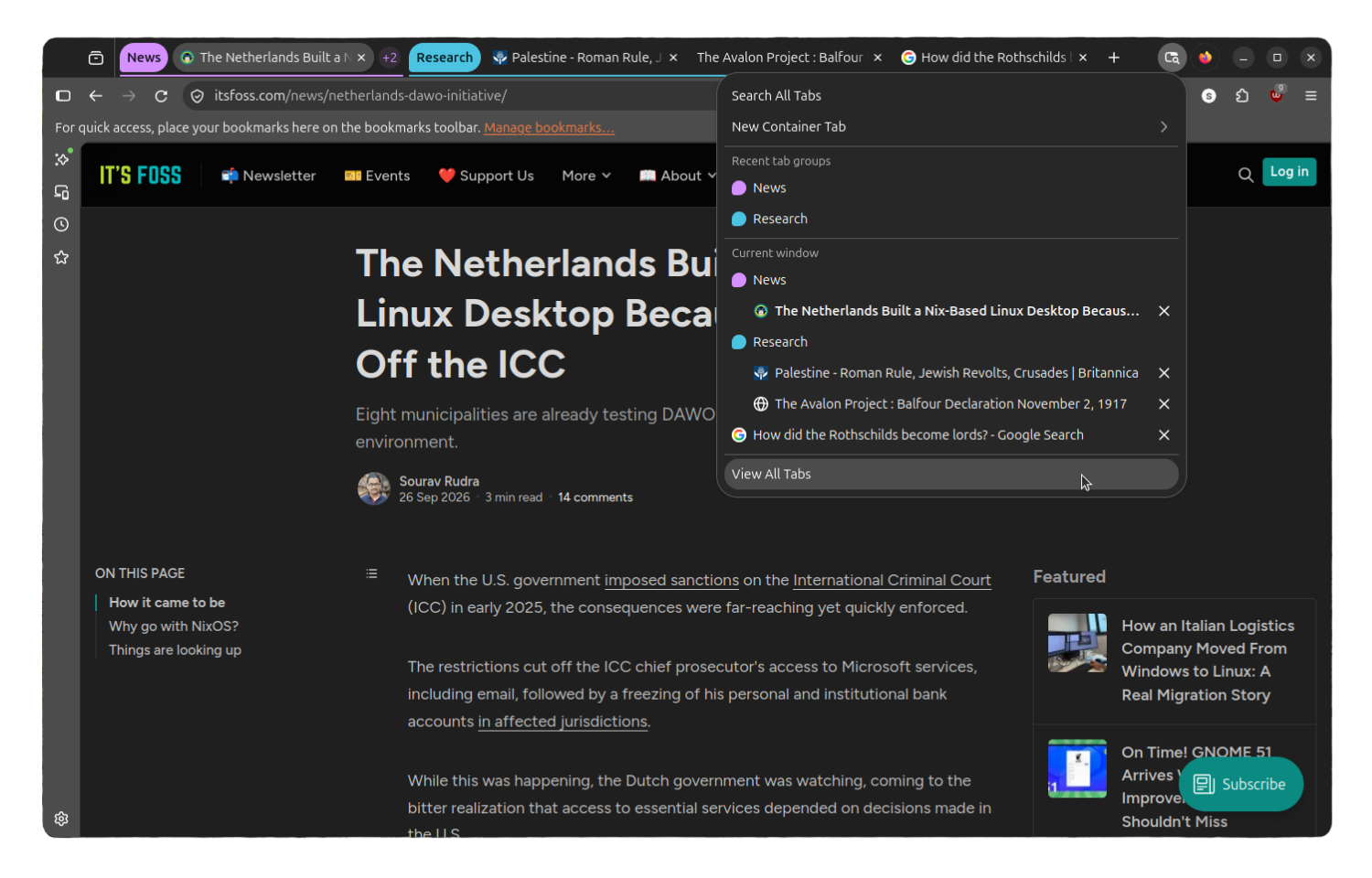
Tab management has likewise evolved considerably since the introduction of Tab Groups earlier in the lifecycle. When the feature first landed in Firefox 138, groups appeared as colored, labeled strips across the tab bar, with management options largely restricted to basic naming and collapsing functions. While functional, that early implementation felt somewhat experimental. The Nova redesign integrates tab groups much more naturally into the tab bar, making the process of switching between groups or collapsing them feel fluid, intuitive, and polished.

Additionally, the "List all tabs" button has received a visual update, replacing the traditional downward arrow with a modern icon and style that harmonizes with the broader pill-shaped design language. This updated control allows users to easily gain a comprehensive overview of every open tab across all active groups at a single glance.
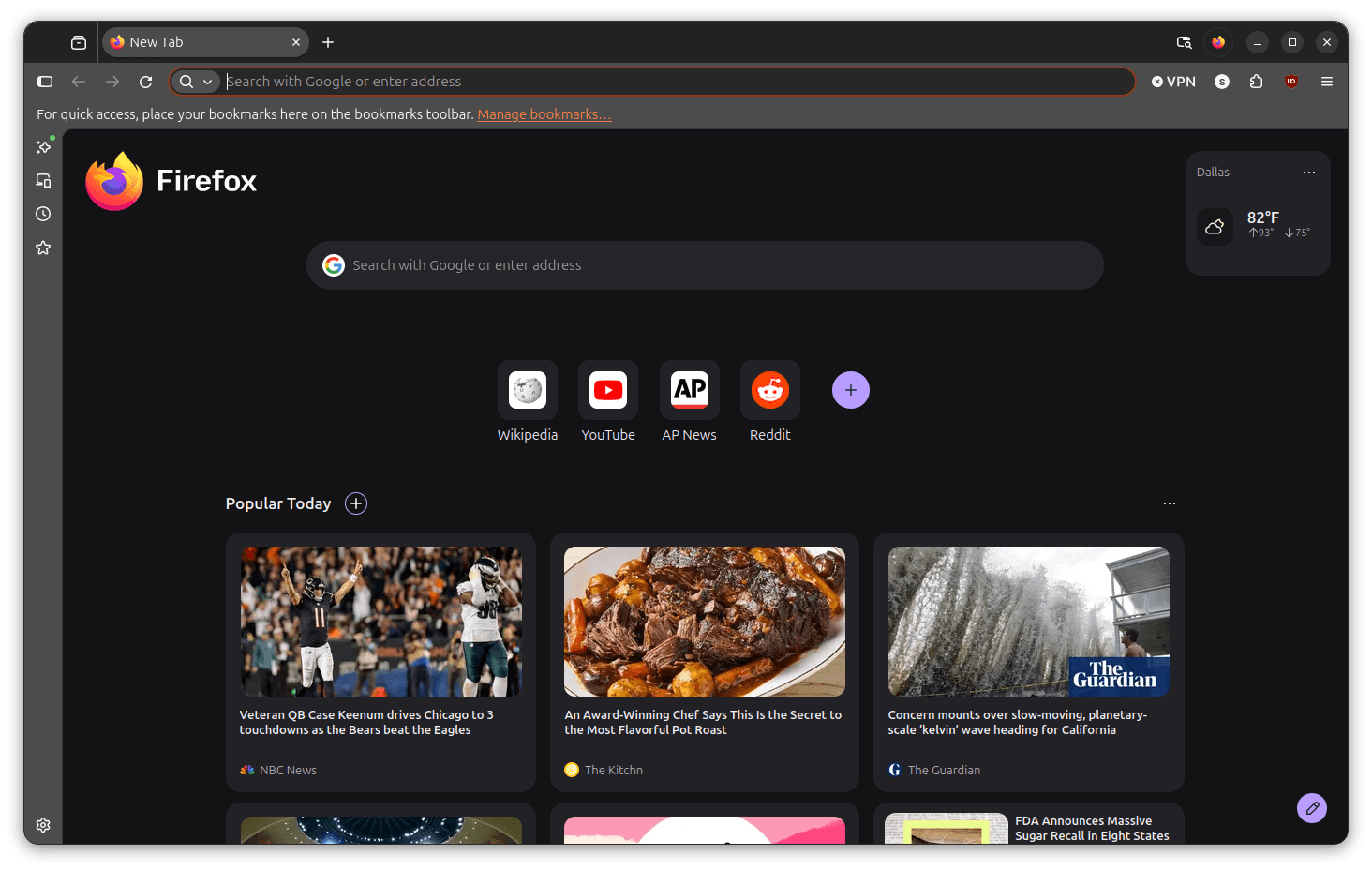
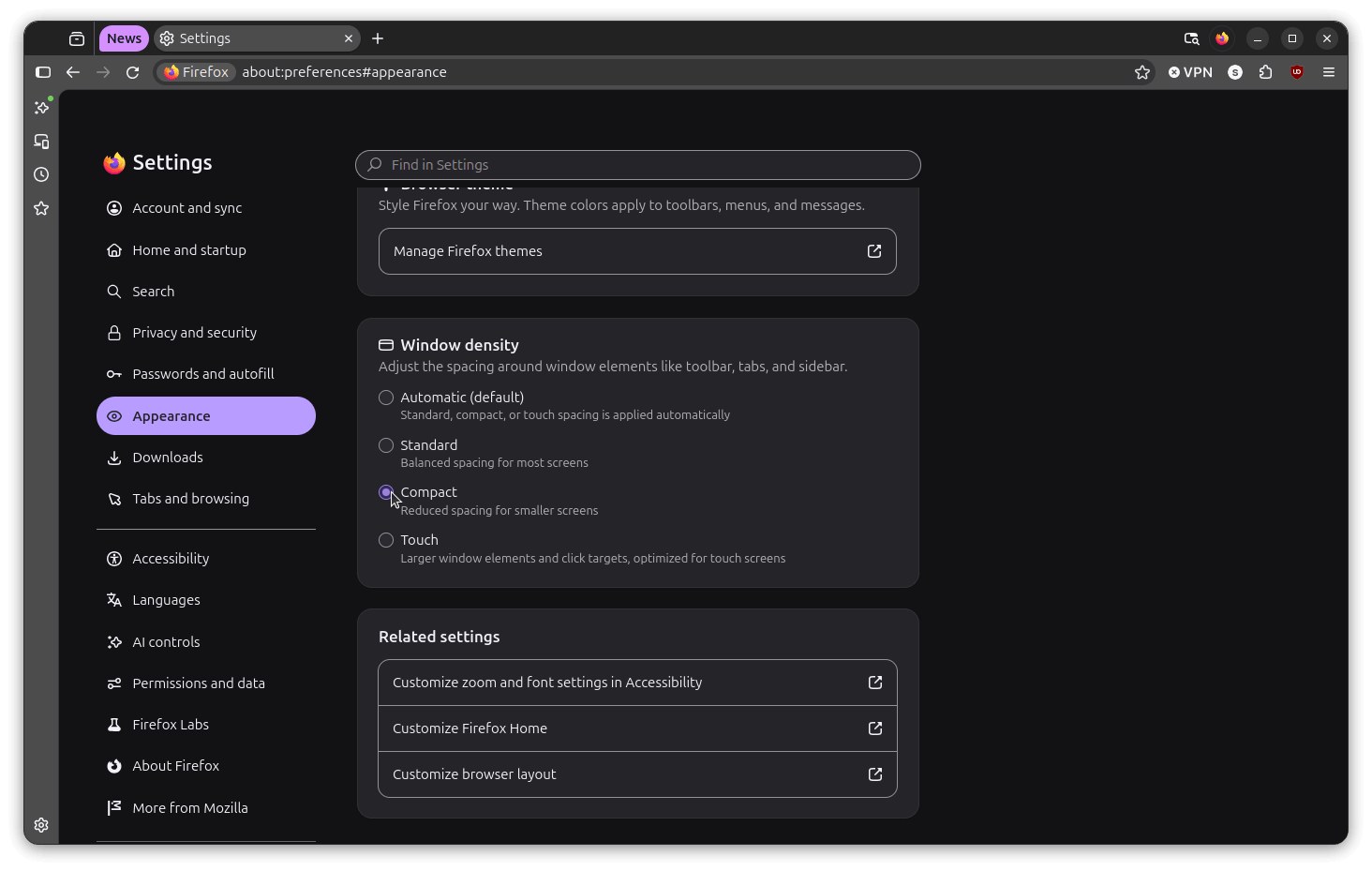
Long-time users who mourned the loss of customizability will also find a welcome inclusion in this release. A compact density mode that was originally removed by Mozilla back in 2021 has officially made its return. Users can now enable compact mode by navigating to the appearance settings and selecting it from the window density options alongside the standard automatic, standard, and touch layouts.
The update also incorporates a selection of new themes available through the add-ons manager, alongside a new classic and smart window switcher button positioned in the top-right corner, facilitating quick transitions between traditional browsing and the newly introduced AI-powered browsing capabilities.
For users who prefer the traditional look of the browser or find that the Nova aesthetic does not suit their workflow, Mozilla has built a straightforward opt-out mechanism directly into the browser configuration settings. By accessing the advanced configuration page via the address bar, users can locate the preference governing the design state and modify its activation value to revert to the classic interface layout.
As part of the broader rollout, mainstream Linux distributions such as Ubuntu and Fedora are expected to distribute the updated release as part of their routine system update channels. Meanwhile, users eager to adopt the new version immediately can acquire the software directly through official distribution channels or package repositories, marking another significant milestone in Mozilla’s ongoing evolution of the Firefox browser.



Leave a Reply