
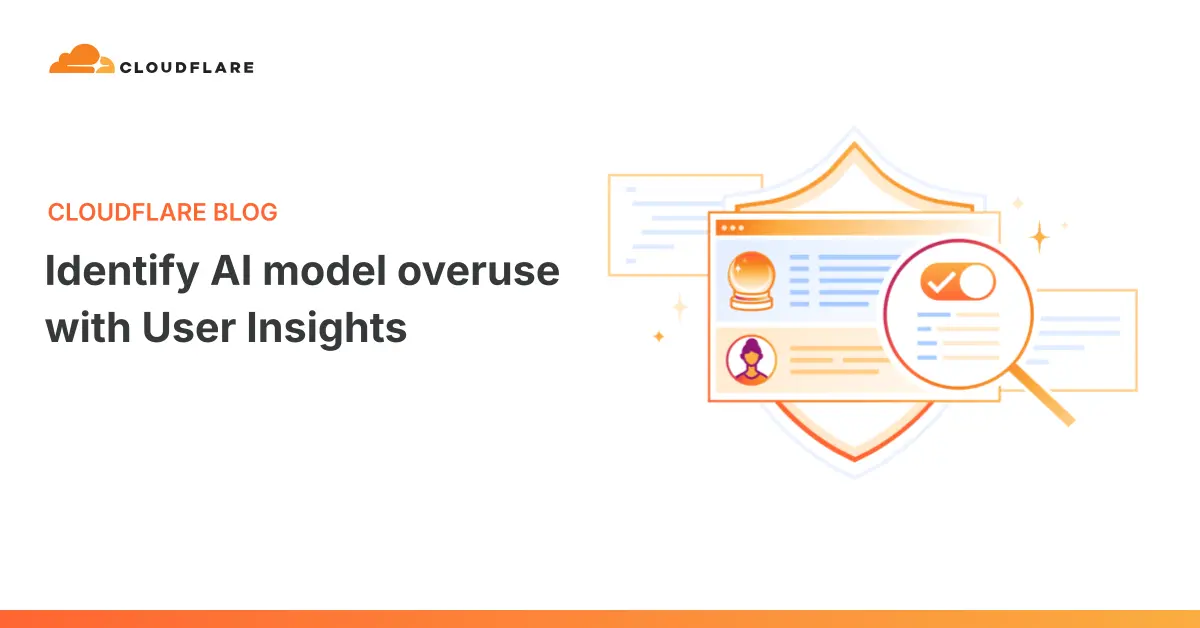
Cloudflare is rolling out a major update to User Insights for its AI Gateway, introducing granular context features designed to help engineering and product teams understand the true operational drivers behind their artificial intelligence spending. Launched just last month to provide basic visibility into AI traffic—highlighting active users, specific applications, common tasks, and popular models—the initial iteration left organizations with a fundamental puzzle. While teams could track request volumes and token usage, they lacked the contextual depth needed to evaluate whether their choice of AI model matched the actual complexity of the work being performed.
The latest update directly addresses this limitation by connecting raw metrics to concrete tasks, conversational trajectories, and behavioral patterns. Available for free to all AI Gateway users, these expanded capabilities allow organizations to detect instances of "model overkill," analyze multi-turn conversation costs, and seamlessly translate these insights into automated routing decisions. Alongside this release, Cloudflare has also launched a public beta for its Potential Savings view and a closed beta for its new Auto Router, signaling a broader industry push toward intelligent cost management in enterprise AI adoption.
Why AI Usage Is Hard to Understand
As organizations scale their integration of artificial intelligence, managing expenditures and performance has become a critical operational challenge. A typical engineering team routing internal AI traffic through Cloudflare’s AI Gateway might notice a steady climb in monthly expenses paired with unexpected latency across certain requests. At first glance, diagnosing the root cause can be difficult.
The rising costs could stem from several very different behaviors. Developers might be leveraging large reasoning models for increasingly complex software engineering tasks. Automated agents might be executing excessive follow-up loops to complete relatively straightforward objectives. Alternatively, a small, highly active subset of users or automated scripts could be responsible for a disproportionate share of the organization’s entire token consumption.
Relying solely on aggregate token counts and request frequencies does little to clarify these patterns. Without visibility into the underlying work, teams struggle to determine whether they need to adjust their model selections, modify their internal workflows, or implement stricter routing rules. The newly introduced context features aim to bridge this gap by shedding light on the qualitative nature of AI traffic without compromising data privacy or user workflows.
Helping Teams Find Where AI Models Are Overkill
One of the core additions in the latest User Insights update is the "model overkill" view, designed to highlight conversations where the selected AI model appears significantly more capable—and expensive—than the task actually demands. For instance, an organization might discover that users or automated agents are routing simple text formatting, data classification, or basic summarization requests to massive, high-capability reasoning models.
Rather than acting as a rigid leaderboard or automatically enforcing model substitutions, the overkill view provides a diagnostic starting point. It enables teams to investigate which specific users, applications, or agent configurations are driving these patterns. An initial investigation might reveal that an expensive model is being utilized simply because it was set as the default option, because employees are unsure which model is best suited for a specific job, or because an autonomous agent has been hardcoded to use a single high-end model for every step of a multi-stage process.
By comparing latency, input and output token consumption, conversation turns, and total financial cost for comparable tasks, teams can evaluate whether their resource allocation aligns with their operational needs. The overarching objective is not necessarily to funnel every single request to the cheapest available model, but rather to ensure that the chosen model matches the complexity of the work at hand—reserving expensive reasoning models for demanding coding or deep research tasks while offloading lighter workflows to faster, more economical alternatives.
Understand What People Are Using AI for
To provide meaningful context beyond basic model names, the updated User Insights engine introduces automated task categorization. Initial categories supported by the platform include software coding, debugging, research, writing, summarization, and data analysis.
This classification layer gives organizations a clearer picture of their operational priorities. An engineering department might find that the vast majority of its traffic is dedicated to code generation and debugging, whereas a marketing or legal team might heavily lean toward research and summarization. Crucially, this categorization often uncovers unexpected discrepancies—such as finding that a surprising volume of corporate traffic consists of low-complexity tasks being processed by high-tier models.
Because these insights are derived directly from traffic already passing through the AI Gateway, teams can assess their workflows without building custom analytics pipelines. They can readily determine if default configurations are being applied too broadly across disparate departments.

Understand the Full Cost of a Task
Evaluating the true expense of an AI interaction requires looking beyond the initial prompt. While some tasks are successfully resolved in a single exchange, others require multiple rounds of back-and-forth dialogue, iterative corrections, and follow-up queries.
The new turns analysis feature tracks how many conversational turns different types of work require. While extended conversations are often entirely appropriate for complex problem-solving, a simple task that consistently demands several iterations may point to inefficiencies in the initial prompt design, the chosen model, or the overarching workflow. By factoring in the time, cumulative tokens, and monetary cost accrued before a task reaches completion, teams gain a comprehensive view of operational efficiency.
Turn Insights Into Auto Routing
Identifying an inefficiency is only the first step; the ultimate goal is remediation. Once a team uses the updated dashboard to confirm an overkill pattern across task categories, cost metrics, latency reports, and turn counts, they can translate those empirical insights into automated policy decisions.
For example, if the task view reveals that a large portion of daily usage consists of basic summarization, the model view shows those requests heading to a heavy reasoning model, and the turns view indicates that conversations typically conclude in a single turn, the team has identified a clear optimization target.
To streamline this process, Cloudflare has introduced the Auto Router in closed beta. Operating alongside the general availability of User Insights and the Potential Savings view, the Auto Router leverages trajectory, task category, complexity, and model-fit signals to route incoming requests dynamically to an appropriate model while balancing cost considerations. Rather than forcing administrators to construct and maintain a separate routing rule for every distinct workload, the Auto Router selects from the models available within the application, ensuring that complex research and coding tasks retain access to powerful models while simpler jobs are seamlessly diverted to faster, more cost-effective options.
How User Insights Classifies Traffic
The intelligence powering User Insights relies on a dedicated background processing pipeline built on Cloudflare Workers. Eligible AI Gateway logs are analyzed asynchronously, meaning classification occurs after the gateway has already handled the request, ensuring zero added latency for the end user.
The classification engine examines the entire conversation trajectory—including user prompts, assistant responses, tool calls, and execution results—to identify the nature of the work. Along with assigning a primary task category, the engine calculates confidence scores and evaluates dimensions such as task complexity, intent ambiguity, stakes, and context dependence.
Because the processing pipeline operates asynchronously behind the scenes, User Insights functions as an analytical tool for observing usage patterns over time rather than a real-time monitoring dashboard. Newly processed conversations typically appear in the dashboard with a slight delay, trailing incoming traffic by approximately one day as logs are processed, aggregated, and stored securely within Cloudflare’s existing architecture.
Connect Usage to Users, Teams, and Tools
Task analytics achieve maximum utility when mapped directly to specific users, teams, or applications. Because Cloudflare’s AI Gateway is identity-aware, it supplies this contextual link automatically.
This capability extends beyond custom-built applications to encompass popular developer tools and autonomous agent harnesses such as Claude Code, Codex, and OpenCode. By deploying Cloudflare Access in front of the AI Gateway, organizations can seamlessly bind authenticated users and sessions to their AI traffic, allowing User Insights to attribute activity accurately to the correct person and conversation without exposing sensitive identity data within the prompts themselves. For custom applications, developers simply need to supply stable identifiers within request metadata headers, enabling the gateway to aggregate usage cleanly across teams and business units.
With the latest updates now live for all AI Gateway users, organizations have access to a robust set of diagnostic tools designed to bring clarity, efficiency, and cost control to their expanding enterprise AI deployments.

Leave a Reply