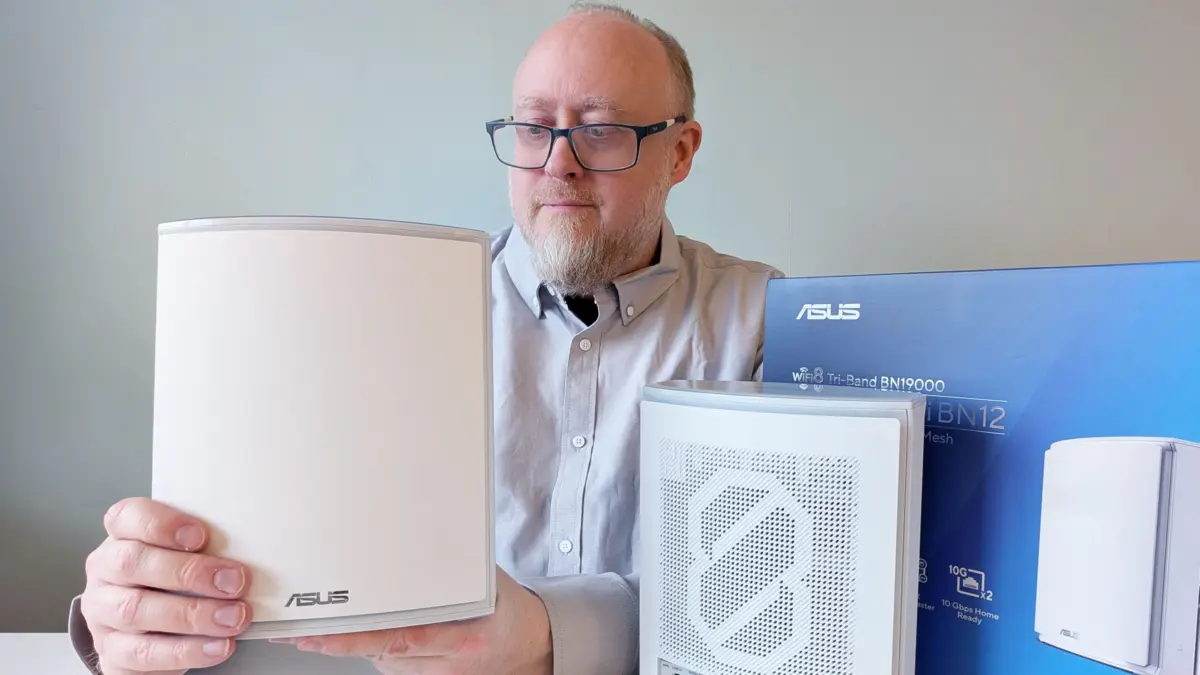
While the wider tech consumer market has barely had time to fully adapt to the rapid rollout of Wi-Fi 7, network hardware manufacturers are already pushing boundaries forward. Two major brands have officially initiated the rollout of the next generation of wireless networking: Wi-Fi 8. Following recent tests of standalone hardware like TP-Link’s monolithic Archer 8 Ultra, the spotlight has turned to mesh network architecture with the arrival of the Asus ZenWiFi BN12.
Asus is positioning this hardware at the cutting edge of home networking. Featuring tri-band capabilities spanning the 2.4 GHz, 5 GHz, and 6 GHz frequencies, the system boasts a massive cumulative bandwidth exceeding 19 Gbit/s. While it can be purchased as a single standalone router, the ZenWiFi BN12 is primarily packaged in sets of two or three units to leverage Asus’s AI Mesh architecture. This configuration is designed to blanket sprawling residential spaces and multi-room environments in high-speed connectivity, though early adopters will need to weigh its groundbreaking performance against a significant financial investment and a few noteworthy operational drawbacks.
The Reality of Wi-Fi 8 Internally
Even though consumer-facing client devices compatible with Wi-Fi 8 are practically nonexistent on the market, the ZenWiFi BN12 finds a clever and practical way to put the new standard to work immediately. The separate mesh nodes communicate with one another using a dynamically assigned Wi-Fi backhaul configured via Multi-Link Operation (MLO). By utilizing the most efficient channel bandwidths available, the system establishes a smoother, more resilient traffic flow between the main router and its extension nodes than previous generations could manage.

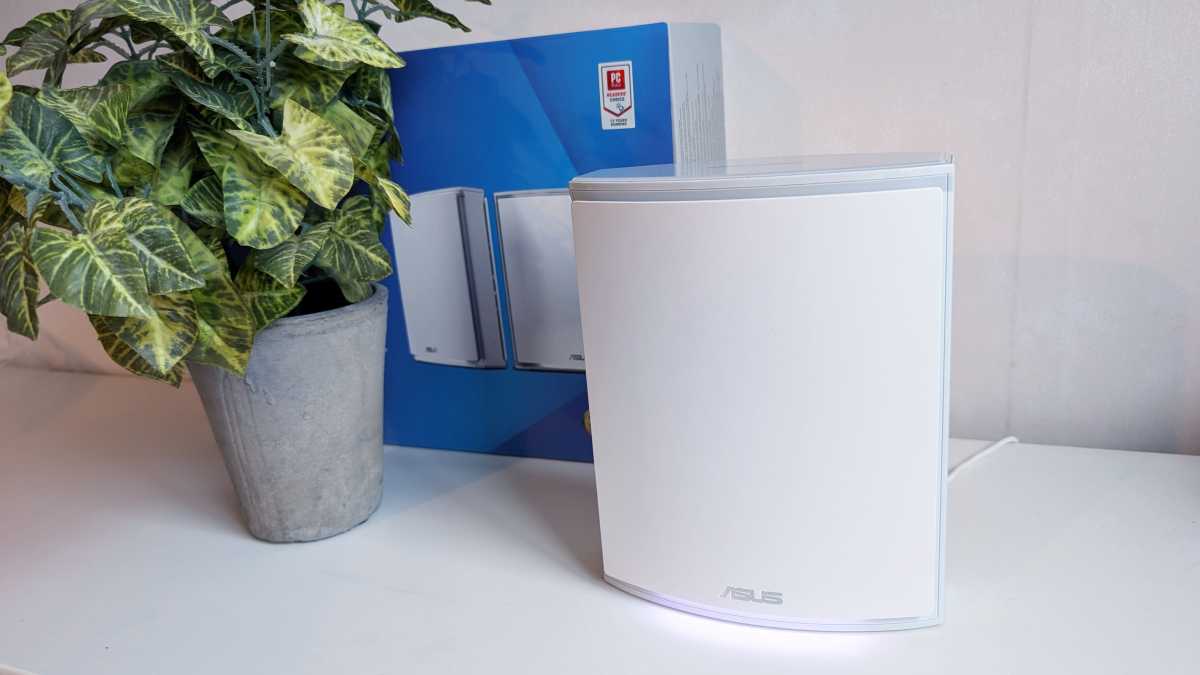
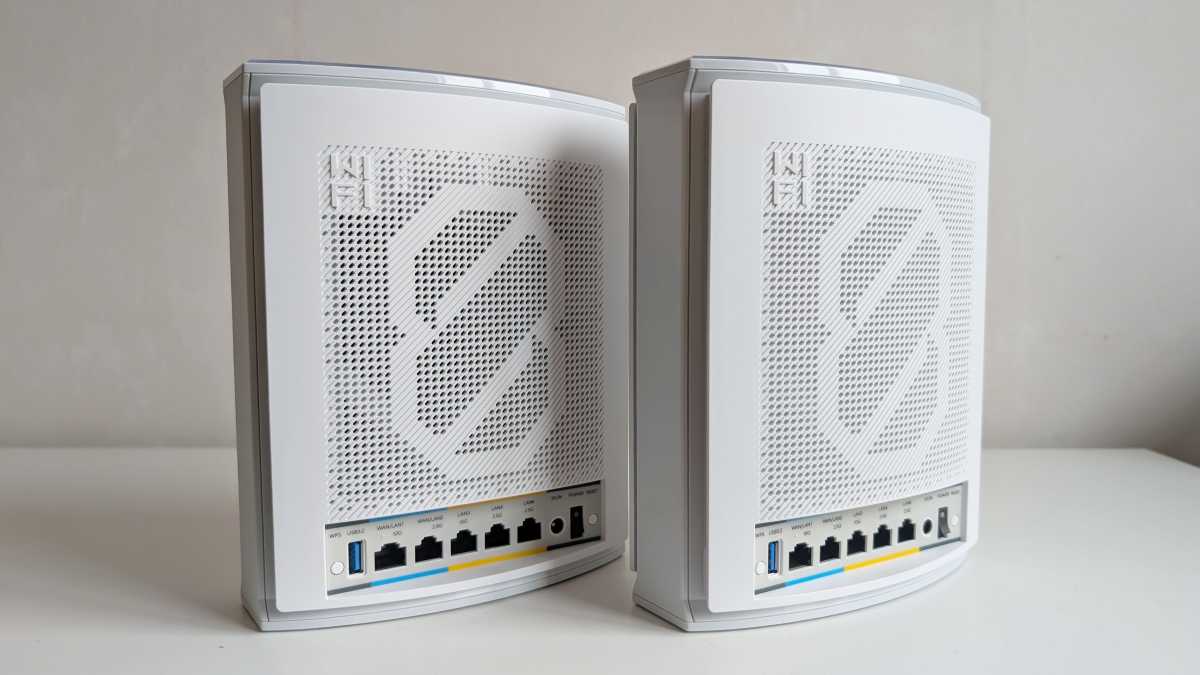
The two-pack configuration consists of identical hardware units styled as flat, vertical white towers. Standing roughly 8.58 inches tall and 3.46 inches thick without any protruding external antennas, they maintain a clean, modern aesthetic. The rear panel features a generous array of physical connections, including a row of five ports comprising a mix of 10 Gbit and 2.5 Gbit speeds alongside a single USB-A Gen 3 port. Two of these Ethernet ports possess the ability to dynamically switch between WAN and LAN duties depending on how the local network is structured. Despite the nodes looking identical, one unit arrives marked with a specific sticker designating it as the primary router that must be initialized first, likely reflecting a pre-configured firmware state out of the box.
Setup Optimization and Initial Configuration Hurdles
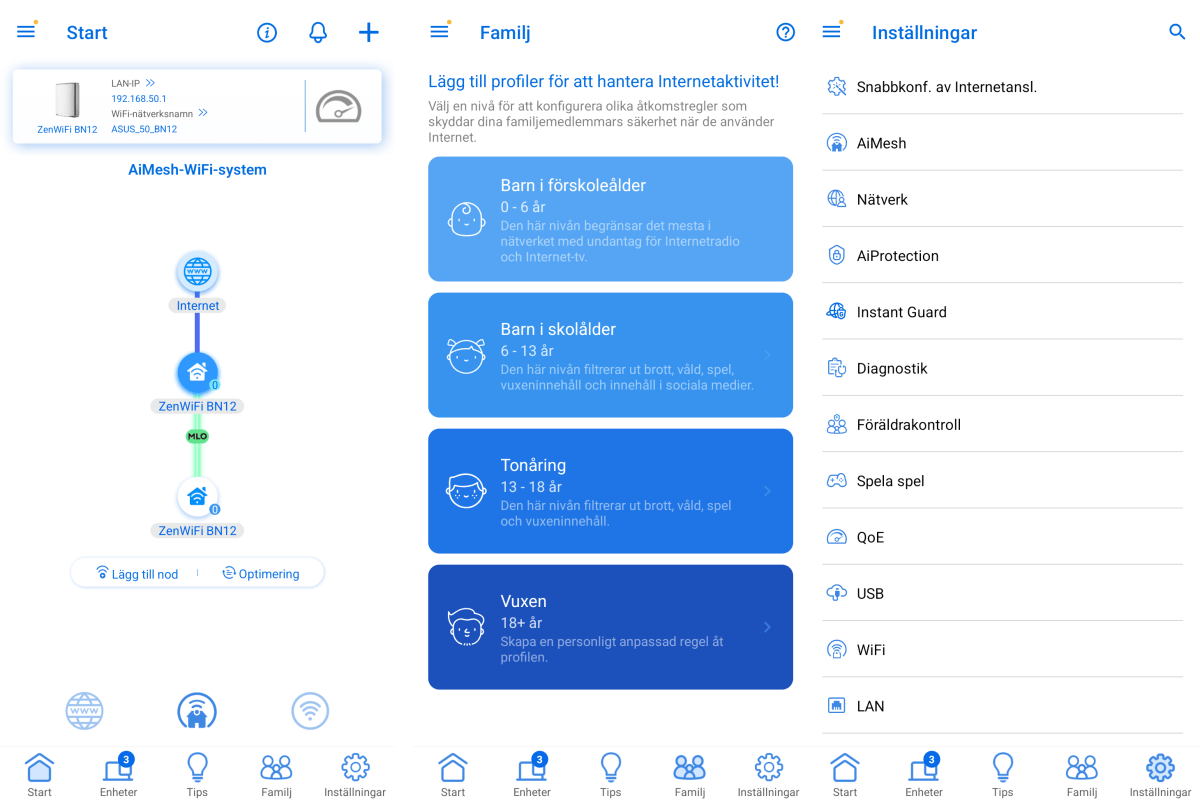
Configuring the primary router is straightforward through the Asus mobile application, which guides users through initial setup procedures step by step. Bringing the mesh network online requires powering up the secondary node and waiting for automatic detection and configuration. However, the optimization process is not entirely frictionless.
Despite the extended range promised by Wi-Fi 8 protocols, Asus recommends placing the secondary node directly next to the primary unit during the initial bootstrapping phase. Once the underlying configuration and firmware handshake complete successfully, the user must physically relocate the secondary node to its intended room to provide broader home coverage.

Upon relocation, the system may initially flag the inter-node signal as weak. Resolving this requires patience, as the network undergoes one to two hours of automated fine-tuning regarding signal paths and internal antenna orientation. Depending on environmental factors such as thick concrete walls, layout distances, or structural interference, finding the optimal sweet spot for node placement can turn into a trial-and-error process involving a considerable amount of waiting.
Range, Peak Speed, and Real-World Performance
Once the optimization phase concludes successfully, the ZenWiFi BN12 demonstrates exceptional capability. In a single-storey residential layout spanning roughly 656 square feet across five rooms, the network delivers robust signal strength. Browsing and data transfer speeds in these conditions remain almost entirely unhindered, matching nearly the full capacity of a standard 500 Mbit/s fiber broadband connection. In smaller apartment environments, a single primary unit easily saturates multiple rooms with gigabit-tier speeds.
Even under challenging spatial conditions, performance remains remarkably resilient. Testing at extreme ranges—such as through solid concrete walls into neighboring properties or multiple floors below street level—still yields active connections exceeding 100 Mbit/s on the 2.4 GHz spectrum. Furthermore, the system successfully interacts with legacy Wi-Fi 6 and Wi-Fi 7 hardware, delivering high peak speeds even in the absence of dedicated Wi-Fi 8 client receivers.
Frequency selection is handled automatically by default, successfully balancing mobile devices and laptops across available bands. Advanced users retain the freedom to split the 6 GHz band into a separate SSID or manually enable MLO for compatible client hardware. Additional network segmentation is fully supported, allowing the creation of isolated 2.4 GHz IoT networks, guest portals with internet-only access, and dedicated child SSIDs tied to customized content filters and browsing schedules. Users can also configure permanent VPN connections as separate SSIDs through manual parameters or commercial providers like NordVPN, CyberGhost, and Surfshark.
Granular Customization and Detailed Security Controls
Asus has long maintained a reputation for providing deep administrative control, and the ZenWiFi BN12 continues this trend by offering extensive parameter adjustments through both the mobile app and the comprehensive web management interface.
The web interface grants complete administrative oversight over AI Protection, Asus’s proprietary security layer. This monitoring framework includes real-time safeguards designed to intercept external network intrusions, block malicious web domains, and isolate malware-infected endpoints. It also bundles integrated ad-blocking, tracking protection utilities, and routine security audits for active router configurations.
Historically, Asus web interfaces faced criticism for being cluttered and overwhelming less technical users with dense arrays of cryptic technical options. The interface featured here represents a noticeable refinement, presenting a more streamlined layout where advanced settings remain tucked away safely behind primary menus. Nevertheless, navigating the deep sub-menus and address allocation tables still carries a minor learning curve for individuals unfamiliar with advanced networking administration.
Physical Connectivity and Versatile Server Features
The inclusion of a physical USB-A port allows the router to double as a lightweight file and media server or a shared print server by attaching external USB storage or printers. However, certain legacy functionalities traditionally associated with Asus router USB ports—such as native torrent download clients or support for mobile broadband USB dongles—are either absent or difficult to locate within the current software build. While mobile broadband failover via USB is referenced in official product documentation, configuring such a fallback mechanism remains obscure without a physical modem on hand to verify automated detection.
Ultimately, the Asus ZenWiFi BN12 functions as both a powerful standalone router and an exceptionally stable mesh system. Previous iterations of ZenWiFi hardware occasionally suffered from micro-pauses or momentary packet loss during inter-node handoffs, but those stability issues are absent here. The primary factors giving pause are the physical bulk of the units, the occasionally tedious alignment process required during setup, and the substantial retail price tag.
Deciding whether to invest over $1,200 in a Wi-Fi 8 mesh system depends entirely on whether a user requires bleeding-edge infrastructure immediately or prefers waiting for broader client adoption and more affordable market alternatives. Even so, deploying a multi-node system allows early adopters to extract tangible performance benefits from the underlying wireless architecture well before dedicated Wi-Fi 8 devices become mainstream.
Product Specifications
- Product Name: Asus ZenWiFi BN12 (2-pack)
- Tested: November 2026
- Manufacturer: Asus
- Wi-Fi Generation: Wi-Fi 8
- Frequency Bands: 2.4 GHz, 5 GHz, 6 GHz
- Theoretical Capacity: 1,376 Mbit/s (2.4 GHz), 6,764 Mbit/s (5 GHz), 11,529 Mbit/s (6 GHz)
- Node Count: 2 units (1 primary router, 1 extension node)
- Security Protocols: WPA, WPA2, WPA3, WPS
- Per-Unit Ports: 1 x 10 Gbit WAN/LAN, 1 x 2.5 Gbit WAN/LAN, 1 x 10 Gbit LAN, 2 x 2.5 Gbit LAN, 1 x USB-A Gen 3
- Wired Backhaul: Supported
- Measured Speed (3 meters): 1,515 Mbit/s (tested against a 2×2 Wi-Fi 7 laptop on 6 GHz)
- Maximum Node Range: 68 feet (maintaining at least 200 Mbit/s through two interior walls)
- Management Interfaces: Mobile app, web browser interface
- Remote Administration: Supported via mobile app
- Server Capabilities: File server, print server
- Advanced Features: Guest network, IoT network, parental controls, Quality of Service (QoE), VPN client, VPN server, firewall, malware protection, ad blocking, tracking protection, DDoS protection
- Physical Dimensions: 17.3 x 8.8 x 21.8 cm per unit
- Retail Price: $1,299.99 for the 2-pack