
For writers, educators, and developers who rely on Markdown for content creation, setting up a traditional website or managing complex build processes has long been a barrier to simple publishing. A new open-source project called Docsify-This aims to remove that friction entirely, offering a streamlined way to turn raw Markdown files into responsive standalone web pages without the need for static site generators or dedicated hosting infrastructure.
Built on top of the popular Docsify.js framework, Docsify-This provides a flexible mechanism to publish, share, and reuse Markdown content across a wide variety of digital environments. Whether a user wants to establish a quick single-page article or link multiple Markdown files together to form a lightweight website, the project offers an accessible bridge between raw text files stored in version control repositories and modern web browsers.
Because Docsify-This is fully open source, individuals and organizations can host their own instances using custom domains. This architecture ensures complete ownership of the publishing pipeline and protects users from the risks of platform lock-in, making it an attractive option for institutional environments and privacy-conscious creators alike.
What is Docsify-This?
At its core, Docsify-This transforms any publicly available Markdown file into a responsive, standalone web page on the fly. The project leverages public repositories hosted on platforms like GitHub and Codeberg, retrieving the raw Markdown and rendering it dynamically in the browser.

Beyond simple page rendering, the platform includes features designed to support collaborative authoring. When content is stored in supported Git repositories, Docsify-This can automatically generate an "Edit this Page" link for each rendered document, encouraging direct contributions and streamlining the editing workflow for teams, open-source projects, and educational courses.
Designers and content creators can customize the visual presentation of their pages using a point-and-click Web Page Builder interface hosted on the Docsify-This website, or by appending specific parameters directly to the destination URL. This flexibility allows published documents to blend seamlessly into external web layouts and digital platforms.
Use the Docsify-This Web Page Builder
The primary entry point for creators is the Docsify-This Web Page Builder interface, available on the official website or through local self-hosted instances. To generate a web page, a user simply enters the URL of a public Markdown file hosted on GitHub or Codeberg into the builder interface and clicks the publication button.
The system instantly processes the file, rendering it as a standalone web page accompanied by a dedicated, shareable URL. While the graphical web builder interface is optimized for GitHub and Codeberg repositories, Docsify-This URL parameters can also accommodate Markdown files hosted on other Git infrastructure.
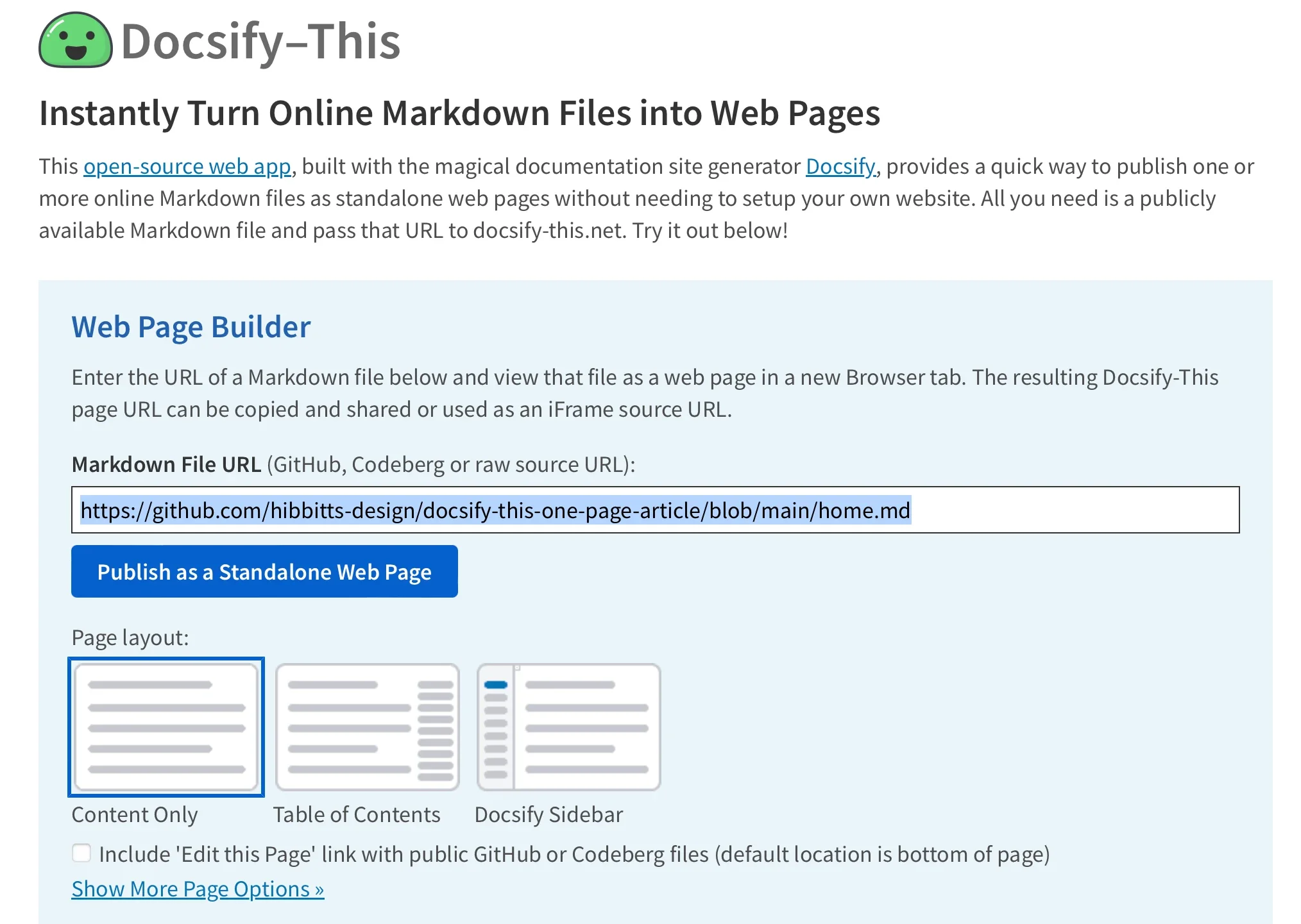
Once published, these rendered pages serve as versatile assets that can be distributed directly via link or embedded into other web properties. By utilizing specific URL parameters, creators can adjust the styling of the rendered content so that it matches the visual identity of the platform where it will eventually live.
Render other files in the same repository
Managing multiple documents within a project does not require generating entirely new publishing pipelines for each file. Creators can easily render alternative Markdown files residing within the same repository by directly modifying the homepage parameter in the Docsify-This URL string.
This capability allows authors to maintain an entire collection of documentation, course modules, or articles within a single repository structure while dynamically pointing readers to different sections simply by updating the URL query parameters. The underlying engine handles the retrieval and rendering dynamically, preserving the layout and applied styling across all files in the repository.
Modify the web page’s appearance
Visual customization is a central feature of the Docsify-This platform. Creators are not locked into a single default aesthetic; instead, they can alter the appearance of any displayed Markdown file by leveraging standard CSS attributes passed as URL parameters. Common styling properties such as font-family, font-size, link-color, and line-height can all be adjusted on the fly through the link itself.
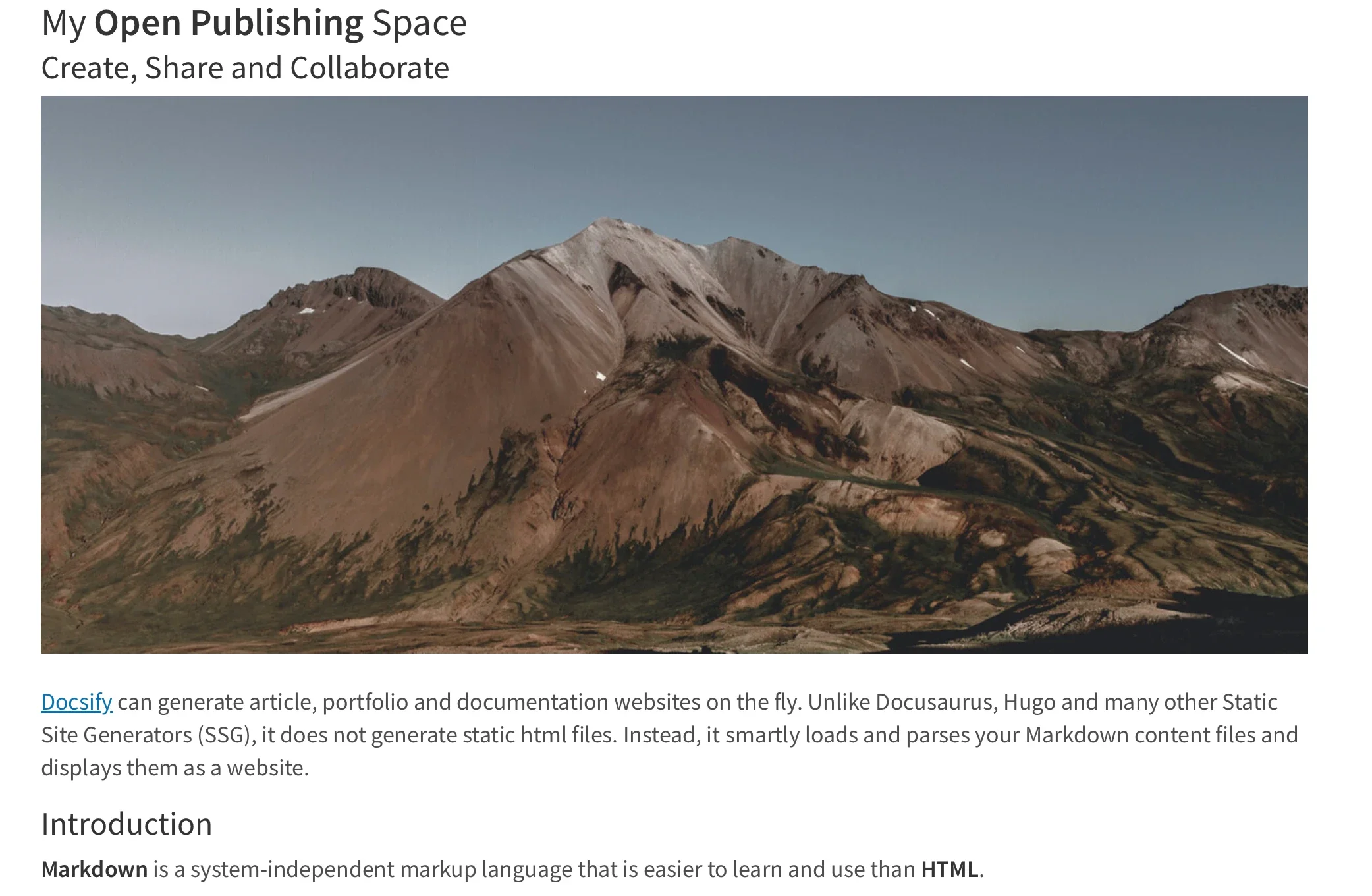
In addition to global style adjustments via URL parameters, Docsify-This supports a specialized set of Markdown CSS classes. These classes allow authors to apply advanced formatting directly within their raw text files. For instance, adding a specific class to a standard Markdown link can transform ordinary text into a styled button image, enhancing navigation and user engagement without requiring separate HTML templates.
Furthermore, authors are not restricted to the pre-defined styling classes provided by the platform. Users can embed custom CSS style blocks directly inside their Markdown files, defining unique visual rules for interactive elements like custom buttons, callout boxes, or specialized layout components. This capability gives advanced users granular control over typography, spacing, colors, and interactive states directly within their source documents.
Include HTML snippets
While Markdown is prized for its clean, lightweight syntax, certain layout requirements call for more advanced structural formatting. Docsify-This preserves the flexibility of standard Markdown by fully supporting embedded HTML snippets.
This integration allows creators to incorporate complex layout elements, such as multi-column grids or specialized container divs, directly into their source files. By combining standard Markdown text formatting with standard HTML structural tags, authors can build sophisticated page layouts without abandoning their preferred text-based writing workflows.

Embed Docsify-This as an iFrame
One of the most powerful use cases for Docsify-This is its capacity for seamless content embedding. Because the rendered pages are lightweight and responsive, creators can embed them directly into almost any external platform using a standard HTML iFrame.
By combining the iFrame embed code with appropriate URL parameters, administrators and instructors can ensure that the embedded content inherits the visual characteristics of the destination platform. Parameters can be configured to adjust fonts, scale text sizes, and hide interface elements like site credits, resulting in a cohesive experience for end users viewing the material inside third-party systems.
Embed Docsify-This with an external URL
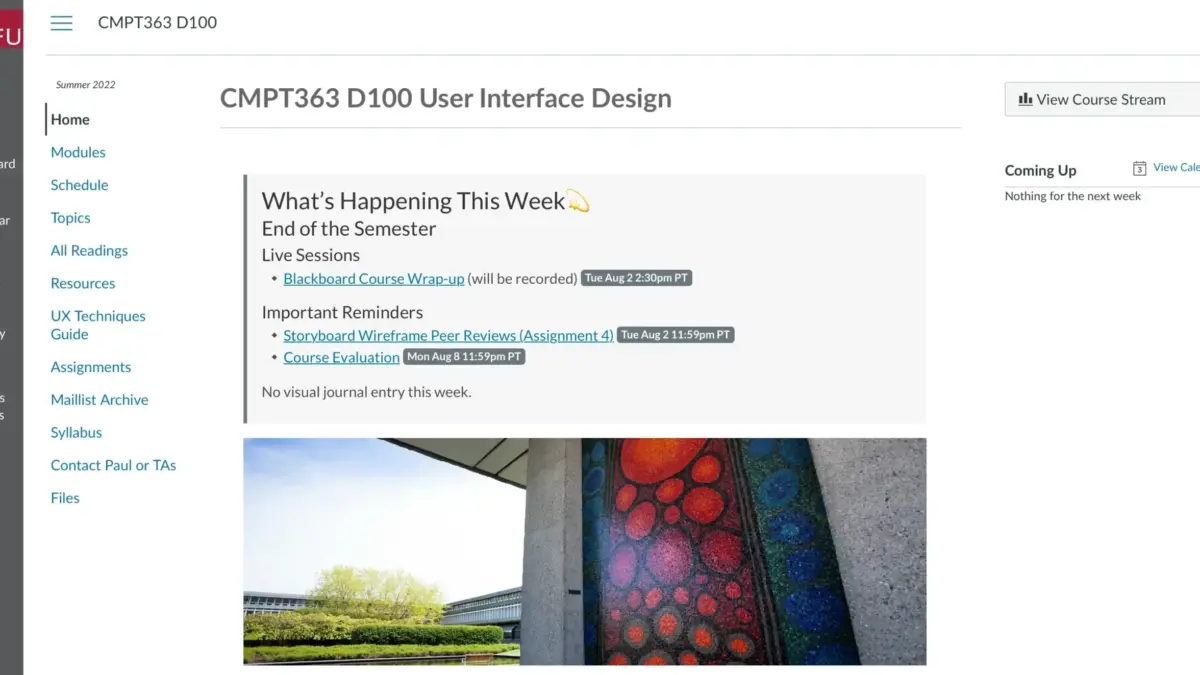
The utility of Docsify-This extends beyond simple iFrame embedding into deeper platform integrations. In many modern learning management systems (LMS) and content management platforms—including open-source solutions like Moodle and proprietary systems like Canvas—administrators can link external web pages directly into course navigation menus or tool bars.
For example, educators utilizing Canvas can configure the built-in Redirect Tool to load Docsify-This web pages directly as native course tabs. By passing customized URLs containing specific base paths, homepage references, and styling parameters, instructors can deliver cleanly formatted, version-controlled course materials directly to students without requiring students to leave the primary learning platform.

Integrate Docsify-This and Git
To unlock the full collaborative potential of Docsify-This, creators typically store their Markdown source files in Git repositories hosted on services like Codeberg or GitHub. This setup introduces robust version control, change tracking, and backup capabilities to the publishing workflow, while also enabling the optional "Edit this Page" feature for community or student contributions.
A wide variety of open-source tools provide intuitive graphical interfaces for interacting with Git repositories, including GitHub Desktop, Git-Cola, and SparkleShare. Additionally, popular text editors such as VSCode and Pulsar Edit feature deep, built-in Git integration, allowing authors to write, commit, and push content updates without ever leaving their development environment.
As Markdown continues to solidify its place as a preferred format for documentation, educational materials, and lightweight web content, projects like Docsify-This demonstrate how modern web technologies can eliminate unnecessary complexity from the publishing process, making flexible, version-controlled web publishing accessible to a broader audience than ever before.


Leave a Reply