The modern software landscape is defined by an ever-expanding subscription model. Adobe charges a recurring fee of $60 a month, Microsoft 365 continually adjusts its pricing upward, and enterprise platforms like Salesforce command hundreds of dollars per user without hesitation. These applications are rarely owned by the individuals or businesses using them; instead, they operate as rented utilities that expire the moment payments stop, frequently taking critical user files, custom configurations, and established workflows down with them.
For the development team behind Puter—known previously for creating PuterOS, an operating system that runs entirely inside a web browser—this systemic reliance on proprietary cloud monopolies is a problem worth solving. Their latest initiative, a single comprehensive GitHub repository named everything, aims to tackle the issue at its root by attempting to rebuild the world’s essential software stack entirely from scratch as free, open-source technology.
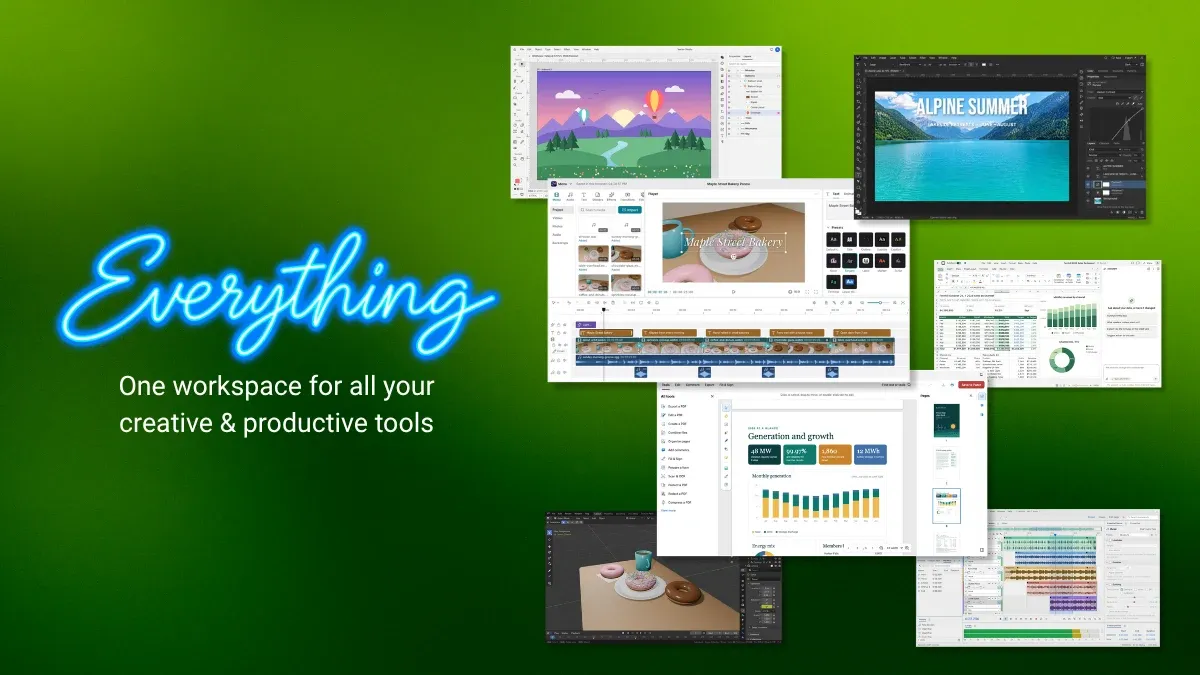
The scope of the project is massive. The initiative targets more than 50 web-based applications distributed across nine broad categories. This ambitious catalog includes a complete photo studio, an office productivity suite, Customer Relationship Management (CRM) tools, Computer-Aided Design (CAD) software, a dedicated video editor, and even a circuit design application. Every single tool included in the repository is released under the permissive MIT license, ensuring that users, developers, and enterprises are free to examine, modify, and self-host the applications independently.
Essentially, the project takes direct aim at the foundations of the major Software as a Service (SaaS) ecosystem.
Tapping Into Everything and the Mechanics of Open Source

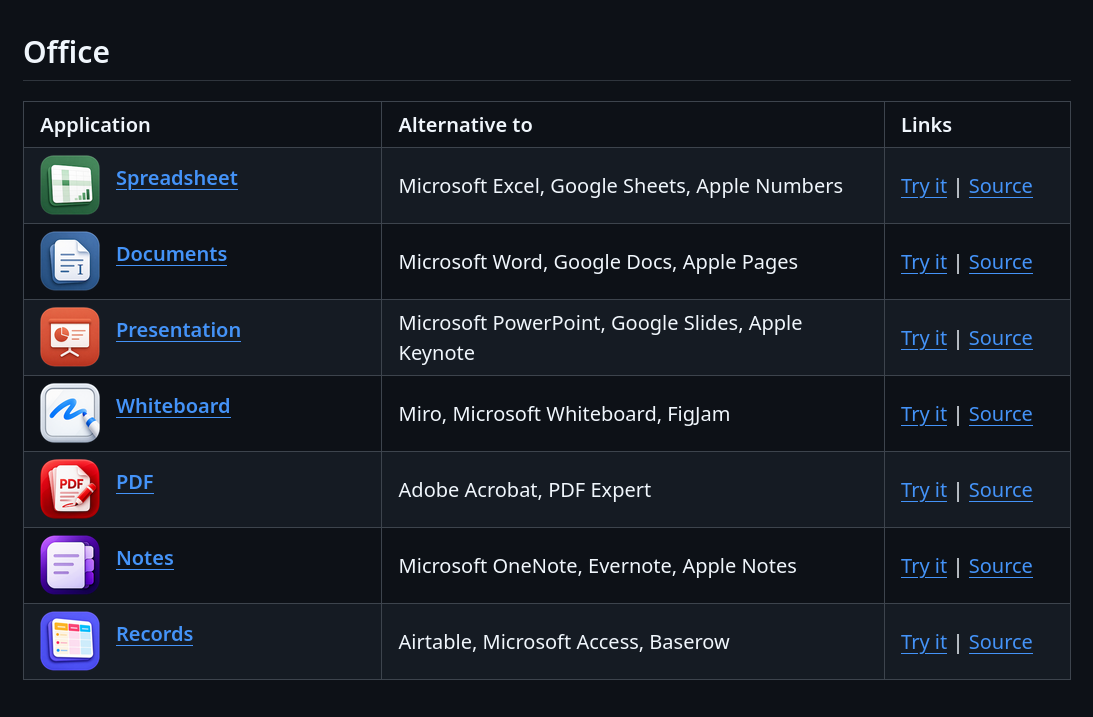
All the applications developed under the initiative are cataloged directly on the official GitHub page. The repository presents the tools within a structured matrix that explicitly highlights which popular proprietary software each application serves to replace. For instance, the project’s Notes application is positioned as a direct open-source alternative to established tools like Microsoft OneNote, Evernote, and Apple Notes.
These web applications are hosted online and can be tested immediately through an accessible browser link. For users operating on older or lower-spec hardware that might struggle with demanding native desktop software—particularly for tasks like video editing—running these lightweight browser-based alternatives offers a practical workaround. However, relying on the hosted version requires users to upload their data to the provider’s infrastructure, a factor that privacy-conscious individuals will need to weigh carefully.
Certain features within the ecosystem require users to register and sign in to a Puter account. This includes advanced cloud-backed functionalities such as automated caption generation within the video editor. Furthermore, specific tools like the Notes application require authentication straight away before they can be used.
Local Hosting and Storage Considerations
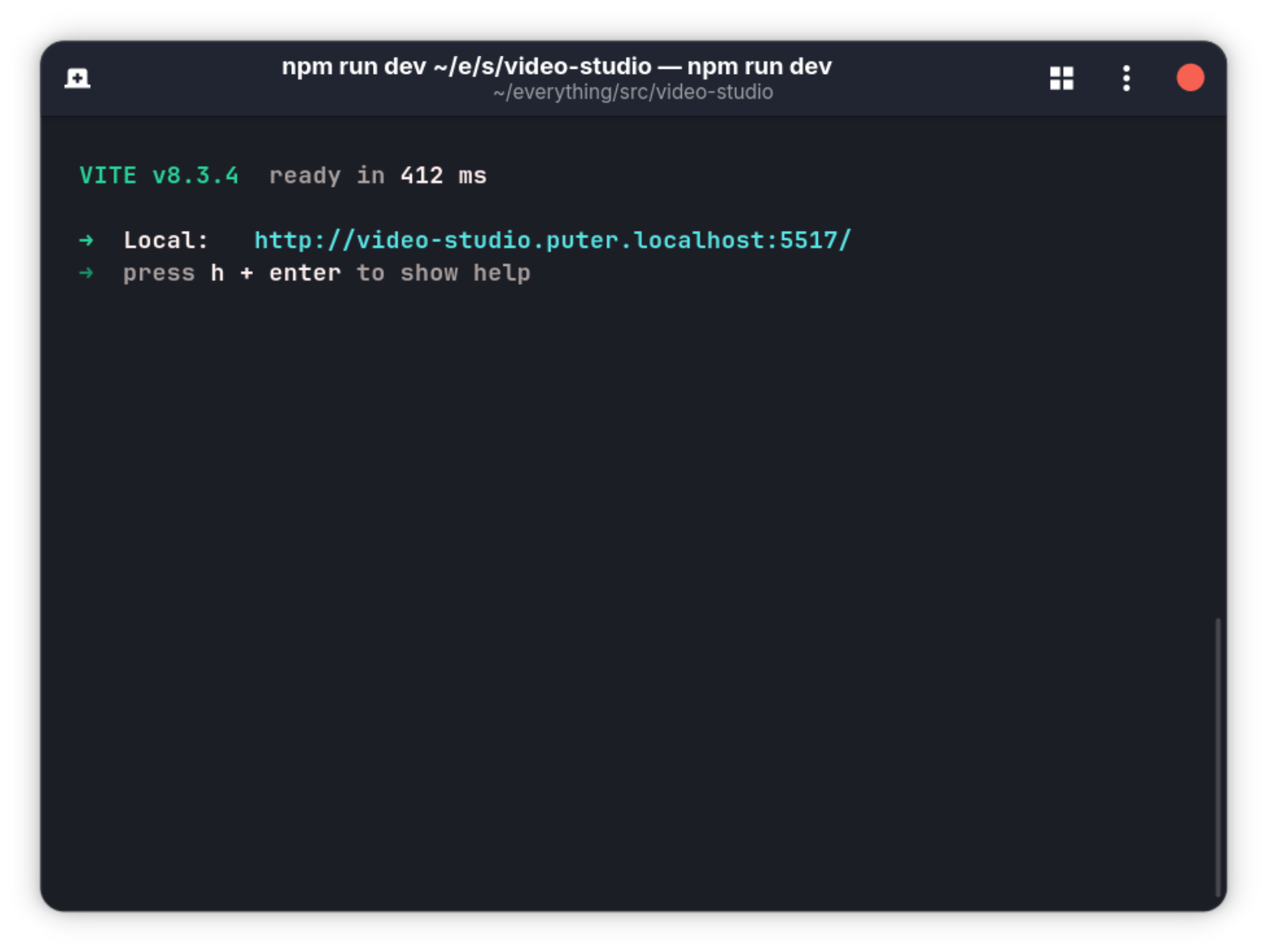
To address privacy concerns and provide maximum flexibility, the applications can also be hosted locally. The GitHub repository provides clear instructions for setting up individual components on local machines. For instance, developers can navigate to a specific application directory, install dependencies via Node Package Manager, and launch a local development server to run the tool seamlessly in their local browser environment.
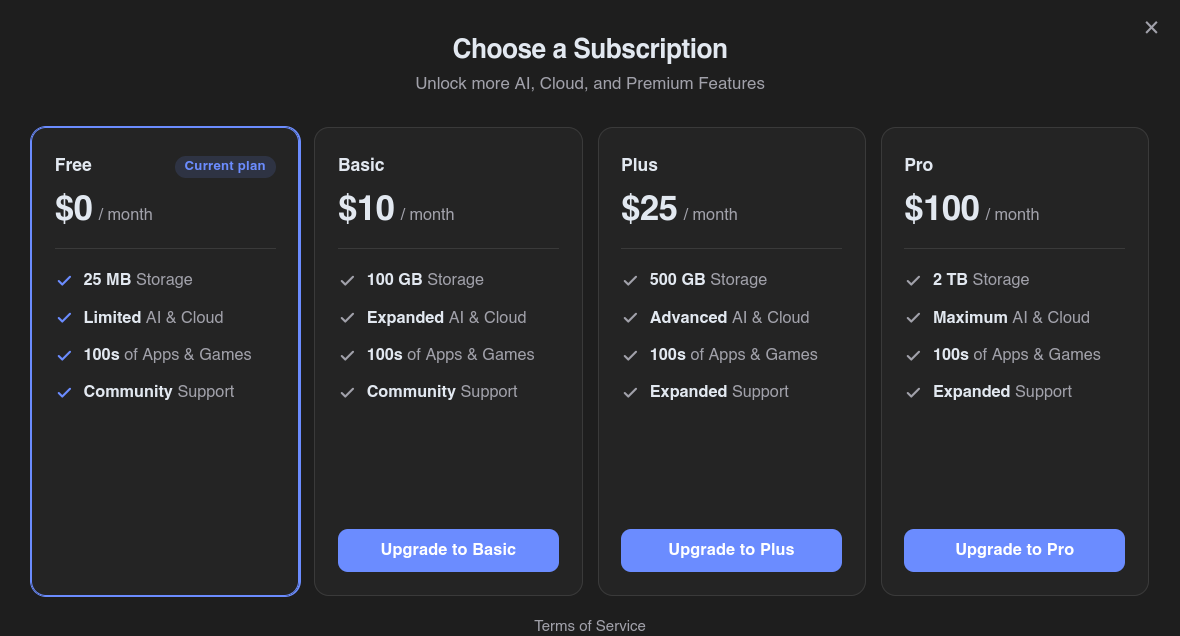
Another critical consideration for users is storage management. The free tier of a Puter account provides a limited cloud storage allocation of 25 megabytes, which can present a bottleneck when handling large project files, particularly in resource-heavy environments like video editing. To accommodate larger workflows, the platform offers paid cloud storage subscription tiers, beginning at $10 per month for 100 gigabytes of space.
It is worth noting that these storage limits only apply when users are logged into a cloud-connected Puter account. When operating the applications locally without an account, users are bound only by the capacity of their own local storage devices, allowing for the handling of files of virtually any size.
Breaking the Proprietary Ecosystem Lock-in
The strategy behind the initiative reflects a deep understanding of how vendor lock-in operates in the enterprise and consumer software markets. When HeyPuter launched its self-hostable internet computer concept in 2024, it introduced a full desktop environment running within a browser complete with cloud storage and developer tools. With the new project, the team is shifting focus from creating isolated applications to challenging an entire integrated proprietary stack at once.
The underlying philosophy is that vendor lock-in rarely stems from a single application used in isolation. Instead, it is maintained through integrated ecosystems. Adobe retains its user base because Lightroom integrates seamlessly with Premiere, which in turn connects with Acrobat. Microsoft maintains dominance because Word, Excel, and Teams operate within a unified corporate infrastructure. Breaking away from one link in this chain does not truly liberate a user or organization. The broader project aims to systematically break all of them by offering a complete, interconnected suite of open-source alternatives.
The choice of the MIT license is pivotal to this strategy. Unlike copyleft licenses such as the GNU General Public License (GPL), the MIT license imposes minimal restrictions on usage, modification, and redistribution. Businesses and developers facing strict compliance requirements can adopt, alter, and deploy these applications anywhere without legal friction, removing traditional licensing barriers to open-source adoption.
Hands-On Evaluation of the Application Suite

Independent testing of select applications within the suite reveals a mix of polished production quality and early-stage rough edges. A notable operational constraint is that project progress can only be saved directly to the cloud if the user is logged into a Puter account. Without an account, users must complete their tasks in a single session, though project exporting functions normally regardless of authentication status.
The PDF editing tool provides a robust set of features, enabling users to insert text, links, and images, as well as combine multiple PDF documents into a single file. Users can also draw diagrams directly onto documents, add sticky notes, and highlight text passages. While these represent standard capabilities for a PDF editor, they execute with commendable fluidity. Nevertheless, because the software remains in active development, minor bugs persist. For example, attempting to edit pre-existing text within certain PDF files can occasionally yield inaccurate text-detection results, disrupting formatting blocks.
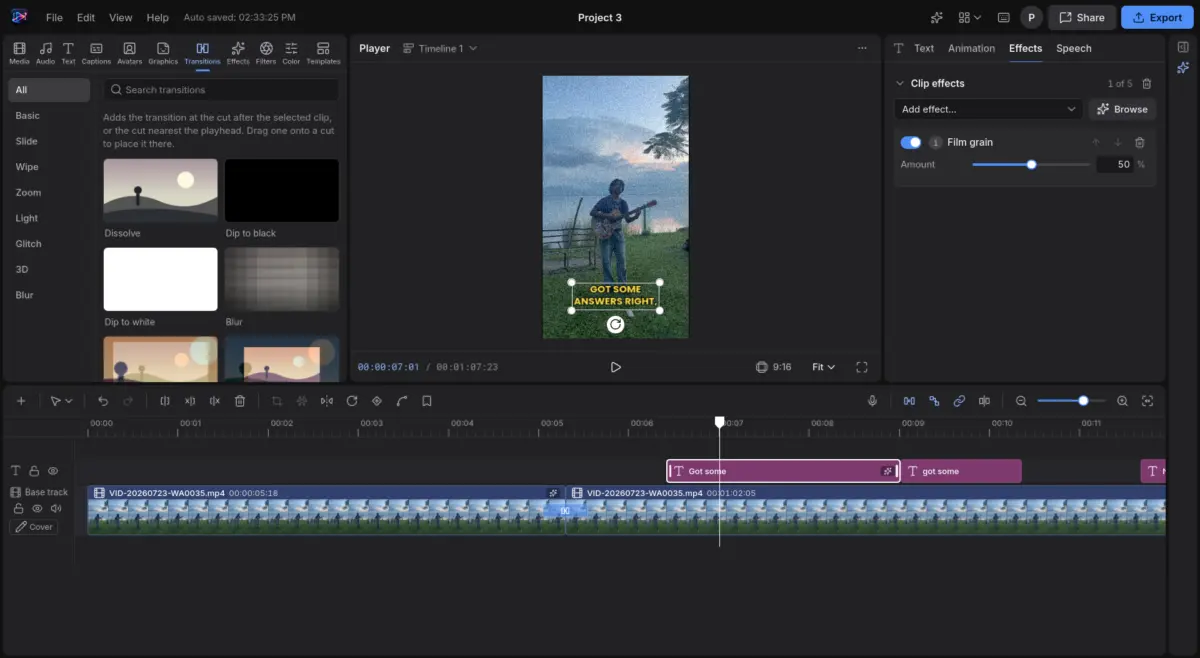
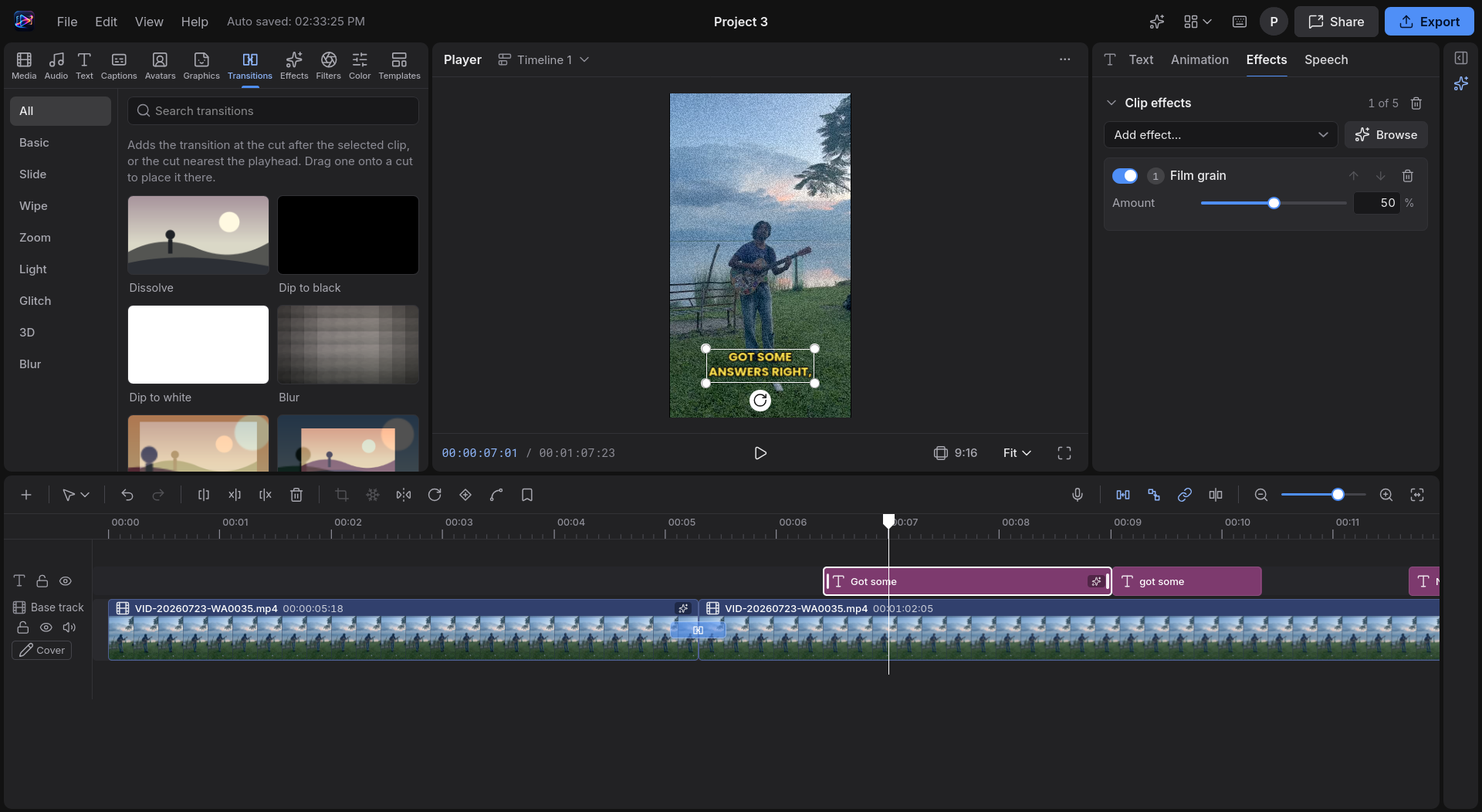
The Video Studio application demonstrates strong potential through features like automated AI caption generation, customizable film grain effects, and smooth clip transitions. The export system allows users to separate audio into dedicated WAV files and export captions as independent SRT files. However, compatibility hurdles can occasionally arise; certain video formats may trigger browser decoding errors without providing detailed troubleshooting pathways, temporarily halting work on specific media files.
Among the tested tools, the Music Studio stands out for its intuitive design and audio processing capabilities. Despite differing from traditional digital audio workstations like Ableton, the interface organizes core controls logically. It includes a comprehensive array of effects such as compression, reverb, delay, and parametric equalization, offering sufficient depth for standard audio production tasks. Furthermore, the export functionality supports the extraction of individual audio stems and MIDI files separately, showcasing a high level of functional polish.
Outlook on the Open-Source Wave
The emergence of this expansive project aligns with a broader contemporary trend across the developer community, where open-source advocates increasingly leverage modern web technologies and automated tooling to recreate established software categories. While the applications within the suite display varying degrees of maturity, they collectively deliver a high level of capability that approaches professional standards. For independent creators, students, and early-stage professionals who find commercial software pricing prohibitive, these tools offer a viable alternative for getting work done.
As the developer ecosystem continues to debate the balance between convenience, privacy, and proprietary software costs, projects of this scale highlight the growing viability of community-driven, browser-native infrastructure. Whether through cloud-connected convenience or independent local hosting, the initiative provides a blueprint for what a fully open-source software ecosystem might look like.