
In the vast ecosystem of Linux desktop environments, file managers are among the most fundamental utilities provided to end users. Whether it is Nautilus on GNOME, Dolphin on KDE Plasma, or Nemo on Cinnamon, these tools dictate how users interact with their local storage, organize digital assets, and maintain clean directory structures. Because of the inherent modularity and openness of the Linux platform, users have always enjoyed the freedom to install and utilize alternative file managers that better align with their specific workflows.
Adding to this diverse landscape, a brand-new file manager named Strata has recently emerged. Specifically tailored for Omarchy and, by extension, Arch Linux environments, Strata represents a modern, high-performance approach to file management. While it is primarily optimized for Arch-based systems, other glibc-based Linux distributions may also be capable of running the software, provided their underlying system libraries meet the necessary dependencies.
Written entirely in Rust and built upon the GTK4 toolkit, Strata has officially reached its first stable milestone. Released under the permissive MIT license, the project’s lead developer, Pierre, announced the rollout of version 1.0, highlighting a remarkable period of rapid development. According to the lead maintainer, the project accumulated over 30 independent contributors and more than 700 code commits within a span of just 45 days, resulting in a robust codebase consisting of approximately 300,000 lines of Rust code.
Strata is Here
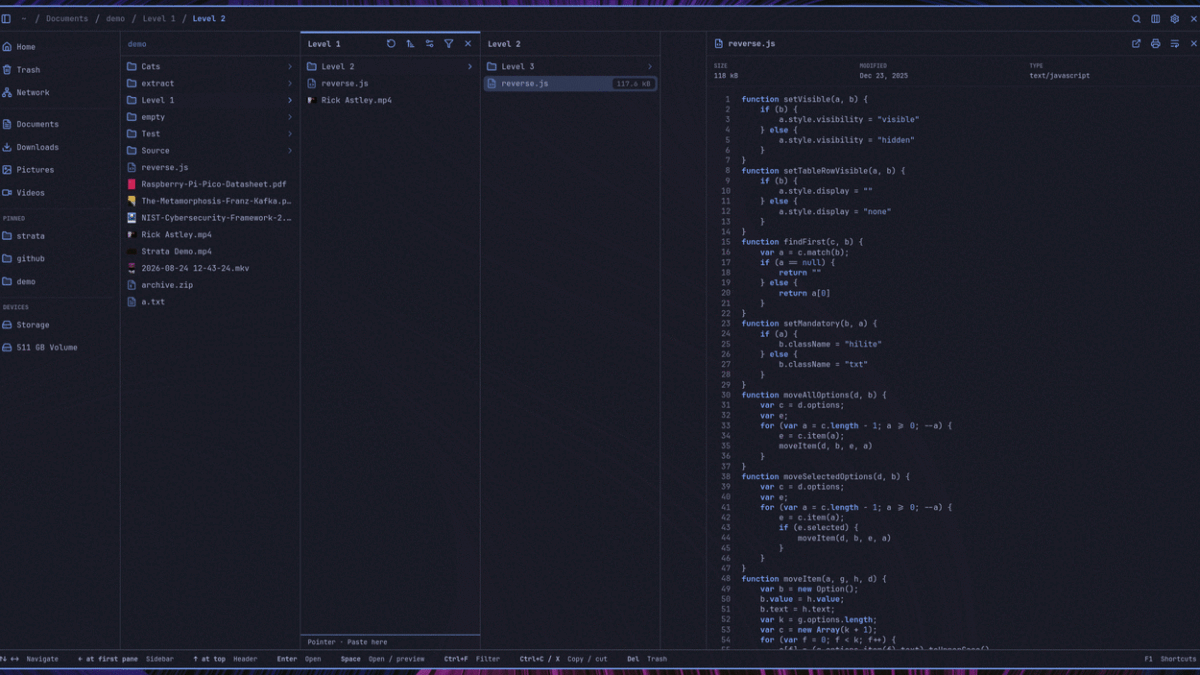
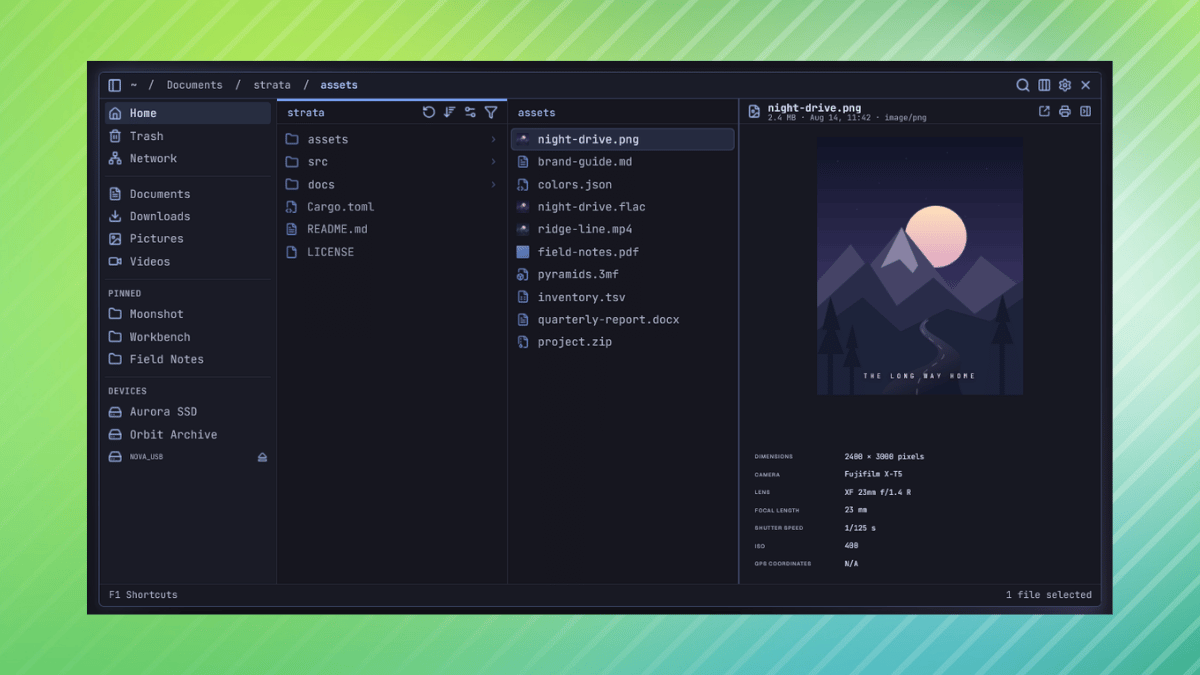
Designed with efficiency and modern aesthetics in mind, Strata introduces several distinctive user interface paradigms that set it apart from traditional monolithic file managers. Among its standout visual features is a multi-pane navigation system capable of displaying folders side by side. Opening a directory reveals its contents in a fresh pane directly to the right, while parent directories remain visible in preceding columns. This approach closely mirrors the column view popularized by macOS Finder, offering users a spatial and intuitive way to traverse deep directory trees without losing track of their current location. Alongside this column view, conventional icon and list views remain fully available.

As a fundamentally keyboard-first application, Strata is engineered to minimize reliance on the mouse. Users can navigate effortlessly through their file systems using standard arrow keys or adopt the classic vi-style navigation keys, namely h, j, k, and l. For rapid file discovery, pressing Ctrl+K triggers a built-in fuzzy search utility. This feature instantly scans the user’s Home directory and any mounted local drives, matching filenames and directory paths efficiently, though it stops short of indexing raw file contents. To help users refine their search experience, the version 1.0 release introduces flexible exclusion settings, allowing individuals to effortlessly skip noisy directories such as node_modules or any other specified custom folder.
Tabbed browsing is another major addition to the platform, enabling users to open any directory in a dedicated tab. The application features comprehensive keyboard shortcuts for switching between tabs, reordering them on the fly, and automatically restoring previously active tabs following a system restart or application relaunch.
Furthermore, Strata introduces persistent, granular configuration options by storing custom sort orders and icon sizes on a per-folder basis. For instance, a user might configure a media directory to sort files by date while displaying large thumbnail icons, while simultaneously configuring a code repository to sort alphabetically with compact list items. Strata remembers these distinct preferences, ensuring that each folder opens with its customized view intact upon subsequent visits.
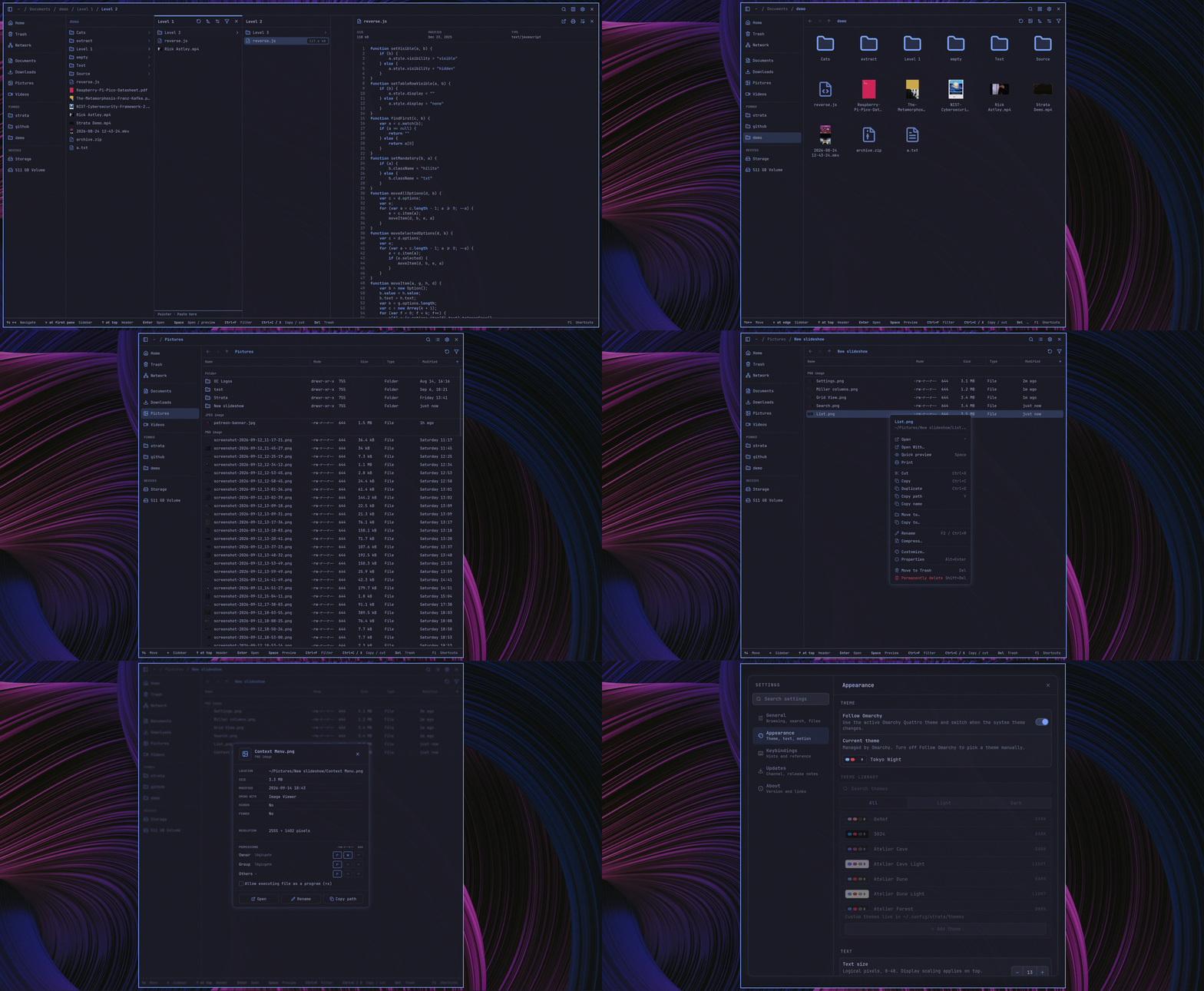
For quick content inspection, pressing the Space bar instantly toggles a dedicated preview panel. This built-in previewer supports a wide variety of formats, including standard images, camera RAW files, PDFs, source code files, audio streams, and video playback.
Aesthetics and personalization also occupy a central role in Strata’s architecture. The software includes a diverse collection of pre-installed themes, alongside an in-app editor that allows users to craft custom color schemes and save them directly as TOML configuration files. Additionally, source code and configuration files benefit from language-specific icons drawn from the Catppuccin palette, rendering them either in classic brand colors or dynamically matching the active theme’s chosen accent color.
Install It
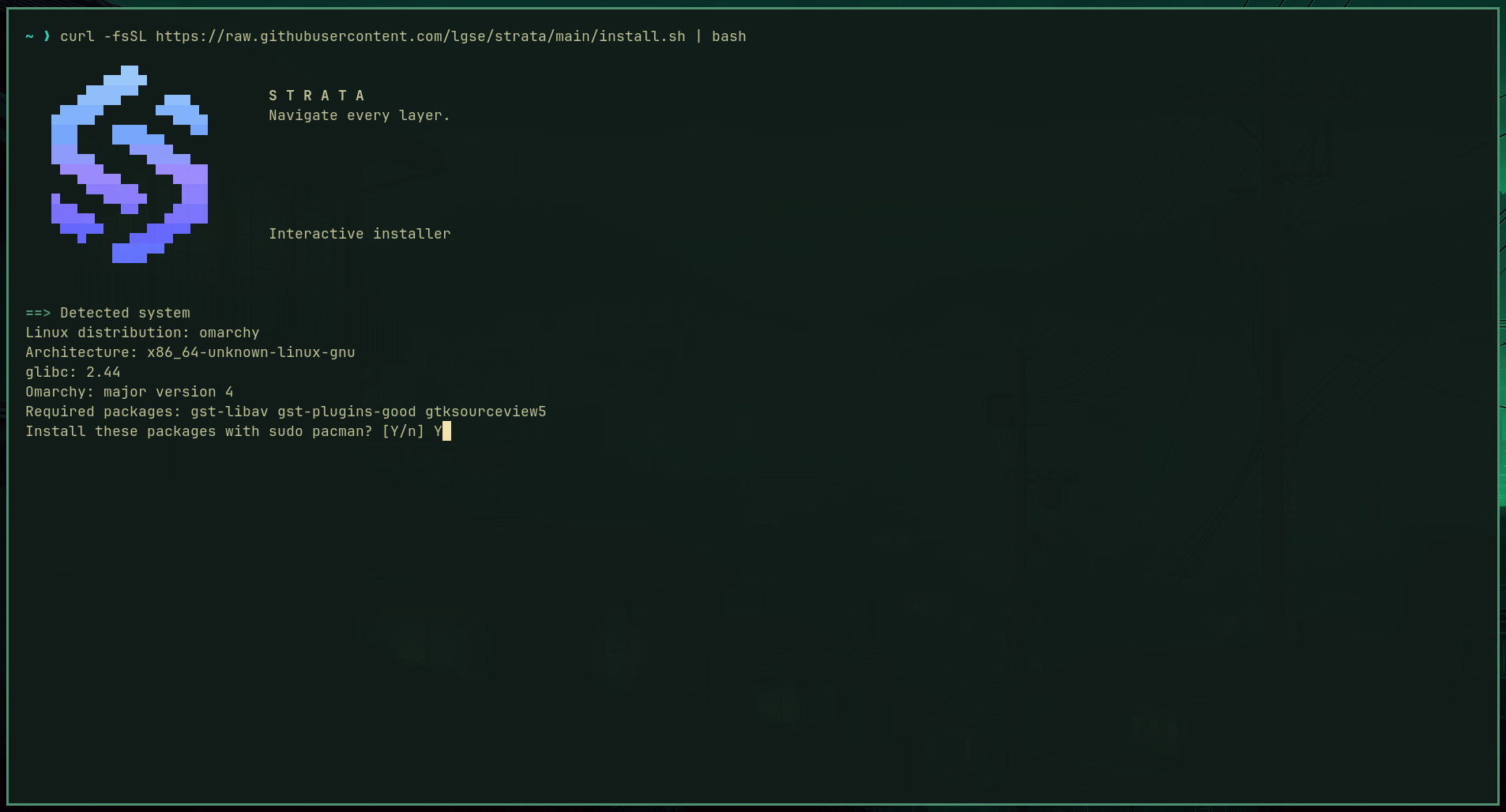
For users interested in adopting Strata, the development team has streamlined the deployment process. The software features an interactive installation script tailored specifically for Omarchy and Arch Linux environments, executable via a single cURL command. This automated installer intelligently inspects the host machine, detecting the underlying CPU architecture, the specific version of glibc, and whether the system is running Omarchy 3, Omarchy 4, or standard Arch Linux. Once analyzed, it installs the latest stable release locally for the current user within ~/.local/bin.
The installer also provides several optional integration features, including the generation of a standard desktop entry, configuration as the default folder handler, support for SMB network shares, and optional Omarchy keybindings. For users embedded within advanced workflows, the system even supports AI-assisted installation by feeding a specialized prompt into Omarchy’s onboard AI agent.
Individuals who prefer to evaluate the software before modifying their local environment can access an interactive demo hosted directly on the official Strata website, allowing them to test the interface and core features within a browser. Alternatively, advanced users and developers retain the option to build the application directly from source using the project’s public Git repository.


Leave a Reply