
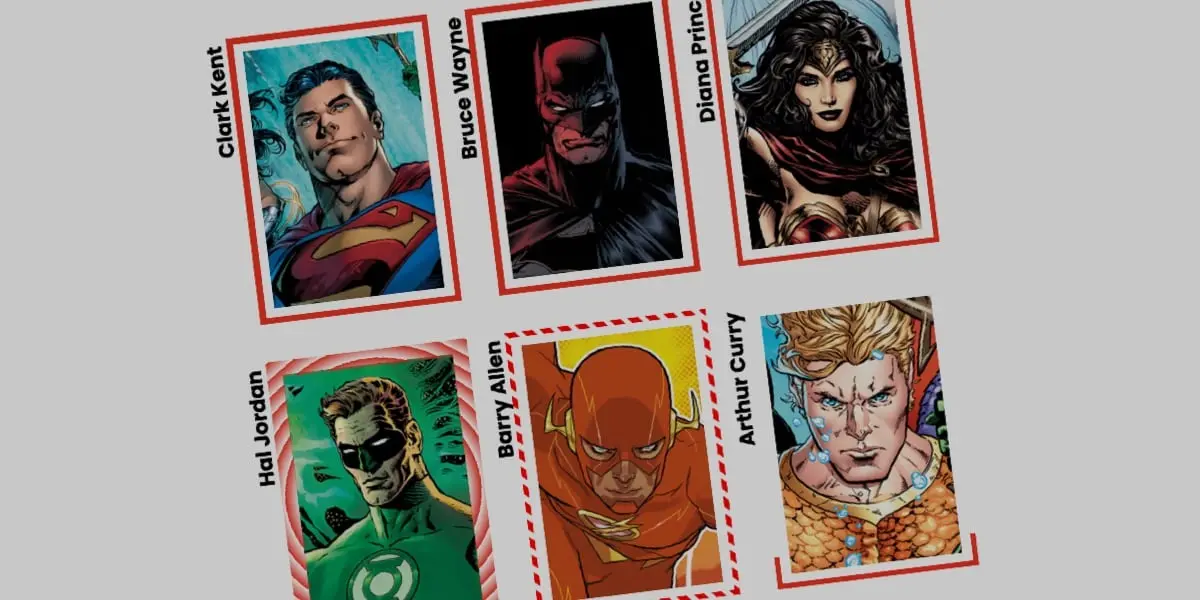
The CSS border-image property is a staple of modern web design that many developers routinely take for granted. Far from being a recent addition to the stylesheet specification, the property has matured over the years, inspiring designers to push the boundaries of visual styling on the web. Industry veterans like Andy Clarke have recently revisited the feature, demonstrating the surprising depth of creativity that can be unlocked using border images instead of standard, uniform border lines.
While traditional web development relies heavily on solid, dashed, or dotted borders, the core appeal of the border-image property is its ability to substitute these conventional lines with rich images or dynamic gradients. Building on these foundational concepts, frontend developers are now exploring ways to take the technique a step further by animating border images, creating fluid and engaging user interface elements that respond to user interactions in real time.
Why Border Images Matter in Modern Design
Working with border images does come with a notable technical caveat: they do not natively curve to match rounded border shapes. This presents a clear limitation for animations that travel dynamically around an element’s perimeter. Yet, developers have found clever workarounds to achieve striking visual results. Alternative approaches, such as Temani Afif’s popular method using CSS masks, offer different pathways to achieve animated borders, but the native border-image approach remains exceptionally efficient.
The efficiency of border-image stems largely from its automation, allowing designs to replicate seamlessly across all four borders without requiring complex multi-element structures. By leveraging the border-image-slice property, developers can utilize a single slice of an image or gradient, similar to how background-size and background-position function in CSS. However, border image slices run continuously across the entire border area, and when animated, they generate fluid, high-performance visual effects that elevate standard UI components.
Setting Up the HTML and Base Styles
Implementing an animated border image requires minimal markup. A standard structure might involve a simple container element, such as a card div, housing a small block of formatted text. The primary visual asset—such as a character portrait or texture—is typically applied directly via CSS background properties rather than relying on an inline image element.
Base styling for the container involves establishing explicit dimensions, an aspect ratio, and a relative positioning model, alongside a centered background image. To prevent accompanying text from obscuring the background imagery, subtle padding and layout adjustments ensure clear legibility.
When demonstrating the mechanics of border animation, developers frequently turn to single-color CSS gradients. Gradients serve as a versatile form of background image while offering a predictable, controlled medium for observing programmatic animation. By breaking down the border-image property into its individual longhand components—including border-image-source, border-image-slice, and border-image-width—the specific influence of each rule on the underlying gradient becomes transparent.
Applying a basic linear gradient establishes the initial source. A border-image-slice value of one carves the gradient precisely, while the border-image-width defines the physical thickness of the border line. To prevent the animated border from sitting directly flush against the container contents, developers can utilize the border-image-outset property to nudge the border outward.
Initially, the gradient source can be configured to remain fully transparent. When both color stops are set to share an identical starting position, such as zero percent, the browser bypasses transitional blending space. Coupled with precise slicing, this establishes a clean foundation for dynamic rendering.
Animating the Border Image via Custom Properties
A longstanding challenge in CSS animation involves the direct transition of gradients. Browsers cannot natively interpolate between standard gradient color stops because those stops are defined by mutable percentages. Overcoming this limitation requires the registration of custom CSS properties using the @property rule, which enables proper browser interpolation for variables that would otherwise remain static.
By registering a custom percentage property with an initial value, developers can embed that variable directly into the linear gradient definition. When a user hovers over the container element, the custom property transitions smoothly from its initial state to its terminal value. This tells the browser to dynamically adjust the color stop endpoint, creating the visual illusion of a border drawing itself around the element in real time.
Exploring Advanced Variations and Gradients
The creative possibilities extend far beyond simple linear transitions. Developers can experiment with alternative gradient types, such as conic gradients, combined with properties like border-image-repeat: round. The round tiling value instructs the browser to fit a whole number of pattern tiles along the border, slightly stretching or compressing the imagery as needed to achieve a seamless fit.
By registering additional custom properties—such as a number variable for the border image slice and an angle variable for conic gradients—complex multi-property transitions become possible. Animating these values simultaneously upon user hover alters both the slicing depth and the rotation angle of the gradient. As the slice value expands, the border pattern dynamically tiles and scales, producing intricate visual breaks and continuous rotational movement.
These advanced techniques demonstrate that animated border images are not merely a novelty, but a powerful instrument in the modern web designer’s toolkit. By combining native CSS properties with registered custom variables, developers can craft sophisticated, interactive user interfaces that respond dynamically to user input, opening up exciting avenues for creative expression across the web.

Leave a Reply