For many web developers working within the Drupal ecosystem, the decision to omit automated testing from a development workflow usually boils down to a perception of added complexity and unnecessary expense. Writing tests has historically been viewed as a tedious chore that offers marginal returns on smaller projects, often bogged down by heavy configuration overhead. However, the growing adoption of modern, open-source testing frameworks is beginning to shift that perspective, offering developers a more intuitive way to ensure application stability without sacrificing development velocity.
Among these tools, Cypress has emerged as a popular choice for teams looking to bridge the gap between frontend user experience and robust backend reliability. Originally designed as a next-generation front-end testing tool for the modern web, Cypress provides a streamlined environment for running end-to-end trials. For Drupal developers using standard local development environments structured around modern Composer setups—such as projects built with the drupal/recommended-project template and managed via tools like Lando—integrating Cypress offers a clear pathway toward more resilient codebases.
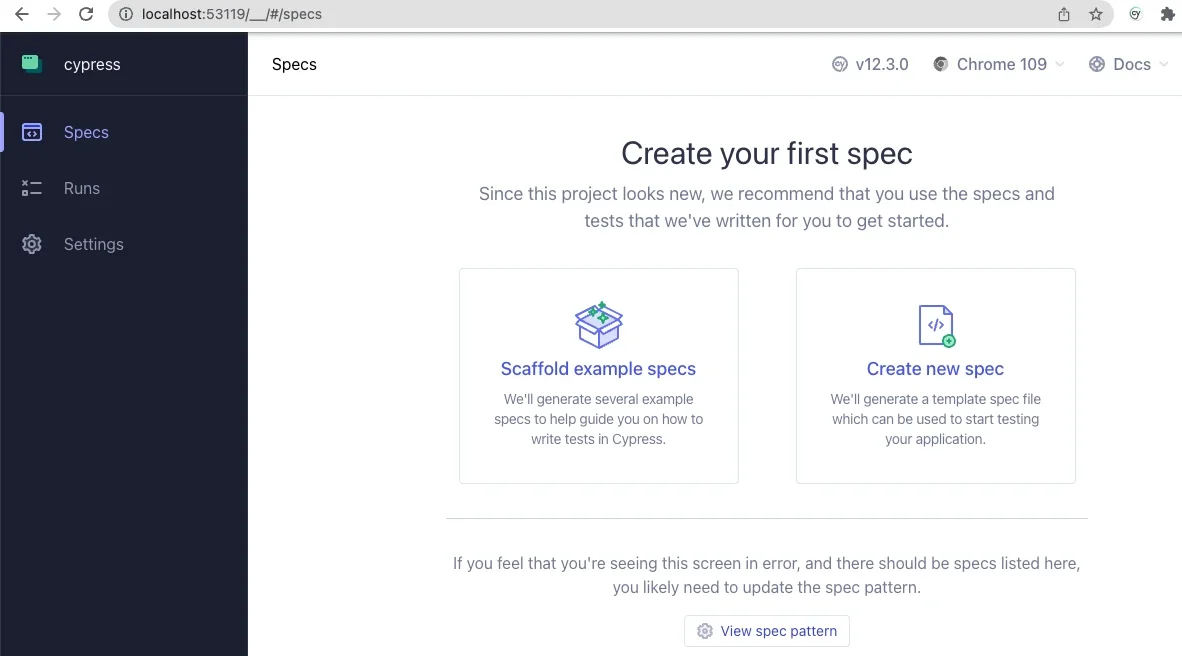
The process of bringing Cypress into a Drupal project begins at the command line. By initializing a standard Node.js environment within the project root, developers can quickly install the testing framework as a development dependency using npm. Running the framework for the first time opens an interactive desktop application designed to guide users through the initial configuration. By selecting end-to-end testing options, developers allow the framework to scaffold necessary configuration files directly into their project directory, setting the stage for browser-based automation.

Once the initial setup is complete, developers can choose their preferred browser—typically a Chromium-based option—to execute test suites in real time. The interactive interface splits into two distinct panels during test execution. On the left, a detailed text panel logs every individual step within an active testing specification. On the right, a simulated browser window mirrors the actual user journey as the framework steps through the script. This visual feedback loop is invaluable for debugging, allowing developers to watch interactions unfold precisely as an end user would experience them.
Configuring the framework to communicate seamlessly with a local Drupal environment requires pointing the base URL inside the primary configuration file to the local development address. This tells the testing suite where to direct its requests and how to locate application assets. With the configuration in place, developers can begin crafting custom test specifications inside a designated integration directory, translating everyday site interactions into automated scripts.
Writing basic tests often reveals subtle nuances in how front-end elements behave under automated observation. For instance, developers frequently discover that modern CSS layout techniques, such as flexbox styling on submit buttons, can occasionally interfere with automated interaction unless proper assertions are established first. By instructing the script to verify that a specific button contains the expected text before attempting a click, developers can prevent false negatives and ensure their automated suites accurately reflect genuine user behavior. This practical feedback loop demonstrates the tangible value of automated checks, transforming abstract code verification into concrete quality assurance.
Beyond standard page-load verifications and login form validations, the framework allows developers to extend its capabilities by writing custom commands tailored specifically to a content management system workflow. By leveraging support files, teams can define specialized routines that simplify common administrative tasks. For example, creating a dedicated command to handle user logouts ensures that subsequent login routines always start from a clean, predictable state.
Advanced workflows can even integrate backend utilities directly into front-end test scripts. By utilizing environment variables and leveraging command-line utilities like Drush, developers can construct custom commands that authenticate users by their user ID via one-time login links. This approach provides significant security advantages, eliminating the need to store or expose plaintext user passwords within testing repositories. The ability for a front-end testing framework to seamlessly orchestrate backend administrative commands highlights the flexibility modern tooling brings to traditional content management workflows.
As development teams continue to explore the boundaries of automated quality assurance, resources from the broader open-source community—including specialized webinars, shared code repositories, and public documentation—provide valuable guidance on handling complex scenarios like Ajax-enabled forms and intricate data fixtures. By lowering the barrier to entry for end-to-end testing, tools like Cypress are helping developers build more reliable, thoroughly verified Drupal applications with greater confidence.