
Purchasing a new computer in the current market has become an exercise in compromise, financial planning, and strategic patience. Driven by a massive, unprecedented wave of global investment in artificial intelligence infrastructure, the consumer electronics market is experiencing a period of severe pricing pressure and uncertainty. For anyone needing a new machine, the landscape is daunting, and industry forecasts indicate that relief is a long way off. Memory and storage costs are projected to remain elevated well into 2027 at the earliest, forcing buyers to carefully evaluate where to spend their money, where they can safely save, and what components they should skip entirely.
The "RAMpocalypse" Driving Up Prices
It has become impossible for consumers and industry watchers alike to ignore the staggering surge in memory chip costs over the past year. Both DRAM, which powers system RAM, and NAND flash, which forms the foundation of solid-state storage, have seen their market values skyrocket. High-capacity memory modules are currently commanding prices four to five times higher than they were just a year ago.
Price increases of 400 percent are virtually unprecedented within the electronics sector. Historically, the semiconductor industry operates on a deflationary curve, where components become cheaper, faster, and more efficient over time. This sudden disruption has triggered widespread knock-on effects. Manufacturers are grappling with heavily inflated production costs, which in turn drive up the retail prices of finished hardware. Meanwhile, smaller hardware manufacturers face severe financial strain, as they are largely unable to absorb these soaring component costs or pass the full burden onto consumers without suffering catastrophic losses in sales volume.
Nearly every consumer electronic device that relies on memory and storage has felt the financial squeeze. Personal computers, individual components like graphics cards, mobile phones, tablets, home gaming consoles, and even network routers have all seen significant price hikes.
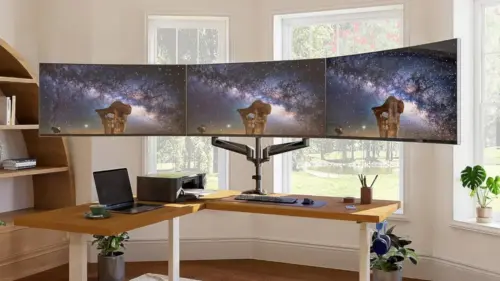
Yet, this inflationary wave has not completely consumed the entire tech ecosystem. Certain product categories continue to follow the traditional electronics trend of offering more value for lower costs over time. A prominent example is the monitor market, where consumers can secure vastly superior display technology for their money compared to just a few years ago—a trend that shows no signs of reversing.
Gamers seeking high refresh rates, vibrant colors, and the deep, inking blacks of OLED technology can find 1440p displays running at 240Hz for less than $400. For professionals and productivity users prioritizing absolute text clarity and high screen real estate, reliable 4K monitors are readily available for $300 or less. Other peripheral components, such as PC cases, power supplies, and cooling systems, have also largely managed to avoid the worst of the hardware inflation. However, central processors and motherboards, which held their ground for quite some time, have recently begun to creep upward in price as manufacturers reallocate valuable fabrication resources toward the highly lucrative data center market.
All current market indicators suggest that memory prices will continue to climb before eventually plateauing, meaning a return to historical pricing norms is entirely off the table for the next few years.

Buy Now or Wait for a Sale?
Faced with this prolonged period of high costs, prospective PC buyers often find themselves paralyzed by the classic dilemma of whether to purchase immediately or wait for a promotional discount. For those considering a pre-built computer without an urgent need for replacement, monitoring seasonal sales events and clearance periods—such as Black Friday—remains a viable strategy. However, because memory and storage costs are widely expected to drift upward in the interim, finding a system that meets personal performance requirements at an acceptable price point might justify making an immediate purchase rather than gambling on a future price drop that may never materialize.
When sourcing individual components to build a system from scratch, buying everything at once can severely strain a budget. A more pragmatic approach involves staggering purchases based on market fluctuations. Savvy builders might wait for promotional bundles pairing a motherboard with a processor, while snapping up RAM modules the moment a reasonably affordable listing appears.
Your Current Needs Are Paramount
Before committing capital to a new machine, establishing the exact purpose of the computer and evaluating real-world usage requirements are essential steps. Predicting future technological demands is notoriously difficult, but the impetus for buying a new system usually stems from a specific failing in an existing setup.
The trigger might be as straightforward as hardware obsolescence preventing a seamless upgrade to Windows 11, despite an older machine continuing to function adequately for basic daily tasks. Alternatively, a user might have adopted a demanding new hobby, such as video editing or software development, that thoroughly overwhelms an aging processor and limited memory pool.
The fundamental rule is to let genuine utility dictate the purchasing decision rather than reacting impulsively to a perceived bargain. Buying a computer simply because it carries a discounted price tag is rarely a sound financial move. By the time the user’s workflow genuinely demands an upgrade, a hastily purchased bargain bin system may already be outdated or ill-equipped to handle evolving software requirements. For individual components, however, keeping a close eye out for isolated flash deals can still yield meaningful savings.
What You Actually Need
It is entirely natural to gravitate toward specifications at the absolute high end of the performance spectrum. The prospect of owning a lightning-fast system with generous performance headroom provides undeniable peace of mind. Unfortunately, over-provisioning hardware often results in wasted money, as many high-end upgrades offer imperceptible performance gains during standard daily workflows.
High-speed solid-state drives provide a clear illustration of this phenomenon. A state-of-the-art M.2 SSD utilizing the PCIe 5.0 interface can achieve staggering read and write speeds of up to 14,000MB/s. Yet, in everyday Windows operations, the performance delta between a top-tier PCIe 5.0 drive and an older, simpler PCIe 3.0 model running at roughly 2,500MB/s is remarkably narrow. Independent testing has consistently demonstrated that ultra-fast NVMe drives yield negligible improvements in standard gaming loads. For routine administrative tasks like web browsing, handling email, and working within productivity suites, users are virtually unable to tell the difference between these bleeding-edge drives and even slower SATA-based solid-state storage.
Processor
The consumer processor market features extensive options from both Intel and AMD, spanning multiple generations that dictate peripheral support, memory speeds, and connectivity features. While entry-level and mid-range silicon is more than adequate for the vast majority of users, buyers should exercise caution to avoid severely underpowered options.
Sticking with the latest processor generation generally guarantees greater energy efficiency and access to modern platform technologies. However, previous-generation processors often see significant price drops—particularly in the pre-built desktop market—as system builders clear inventory to make room for newer hardware. For users who do not require cutting-edge connectivity features, leveraging these clearance cycles offers a reliable path to cost savings.
Memory
Just a few years ago, conventional wisdom dictated maximum memory provisioning. RAM was remarkably inexpensive, and outfitting a system with ample capacity ensured seamless multitasking across heavy applications and virtual machines.
Today, the ongoing memory supply crunch has transformed RAM from an inexpensive commodity into one of the most financially painful components in a system build. Despite the high cost, maintaining adequate system memory remains critical to the overall user experience. When a computer exhausts its physical RAM, the operating system is forced to offload data to the much slower storage drive, causing system responsiveness to grind to a halt. While software developers continuously work to optimize operating systems for leaner memory footprints, maintaining at least 16GB of RAM is strongly advised for modern workloads. Furthermore, total memory capacity almost always outweighs raw memory speed; a robust 32GB kit running at moderate speeds will consistently outperform a meager 16GB kit running at extreme frequencies.
Graphics Card
For gaming enthusiasts, the graphics card remains the definitive centerpiece of the hardware stack. In the vast majority of modern titles, a system paired with a modest processor and ample memory but driven by a powerful graphics card will vastly outperform a machine featuring a top-tier processor coupled with a budget GPU.
A capable graphics card is similarly vital for professionals engaged in 3D modeling, animation, video editing, and artificial intelligence workflows. Conversely, users whose computing habits are strictly confined to web browsing and office productivity can easily bypass dedicated graphics entirely by utilizing a processor with integrated graphics capabilities.
The current discrete GPU market is anchored by Nvidia, with AMD and Intel serving different segments of the enthusiast and budget tiers. Nvidia dominates the higher end with advanced ray tracing and AI-powered upscaling technologies, while AMD’s recent architectures earn praise for raw rasterization performance. Intel’s discrete graphics offerings have carved out a strong reputation in the budget sector, providing commendable value for price-conscious builders. For those considering an alternative operating system like Linux, hardware selection requires additional care, as AMD and Intel graphics cards often benefit from more mature open-source driver development.
Storage
Pairing the operating system and core applications with an NVMe-based SSD is non-negotiable for a modern PC, but chasing the highest possible sequential speeds is largely unnecessary. Acquiring a spacious, reliable PCIe 3.0 or PCIe 4.0 SSD at a lower price point delivers a vastly superior user experience than investing in a skimpily sized, ultra-expensive flagship drive of the latest generation.
Other Specifications and Upgradability
Beyond core processing and memory components, motherboards differ widely in their peripheral support, including networking capabilities, audio hardware, and USB connectivity. Access to high-speed ports like Thunderbolt or USB4 ensures compatibility with fast external storage devices, while modern displays with elevated resolutions and refresh rates demand up-to-date display outputs such as DisplayPort 2.1 or HDMI 2.1.
For buyers facing severe budget constraints in the current high-cost environment, a modular upgrade path offers a practical solution. Desktop systems allow users to start with foundational components, installing modest amounts of RAM and storage with the explicit intention of expanding capacity once market prices eventually stabilize. When executing this strategy, inspecting the motherboard layout is crucial—verifying the number of available M.2 slots, empty memory channels, and PCIe expansion ports ensures future flexibility. When purchasing RAM for a future-proofed build, selecting dual-channel kits in higher capacities rather than filling every available memory slot preserves the ability to scale upward without discarding existing hardware.
Buying Used or Refurbished
Turning to the second-hand market presents another avenue for cost containment, though it requires careful navigation. Sourcing a complete pre-owned computer from private sellers carries inherent risks, making certified refurbished systems from reputable retailers a safer alternative for acquiring modern hardware at a discount.
Alternatively, builders can source specific components second-hand, such as memory modules or secondary storage. However, purchasing used storage demands rigorous verification. Because solid-state drives degrade as data is written to them over time, a drive salvaged from an enterprise server environment may be nearing the end of its operational lifespan. Utilizing diagnostic tools to inspect total terabytes written against the manufacturer’s official specifications helps ensure that pre-owned components remain reliable additions to a new system build.

Leave a Reply