
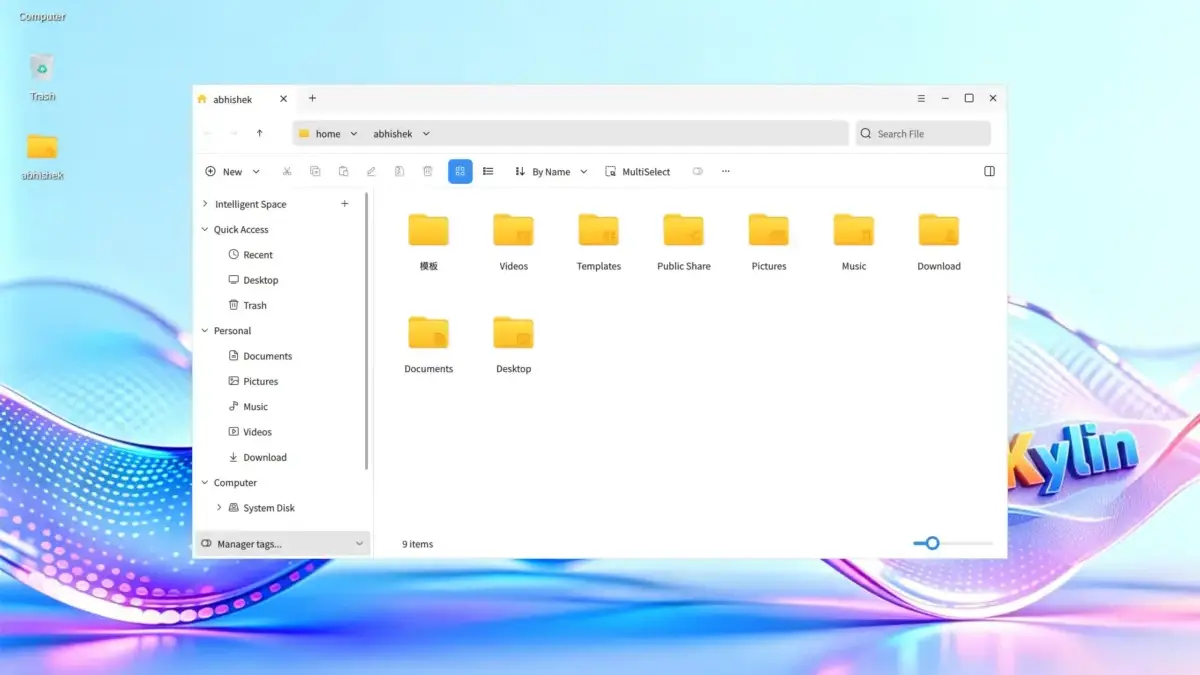
openKylin, China’s homegrown and open-source operating system developed through a collaborative consortium of major corporations, research institutes, and individual contributors, has officially announced its major new release: openKylin 3.0. This latest milestone arrives more than two years after previous widespread coverage of the platform, bringing significant structural upgrades, a transition to Linux kernel 7.0, an updated UKUI 4.24 desktop environment, and a uniquely ambitious approach to native artificial intelligence integration.
As the global technology landscape increasingly converges around intelligent desktop environments and memory-safe programming languages, openKylin 3.0 positions itself at the cutting edge of these trends. The release introduces a comprehensive suite of modernizations designed to redefine how users interact with their operating systems, moving beyond traditional mouse-and-keyboard paradigms into agent-driven workflows and streamlined utility architectures.
AI is at the Center of openKylin 3.0
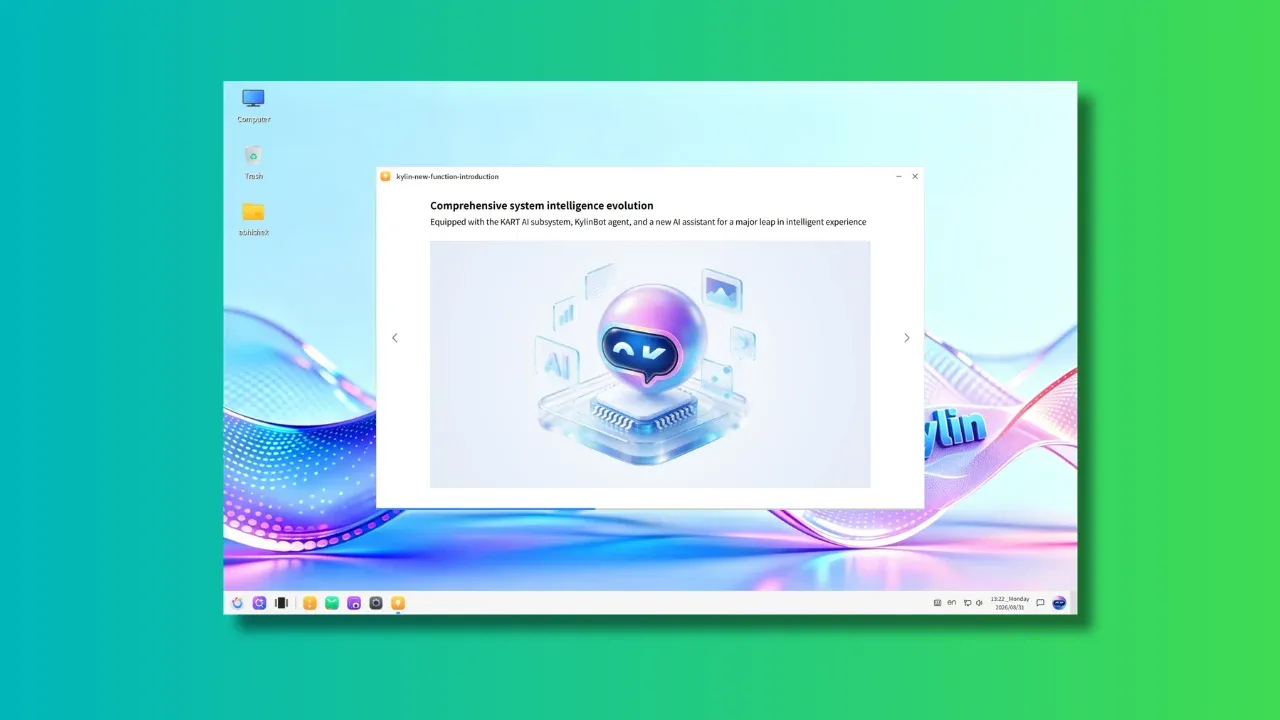
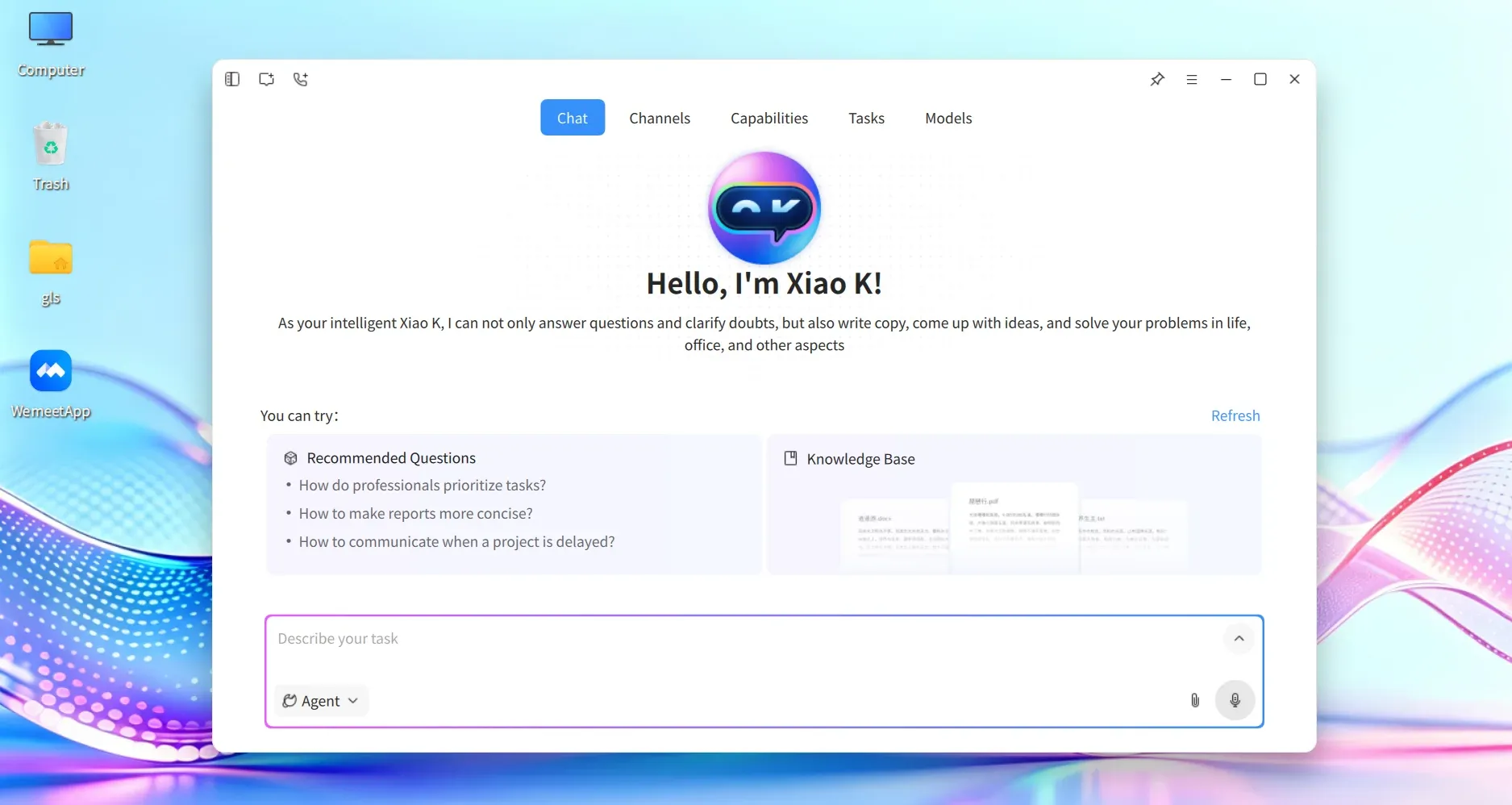
Among the most heavily emphasized changes in openKylin 3.0 is the introduction of the all-new KylinBot AI agent framework, paired with Xiao K, a native graphical AI assistant built directly on top of the framework. Unlike superficial chatbot implementations tacked onto existing operating systems, Xiao K acts as a deeply integrated system agent capable of directly executing administrative tasks and modifying system configurations.
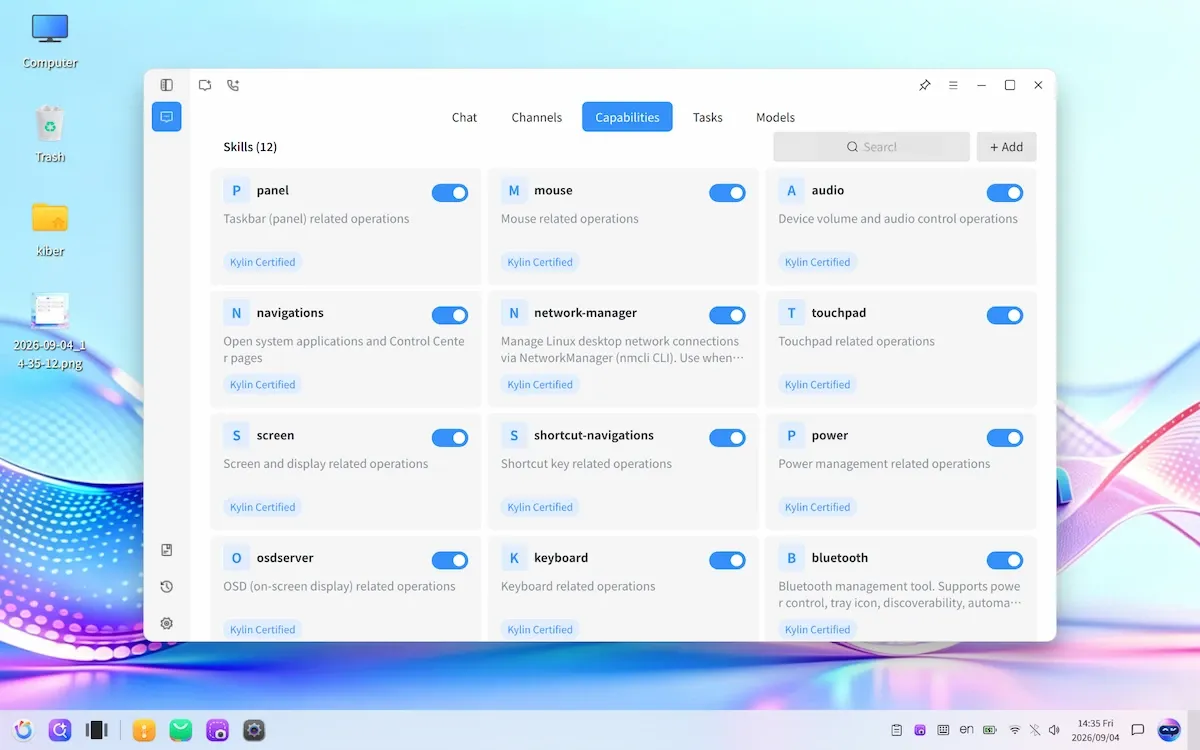
Users can interact with the assistant to perform routine actions such as toggling Bluetooth connectivity, switching to alternative wireless networks, changing keyboard input layouts, and managing system parameters without navigating through traditional settings menus or executing terminal commands. While such automation may initially appear excessive to traditional desktop users, the functionality becomes notably practical when combined with voice input capabilities. Modern operating system ecosystems have long demonstrated the utility of hands-free commands for simple tasks, and openKylin extends this convenience to core desktop management through voice-activated system skills.

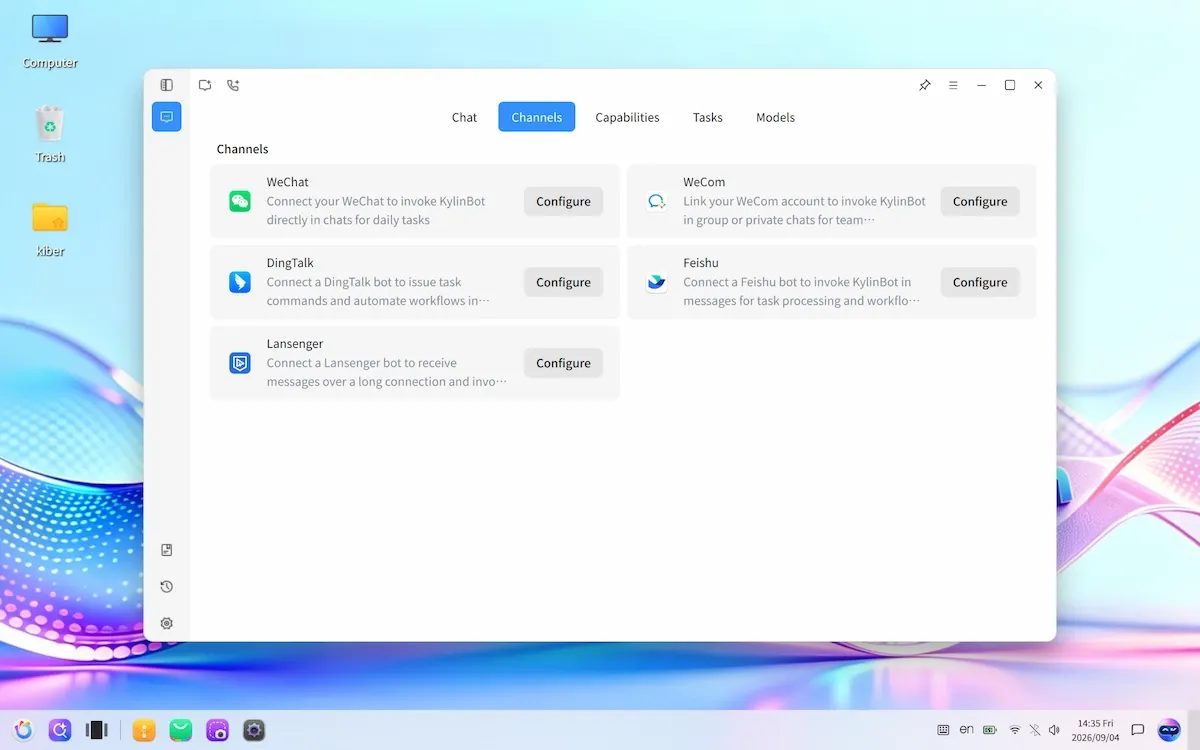
Furthermore, the utility of Xiao K is not confined strictly to the local desktop environment. Mirroring the architectural approach of emerging cross-platform AI tools like Hermes and OpenClaw, the assistant features chat gateway capabilities that allow users to communicate with their desktop agent remotely using popular messaging applications such as WeChat, Feishu, and DingTalk, with future support for platforms like Telegram and Discord already mapped out in the development roadmap.
While the underlying skill repositories and agent definitions are currently oriented predominantly toward Chinese-language users via openKylin’s public code repositories, the broader technological framework highlights an industry-wide shift. With major mainstream distributions like Ubuntu exploring deep AI integration and alternative graphical environments gaining popularity for their modern aesthetics and intelligent features, operating systems with native assistants are rapidly becoming an industry standard. openKylin’s latest release demonstrates that its development community is matching—and in some areas outpacing—these global paradigms.
UKUI Version 4.24 and Desktop Enhancements
The Ultimate Kylin User Interface, commonly known as the UKUI desktop environment, has been upgraded to version 4.24 to support the new architectural demands of openKylin 3.0. A central focus of this desktop iteration is the implementation of standardized API encapsulation across all UKUI modules, tightly integrated with the Kylin Agent Control Protocol. This standardization allows the KylinBot framework to invoke underlying desktop capabilities seamlessly through unified programmatic interfaces.
Beyond agent interoperability, UKUI 4.24 introduces vital accessibility improvements, most notably a fully integrated screen reader designed to assist visually impaired users. Another headline feature is the inclusion of air gesture controls. Utilizing the system webcam to capture hand movements rather than requiring physical contact with a touchscreen, mouse, or keyboard, users can execute basic desktop navigation and functional commands through simple gestures.
Visually, the desktop environment receives several aesthetic and functional refinements. The release introduces support for dynamic wallpapers to enhance the visual appeal of the interface, alongside a new "Three-Island" taskbar layout mode that offers users alternative workspace organization options. Touchpad navigation has also been significantly improved, bringing advanced multi-finger gesture interactions that support smooth multitask views, direct volume control, and other common actions utilizing three-finger and four-finger swipe patterns.
Rustification and System Modernization
Reflecting broader software engineering movements across the global Linux ecosystem, openKylin 3.0 embraces memory safety through what the development community terms "Rustification." Capitalizing on the widespread popularity and robust security guarantees of the Rust programming language, the new release replaces several classic C-based utilities with modern, rewrite-from-scratch Rust equivalents.
Among these replacements, kylin-time takes the place of the legacy time utility, kylin-wget serves as the modern counterpart to the classic wget command-line download tool, and kylin-ki18n replaces standard internationalization frameworks to streamline localization processes across the operating system. These under-the-hood rewrites contribute to improved system reliability, reduced vulnerability to memory corruption bugs, and a more cohesive modern codebase.
Getting openKylin
Users interested in exploring the new features and architectural changes of openKylin 3.0 can download the installation media directly from the official openKylin website. The official ISO image exceeds seven gigabytes in size, a footprint primarily driven by the inclusion of pre-installed AI models and comprehensive localized resource packages required for the KylinBot framework.
While the operating system can be evaluated within virtual machine environments, experiencing the depth of the native AI integration, hardware-dependent air gestures, and low-level agent interactions is most effectively accomplished on bare-metal hardware. As independent developers and reviewers begin testing the release outside of virtualized sandboxes, further insights into the practical day-to-day performance of China’s flagship open-source operating system are expected to emerge.



Leave a Reply