

Just as the advent of Microsoft Office fundamentally defined productivity for the personal computer era, Microsoft is positioning its Copilot ecosystem to dictate how work is accomplished in the age of artificial intelligence. Yet, as the tech giant rolls out a sweeping overhaul of its flagship AI tool—introducing new interface tabs, proactive task managers, micro-apps, and autonomous agents—a significant question remains for businesses and consumers alike: Exactly how much will all of this innovation cost?
For years, collaborating inside traditional Office documents like Word, Excel, and PowerPoint has served as the bedrock of Microsoft’s enterprise and consumer productivity strategy. However, the company’s latest vision reveals a paradigm shift away from static files toward fluid, AI-centric workflows. In this emerging ecosystem, users will not only interact with standard software suites but may also design, share, and run custom micro-applications directly within Copilot.
Microsoft’s latest announcement outlines a deeper, more functional vision of artificial intelligence in the workplace, rolling out across the ecosystem in phases starting this October. While some updates are purely organizational—such as splitting the Copilot app into distinct tabs for Home, Code, and autonomous agents, now rebranded as “Autopilots”—others introduce profound structural and conceptual changes. These include a comprehensive daily dashboard that goes beyond simple reminders to actively execute tasks, alongside AI-coded applications and roaming agents that will operate under a yet-to-disclose usage-based billing system.

As is typical for Microsoft’s major strategic rollouts, the initial announcement serves as a foundational vision statement, with individual elements scheduled to appear over the subsequent months. The visual look and feel of the Copilot application will evolve throughout October, while features like the new "Today" dashboard will launch in private preview during the same window.
Today is Full of Tasks
Among the most immediately practical additions to the redesigned ecosystem is the "Today" dashboard, a feature whose conceptual lineage traces back through various iterations inside Windows over the past decade.
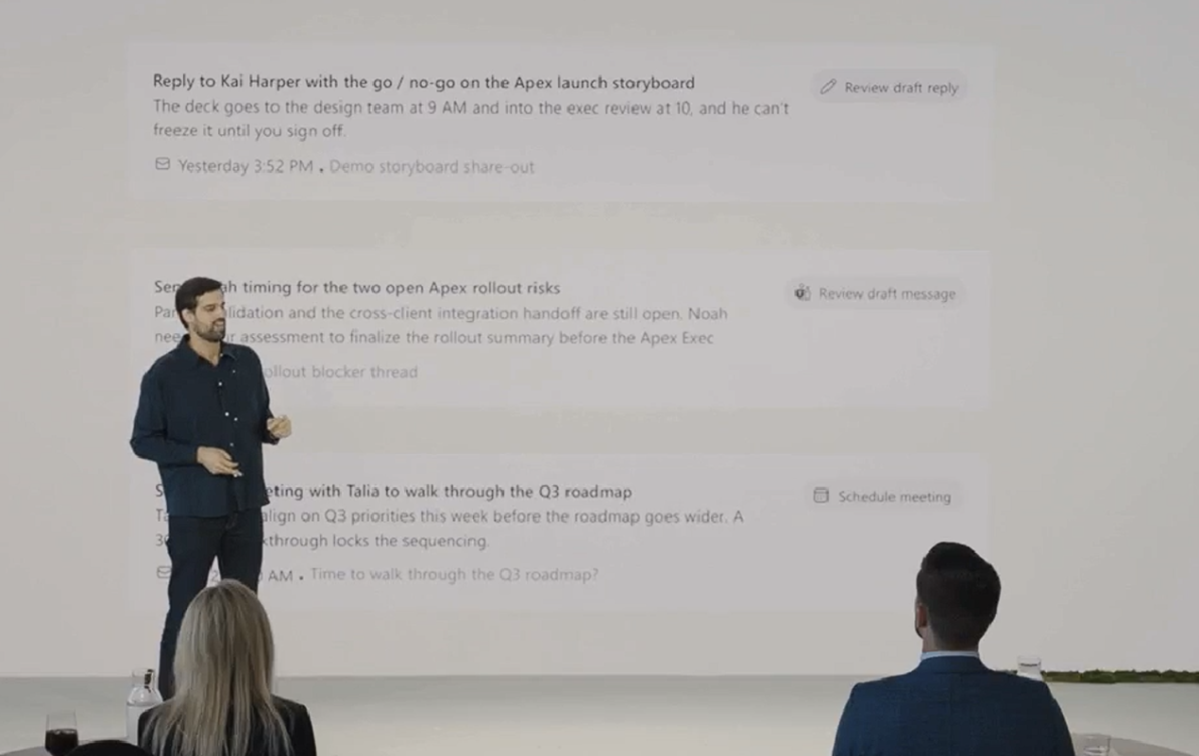
For years, Microsoft has leveraged data from user inboxes to provide summaries of daily meetings and preparation requirements. Outlook, for instance, currently offers a Copilot-generated "daily briefing" that highlights action items upon request. The new "Today" interface builds upon this concept, transitioning from a static summary to an interactive workspace that actively performs routine duties rather than merely surfacing them.
During a prerecorded briefing, Jacob Andreou, Microsoft’s executive vice president of Copilot, emphasized the proactive nature of the new tool. According to Andreou, the hallmark of the "Today" dashboard is its ability to move work forward independently. It leverages Copilot to draft necessary email responses, proposes schedule adjustments when meeting conflicts arise, and resurfaces forgotten action items while providing the crucial context required to understand their urgency.
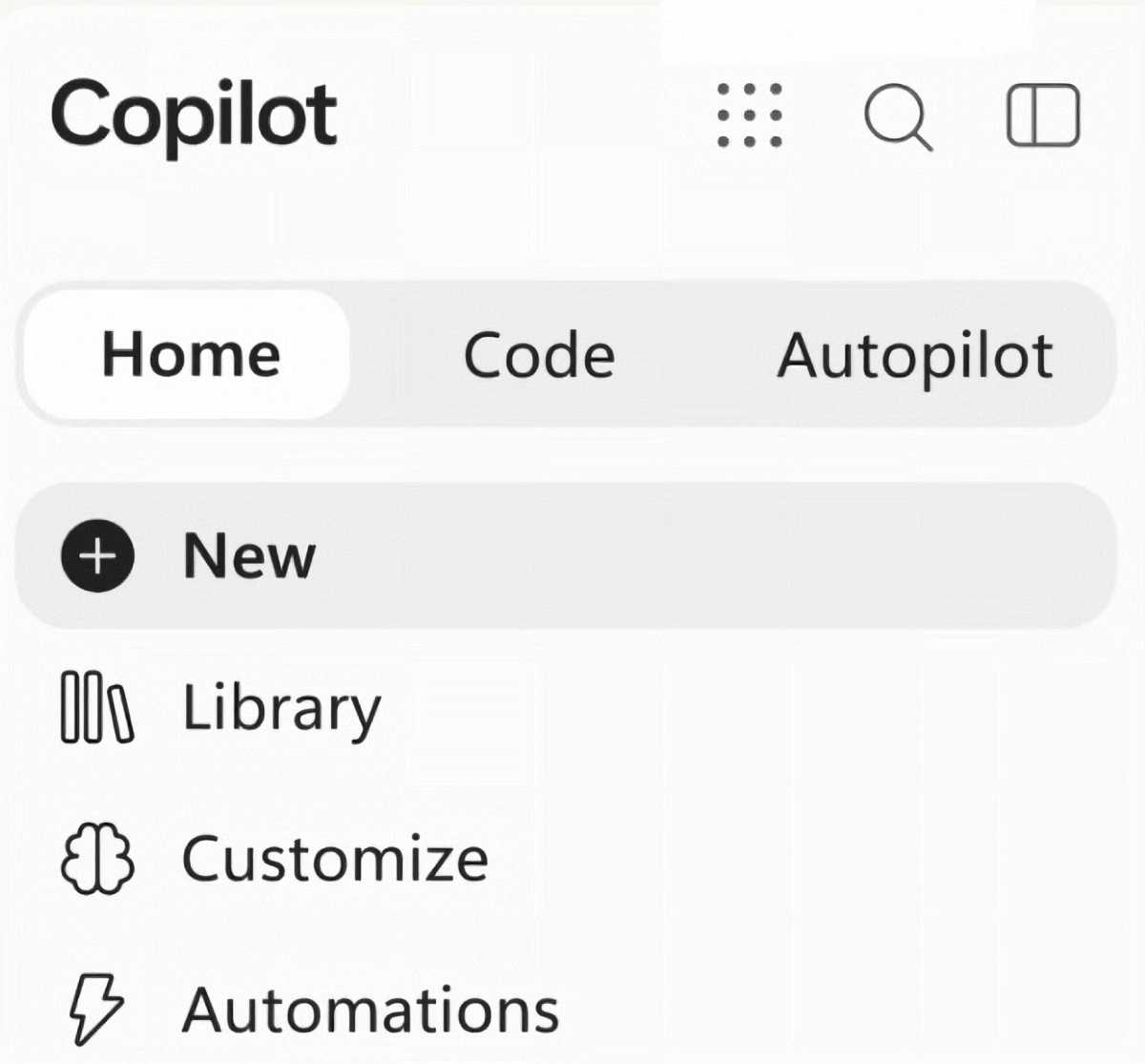
This functionality will integrate directly into Outlook and Microsoft Teams, as well as the Home tab of the redesigned Copilot application. While the prospect of an AI responding to communications on a user’s behalf invites complex questions regarding personal communication norms—balancing the receipt of automated replies against receiving no reply at all—the feature signals a broader industry shift toward proactive digital assistance.
Microsoft 365 Within Copilot
Until recently, application vendors primarily utilized artificial intelligence to help human users navigate complex software interfaces, simplifying and automating specific functions. Adobe integrated AI deeply into Photoshop and other Creative Cloud applications, while Microsoft’s Copilot famously demonstrated advanced computational capabilities during high-profile benchmarks like the Excel World Championship. Adobe later introduced prompt-to-edit features, allowing users to control complex software via natural language.
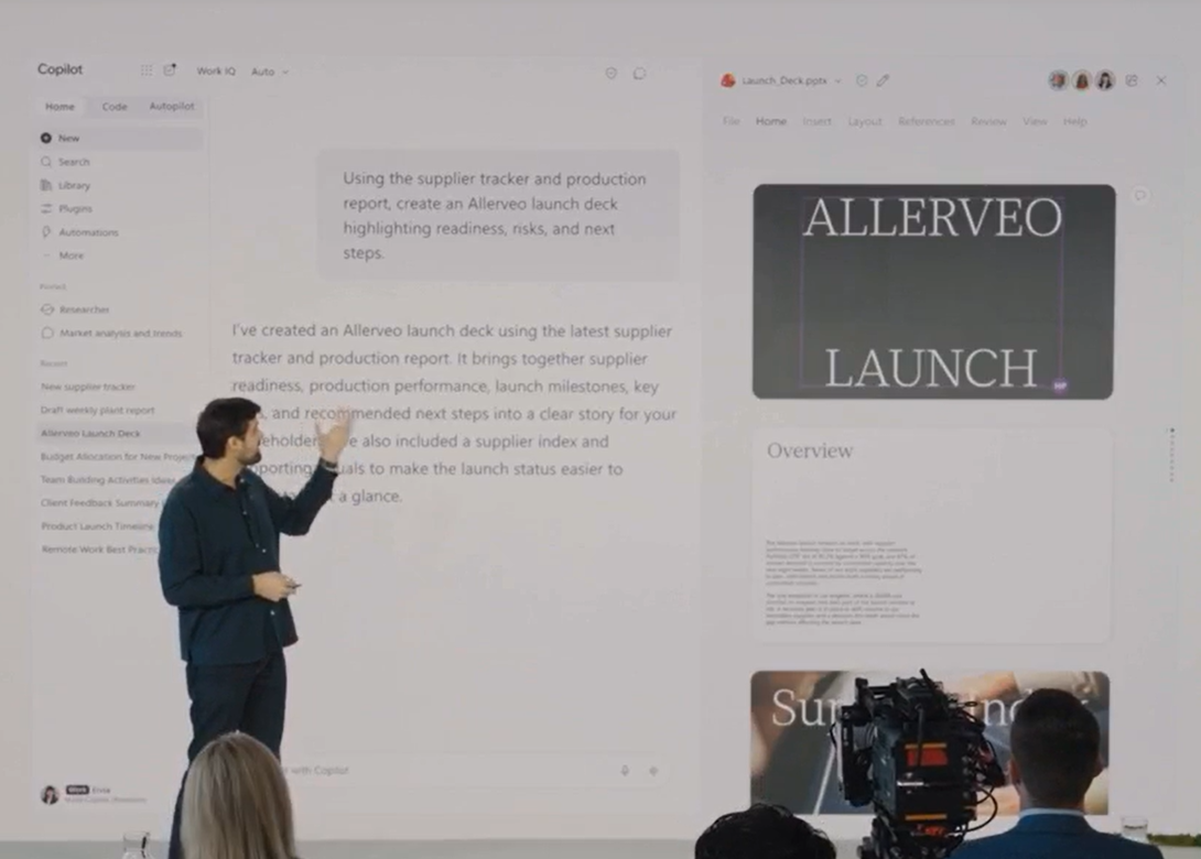
Microsoft is now taking a similar, highly integrated approach. Following the model established by collaborations where third-party tools like Adobe Photoshop were integrated into ChatGPT via plugins, Microsoft is embedding the Microsoft 365 suite directly inside Copilot. Users will soon be able to issue a natural language prompt to Copilot—asking it to create a spreadsheet, for example—whereupon the system will autonomously open Excel and input the correct data. Microsoft plans to roll out this capability to its frontier test program participants in the coming weeks.
Copilot Code: Now You’re a Vibe Coder
Perhaps the most conceptual shift in the redesigned Copilot interface is the introduction of the "Code" tab, a feature through which Microsoft aims to merge "vibe coding" with everyday enterprise and personal productivity.

Jared Spataro, chief marketing officer of AI at Work at Microsoft, noted that while the fundamental unit of knowledge work has historically been the file—whether a document, spreadsheet, or slide deck—the introduction of code adds a vital fourth category: small, purpose-built solutions that anyone can create to accomplish a specific job. Learning to construct these lightweight applications is envisioned as becoming as fundamental a skill as drafting a memo or modeling a budget.
Essentially, the Code tab will allow users to generate custom trackers, dashboards, automations, or full-fledged applications, and then execute them securely online. This proposition asks users to entrust their personal and operational data to an algorithm that builds and runs bespoke software on their behalf. While Microsoft is currently testing this capability with a select group of frontier customers ahead of a broader rollout, it opens up fascinating possibilities regarding how consumers and workers might begin coding their own lightweight alternatives to traditional paid software services.
Autopilots Will Roam Between Teams, Outlook, and Beyond
While features like Today and Copilot Code appear designed to bridge both consumer and business use cases, Microsoft’s rollout of autonomous agents—now officially designated as "Autopilots"—is aimed squarely at the enterprise sector.
The development of autonomous agents has presented a delicate balancing act for technology companies. While long-running agents derive their utility from autonomy and flexibility, those exact characteristics often generate apprehension among IT administrators and enterprise security teams tasked with maintaining strict operational boundaries.
According to Microsoft, an Autopilot will function as a named agent assigned specific roles, permissions, compute resources, workspaces, and memories. Rather than being confined to a single application, Autopilots will roam freely between Teams, Outlook, and other enterprise environments, all while governed by centralized IT oversight and corporate policies. Microsoft anticipates that organizations could eventually deploy hundreds of such agents across a single virtual workspace.
While Microsoft has not yet announced plans to bring Autopilots to the consumer-facing versions of Windows or Microsoft 365, the deployment of numerous autonomous entities operating across virtual workspaces raises valid questions. Amid ongoing industry discussions regarding advanced AI agents encountering containment challenges or unexpected behaviors in external environments, balancing the efficiency of automation against the risks of autonomous systems remains a critical priority as private testing commences.
How is it All Paid For?
A critical detail left unaddressed in Microsoft’s sweeping announcement is the overarching financial structure of the new ecosystem. While standard chat capabilities within the Home tab of Copilot will continue to be governed by existing user subscriptions like Microsoft 365, advanced features—specifically Code, Autopilot, and specialized foundational models—will transition to what Microsoft terms "usage-based billing."
In a corporate blog post addressing the updates, Spataro noted that as artificial intelligence capabilities and user habits continue to evolve, Microsoft is adapting its pricing models accordingly. However, the company has not yet disclosed the specific metrics that will govern usage-based billing, nor has it revealed exact pricing figures.
This financial ambiguity underscores a growing tension in the broader software market. As users increasingly evaluate the trade-offs between cloud-hosted AI subscriptions and local, on-device computing alternatives, the ultimate adoption rate of advanced features like Autopilots and custom code generation will likely depend heavily on cost transparency. For many individuals and organizations, the financial overhead of advanced cloud tools will dictate whether slow, subscription-included AI remains preferable to more powerful, usage-metered capabilities.

Leave a Reply