
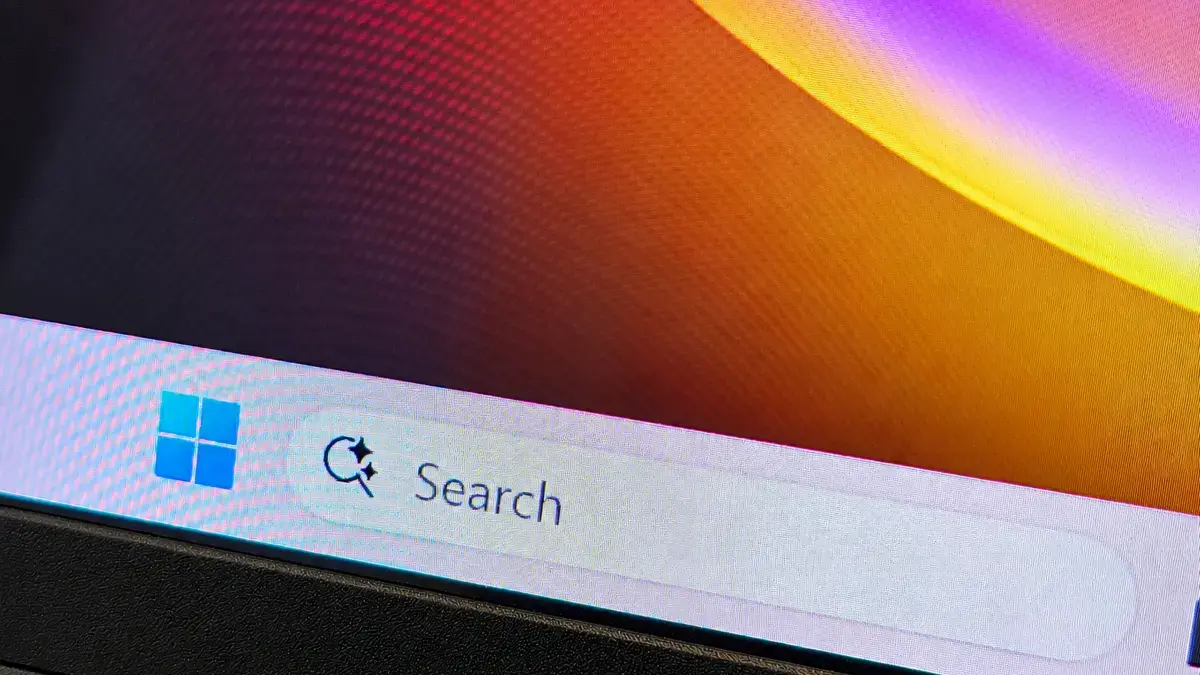
For years—decades, really—the primary gateway inside the Windows operating system has been the traditional Start menu. It has served as the anchor for launching applications, navigating system settings, and accessing recent files since the days of Windows 95. However, based on what Microsoft showcased as part of its expansive artificial intelligence vision for Windows 11, the iconic Start menu might finally be stepping aside. Instead, Windows Search is rapidly evolving to become the primary application you interact with first when you want to get things done on your computer.
Yes, Windows Search—that humble, unassuming search box traditionally buried quietly in your taskbar or pinned at the top of the Start menu—is undergoing a radical transformation. Microsoft plans to embed an unprecedented array of functions directly inside this interface, including dynamic actions which act essentially as mini-widgets for controlling core system features like Windows’ dark mode, audio volumes, and notification preferences. If you begin to think of Windows Search as a conversational chat box already deeply built into the architecture of your personal computer, the broader strategy starts to come into sharp focus. Or does it?
The Shift Toward Action-Oriented Computing
Eventually, Windows Search will begin calling directly on other underlying applications and services, including Microsoft Copilot, to provide immediate answers and autonomously complete complex system tasks. According to Pavan Davuluri, Microsoft’s executive vice president of Windows, “thousands” of these utility actions are headed to user devices before the end of the year.
You are no longer just searching for a misplaced file or a random web page. You are actively executing tasks and commanding your operating system through a unified text interface. It feels unusual, to say the least. Or perhaps it is simply the logical next step in human-computer interaction.

To understand how we arrived at this juncture, it helps to step back and examine Microsoft’s recent product roadmap. In July, the tech giant announced it was pivoting toward a quieter, more purpose-built iteration of Windows Search. This followed an earlier corporate mega-memo detailing a broader company initiative to simplify and focus the Windows ecosystem. That cleanup effort included cutting out unnecessary and superficial integrations of Copilot—such as the short-lived Notepad Copilot—and transitioning the underlying framework to WinUI 3, a modern architecture that Microsoft believes is significantly more efficient and will ultimately speed up Windows as a whole.
That performance optimization is rolling out as part of an update provided to Microsoft’s Experimental Insider Channel. A faster operating system is undeniably a welcome development for everyday users. However, from a pure design standpoint, things are becoming remarkably fluid and occasionally contradictory.
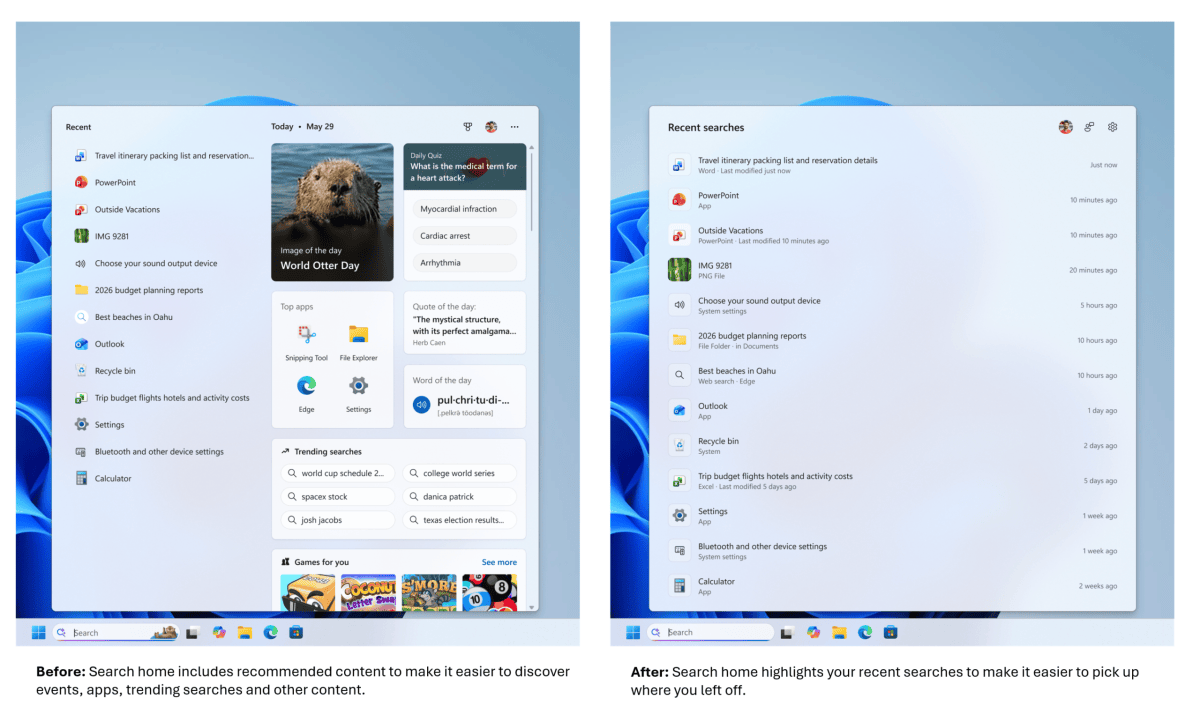
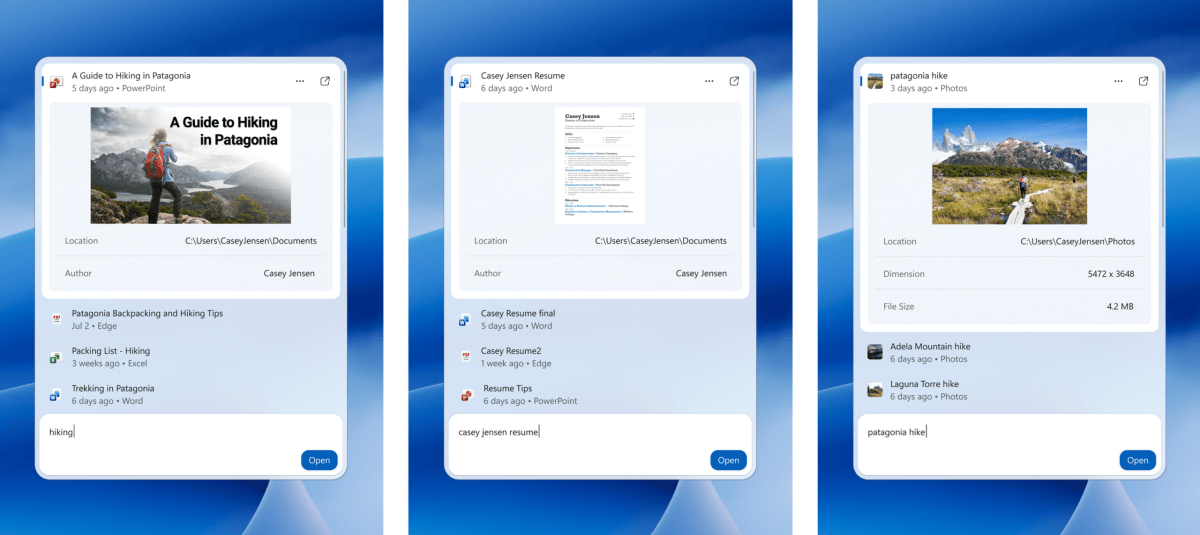
Originally, the Windows Search application featured a heavy mix of recommended content, highlighting offbeat cultural moments like World Otter Day and suggesting casual games to play. Microsoft ultimately decided that approach was far too unfocused. The July update pared back much of that recommended clutter while simultaneously polishing functional utilities, such as detailed document previews designed to make certain you had selected the correct file before opening it.
Yet, Microsoft’s subsequent telemetry data concluded that not enough users were actively clicking on those previews—raising the fundamental question of whether they were ever really meant to be clicked in the first place. Consequently, those rather polished document previews temporarily disappeared from the interface.
The Balancing Act of Hybrid Intelligence
For now, anyway. Later this year, Windows Search is scheduled to reintroduce document and web page previews, but in a modified format consisting of small, concise cards embedded directly within the list of search results. These will appear alongside interactive widgets displaying real-time weather and stock prices, as well as rich visual results for informational queries like "How tall is the Eiffel Tower?" It leaves observers wondering whether the interface is becoming overly cluttered or if it is finally hitting the right balance of utility. Microsoft itself seems to be navigating a continuous process of refinement.
This ongoing design shuffle is not merely the result of internal aesthetic disagreements between rival corporate teams debating typography and variable fonts. There is a profound architectural reason driving the change. Windows Search bears the heavy responsibility of unearthing the correct documents and information both locally on the user’s physical hard drive and globally across the online web. That foundational dichotomy represents the tricky balance that Microsoft is carefully attempting to navigate.
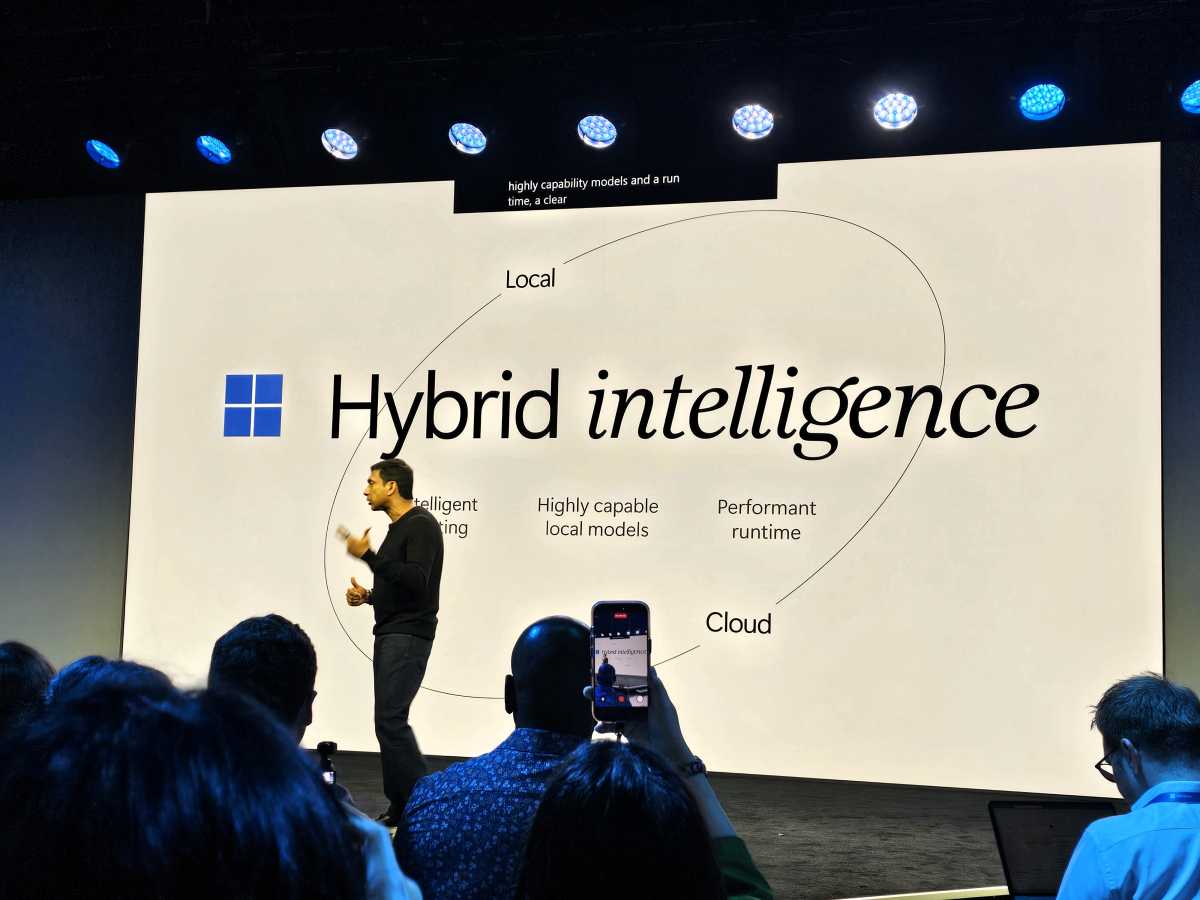
The official launch of new hardware hardware lines, including the Surface Book Ultra alongside competing third-party devices, has ushered in what Microsoft describes as “hybrid intelligence.” This architectural concept is designed to seamlessly balance cloud-based intelligence—powered by Bing and Copilot—with local information stored and searched directly on the local machine via File Explorer. Specialized hardware, such as Nvidia’s RTX Spark superchip tied to a MediaTek ARM CPU, is being tasked with running local artificial intelligence workloads directly on the device. Microsoft wants to carefully calibrate how cloud-based and local AI interact to optimize performance, cost, and privacy.
It turns out that Windows Search is serving as one of the primary battlegrounds where this hybrid intelligence strategy is being implemented.
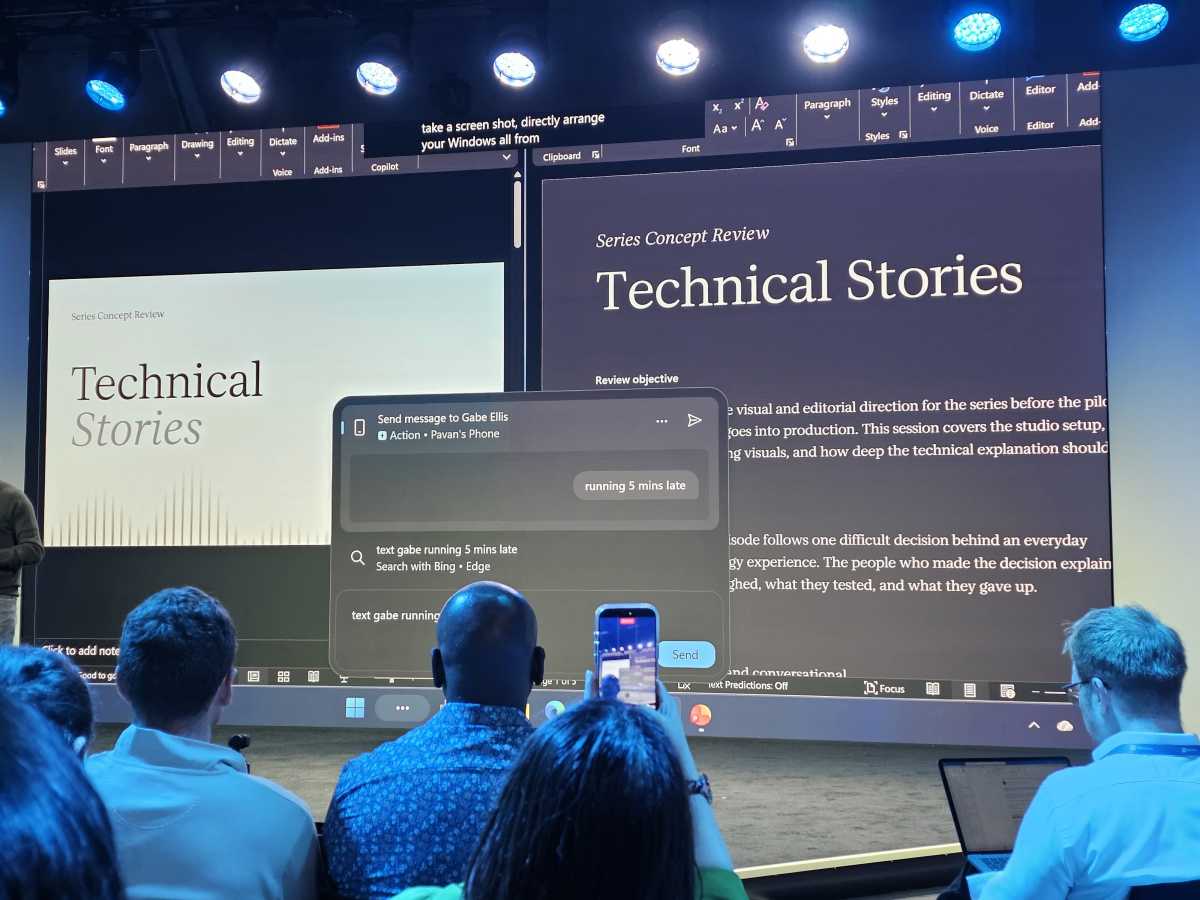
In addition to the upcoming cards and widgets, Windows Search will incorporate system Actions that Microsoft first began discussing last year. Users will be able to type commands to instantly turn on dark mode, adjust microphone volumes, activate "do not disturb" modes, take screenshots, or rearrange window positions on their desktops. All of these capabilities have gradually seeped into the Windows operating system over time, echoing the short-lived efforts of Copilot to control PC settings, the specialized adjustments found within Windows 11’s modern Settings search bar, and even the rudimentary system toggles once offered by Windows 10’s Cortana assistant.
“You can make these changes as fast as you can type,” Davuluri emphasized during the recent briefing.
Copilot as an Ingredient Rather Than an App
This evolution sends a clear signal about Microsoft’s long-term product strategy. Windows Search now feels more like an organic iteration of Copilot than it ever has before, functioning as a unified environment where users type what they want and the operating system immediately responds. That concept is hardly far-fetched. Microsoft explicitly wants Copilot to comprehensively "know" what is stored on your local PC, just as it wants the AI to understand the ongoing projects and workflows occupying your professional life. It is not an enormous leap from Microsoft understanding that the "Contoso spreadsheet" on your desktop refers to a specific local accounting file to the assistant proactively asking if you want to rebook the exact same hotel in Maui that you visited during your vacation last year.
It is a vision that is undeniably powerful, even if it remains slightly unsettling for privacy-conscious users.
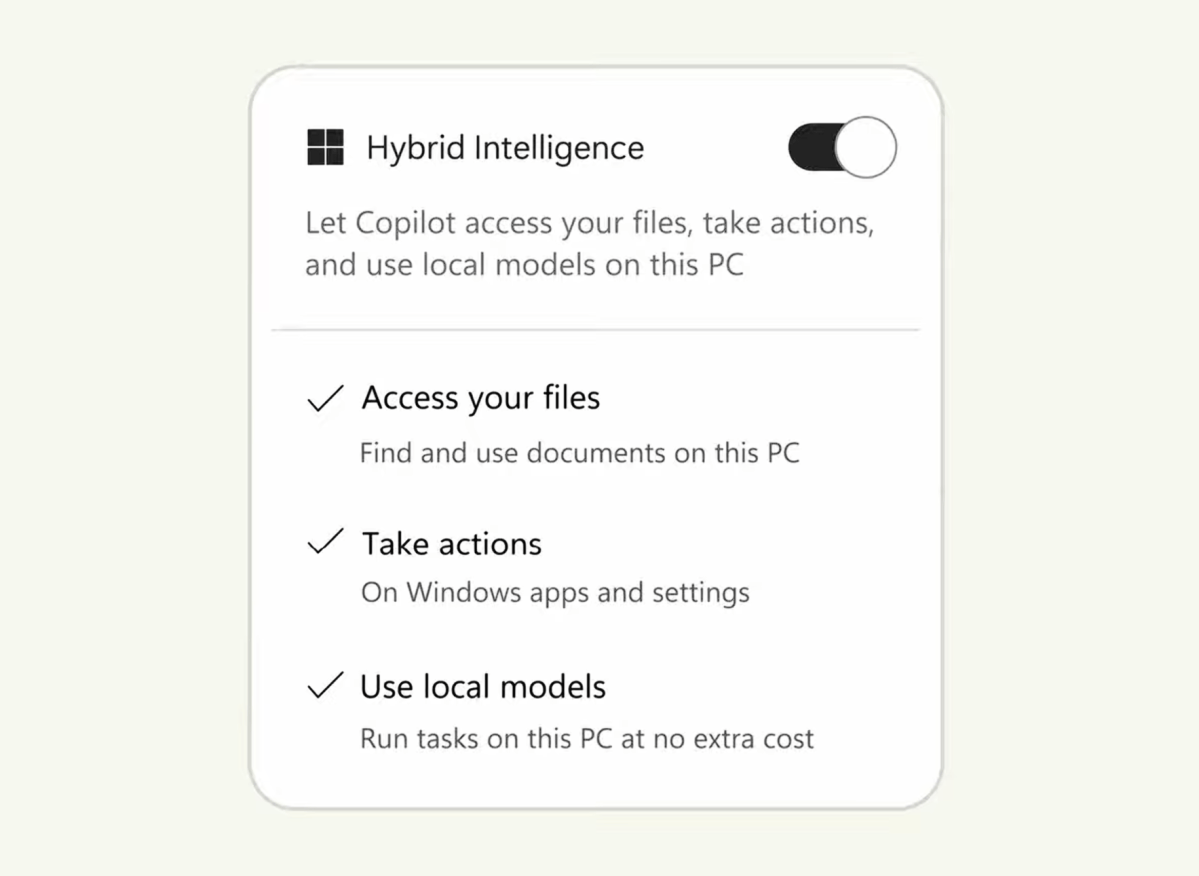
Jacob Andreou, the executive tasked with leading the Copilot experience at Microsoft, demonstrated Copilot during the briefing with a prominent toggle switch positioned directly next to a label reading “Hybrid Intelligence.” This inclusion implies that users will retain the physical option to flip the feature off if they prefer a traditional computing experience. Of course, the underlying corporate hope is that once users experience the convenience, they will choose to leave it enabled.
“Copilot now has access to three new things,” Andreou explained to attendees. “First, local context. Local context means that Copilot can now [access] all of the local files on your PC. Second, local actions. Local actions means that Copilot can now take action directly on my machine. It can move files, it can change a setting, it has the same level of the ability to control and change things that I do as a user, but always with permission.”
Copilot will continue to leverage the cloud when handling heavy, compute-intensive tasks, but in scenarios where “cost and privacy matter more, it can delegate down to local models that run directly on your computer,” Andreou added.
Last month, Microsoft detailed a major update to Copilot that enables users to vibe-code custom Windows applications or design and deploy autonomous software agents—marketed under the name Autopilot—to execute multi-step workflows on their PCs. During his presentation, Andreou demonstrated how Autopilot could respond to a complex request from an accountant by autonomously assembling a disparate collection of tax documents.
In the live demonstration, Autopilot searched the user’s email inbox, gathered relevant documents from OneDrive, located missing files within the local Documents folder, consolidated everything into a newly created folder, systematically renamed the individual files, and finally bundled the entire collection into a compressed zip archive. Copilot then proactively authored a professional email response attaching the archive and paused, waiting patiently for final human approval before sending.
“Copilot now truly understands your PC,” Andreou stated, emphasizing that these new capabilities represent an AI infrastructure natively designed from the ground up for Windows. These advanced features are slated to roll out to users over the next couple of months.
The Future of PC Work
Reflecting on the broader trajectory of software design, computing habits have undergone massive structural shifts over the decades. At one time, users typed a specific IP address or domain name into a web browser. Later, visiting a dedicated search engine like Google became the standard entry point for navigating the internet. Today, virtually every modern web browser allows users to search the web and navigate URLs directly from a single unified address bar. A remarkably similar transition now feels like it is occurring at the operating system level on the personal computer. And yes, users will naturally be able to access full Copilot capabilities directly from within Windows Search as well.
Microsoft has spent years promising granular quality-of-life features, such as effortless system-wide dark mode controls. Yet, time and again, the execution has occasionally felt fragmented. The company’s current trajectory suggests a future where personal computing relies less on manually dragging windows across a screen with a mouse and increasingly on simply telling your PC what you want accomplished in natural language. In fact, Microsoft’s vision even extends to allowing users to install local large language models during the initial setup of a brand-new computer.
While there will undoubtedly remain alternative methods to execute these administrative tasks—such as launching the standalone Copilot desktop application directly—Microsoft is aggressively working to construct a single, dominant front door for its newly minted AI-powered Windows ecosystem. And, as it turns out, that front door is rapidly becoming Windows Search.

Leave a Reply