For years, writers, developers, and educators have embraced Markdown for its simplicity and readability. However, translating a straightforward Markdown file into an accessible online document often demands a complex website setup, static site generators, and tedious build processes. A versatile open-source project called Docsify-This aims to remove these technical barriers entirely, offering a streamlined way to publish, share, and reuse Markdown content without ever configuring a traditional web server.
Built upon the foundation of Docsify.js, Docsify-This allows creators to bypass the usual overhead associated with web publishing. By leveraging modern web standards and flexible URL parameters, the platform transforms ordinary text files into responsive, standalone web pages on demand. Whether you are an educator distributing course materials across different learning management systems, a designer looking to rapidly prototype a layout, or a developer sharing documentation, Docsify-This provides a bridge between raw text repositories and polished online presentations.
What is Docsify-This?
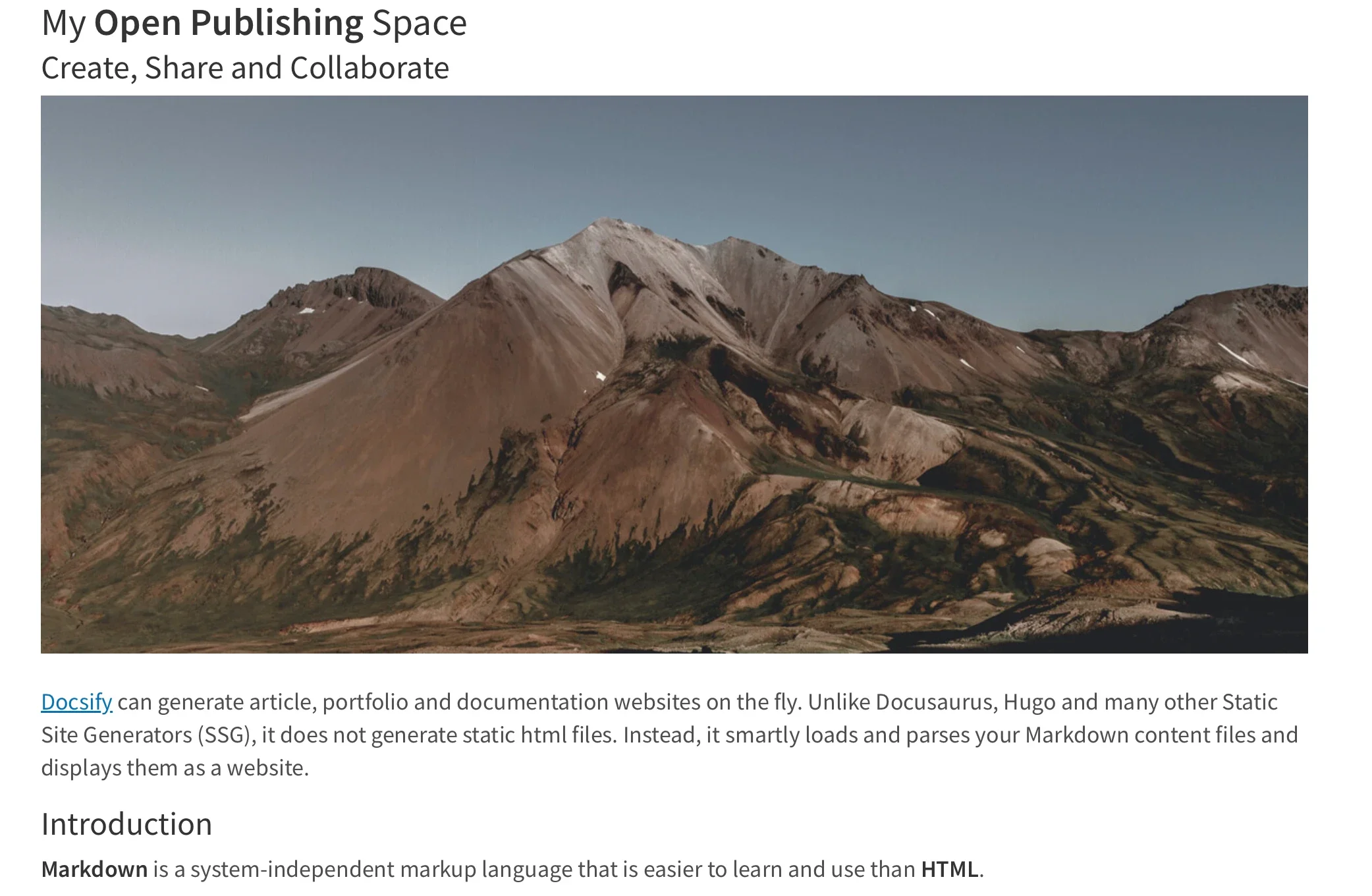
At its core, Docsify-This functions as an instant rendering engine for publicly available Markdown files. Rather than requiring users to clone repositories, configure routing, and deploy static assets, the project acts as a dynamic intermediary. Point the service toward a public repository hosted on platforms like GitHub or Codeberg, and it instantly generates a responsive standalone web page complete with a unique, shareable URL.
The utility extends far beyond single pages. Creators can link multiple Markdown files together to form a cohesive, lightweight website structure without managing complex directory trees or navigation manifests. Furthermore, visual presentation is not locked into a rigid template. Designers and content creators can alter the visual appearance of displayed pages on the fly using a point-and-click Web Page Builder interface or by appending specific parameters directly to the URL. For collaborative writing environments, projects hosted on supported Git platforms can even be configured to display an automatic "Edit this Page" link, encouraging community contributions and peer review.

Because the project is fully open-source, organizations and individuals are not forced into platform lock-in. Anyone can deploy their own independent instance of Docsify-This under a custom domain, retaining complete control over their rendering pipeline and data infrastructure.
Utilizing the Web Page Builder Interface
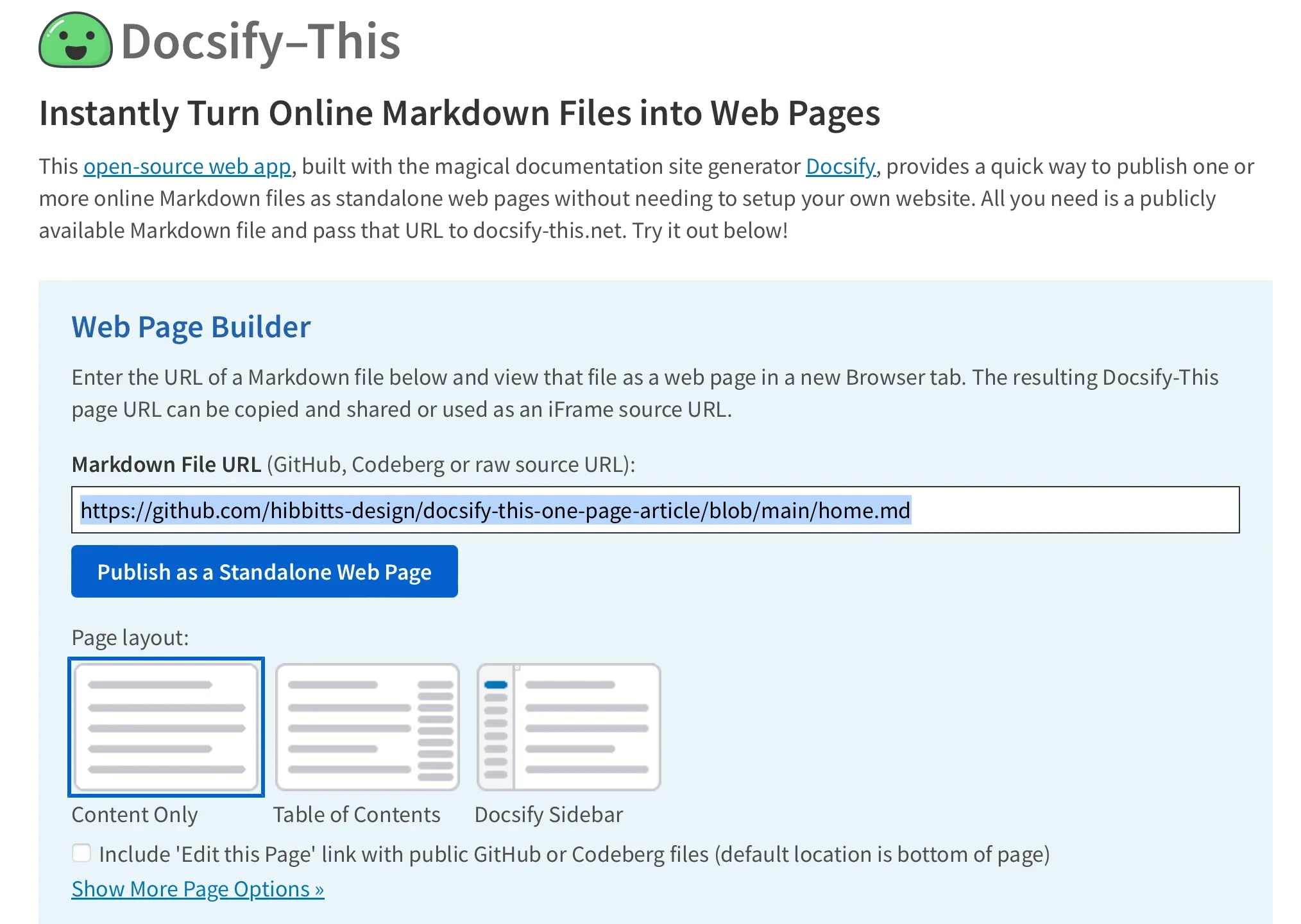
For users seeking a graphical approach, the Docsify-This Web Page Builder offers a straightforward interface accessible through any standard web browser. By visiting the official Docsify-This website or a locally hosted instance, publishers can locate the dedicated builder section to initiate the process.
The procedure centers around simplicity. A publisher enters the raw URL of a Markdown file residing within a public repository on Codeberg or GitHub—though other Git hosts remain compatible via direct URL parameters—and activates the publishing action. The system instantly processes the document, rendering it as a clean, responsive standalone web page that generates a direct URL ready for distribution and embedding.
This approach eliminates the traditional friction points of content deployment. For instance, updating the underlying document in the Git repository automatically reflects on the rendered page, ensuring that readers always access the most current iteration without requiring a manual redeployment of the hosting environment.
Rendering and Managing Repository Files
Managing multiple documents within a shared repository requires minimal effort under the Docsify-This framework. Publishers can dynamically shift between different Markdown files housed within the same repository by directly editing specific URL parameters, most notably the homepage parameter.
This capability allows maintainers to centralize all project documentation, lecture notes, or articles within a single repository while presenting them as distinct, targeted web pages. By adjusting the file reference in the address bar, a single base configuration can serve an entire library of documents, drastically reducing administrative overhead for projects that experience frequent updates or additions.
Customizing Page Appearance and Styling
Maintaining brand consistency or optimizing readability across diverse publishing channels often requires aesthetic adjustments. Docsify-This addresses this need by supporting granular visual modifications through standard URL parameters. Attributes such as font families, font sizes, link colors, and line heights can be modified dynamically by appending standard CSS attributes directly to the page link.
Beyond global typography and spacing adjustments, the project supports a specialized set of Markdown CSS classes that enable rich interactive elements within plain text files. For example, standard links can be instantly transformed into styled buttons by applying specific class declarations within the Markdown syntax. This feature allows authors to draw attention to critical calls-to-action, assignments, or external resources without writing complex HTML wrappers.
For advanced customization, creators are not restricted to the pre-packaged style set. Authors can embed custom CSS blocks directly within their Markdown files, defining proprietary styling rules for unique elements, custom containers, and specialized UI components. This flexibility bridges the gap between the minimalist syntax of Markdown and the advanced design capabilities of modern cascading style sheets.
Incorporating HTML Snippets and Layouts
While Markdown excels at structured text entry, complex page layouts often demand structural HTML elements. Docsify-This maintains full compatibility with standard HTML snippets, allowing authors to introduce multi-column layouts, structural divisions, and custom containers directly inside their source documents.
This integration ensures that content creators do not have to sacrifice sophisticated page design for the sake of writing in Markdown. By combining native Markdown formatting with flexible HTML structural tags, publishers can build rich, responsive layouts that adapt seamlessly to various screen sizes and viewing contexts.
Seamless Integration via iFrames
One of the most powerful features of Docsify-This is its optimization for embedding. Rendered pages are engineered to integrate smoothly into external platforms using standard iFrame elements. This capability makes it an ideal solution for organizations that must distribute uniform content across disparate systems, such as content management systems or corporate intranets.

By pairing the iFrame embed code with specific URL parameters, publishers can ensure that the embedded content matches the visual identity and structural constraints of the destination platform. Parameters can be utilized to strip away unnecessary UI elements, adjust typography to match host site stylesheets, and hide default credits, resulting in a cohesive experience for the end user where the embedded Markdown content appears as a native component of the host page.
Embedding via External URLs in Learning Management Systems
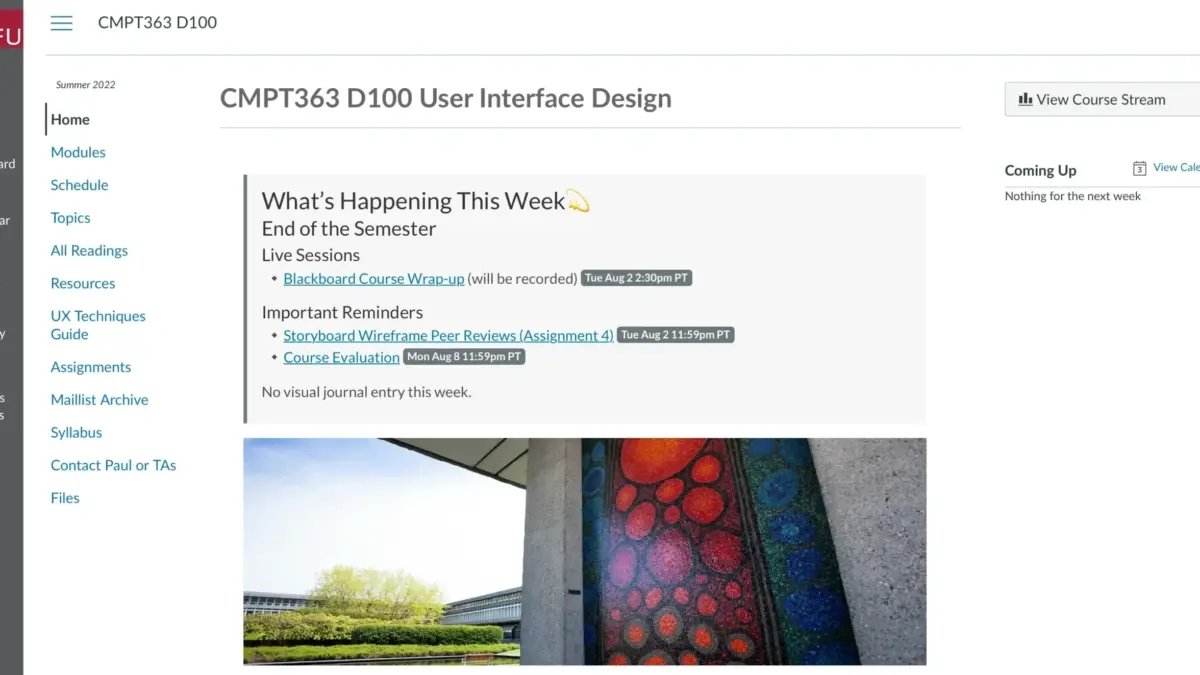
Educational institutions frequently rely on learning management systems like Moodle or Canvas to deliver course materials to students. Docsify-This facilitates deep integration within these environments by allowing external web pages to be linked directly into course navigation menus or embedded within module structures.
Instructors can utilize tools such as the Canvas Redirect Tool to surface Docsify-This pages directly inside a student dashboard. By configuring the external URL with tailored parameters—such as custom font families, optimized font sizes, hidden credits, and direct edit links—educators can maintain a unified digital learning environment while keeping their underlying course materials easily editable in a centralized Git repository.
Integrating Version Control with Git Workflows
To fully unlock the collaborative and historical benefits of Docsify-This, content creators typically store their Markdown files in version-controlled Git repositories hosted on services like Codeberg or GitHub. This architecture brings the robust practices of software development into the realm of content publishing.

Authors can manage their documents using a variety of open-source graphical Git interfaces, including GitHub Desktop, Git-Cola, and SparkleShare, or leverage built-in version control features found in modern text editors like Visual Studio Code and Pulsar Edit. Every modification is tracked, reviewed, and logged, providing a reliable audit trail for collaborative projects, institutional documentation, and multi-author publications.
The convergence of Markdown, Git-based version control, and instant rendering engines like Docsify-This signals a broader shift toward frictionless, platform-agnostic publishing. By removing the traditional technical overhead associated with website deployment, the project empowers a diverse range of creators to share, style, and manage their content efficiently across the modern web.