
For many developers working within the Drupal ecosystem, the decision to omit automated testing from a workflow often boils down to a perception of added complexity, steep learning curves, and unnecessary project expense without a clear return on investment. Yet, as web applications grow increasingly dynamic and user expectations rise, ensuring the reliability of a content management system becomes paramount. Enter Cypress, an open-source testing tool that has rapidly gained traction across the web development community for its robust features, developer-friendly interface, and ability to simplify what was once a notoriously tedious aspect of quality assurance.
Addressing the traditional friction associated with implementing testing frameworks, industry practitioners are increasingly turning to tools like Cypress to bridge the gap between front-end behavior and backend integrity. While configuring a local development environment for a modern Drupal project—frequently initialized using the standard drupal/recommended-project structure via Composer—requires careful setup, integrating testing layers no longer needs to be an insurmountable hurdle. Developers utilizing local orchestration environments like Lando often find themselves with a standardized project architecture containing core directories such as vendor, web, and essential configuration files like composer.json. Building upon this foundation, incorporating Cypress through Node.js package management offers a streamlined pathway to establishing comprehensive end-to-end testing protocols.

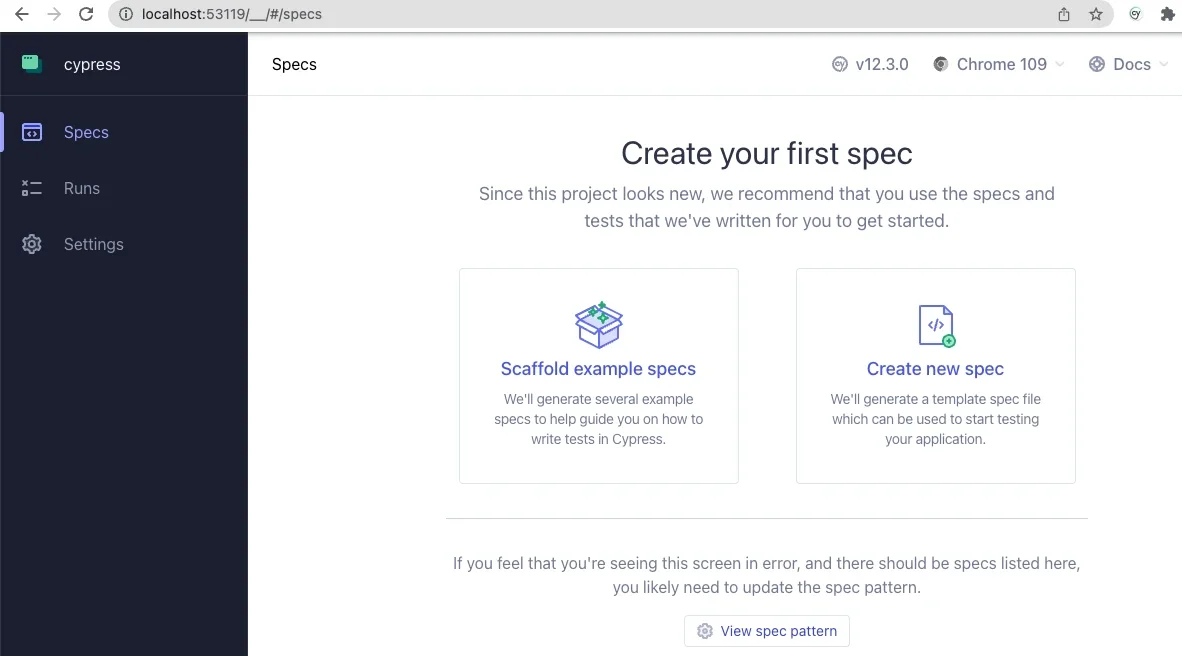
Getting started with the framework involves initializing a Node.js project within the development directory and installing the testing suite as a development dependency. Upon launching Cypress for the first time through the command line interface, developers are greeted by an intuitive setup application designed to guide them through configuring end-to-end testing parameters. Selecting a preferred browser—typically a Chromium-based engine—opens an interactive test runner interface. By scaffolding example specifications provided out of the box, development teams can quickly familiarize themselves with the JavaScript-based syntax, which proves remarkably intuitive and easy to read even for those relatively new to automated testing.
The real power of the integration becomes apparent when configuring the testing environment to communicate directly with a local Drupal instance. By modifying the primary configuration file, cypress.config.js, developers define essential parameters such as the viewport dimensions and, crucially, the base URL pointing to their local development site. This configuration ensures that the test runner accurately locates project resources and maps out specification files across the directory tree.
Writing basic tests reveals the immediate practical value of automated quality assurance. By establishing specific test files within an integration directory, developers can script scenarios that mimic real user behavior, such as verifying the successful loading of a homepage and confirming the existence of critical page elements like primary headings. More complex interactions, such as authentication workflows, can likewise be scripted to test system resilience against incorrect login credentials or invalid user submissions.
During these exercises, developers frequently uncover subtle front-end nuances that might otherwise escape manual QA. For instance, executing automated clicks on submission inputs occasionally highlights rendering peculiarities, such as flexbox styling nuances that momentarily impede a testing script’s ability to interact with a button until proper assertions are met. Witnessing the testing utility successfully diagnose and navigate these interface realities reinforces its value in everyday development cycles.
Beyond basic user interactions, Cypress allows for a high degree of customization tailored specifically to the unique architecture of Drupal. Teams can author custom commands within support files to encapsulate repetitive actions, such as handling user sessions. By defining custom commands like a routine to log out or a standardized login function that accepts username and credentials, developers can drastically reduce redundancy in their test suites. Furthermore, the framework’s flexibility permits advanced integrations, such as executing Drush commands directly within test logic by leveraging environment variables. This capability enables workflows like authenticating users dynamically by their user ID via the command-line utility, allowing testers to bypass traditional password entry entirely and introducing significant security benefits to the testing pipeline.
The broader ecosystem surrounding Cypress and Drupal offers extensive resources for teams looking to deepen their quality assurance practices. Webinars and public code repositories provided by industry agencies offer advanced use cases, including handling complex Ajax-enabled forms and managing fixture files to supply structured test data. As development agencies and independent engineers continue to share their configurations and methodologies, adopting robust automated testing tools becomes an increasingly accessible standard for modern Drupal projects, ultimately fostering more resilient, reliable web applications.