
The modern business environment moves at a relentless pace, frequently leaving professionals overwhelmed by the sheer volume of dense, long-form documentation they are expected to digest. It is a common scenario in contemporary corporate life: an executive or analyst receives an exhaustive, multi-page PDF document with the implicit expectation that its contents will be fully comprehended and translated into an actionable report or presentation. When hours in the workweek are finite, attempting to parse complex nuances, financial metrics, or extensive market research while maintaining day-to-day responsibilities can feel like an insurmountable challenge. The central dilemma facing modern knowledge workers is how to deliver concise, informed insights when there simply is not enough time to master every detail of the source material.
Compounding the challenge of comprehension is the subsequent hurdle of presentation. Even when a professional successfully extracts the core information and compiles a thorough report, the final layout and aesthetic presentation may fall flat, looking dry or uninspired. Transforming a plain text document into an engaging, visually compelling asset typically requires dedicated design skills and software expertise that many business professionals simply do not possess. Spending hours tweaking fonts, alignments, and colour palettes takes valuable time away from core strategic tasks.
To address these twin pressures of time scarcity and design demands, Adobe Acrobat has rolled out a suite of artificial intelligence tools designed to rapidly distill lengthy documents into streamlined, professional content. These capabilities are engineered not only to accelerate a user’s understanding of complex data but also to empower them to share those insights confidently with colleagues, stakeholders, and clients. By leveraging these modern features, professionals can fundamentally alter how they approach large volumes of information, shifting from exhaustive reading to high-level strategic comprehension.
Why Adobe Acrobat’s Interactive Reports Could Be Your Secret Weapon
Navigating detailed, complex PDFs containing vast amounts of information is a routine task for many business professionals. However, spending hours reviewing these files does not automatically translate into a deep, intuitive understanding of the underlying data. Often, documents are drafted in a dry, academic fashion that strains focus, or they are structured in a disjointed manner that forces constant cross-referencing, causing the central narrative or key takeaways to get lost in the noise.
Most frequently, professionals operate under tight deadlines, forcing them to skim through extensive material in a race against the clock. This rushed review often leaves individuals uncertain of how thoroughly they have grasped the details, translating directly into hesitation and difficulty when attempting to explain essential points to a team or client.

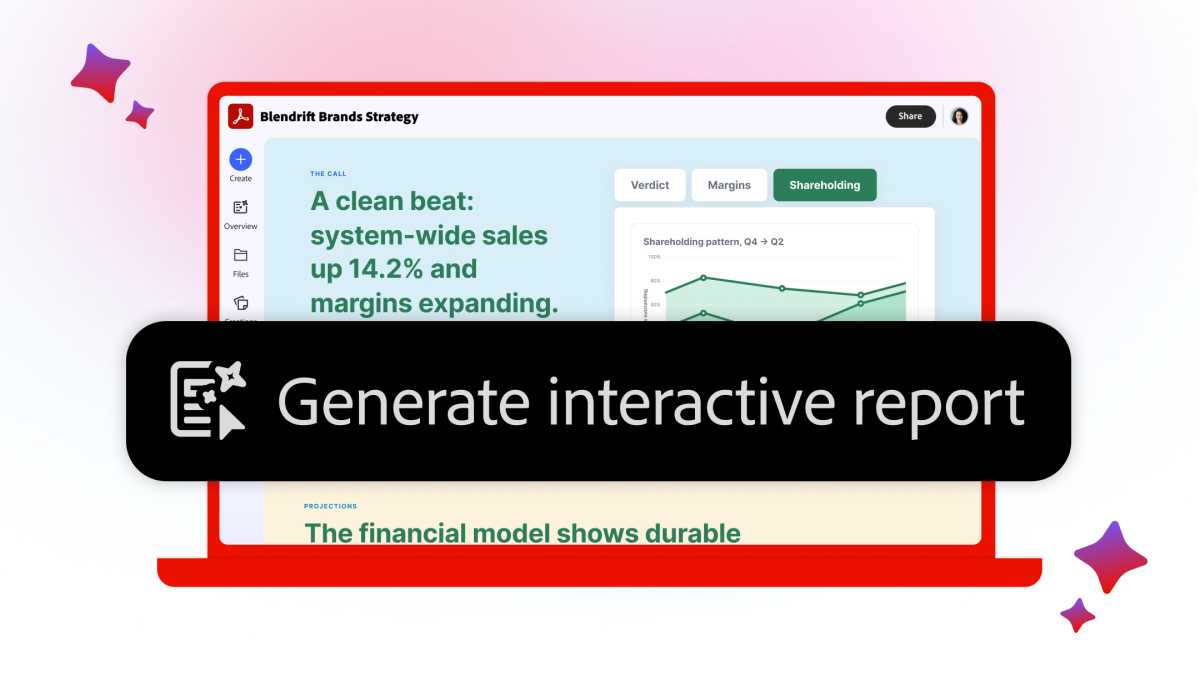
With the introduction of interactive report generation in Adobe Acrobat, these heavy, tome-like PDFs can be rapidly converted into visual summaries that highlight critical data points in an intuitive format. For instance, when dealing with a complex financial report covering multiple facets of a business enterprise, Adobe Acrobat can swiftly transform a sea of figures and text into a structured overview complete with dynamic charts and easily digestible key takeaways, rendering the information instantly accessible.
The functionality goes beyond static summaries by incorporating conversational AI capabilities. Users can ask the AI Assistant specific questions about the source content, as well as provide direct instructions on how the data should be formatted and structured for their specific needs. This interactive approach applies equally well to comprehensive market research documents, internal corporate policies, extensive sales materials, and a wide array of other business reports.
For professionals who prefer an auditory learning style or wish to consume information while multitasking, Adobe Acrobat includes a feature that converts documents into engaging podcasts. These audio files feature AI-hosted discussions that cover the underlying data in a conversational, easy-to-follow manner. By utilizing these tools, workers can achieve a deeper comprehension of difficult source material much faster, utilizing the resulting insights to communicate effectively and authoritatively with their professional networks. The overarching philosophy of the platform is simple: read less, but know more.
When projects involve multiple source files, Adobe Acrobat’s PDF Spaces feature provides a centralized environment where an entire library of documents can be analyzed simultaneously by the AI Assistant to generate cohesive insights. Furthermore, users can share the generated reports directly, allowing them to track how recipients engage with the synthesized information.
Elevating Document Aesthetics with Stylize
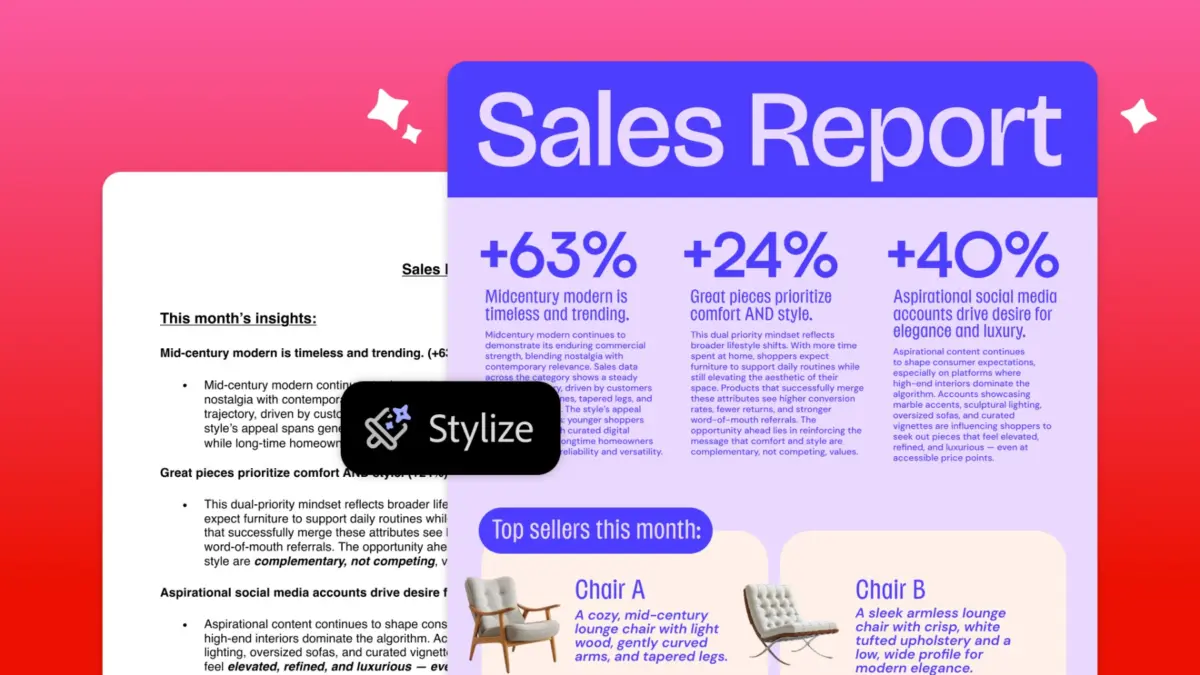
For situations where a document has already been written but lacks the polished, professional finish required for public or executive distribution, Adobe Acrobat offers the Stylize feature. This tool is designed to instantly elevate ordinary files into visually impressive presentations that professionals can proudly put their name behind.
The process is designed for maximum efficiency. A user simply uploads their existing document—whether it is a professional resume, corporate report, financial invoice, or company newsletter—and selects the Stylize option within the application. The system then offers access to a broad selection of professionally designed feature templates capable of transforming the visual presentation of a plain file in a matter of clicks.
Crucially, the underlying content remains entirely intact throughout the transformation process. Adobe Acrobat reorganizes and formats the existing text and figures so they look their best, while still granting the user full editorial control. Professionals can easily modify the contents or switch from one template to another until they find a visual style that aligns with their personal preferences or corporate guidelines. Additionally, users can integrate proprietary brand assets, ensuring the final output is precisely tailored to their specific corporate identity or the branding requirements of the client they are serving.
The Stylize tool is built to provide an immediate layer of professional polish, making it an ideal solution for individuals who recognize the value of high-end design but lack the time or specialized skills required to build complex layouts from scratch.
Try Adobe Acrobat for Free Today
Professionals interested in evaluating these capabilities can test the full range of Adobe Acrobat features through a seven-day free trial. This trial period offers an opportunity to experience firsthand how interactive report generation and the Stylize feature can integrate into daily workflows and alleviate the pressures of modern document management.
Following the trial period, access to Adobe Acrobat is available via a subscription model priced at $24.99 per month. This subscription grants users the full complement of the software’s comprehensive toolkit, encompassing advanced PDF editing, conversion, and creation capabilities, robust document workflow management utilities, and the sophisticated AI features designed to drive workplace productivity. By equipping workers with intelligent automation and design assistance, the platform demonstrates that meeting the demands of modern business does not require working harder, but rather utilizing smarter tools.



Leave a Reply