
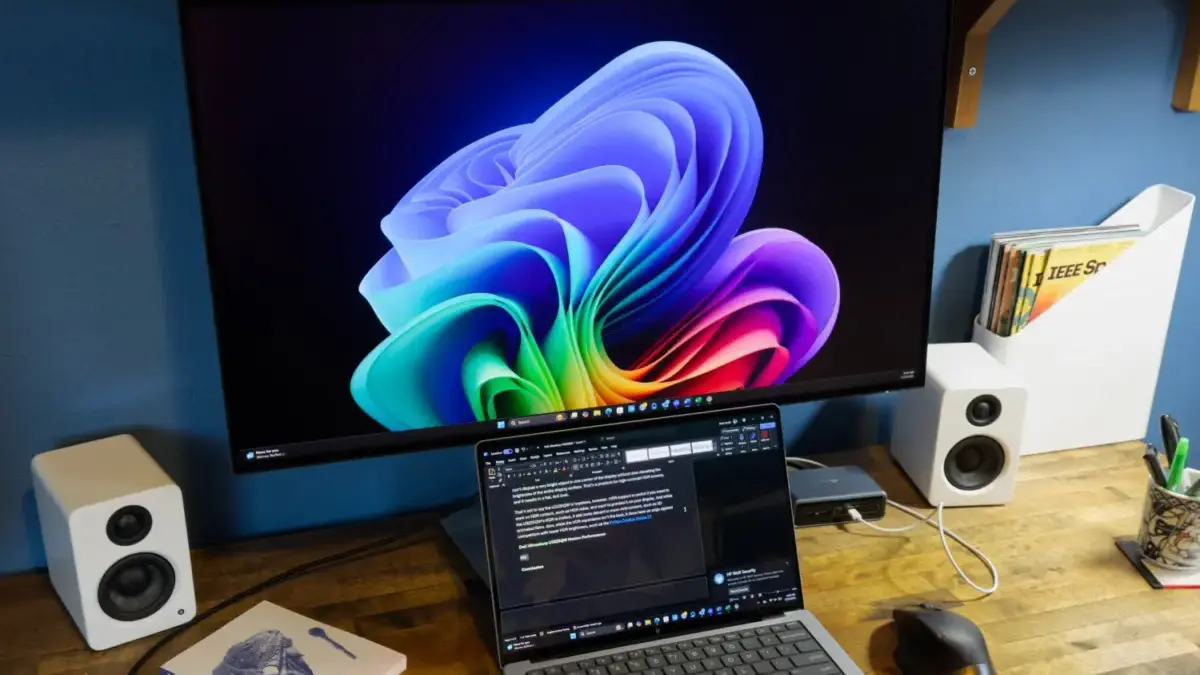
USB-C has rapidly evolved into the one connection to rule them all, transforming how professionals and home office workers wire their desks. Its widespread popularity has made a USB-C port a common sight on the latest generation of monitors. A modern USB-C monitor can act as a fully functioning USB hub, providing additional ports for connecting various peripherals, but the monitor’s primary interface can also serve as a streamlined video-input alternative to traditional HDMI or DisplayPort cables. Furthermore, many of these advanced displays can power and charge a connected laptop or tablet while in active use, completely eliminating the need for bulky external charging bricks and docking stations.
Despite their clear benefits, the technical details surrounding USB-C can often be confusing for consumers. Pricing for USB-C monitors also tends to run higher than that for equivalent displays that lack the interface. To help navigate these nuances, expert evaluations and comprehensive testing from industry veterans point to several standout models that excel in overall performance, budget value, and portability.

The Best USB-C Monitors for Every Workspace
When evaluating the market, industry experts emphasize that a reliable monitor choice requires rigorous testing of real-world usability alongside standard performance benchmarks. With decades of experience covering personal computing hardware, reviewers subject top displays to both subjective daily-use assessments and objective evaluations using specialized hardware like color calibration tools. These measures ensure that brightness, contrast, color accuracy, and overall image fidelity remain consistent across varied lighting environments.
Dell Ultrasharp U3225QE: Best USB-C Monitor Overall
For professionals seeking a high-end display with best-in-class connectivity, the Dell Ultrasharp U3225QE stands out as a premier choice for a modern home office or corporate workspace. The U3225QE’s robust port selection completely eliminates the need for external docks and adapters. It features advanced Thunderbolt 4 and USB-C connectivity with up to 140 watts of Power Delivery—plenty of electrical capacity to charge power-hungry laptops while driving the display.
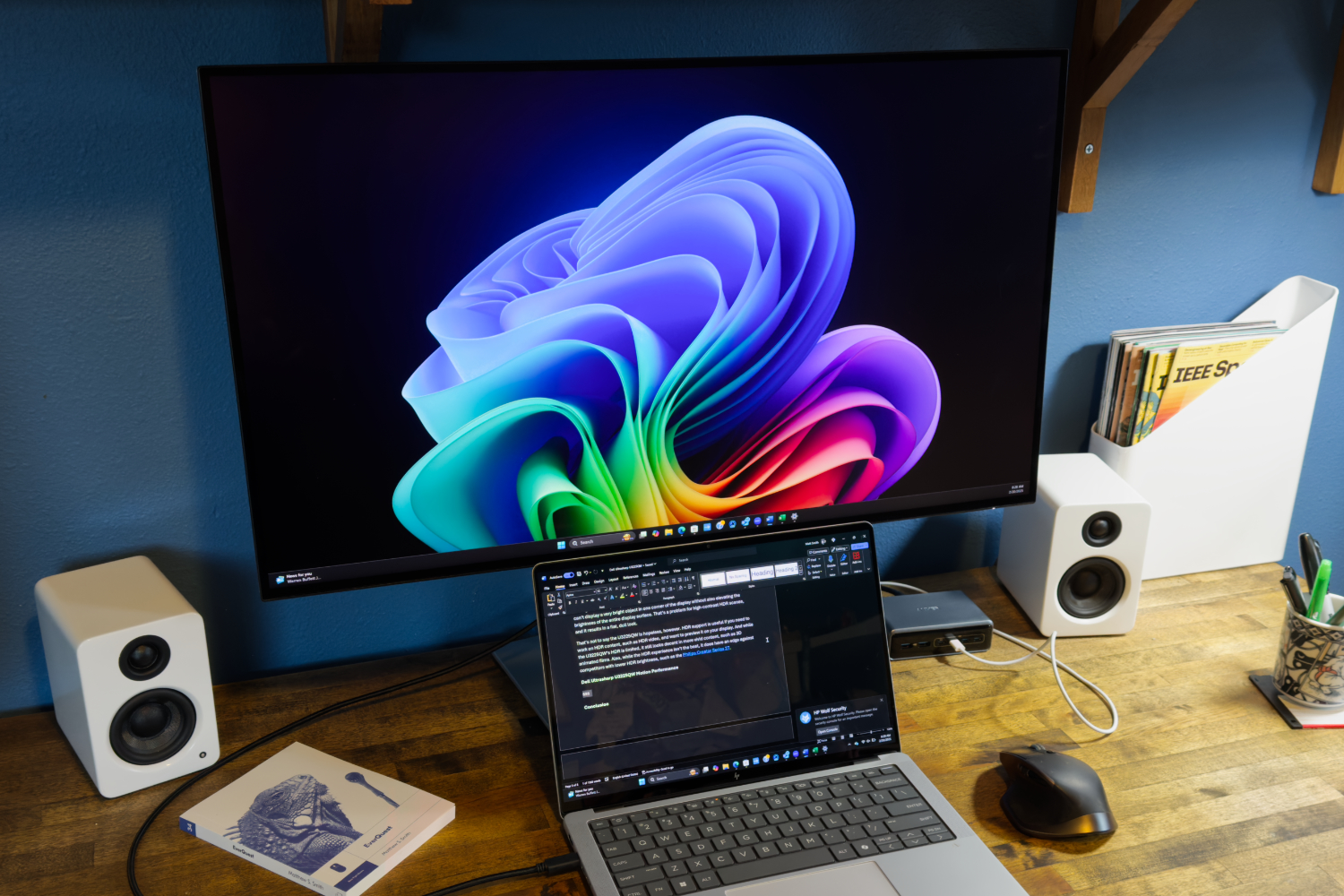
Alongside its primary connection points, the monitor includes standard HDMI, a primary DisplayPort, and a secondary DisplayPort output designed specifically for daisy-chaining multiple monitors together in an extended desktop configuration. A built-in 2.5Gbps Ethernet port ensures a fast and stable wired network connection, a rare and highly prized feature among productivity displays. To round out its hub capabilities, the Dell display offers six USB-A ports, a convenient pop-out USB hub featuring quick-access USB-C and USB-A ports, and an integrated KVM switch for seamless hardware control across two connected computers.
Beyond its extensive connectivity, the U3225QE features a sharp 31.5-inch 4K IPS Black panel that delivers excellent color accuracy and an above-average contrast ratio for a productivity-focused monitor. A smooth 120Hz refresh rate enhances system responsiveness, making everyday tasks like scrolling through dense documents and managing heavy multitasking noticeably smoother. The ergonomic stand provides full height, tilt, swivel, and portrait mode adjustments, while an effective anti-glare coating ensures comfortable viewing under diverse office lighting conditions. Although it lacks built-in speakers and its High Dynamic Range performance is somewhat limited, its comprehensive feature set makes it an exceptional central hub for professional environments. For those desiring a smaller footprint, Dell also offers the Ultrasharp U2725QE, which shares a similar 4K IPS Black panel and high-speed Thunderbolt 4 connectivity in a 27-inch form factor.
BenQ GW2786TC: Best Budget USB-C Monitor
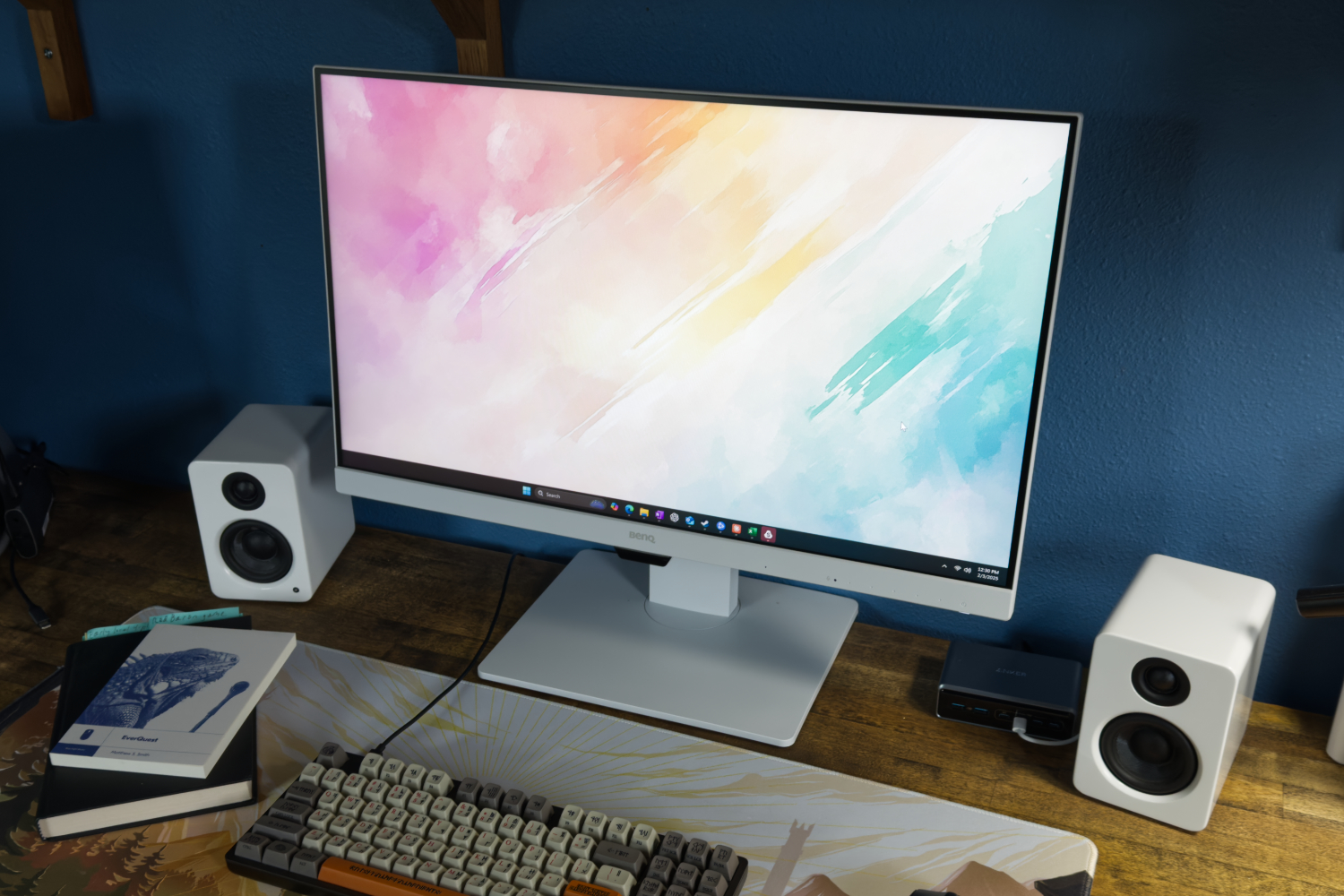
Budget-conscious shoppers looking to streamline their setups can turn to the BenQ GW2786TC, which remains one of the most capable USB-C monitors available for under $250. The display features a 27-inch IPS panel with a 1080p resolution, a 100Hz refresh rate, and an adjustable ergonomic stand supporting height, tilt, and swivel configurations. While its pixel density is not as sharp as a 4K panel at the same size, it delivers reliable contrast and a comfortable viewing experience for daily office workflows.
The BenQ model incorporates USB-C connectivity with 65W Power Delivery, enabling a single-cable connection that simultaneously transmits video, power, and data. It also includes DisplayPort-out capability to daisy-chain a secondary monitor, a remarkably uncommon perk in this price tier. Additional home office conveniences include built-in speakers, a noise-canceling microphone, and an ambient light sensor designed to adjust screen brightness automatically. Although marketed heavily as a natural companion for MacBooks, the monitor functions seamlessly with Windows PCs, Chromebooks, and Linux laptops alike. Its primary limitation is a lack of adaptive sync technology, meaning gaming performance will not match the fluidity found on specialized gaming displays, but its combination of price and features solidifies its value for general productivity.
Viewsonic ColorPro VP16 OLED: Best Portable USB-C Monitor
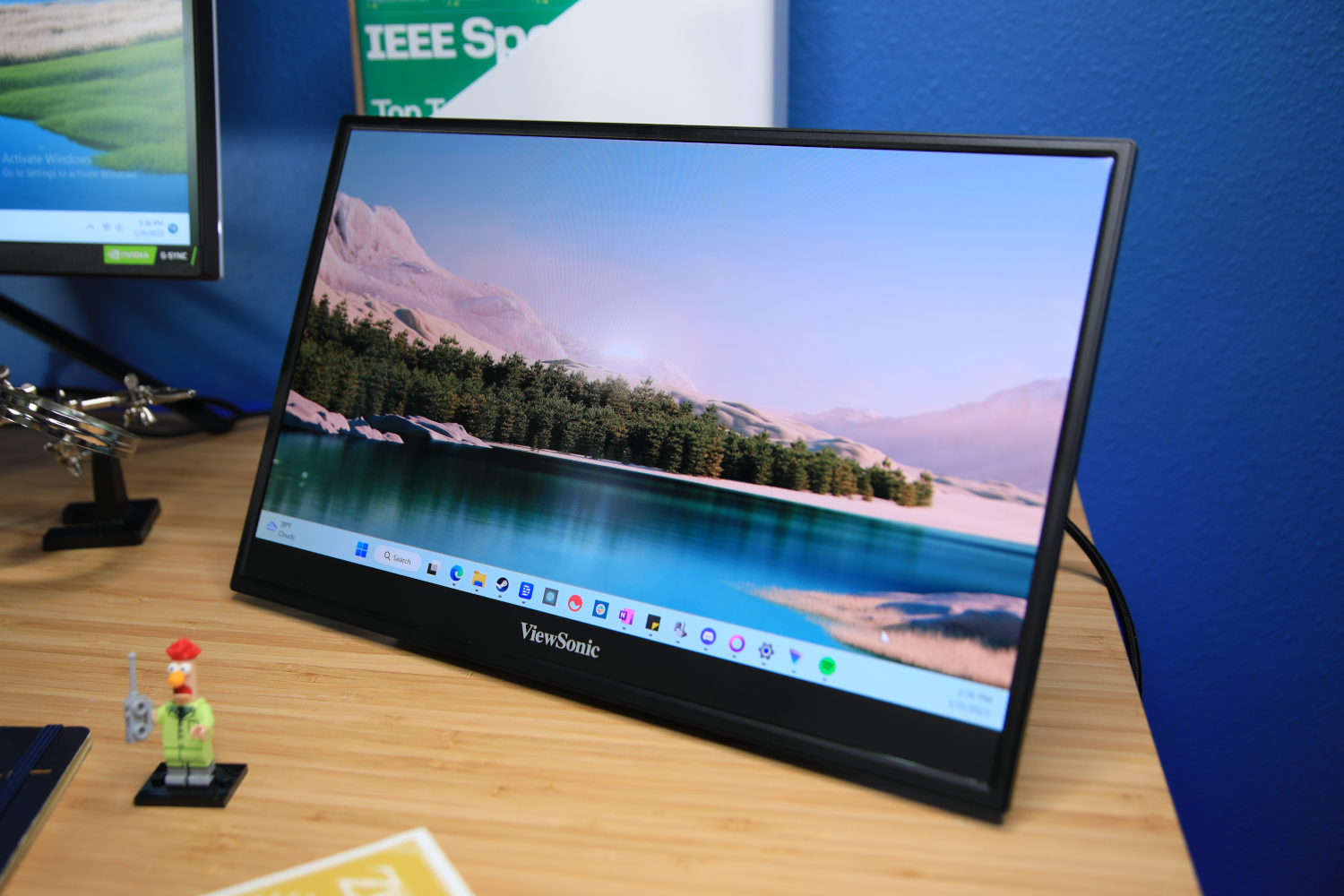
For professionals and digital nomads who require a high-performance multi-monitor setup on the move, the Viewsonic ColorPro VP16 OLED offers a compelling portable solution. It combines professional-grade image fidelity with flexible USB-C connectivity and an innovative mechanical stand design.
The monitor utilizes a 15.6-inch 1080p OLED panel that delivers exceptional color accuracy, wide color gamuts, and deep contrast levels, outperforming many full-sized desktop displays and nearly all competing portable screens. This makes it an ideal tool for color-critical work, while also providing a vibrant canvas for media consumption and casual gaming. The integrated stand functions securely as a protective cover, a simple kickstand, or an adjustable riser that elevates the screen to a more ergonomic viewing height.

The stand houses two functional USB-C ports capable of handling both power delivery and video input, alongside a micro-HDMI port for legacy device compatibility. Viewsonic includes the necessary connection cables and a dedicated power brick in the box. While portable OLED technology commands a higher retail price point, the VP16-OLED remains a top-tier recommendation for users who prioritize absolute image quality in a mobile office environment.
Understanding USB-C Standards and Technical Nuances
Choosing the right USB-C monitor requires looking past standard display metrics and examining the specific technical capabilities of the connection interface itself. USB-C displays generally operate in two distinct contexts within a modern workspace. First, a user can connect a desktop computer or laptop to the monitor via USB-C and utilize the display as a traditional USB hub through a high-speed data interface. Second, the user can leverage the connection as a direct video-input cable, replacing traditional HDMI or DisplayPort cords—a particularly vital feature as modern thin-and-light laptops continue to shed legacy ports.

However, navigating these capabilities requires careful attention to data bandwidth and video protocols. Traditional USB-C specifications historically supported 4K video at a choppy 30Hz refresh rate. The integration of DisplayPort Alternate Mode vastly improves this experience by enabling crisp 4K video at 60Hz. Newer laptops utilizing DisplayPort 1.4 combine high-bit-rate modes with display stream compression to handle 4K60 video streams concurrently with high-speed data transfers for external USB storage drives.
Despite these advancements, standard 20Gbps USB-C connections may struggle to drive high-refresh-rate gaming panels at their maximum refresh rates and resolutions without a dedicated video cable. Users operating laptops equipped with Thunderbolt 3, Thunderbolt 4, or USB4 ports—which feature a much wider 40Gbps data pipeline—can typically bypass these bandwidth limitations and drive compatible monitors at full resolution and maximum refresh rates using a certified Thunderbolt cable.

Power Delivery is another critical specification when selecting a display. While the overarching USB-C standard theoretically supports up to 240 watts of power delivery, the vast majority of USB-C monitors on the market deliver between 65 and 90 watts, with select high-end exceptions pushing up to 140 watts. This output is ideal for thin-and-light laptops, 2-in-1 convertibles, and tablets. High-performance gaming laptops, conversely, demand significantly more power than standard monitor ports can supply, meaning those machines may charge slowly or continue to drain their internal batteries under heavy workloads even when plugged into the display.
Wired Ethernet integration represents another valuable feature found on select premium models. Because many modern portable computers omit physical network jacks, a monitor with an integrated Ethernet port provides a reliable, high-speed wired internet connection directly through the single USB-C umbilical cord. While rare outside of high-end enterprise hardware like the Dell Ultrasharp series, built-in network adapters further reduce desk clutter for professionals relying on stable connections.

Ultimately, whether a USB-C monitor is worth the investment depends heavily on an individual’s specific workflow. Users who regularly dock and undock a modern laptop can eliminate desk clutter and consolidate multiple peripherals through a single connection. While USB-C monitors generally carry a price premium over traditional non-USB-C alternatives across all market tiers, their ability to streamline power, data, and video transmission continues to redefine the standard desktop workspace.

Leave a Reply